Nahnu Video For Bunny Stream (Bunny.net)
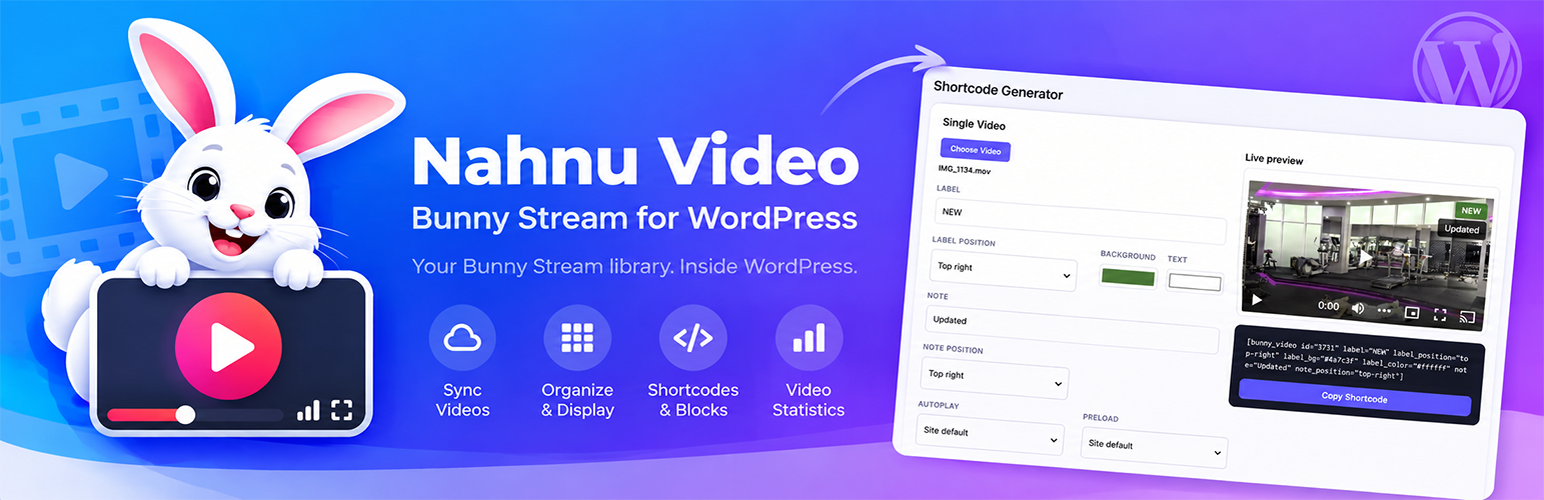
Nahnu Video For Bunny Stream (Bunny.net)
Description
Disclaimer: this is an independent, third-party plugin. It is not made by, affiliated with, endorsed by, or in any way officially connected to Bunny.net. “Bunny Stream” and “Bunny.net” are the trademarks of their own owner, referenced here only to describe what this plugin connects to.
Nahnu Video connects your WordPress site to your Bunny Stream video library, so you can drop videos into posts and pages with a shortcode or a block: a plain, real Bunny player, exactly like pasting Bunny’s own embed code, without hand-coding an iframe every time.
100% free. No premium version, no upsells, no feature paywall. Every feature described here, sync, shortcodes, blocks, the Video Control screen, the Shortcode Generator, statistics, is included, full stop. The only thing you pay for is your own Bunny Stream account, since that’s where your videos are actually hosted.
What it does
- Syncs your Bunny Stream library into WordPress, either manually or on a schedule.
- Organizes videos with real WordPress categories and tags, so you get related-video filtering and grid shortcodes for free.
[bunny_video]shortcode: a single video, Bunny’s own player with optional label/note overlays.[bunny_grid]shortcode: a 1 to 6 column responsive grid, filterable by category or tag.[bunny_playlist]shortcode: one live main player with a click-to-switch thumbnail grid below it, like a YouTube playlist.- A “Nahnu Video”, “Nahnu Video Grid”, and “Nahnu Video Playlist” block for the block editor, with a searchable video picker and live preview, no shortcode syntax to remember.
- A Video Control admin screen: thumbnails, live search, one-click shortcode copy, and category/tag editing.
- A dedicated Shortcode Generator page: pick a video (or videos, for a grid or playlist), set every option, live preview, copy.
- Autoplay, loop, muted, and preload are real site-wide settings, overridable per embed. Bunny’s own player handles everything else natively.
- Two players: the Nahnu Player (the default), rendered on your page from the same HLS stream and built on Plyr and hls.js like Bunny’s player, with your brand colors; or Bunny’s own iframe embed. Choose per site, per shortcode, or per block.
- Player Branding: your key color, control color and caption colors apply to the Nahnu Player instantly.
- An optional Bunny webhook, so new uploads, finished encodes and changes show up within seconds instead of at the next sync.
- A developer integration API: other plugins that upload videos to Bunny Stream (an offload plugin, an upload form, a course builder) can import, refresh, or remove one video by its GUID right away. See “For Developers” below.
How to use it
Once your library is synced (see Installation below), you can drop a video in anywhere you’d normally write a shortcode or use a block:
A single video, using the ID shown in Nahnu Video All Videos:
[bunny_video id="128"]
The same video with a corner label and a note:
[bunny_video id="128" label="NEW" note="Updated for 2026"]
A responsive grid of everything tagged “tutorials”, 3 columns wide:
[bunny_grid tag="tutorials" columns="3"]
A playlist: one main player, with a click-to-switch grid of every video in the “webinars” category below it:
[bunny_playlist category="webinars"]
Videos play in the Nahnu Player by default. To use Bunny’s own iframe player for one embed instead, add player="bunny":
[bunny_video id="128" player="bunny"]
Prefer the block editor? Type /nahnu or /bunny while writing a post to find “Nahnu Video”, “Nahnu Video Grid”, and “Nahnu Video Playlist”, each with a searchable picker and a live preview, no attributes to remember. Don’t want to hand-type shortcode attributes either way? Nahnu Video Shortcode Generator builds the exact shortcode for you with a live preview and a one-click copy button.
Requirements
You’ll need your own Bunny Stream account with a video library already set up. Nahnu Video does not host or transcode video itself. It’s a WordPress-side companion to your existing Bunny library.
This plugin is not made by, affiliated with, or endorsed by Bunny.net. “Bunny Stream” is a product of Bunny.net; Nahnu Video is an independent, third-party integration.
External services
This plugin connects your WordPress site to Bunny.net‘s Stream product, a paid, third-party video hosting and delivery service. Bunny.net is required for this plugin to function; you’ll need your own Bunny Stream account and video library.
What is sent, and when
- When you enter your Library ID, Stream API Key, and Pull Zone under Nahnu Video Settings and click Test Connection, those credentials are sent to Bunny’s API (
video.bunnycdn.com) to confirm they’re valid. - When you click Sync Now (or an automatic sync runs, if enabled), your Library ID and API Key are sent to Bunny’s API to retrieve your video list (titles, durations, thumbnails, view counts, and Bunny’s internal video IDs), which is then stored in your WordPress database.
- If you enable watch-time Statistics, refreshing stats sends your Library ID, API Key, and a specific video’s ID to Bunny’s statistics API to retrieve view/watch-time data.
- When another plugin on your site uses this plugin’s integration API to import or refresh a specific video (for example right after it uploads that video to Bunny), your Library ID, API Key, and that video’s ID are sent to Bunny’s API to fetch that one video’s details. While the video is still encoding, the same request is repeated a few times over the following hour until it’s ready.
- For the block editor’s preview, your server downloads each video’s thumbnail from your Pull Zone once, when an editor first needs it (sending your site’s address as the referrer, and using the Token Authentication key if you set one), and keeps a small copy in
wp-content/uploads/nahnu-video-thumbs/. Only signed-in editors are served these copies. - With the Nahnu Player, a visitor’s browser loads the HLS stream, captions and thumbnail directly from your
*.b-cdn.netPull Zone, the same as Bunny’s player does; the player itself (Plyr and hls.js, bundled with this plugin) is served from your own site, never from a third-party CDN. - If you add this plugin’s webhook URL in your Bunny dashboard, Bunny sends a small notification to your site (the library ID, the video’s ID, and a status number) whenever a video changes. Your site then fetches that video’s details from Bunny’s API as above. Nothing is sent to Bunny by setting this up; you add the URL in Bunny yourself, and can remove it there at any time.
- None of the above happens unless you’ve entered credentials and explicitly triggered the action (or turned on auto-sync, set up the webhook, or installed a plugin that uses the integration API yourself). This plugin never sends your site’s content, user data, or visitor data to Bunny.
What visitors’ browsers connect to directly
When a site visitor views a page containing an embedded video (via [bunny_video], [bunny_grid], [bunny_playlist], or the block editor equivalents), their own browser loads the video player and thumbnails directly from Bunny’s servers (player.mediadelivery.net and your *.b-cdn.net Pull Zone), the same as it would for any embedded video from any provider. This means the visitor’s IP address and standard browser request data reach Bunny directly, not through this plugin or your server.
Bunny.net’s own terms and privacy policy govern how they handle this data:
Google Cast (optional, off by default)
Only if you turn on Settings Player “Nahnu Player: add a Chromecast button”: on pages with a Nahnu Player, visitors’ browsers (Chrome and Edge on computers and Android only) load Google’s Cast sender script from https://www.gstatic.com/cv/js/sender/v1/cast_sender.js. Google requires this script to be loaded from its own server, so it can’t be bundled with the plugin. Loading it sends the visitor’s IP address and standard browser request data to Google. When a visitor chooses to cast, their browser sends the video’s stream URL, title, poster image URL and caption URLs to their own Cast device, which then loads the video directly from your Bunny Pull Zone. Your server sends nothing to Google. With the setting off (the default), nothing is loaded from Google.
For Developers
Everything below is also documented, with copyable examples, under Nahnu Video Usage in your dashboard.
Integration API, for plugins that put videos into Bunny Stream
If your plugin uploads videos to Bunny Stream itself (an offload plugin, an upload form, a course builder), tell Nahnu Video about each one by its Bunny GUID and it shows up right away instead of at the next sync. Every call fetches the video’s real data from Bunny with Nahnu Video’s own API key, so your plugin only says which video to look at. Nahnu Video never deletes or changes anything in Bunny.
Check it’s available (and pointed at the same library) first:
if ( function_exists( 'nahnu_video_api_version' ) && version_compare( nahnu_video_api_version(), '1.0', '>=' ) && nahnu_video_library_id() === $my_library_id ) { ... }
Right after uploading a video to Bunny:
$post_id = nahnu_video_import( $guid, array( 'library_id' => $library_id, 'source' => 'my-plugin', 'attachment_id' => $attachment_id ) );
Returns the Nahnu Video post ID or a WP_Error. All arguments after $guid are optional; source and attachment_id are saved on the post so both plugins can link to each other. While Bunny is still encoding, Nahnu Video checks back automatically (after 1, 2, 5, 10, 15, 30 and 60 minutes) until the thumbnail and duration are final.
Functions:
nahnu_video_import( $guid, $args ): import or update one video now. Returns post ID or WP_Error.nahnu_video_refresh( $guid, $args ): re-pull one already-imported video. Pass'import_if_missing' => trueto import it if it isn’t there yet.nahnu_video_remove( $guid, $args ): move a video’s post to the Trash after you deleted it from Bunny.nahnu_video_get_post_id( $guid ): post ID for a GUID, 0 if not imported. Imports nothing.nahnu_video_get_guid( $post_id ): the GUID stored on a post.nahnu_video_get_post_id_by_attachment( $attachment_id ): the post imported with thatattachment_id.nahnu_video_library_id(): the Bunny Library ID Nahnu Video is connected to.nahnu_video_api_version(): the integration API version (currently 1.0), separate from the plugin version.nahnu_video_webhook_url(): the Bunny webhook URL. It contains a secret key, so only show it to administrators.nahnu_video_render( $guid_or_post_id, $args ): the same HTML as[bunny_video]. Also accepts the full attribute array, as before.
Fire-and-forget actions (they do nothing if Nahnu Video isn’t active, so your plugin doesn’t need to depend on it):
do_action( 'nahnu_video_import_guid', $guid, $args )do_action( 'nahnu_video_refresh_guid', $guid, $args )do_action( 'nahnu_video_remove_guid', $guid, $args )
When you pass library_id in $args, any GUID from a different library is refused instead of silently failing later.
Actions Nahnu Video fires
nahnu_video_loaded( $api_version ): everything is loaded and ready.nahnu_video_synced( $post_id, $bunny_video, $is_new, $args ): one video was created/updated by a sync, import or refresh.$args['context']says which.nahnu_video_sync_completed( $result ): a full sync finished (created, updated, skipped, removed, total, manual).nahnu_video_removed( $post_id, $guid, $context ): a post was moved to the Trash because its video is gone from Bunny.nahnu_video_deleted( $guid, $post_id, $attachment_id ): a post is about to be permanently deleted. Nahnu Video never deletes the video in Bunny; that choice is yours.nahnu_video_webhook_received( $guid, $status, $payload ): an authenticated Bunny webhook arrived for this library.- Also:
nahnu_video_stats_refreshed,nahnu_video_term_added,nahnu_video_term_removed,nahnu_video_before_render.
Filters
nahnu_video_bunny_credentials( $credentials ): supply the Library ID and API key from another plugin so they aren’t entered twice. Only fill in empty values, so what’s typed into Settings still wins.nahnu_video_should_import( $should, $bunny_video, $existing_id, $args ): return false to skip a video.nahnu_video_insert_post_args( $post_args, $bunny_video, $is_new, $args ): change the post data before it’s saved, e.g. use the Media Library attachment’s title instead of Bunny’s file name.nahnu_video_remove_missing_on_sync( $enabled ): return false to keep videos that no longer exist in Bunny.nahnu_video_refresh_retry_delays( $delays, $guid ): seconds between “still encoding?” checks. An empty array turns them off.nahnu_video_webhook_imports_new( $import, $guid ): return false so the webhook only refreshes existing videos.nahnu_video_player_mode( $mode, $atts ): force ‘nahnu’ or ‘bunny’ for an embed.nahnu_video_local_player_options( $options, $video ): change what one Nahnu Player receives (HLS URL, poster, captions, playback flags).nahnu_video_cast_sdk_url( $url ): change where Google’s Cast script is loaded from (when Chromecast is on).nahnu_video_editor_local_thumbnails( $enabled ): return false to make the editor preview load thumbnails from the CDN again.nahnu_video_is_editor_preview( $is_preview ): whether a render is treated as a block editor preview (no lazy-loading, no hover video).nahnu_video_html( $html, $video, $atts ): change the final embed HTML for a video.- Also:
nahnu_video_render_args,nahnu_video_grid_render_args,nahnu_video_grid_html,nahnu_video_embed_params,nahnu_video_cdn_urls,nahnu_video_query_args,nahnu_video_stats,nahnu_video_can_edit_terms,nahnu_video_default_settings.
REST endpoints
GET /wp-json/nahnu-video/v1/stats/{id}andGET /wp-json/nahnu-video/v1/stats: public, read-only play count and watch time.POST /wp-json/nahnu-video/v1/bunny-webhook?key=...: receives Bunny Stream webhooks. Requires the secret key from Settings. The payload is only used to learn which video changed; that video’s data is always re-fetched from Bunny.
Other functions
nahnu_video_render_grid(), `nahnu_video_get_video_data()`, `nahnu_video_query()`, `nahnu_video_get_related()`, `nahnu_video_get_stats()`, `nahnu_video_get_top_videos()`, `nahnu_video_refresh_stats()`.<h3>Known Limitations</h3>
* Block editor previews: in 1.0.0 and 1.0.1, thumbnails in the Nahnu Video / Grid (with Hover Preview on) and Playlist blocks could fail to load in the editor’s live preview. From 1.0.2 the preview uses local copies of the thumbnails instead of the CDN (see the FAQ), and an optional diagnostics notice (Settings Block Editor) shows exactly why if one still fails. The published page was never affected.
* It needs direct access to the HLS stream, so Pull Zones with “Block Direct URL File Access” or Token Authentication on every path need the Bunny player. Bunny’s view counts come from Bunny’s player, so Nahnu Player plays may not be counted. Chromecast in the Nahnu Player is an opt-in setting because it loads Google’s Cast script (see the FAQ).
This is a free plugin maintained in our spare time, and the block editor is still newer ground for us than shortcodes. The front end has always worked well, so we’re not worried about it; if you’d like to help with the editor preview, turn on Settings Block Editor Preview diagnostics and send us what the notice shows.
Installation
- Upload the
nahnu-video-for-bunny-stream-bunny-netfolder to/wp-content/plugins/, or install it through the WordPress Plugins screen. - Activate the plugin.
- Go to Nahnu Video Settings and enter your Bunny Stream Library ID, Stream API Key, and CDN Pull Zone (all found in your Bunny dashboard under Stream your library API).
- Click Test Connection to confirm your credentials work.
- Click Sync Now to pull your existing videos into WordPress.
- Tag and categorize videos from Nahnu Video All Videos using Quick Edit, same as you would with Posts.
- Insert videos with the
[bunny_video]/[bunny_grid]/[bunny_playlist]shortcodes, or the “Nahnu Video” / “Nahnu Video Grid” / “Nahnu Video Playlist” blocks.
Screenshots

Settings screen: API connection, playback defaults, and library sync.

Shortcode Generator: pick a video, set every option, copy the exact shortcode with a live preview.

Videos screen: thumbnails, live search, shortcodes, and inline tagging.
Faq
No. Video hosting, transcoding, and delivery are all handled by Bunny Stream directly. This plugin only connects your WordPress site to a library you already manage in Bunny’s dashboard.
Yes. [bunny_video id="your-bunny-guid"] works with a raw Bunny video GUID directly, even before that video has been synced into WordPress.
Click Sync Now again (Nahnu Video Settings Library Sync). Syncing doesn’t just pull in new videos, it also refreshes everything about videos you’ve already synced: title, duration, view count, and the cover photo/thumbnail. Turning on Auto-sync does this for you automatically on a schedule instead, and the optional Bunny webhook (Settings Bunny Webhook) does it within seconds of the change. Either way, syncing never touches anything you’ve set yourself in WordPress, like categories, tags, or a video’s published/draft status.
The next full sync moves its WordPress post to the Trash, so it stops showing up on your site. It’s never deleted outright, so you can restore it from the Trash if that was a mistake. Developers can turn this off with the nahnu_video_remove_missing_on_sync filter.
No, it’s optional. Without it, scheduled sync (or Sync Now) still picks everything up. With it, Bunny tells WordPress about new uploads, finished encodes and changes right away. Copy the URL from Nahnu Video Settings Bunny Webhook and paste it into Bunny under Stream your library API Webhook URL. The URL contains a secret key, so treat it like a password; you can create a new one at any time.
Bunny’s embed is an iframe from Bunny’s servers, so nothing on your site can change how it looks. The Nahnu Player is this plugin’s own player, rendered on your page from the same HLS stream your videos already have, and built on Plyr and hls.js, the same two libraries Bunny’s player is built on. Because its controls are part of your page, your brand colors apply to it instantly, with no Bunny API involved. It has quality selection, speed, captions (from the captions you’ve added in Bunny), picture-in-picture, AirPlay and fullscreen. It’s the default. We kept Bunny’s player as an option, under Settings Player or per embed with player="bunny", for three reasons: Bunny counts views through its own player, so plays in the Nahnu Player may not show in Bunny’s statistics or this plugin’s Stats column; the Nahnu Player loads the stream directly, so it can’t play from a Pull Zone that blocks direct file access or enforces Token Authentication on every file; and anything set in Bunny’s own player settings (watermark, custom controls, heatmap) only exists in Bunny’s player. Chromecast works in both (see the next question).
Yes, as an option you turn on: Nahnu Video Settings Player Chromecast “Nahnu Player: add a Chromecast button”. It’s off by default, for one reason: casting needs Google’s Cast script, and Google only allows that script to be loaded from Google’s own server (www.gstatic.com), so it can’t be bundled with this plugin the way the player itself is.
What happens when it’s on:
- On pages with a Nahnu Player, visitors’ browsers download Google’s Cast script from
www.gstatic.com. Like any file loaded from another site, that means Google receives the visitor’s IP address and browser details, under Google’s own privacy policy. Nothing is sent from your server, and nothing is loaded when the setting is off. - The script is only loaded where casting can work: Chrome and Edge on computers and Android. Safari and every iPhone/iPad browser never load it; they cast with AirPlay instead, which the Nahnu Player always supports.
- A Cast button appears in the player’s control bar only when a Chromecast or Google TV is found on the visitor’s network.
- Clicking it sends the video’s stream address, title, poster and captions to the TV, which then plays the video straight from your Bunny Pull Zone through Google’s standard media receiver. Playback continues from where the visitor was. While casting, the player shows which device is playing, with Play/pause and Stop buttons, and Stop continues on the page from where the TV left off. In a playlist, picking another video while casting sends that one to the TV.
- Because the TV fetches the video itself, your Pull Zone has to allow cross-site requests (CORS) and must not require Token Authentication on the video stream. The Nahnu Player itself already needs the same CORS access in the browser, so if it plays on your site, that part is already in place. If a video can’t be cast, the player says so.
Bunny’s own player has its own, separate Chromecast setting (also under Settings Player); that one never involves this plugin or Google’s script.
Yes, for the Nahnu Player. Under Nahnu Video Settings Player Branding set the key (accent) color, the controls color and the caption text/background colors; they apply as soon as you save. Bunny’s own iframe player can’t be styled from your site, so its colors are set in your Bunny dashboard (Stream your library Player).
As of 1.0.2 the block editor’s preview self-hosts its thumbnails and never loads them from a public URL. When the editor needs a thumbnail, WordPress downloads it from Bunny once on the server (sending your site as the referrer, like a normal page view, and signed with your Token Authentication key if you set one), keeps a small copy in wp-content/uploads/nahnu-video-thumbs/, and sends it to the editor itself through an admin-only address. Pull Zone referrer/hotlink rules, CDN or offload plugins that rewrite uploads URLs, and the editor’s own frame can’t get in the way. If Bunny refuses the download, the preview shows a dark image saying what Bunny answered (for example “HTTP 403”), which points straight at the Pull Zone’s security settings. The copies are refreshed when a cover photo changes in Bunny and once a week otherwise, and are removed if you delete the plugin with “delete all data” on. If a thumbnail still doesn’t show in the editor, turn on Settings Block Editor Preview diagnostics: the block then shows a notice listing each image’s state and URL, which is what to send us. It’s off by default and meant for debugging only. The block editor’s live preview has been the one part of this plugin that’s been hard to make fully reliable, while the published page your visitors see has always worked well, so most sites never need it.
The editor preview is there so you can see what your page will look like while you build it (thumbnail, size, layout, labels, grid columns, the playlist), not to watch your videos; use the published page or Preview for that. Blocks preview with the Nahnu Player, whichever player the block itself is set to, because its thumbnails are served by your own site and show reliably inside the editor. Videos never start on their own while you edit, and Chromecast is never loaded in the editor. The published page always uses the player you chose (Settings Player, or the block’s Player option).
If you need to see Bunny’s own player in the editor, for example while debugging, turn on Settings Block Editor “Use Bunny’s player in the editor preview”. We keep it as an option for debugging and for when we’re working on the plugin, but it’s best left off.
Not from Bunny. Your Bunny Stream library is never modified by this plugin, in either direction. By default, deleting the plugin also leaves your synced WordPress data (videos, categories, tags, settings) untouched. There’s an opt-in “delete all data on uninstall” toggle under Settings Advanced if you want a clean removal.
No. Nahnu Video is an independent, third-party integration built by Nahnu Plugins. It is not made by, affiliated with, or endorsed by Bunny.net.
Reviews
Changelog
1.0.2
- New: the Nahnu Player. An optional player rendered on your page from the HLS stream, built on Plyr and hls.js (both bundled), with quality selection, speed, captions, picture-in-picture, AirPlay and fullscreen. It is the default player for new and existing sites; switch back under Settings Player, with
player="bunny"on any shortcode, or with the Player option in each block. Bunny’s iframe player itself is unchanged. - New: Player Branding (Settings Player Branding). Key color, controls color and caption colors for the Nahnu Player, applied as CSS on save.
- New: the block editor preview self-hosts its thumbnails: downloaded once by your server (with your site as the referrer), stored in wp-content/uploads/nahnu-video-thumbs, and served to the editor through an admin-only address, so Pull Zone rules and URL-rewriting plugins can’t block them. If Bunny refuses one, the preview shows what Bunny answered.
- New: captions added in Bunny are synced and offered in the Nahnu Player.
- New: optional Chromecast in the Nahnu Player (Settings Player, off by default because it loads Google’s Cast script from Google’s server). Sends the stream, poster and captions to the TV and continues on the page when casting stops.
- Fixed: on sites with a Token Authentication key, the block editor’s video picker showed broken thumbnails a day after the last sync, because the sync stored an already-signed (expiring) thumbnail URL. Thumbnails are now signed when shown, never when stored. Run Sync Now once after updating.
- Fixed: on sites with a Token Authentication key, the block editor’s live preview requested thumbnails unsigned, which a token-protected Pull Zone refuses. Previews are now signed like the front end.
- Improved: block editor previews no longer lazy-load thumbnails or include the hover-preview video element.
- New: Nahnu Video, Grid and Playlist blocks preview in the block editor with the Nahnu Player and self-hosted thumbnails, so the editor reliably shows what the page will look like (it’s for layout, not for watching). Settings Block Editor can switch the preview to Bunny’s player for debugging. The published page is unaffected.
- New: Settings Block Editor Preview diagnostics (off by default). For debugging only: shows a notice in the block editor listing any thumbnail that can’t be shown, with its state and URL.
- New:
nahnu_video_player_mode,nahnu_video_local_player_options,nahnu_video_cast_sdk_url,nahnu_video_editor_local_thumbnailsandnahnu_video_is_editor_previewfilters.
1.0.1
- New: developer integration API for plugins that upload videos to Bunny Stream. Import, refresh, or remove one video by its GUID with
nahnu_video_import(),nahnu_video_refresh(),nahnu_video_remove()or the matching actions, plus look-up functions by GUID, post ID, or Media Library attachment. See “For Developers”. - New: while Bunny is still encoding a newly imported video, Nahnu Video checks back automatically until the thumbnail and duration are final.
- New: optional Bunny webhook (Settings Bunny Webhook), so uploads, finished encodes and changes show up within seconds.
- New: hooks and filters
nahnu_video_bunny_credentials,nahnu_video_should_import,nahnu_video_insert_post_args,nahnu_video_remove_missing_on_sync,nahnu_video_refresh_retry_delays,nahnu_video_webhook_imports_new,nahnu_video_removed,nahnu_video_deleted,nahnu_video_webhook_receivedandnahnu_video_loaded. - New:
nahnu_video_render()also accepts a post ID or Bunny GUID as its first argument. - Changed: Sync Now moves videos that were deleted in Bunny to the Trash (restorable), and its result shows how many.
1.0.0
- Initial public release.
- Bunny Stream library sync (manual or scheduled), with real WordPress categories and tags for organizing videos.
[bunny_video],[bunny_grid], and[bunny_playlist]shortcodes, plus matching “Nahnu Video”, “Nahnu Video Grid”, and “Nahnu Video Playlist” blocks with a searchable video picker and live preview.- Video Control admin screen: thumbnails, live search and instant category/tag filtering, one-click shortcode copy, and inline category/tag editing.
- Shortcode Generator: pick videos, set every option, live preview, copy the exact shortcode.
- Optional hover-preview thumbnails (off by default) using Bunny’s own preview clips.
- Optional CDN Token Authentication support for Pull Zones with restricted direct file access.
- Play count and watch-time statistics, with a PHP function and REST API for other plugins/themes to read them.
- Settings page covering connection, playback defaults, label colors, default grid layout, and library sync.