Nasi Chat – Click to Connect

Nasi Chat – Click to Connect
Description
Nasi Chat – Click to Connect adds a customizable floating WhatsApp button to your WordPress site, backed by a modern admin dashboard themed around WhatsApp green.
Your visitors would rather tap a button and talk to a real person than fill in a contact form and wait. Nasi Chat makes that a one-click job.
Features
- Floating WhatsApp button with customizable position, size, color and animation
- Custom uploaded icon support
- Chat bubble tooltip with configurable delay
- Multi-agent / department routing panel (names, job titles, photos and numbers)
- Business hours scheduler with per-day open/close times and timezone support
- Offline behavior: show a custom message or hide the button entirely
- Device targeting (desktop only / mobile only / all)
- Page and post include/exclude display rules
- Built-in click analytics with a visual chart, no external service required
- Optional Google Analytics (gtag) event tracking
- Fully translatable, WPCS-compliant, and built with security best practices (sanitized input, escaped output, nonce-protected AJAX)
Want more? Upgrade to Nasi Chat Pro
Get Nasi Chat Pro is a paid add-on that turns the button into a complete customer conversation tool:
- Per-agent online/offline status with “Back Mon 8:00 am” messages
- Custom weekly hours and timezone for every team member
- Full brand colour customisation, corner radius, panel width and photo shape
- Multilingual support for WPML and Polylang
- Telegram, Messenger, SMS and Email buttons beside WhatsApp
- Pre-chat lead capture form with optional GDPR consent and spam protection
- Lead management dashboard, CSV export and email notifications
- Signed HMAC-SHA256 webhooks for Zapier, Make and your CRM
- Chat shortcodes to place the chat box or a button anywhere
Nasi Chat Pro works as an add-on to this free plugin and is sold separately on peterkagunda.com. It is not distributed through WordPress.org.
Upgrade to Nasi Chat Pro | Read the Pro documentation
Free vs Pro
- Floating WhatsApp button – Free and Pro
- Multiple agents – Free and Pro
- Business hours – Free and Pro
- Click analytics – Free and Pro
- Per-agent availability – Pro
- Advanced colour customisation – Pro
- Multilingual support – Pro
- Telegram, Messenger, SMS and email buttons – Pro
- Pre-chat lead capture, leads dashboard, CSV export, email notifications – Pro
- Signed webhooks and chat shortcodes – Pro
Installation
- Upload the
nasi-chat-click-to-connectfolder to/wp-content/plugins/, or install it from Plugins > Add New. - Activate the plugin through the ‘Plugins’ menu in WordPress.
- Go to Nasi Chat in the admin menu to configure your number and settings.
Screenshots
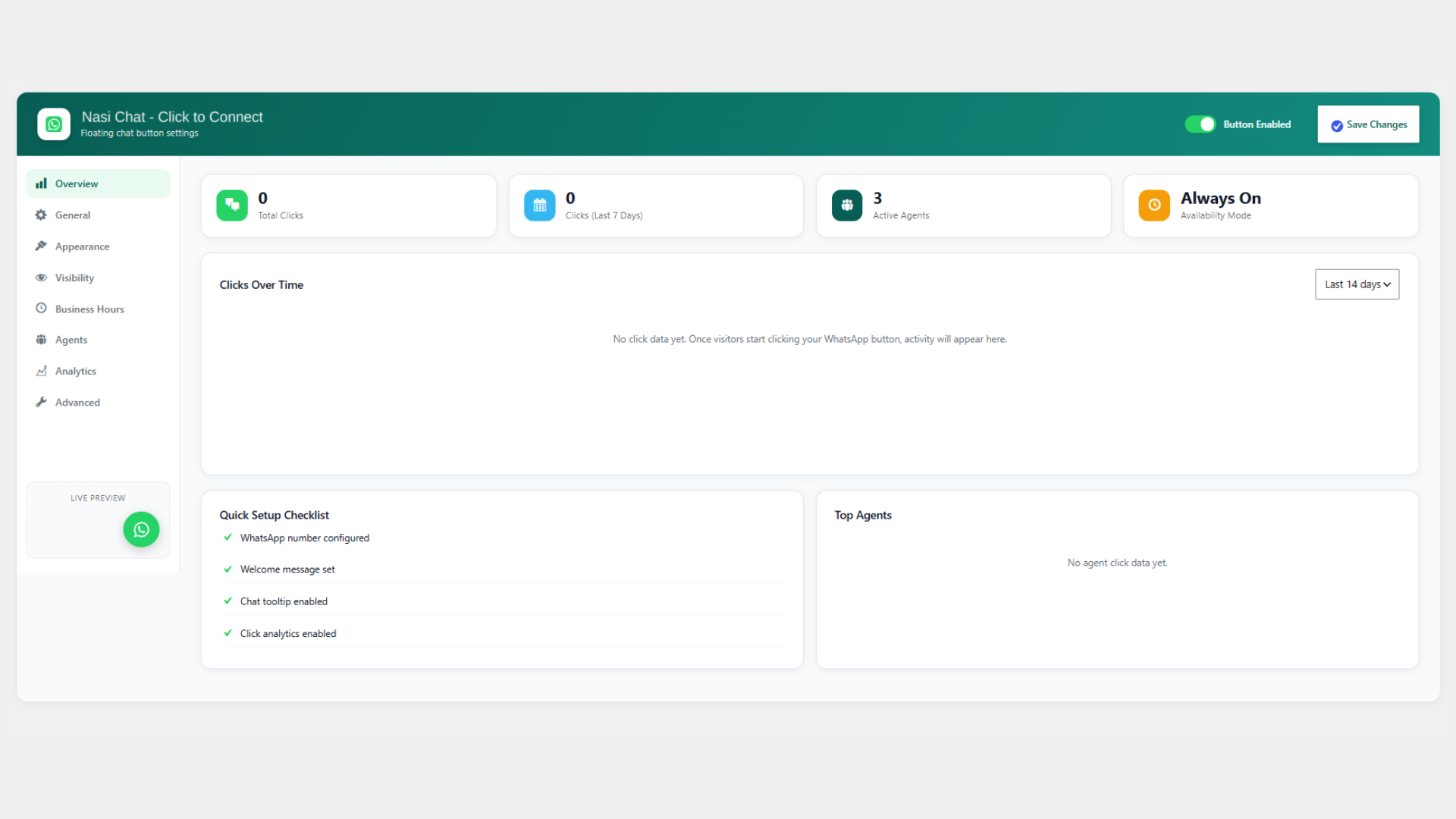
Overview dashboard: click totals, a clicks-over-time chart and a quick setup checklist.

Place a chat button or chat box anywhere with shortcodes. (Pro add-on)
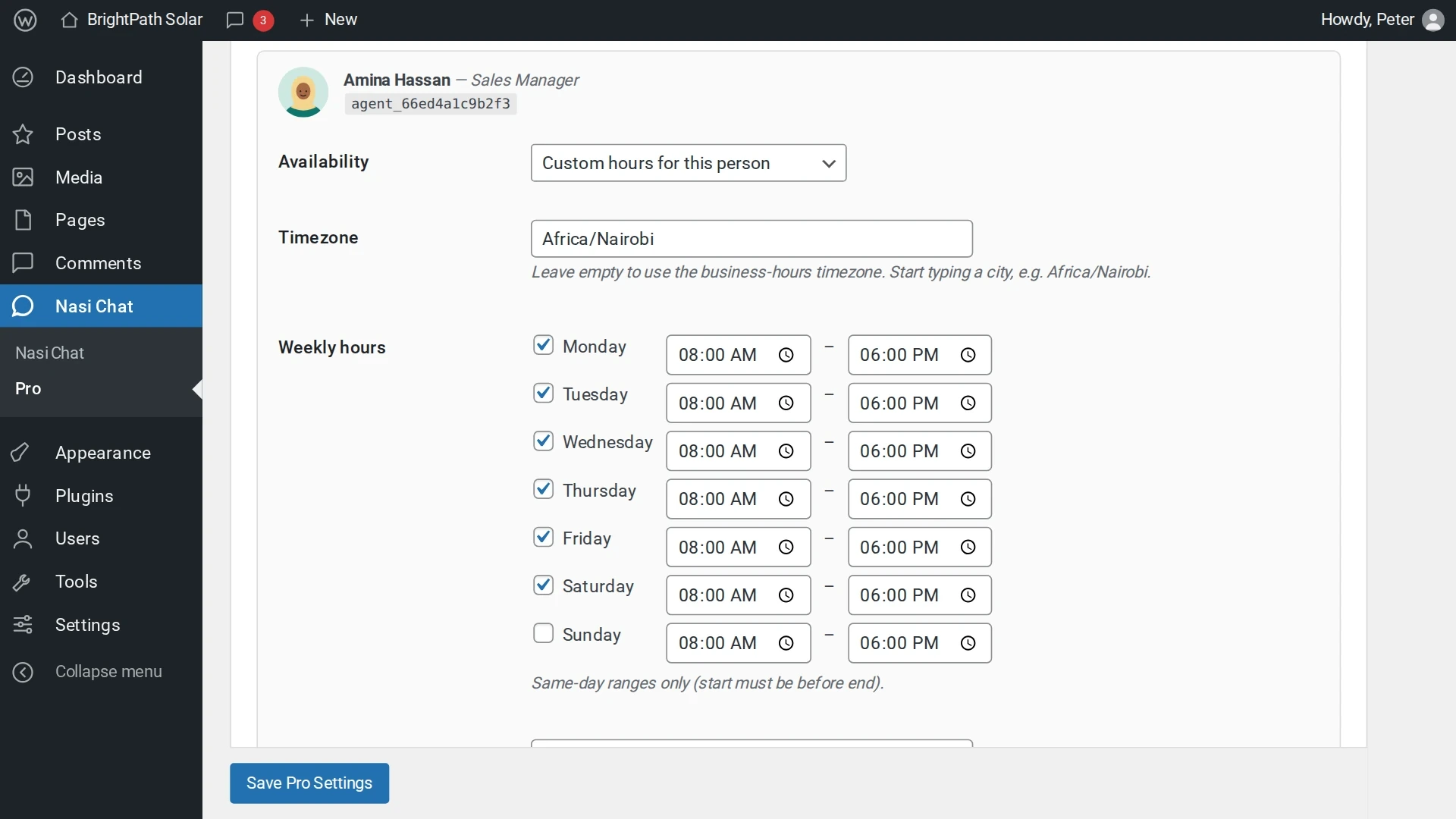
Per-agent availability: custom weekly hours and timezone for every team member. (Pro add-on)
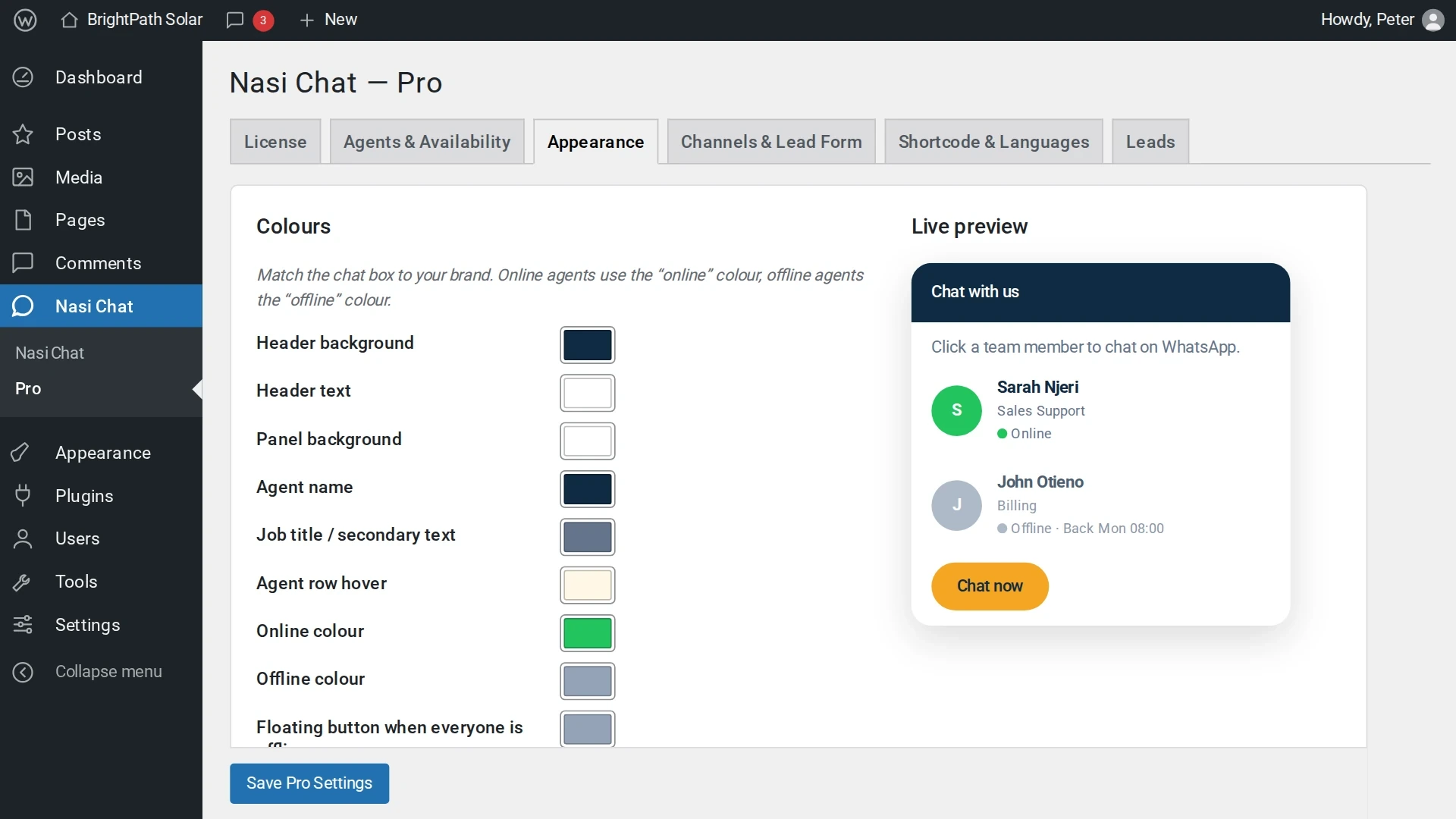
Appearance settings with live preview. (Pro add-on)
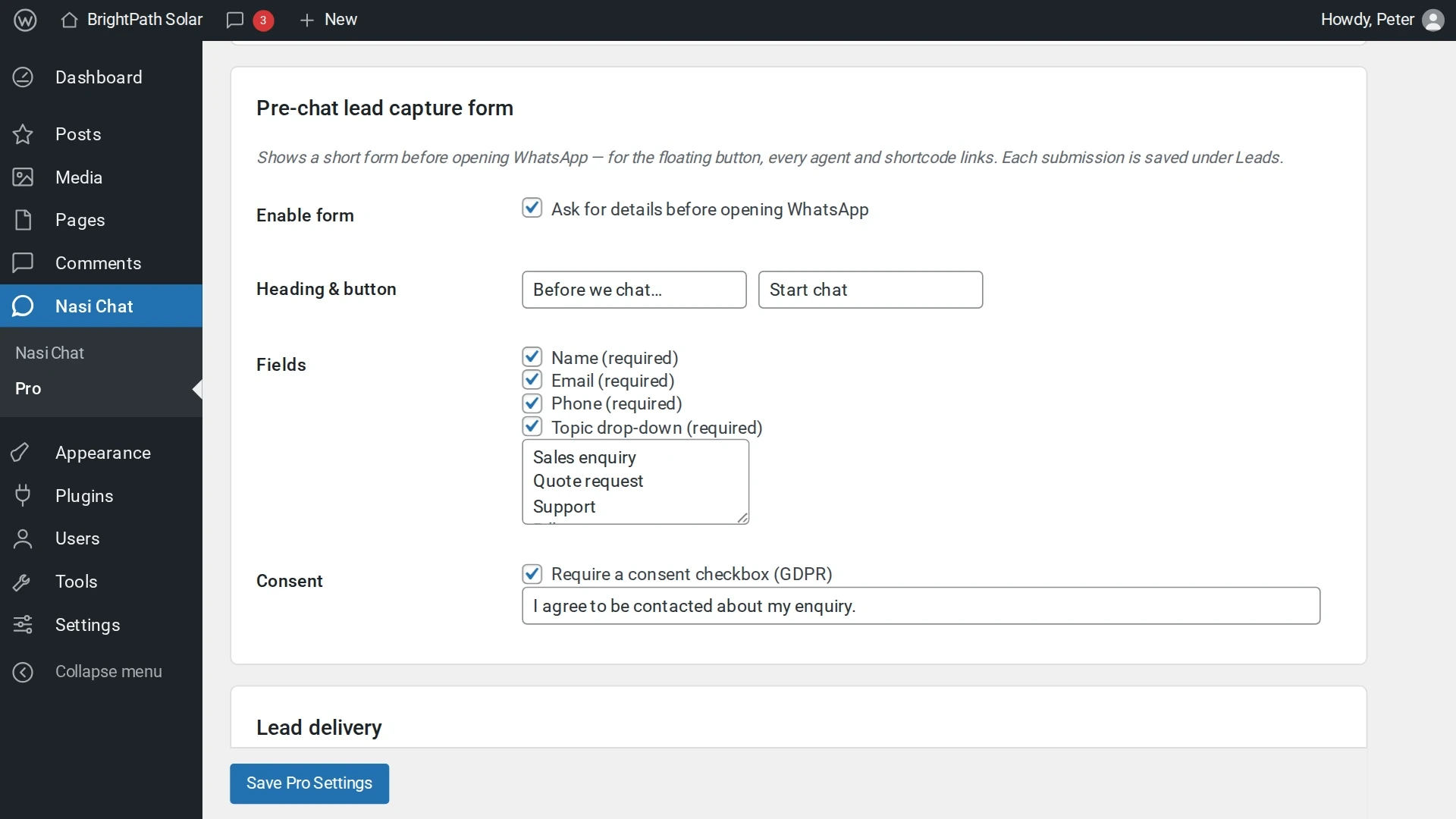
Lead form settings: fields, topics and consent. (Pro add-on)
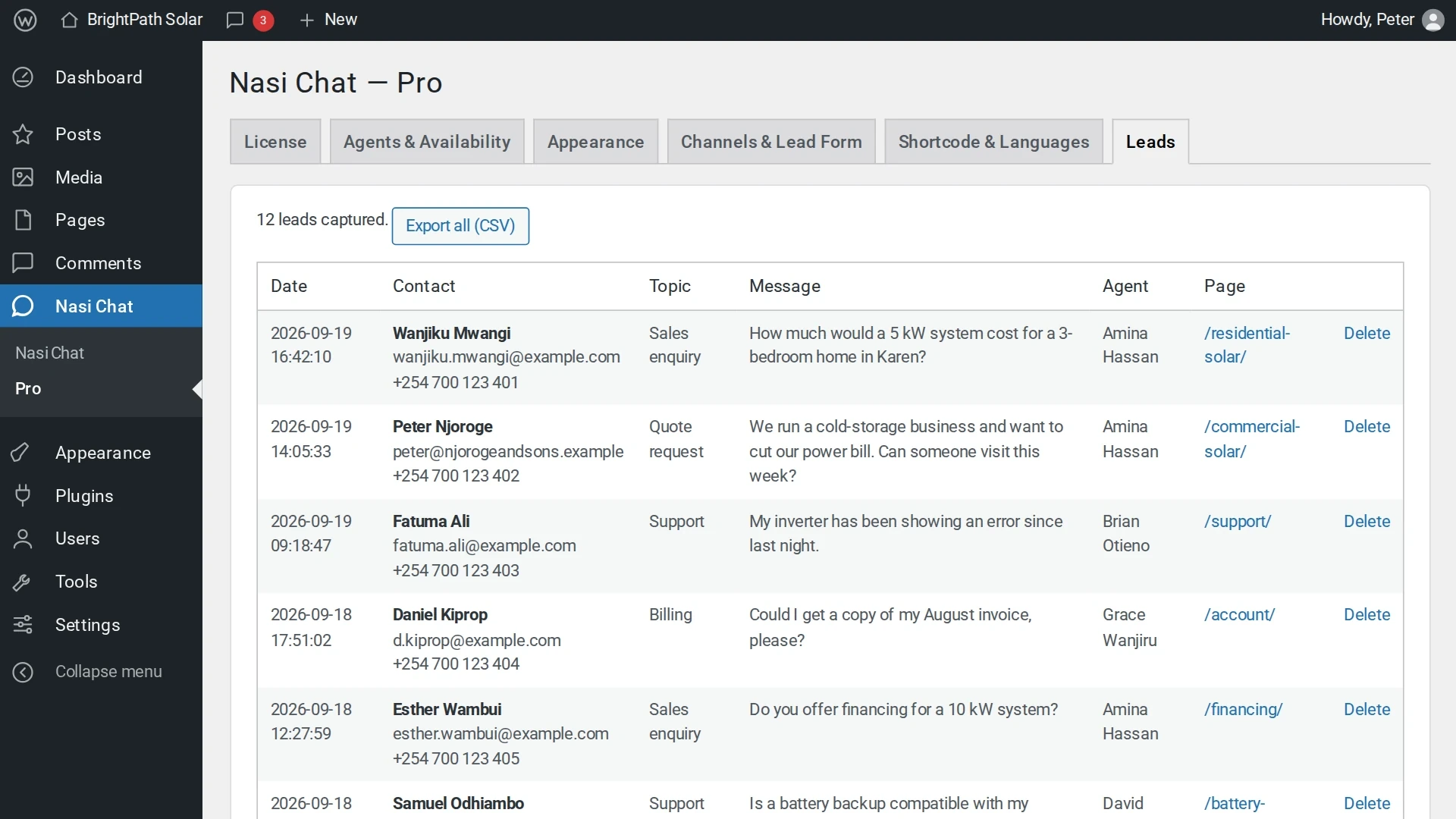
Leads dashboard with CSV export. (Pro add-on)
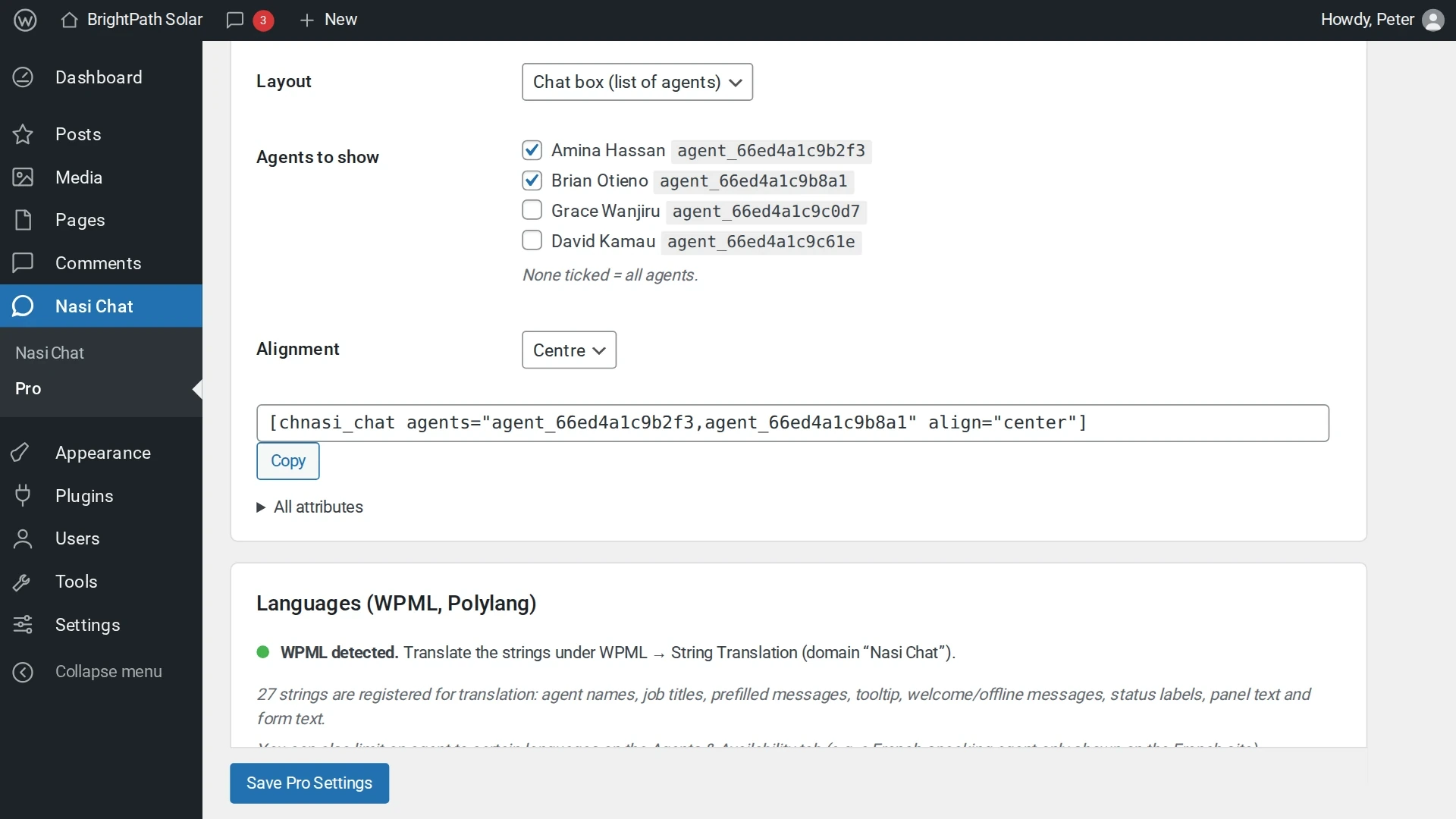
Shortcode builder and WPML / Polylang language support. (Pro add-on)
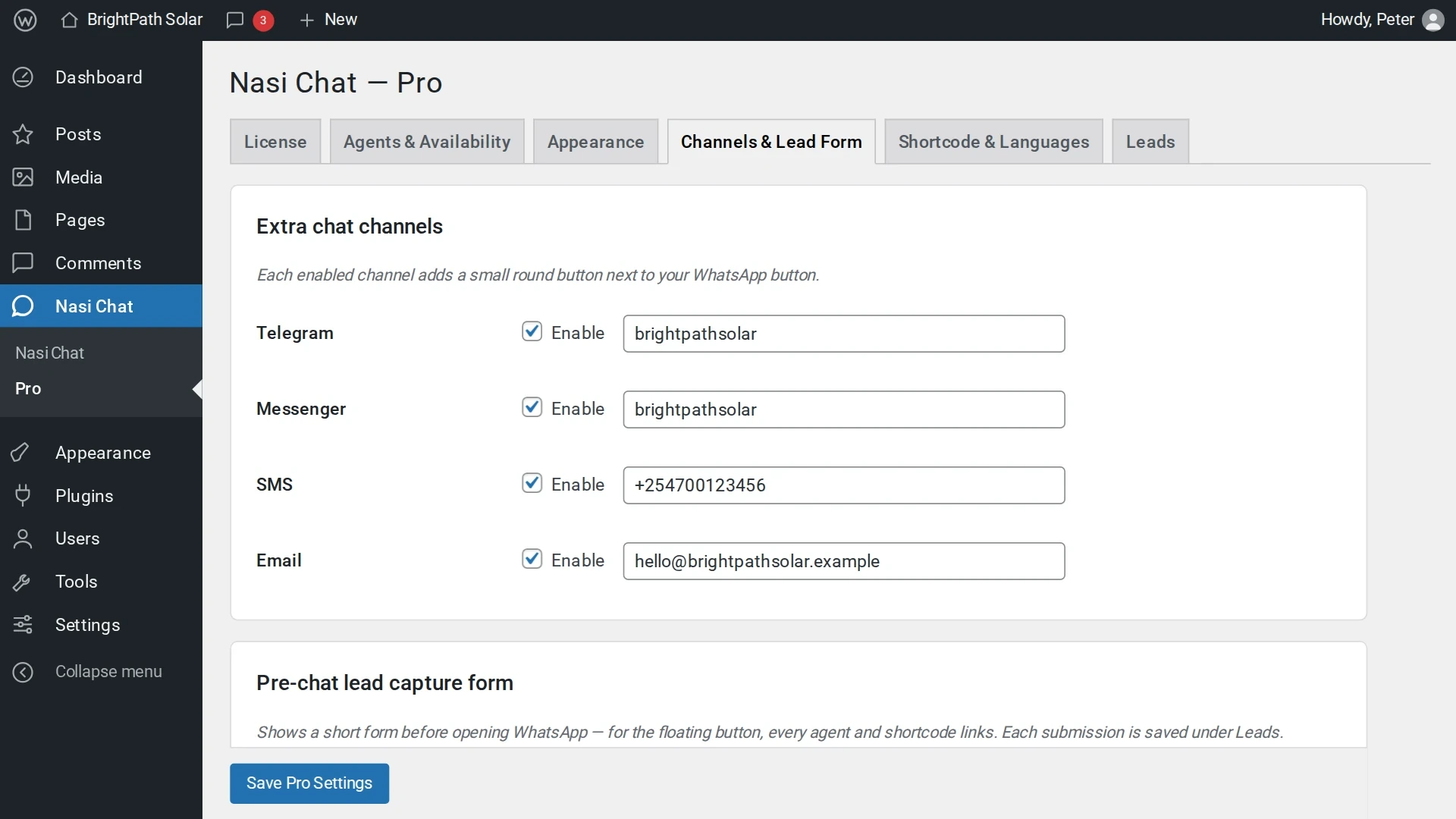
Extra chat channels: Telegram, Messenger, SMS and email. (Pro add-on)
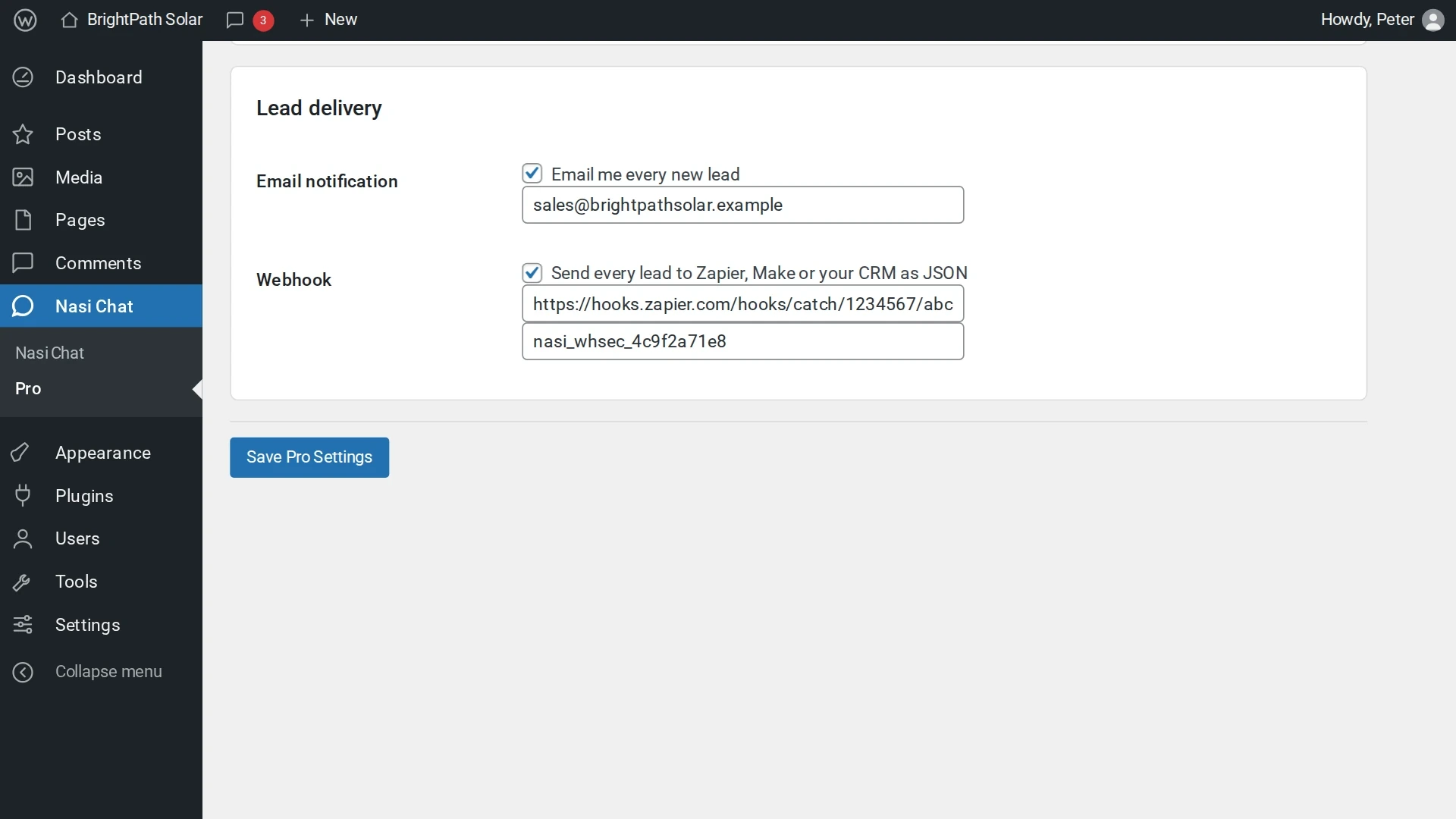
Lead delivery by email and signed webhook to Zapier, Make or your CRM. (Pro add-on)
Faq
No, it works with any WhatsApp-enabled phone number using the standard wa.me deep link.
Yes – enable Multi-Agent Routing and add agents, or use the page display rules to control where the button appears.
Yes. Nasi Chat Pro adds per-agent availability, brand colours, multilingual support, extra channels (Telegram, Messenger, SMS, email), a pre-chat lead form with a leads dashboard, CSV export, email notifications, signed webhooks and shortcodes. It needs this free plugin to be installed and active.
Buy a license at https://peterkagunda.com/product/nasi-chat-pro/, install the Pro add-on alongside this plugin, then enter your license key under Nasi Chat Pro in your WordPress admin. Step-by-step instructions are in the Pro documentation.
No. Your agents, hours and settings stay in this free plugin. Pro adds to them.
Reviews
Changelog
1.0.0
- Initial release.