Nelio Compare Images Block

Nelio Compare Images Block
Description
Nelio Compare Images is a simple and elegant Gutenberg block to compare two images side by side. Select the images you want to compare in the media library and our plugin will take care of the rest.
If you like this plugin, take a look at Nelio A/B Testing and Nelio Content or visit our website.
Installation
- Login to your WordPress admin
- Click on the plugins tab
- Click on the “Add New” button
- Search for “Nelio Compare Images”
- Look for our plugin, click on “Install Now” and then on “Activate”
- Once the plugin is installed and active, you’ll see there’s a new block type named “Compare Images”
Alternative installation methods
- Download this plugin
- Login to your WordPress admin
- Click on the plugins tab
- Click on the “Add New” button
- Click on the “Upload” button
- Click on “Install Now” and then “Activate”
- Once the plugin is installed and active, you’ll see there’s a new block type named “Compare Images”
Created by Nelio Software
Nelio Compare Images is built by the Nelio team. We create high-quality WordPress plugins that help you grow your WordPress sites.
Check out some of our most popular plugins:
- Nelio A/B Testing – Conversion Optimization with A/B Tests and Heatmaps
- Nelio Content – Editorial Calendar and Social Media Promotion
- Nelio Popups – Easiest WordPress Popup Builder using the Block Editor
- Nelio Forms – An intuitive Form Builder built on top of the Block Editor
Screenshots

Horizontal Comparison. Compare images side-by-side.

Vertical Comparison. Compare images vertically.
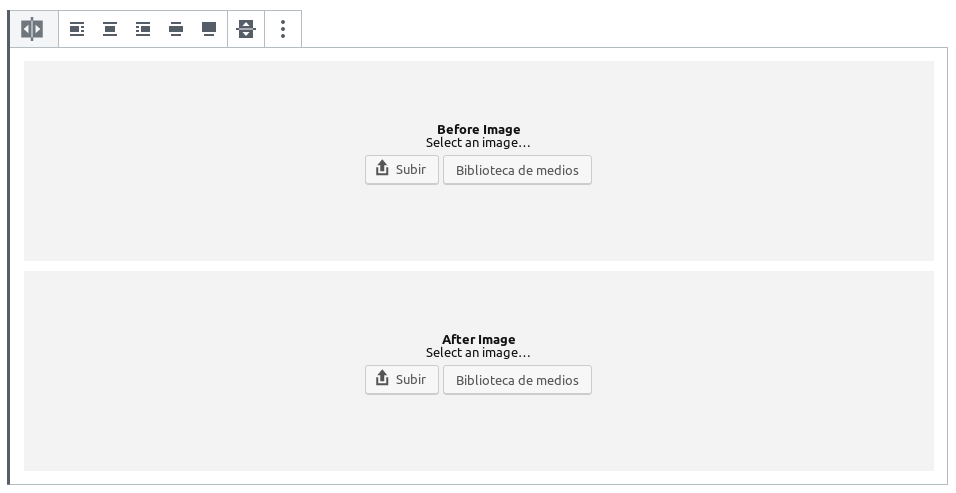
New Block. Add the two images you want to compare using familiar components.

Simple Settings. Tweak the initial appearance of the block using simple, easy-to-use settings.
Faq
No, the plugin works out of the box.
Maybe. If it isn’t, it definitely can be. Just go to the plugin’s translation page, look for the language you’re interested in, and contribute your own translation.
The plugin is completely free. But if you want to support us, please feel free to donate whatever you see fit or look at any of our premium plugins and consider purchasing them.
Reviews
Good Plugin!
By 
Perfect for my needs
By 
Excellent!
By 
Super simple to set up and looks great, but...
By 
An essential plugin for me!
By 
The best
By 
Great plugin!
By 
Brilliant plugin
By 
Changelog
1.0.8 (July 8, 2026)
- Add new setting to move divider on hover.
1.0.7 (May 19, 2026)
- Add compatibility with WordPress 7.0.
1.0.6 (December 2, 2025)
- Update coding standards.
1.0.5 (November 20, 2023)
- Fix JS error that prevented the slider from being moved.
- Support WordPress 6.4
1.0.4 (March 15, 2022)
- TypeScript. Rewrite codebase with TypeScript.
- Improvement. Improve block definition using new WordPress features.
- Improvement. Tweak divider and handler in front-end to improve interaction.
1.0.3 (June 12, 2020)
- Improvement. Added compatibility with touch screens.
1.0.2 (September 30, 2019)
- Bug Fix. Changed i18n domain name to plugin’s slug.
1.0.1 (September 30, 2019)
- Improvement. Improved UI for dropping images in before and after components.
- Bug Fix. Fixed string domains so that translations are properly loaded.
- Bug Fix. Fixed divider positioning in front-end.
1.0.0 (September 26, 2019)
- First release.