Neutrope Japanese Invoice PDFs for WooCommerce
Neutrope Japanese Invoice PDFs for WooCommerce
Description
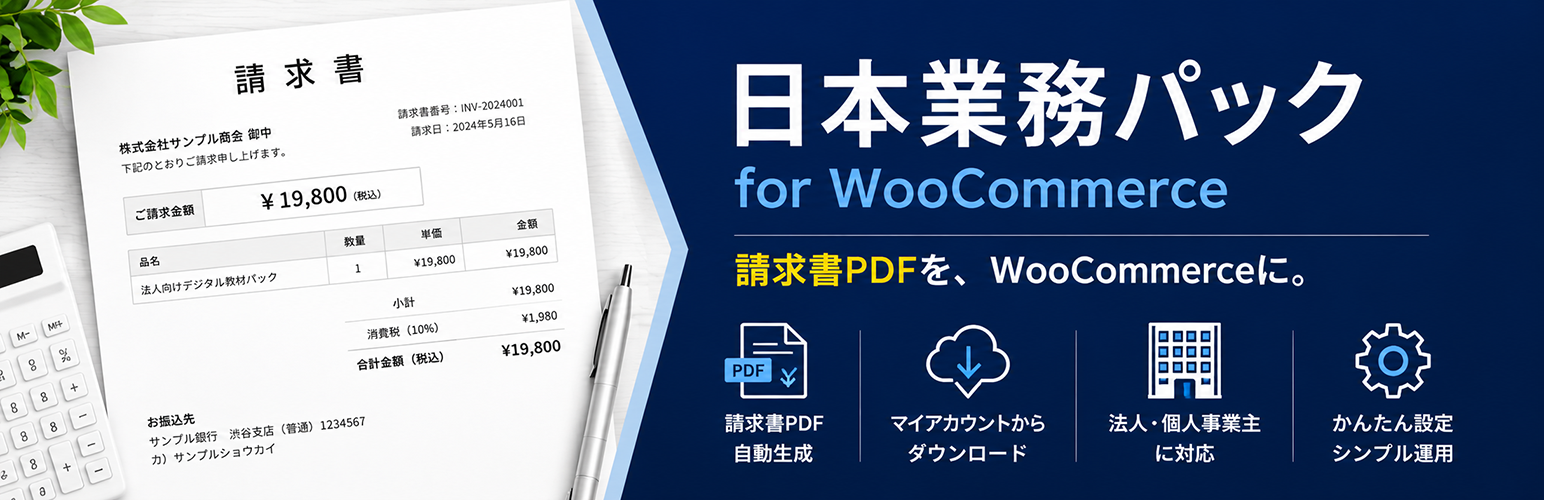
“Neutrope Japanese Invoice PDFs for WooCommerce” is a free plugin that generates Japanese-style invoice PDFs from your WooCommerce orders. It is designed for shops that need to deliver Japanese business documents (invoices and similar receipts) alongside their WooCommerce store.
Features (Free version)
- Invoice PDF generation (title, billing recipient block, line items, totals, consumption tax summary)
- One-click PDF output from the admin Order edit screen
- Customer-side invoice download from My Account (can be toggled on/off)
- Company name, address, and logo configurable from the settings screen
- Shipping lines, WooCommerce order fee lines, and refunds reflected in the invoice PDF totals
- Sales Summary screen (WooCommerce > 売上サマリー): aggregates orders directly from order data — no dependency on WooCommerce Analytics caches — with date range, order status and payment method filters, aggregation by order date / paid date / completed date, refund-aware net totals, an order list, and UTF-8 (BOM) CSV export
- High-Performance Order Storage (HPOS) compatible
- Japanese-language PDF output powered by mPDF
- Template (
templates/invoice.php) can be overridden from your theme
Planned roadmap (no committed timeline)
The following items are being considered for a future paid version. They are not implemented in the free version and there is no guarantee they will ship.
- Qualified invoice number (Japan invoice system)
- Per-tax-rate display (10% / 8% reduced rate)
- Receipt document
- Bank transfer information
- Payment due date
- Company seal, header note, recipient honorific
The free plugin exposes filters and hooks so the items above can be added by add-on plugins without modifying the core.
Credits / Third-Party Licenses
This plugin bundles the following third-party software and fonts.
- mPDF — GPL-2.0-or-later. The PDF rendering engine. https://mpdf.github.io/
- Noto Sans JP — SIL Open Font License 1.1. Used for the Japanese text in the invoice PDF.
Full license text is bundled atassets/fonts/OFL.txt. https://fonts.google.com/noto
IPA fonts were not adopted because they are not GPL-compatible; OFL Noto Sans JP is used so the bundle stays GPL-compatible. - DejaVu Sans Condensed — Bitstream Vera Fonts License / Public Domain.
Four files (DejaVuSansCondensed.ttf / -Bold / -Oblique / -BoldOblique) are bundled because mPDF requires them as the internal sans-serif fallback.
Full license text is bundled atassets/fonts/DejaVu-LICENSE.txt. https://dejavu-fonts.github.io/
Installation
Server requirements
- PHP 7.4 or later
- PHP extensions mbstring and gd (required by the bundled mPDF library)
- WooCommerce 7.0 or later, active
Steps
- Upload the plugin ZIP and activate it. The distribution ZIP already bundles the PDF library and the Japanese font, so
composer installis not required. - Confirm that WooCommerce is active.
- Open WooCommerce > Japanese Invoice PDFs and fill in your company name, address, and logo.
- Open any order from the admin and click the invoice button in the “Japanese Invoice PDFs” meta box.
For developers: the distribution ZIP excludes vendor/mpdf/mpdf/ttfonts via .distignore. If you run the plugin from source, run composer install first. The distribution ZIP can be rebuilt locally with powershell -File bin/build-zip.ps1. CI builds the same ZIP via GitHub Actions.
Screenshots

Settings screen (WooCommerce > Japanese Invoice PDFs: company name, address, logo).

Order edit screen showing the "Japanese Invoice PDFs" meta box with the invoice button.

Generated invoice PDF rendered with Japanese typography.

My Account order detail showing the customer-facing invoice download.
Faq
Yes. The plugin shows an admin notice and disables itself when WooCommerce is not active.
No. Downloads from My Account require login, ownership of the order is enforced, and a nonce is verified.
No. Every PDF is generated on demand and streamed to the browser, so there are no leftover files that could be linked directly.
The plugin bundles Noto Sans JP (OFL 1.1), so no extra setup is needed. If you still see broken characters, verify that the PHP mbstring and gd extensions are enabled on your server.
The plugin follows the WooCommerce currency settings. To hide decimals for JPY, set WooCommerce > Settings > General > Number of decimals to 0.
Name order, honorifics (sama, onchu, etc.) and country labelling are roadmap items. The free version uses WooCommerce default formatting.
Yes. Copy templates/invoice.php to wp-content/themes/<your-theme>/neutrope-japanese-invoice-pdfs-for-woocommerce/invoice.php to override it.
Reviews
Changelog
1.1.5
- Fix: prevent Japanese address-formatting integrations from adding a standalone honorific below the invoice billing address. Recipient honorifics outside the address block are preserved.
- Change: show tax-inclusive amounts in the invoice item table, including shipping, fees and refunds, using the tax amounts stored on the order. The column is now labelled as tax-inclusive; subtotal and tax breakdowns are unchanged.
1.1.4
- Add: show a contextual Upgrade to Pro link on the Plugins screen when the Pro add-on is not active. The link points to the live purchase page and includes product-specific campaign attribution. No data, settings, or front-end behavior changes.
1.1.3
- Fix: sort Sales Summary order rows by the selected aggregation basis date in ascending order, so the on-screen list and CSV export are easier to transfer into spreadsheet-based sales management sheets.
1.1.2
- Fix: show WooCommerce order fee line items (for example, cash-on-delivery fees) in the invoice PDF item table. Fee amounts were already included in the order subtotal/total; they are now itemized by the WooCommerce fee name so the visible line items reconcile with the subtotal.
1.1.1
- Add: completed date as a Sales Summary aggregation basis. Shops that mark orders completed when shipped can use completed date as a shipping-date report, while the existing default order-date behavior remains unchanged.
- Add: completed date to the Sales Summary order list and CSV export.
- Dev: expose the
wcjbp_sales_summary_date_basesfilter for safe date-basis label customization. Query keys remain limited to order date, paid date and completed date.
1.1.0
- Add: Sales Summary screen under WooCommerce > 売上サマリー. Aggregates orders directly from WooCommerce order data (HPOS compatible) without relying on WooCommerce Analytics caches. Filter by date range, order status (default: processing / completed), payment method, and aggregation basis date (order date or paid date). Summary cards (order count, gross/refunded/net totals, goods, shipping, tax, average) use the same refund-aware net logic as the invoice PDF. Includes an order list and a UTF-8 BOM CSV export (capability- and nonce-checked). A safety cap limits aggregation to 2000 orders and shows a warning when exceeded.
1.0.2
- Fix: account for refunds in invoice PDF totals. Refunded orders now show refund line(s) (負の金額) in the item table and compute the subtotal, tax, and total from the net (post-refund) amounts, so the PDF matches WooCommerce’s refunded totals. Handles product, shipping, and manual refunds, tax and tax-free, and multiple refunds. Orders without refunds are unchanged.
1.0.1
- Fix: include shipping lines in the invoice PDF. Orders with a shipping cost now show a “送料(配送方法名)” row in the item table so the itemized rows reconcile with the subtotal and total. Zero-cost shipping is not shown; multiple shipping lines are supported.
1.0.0
- Initial release (free MVP).
- Invoice PDF generation, admin output, My Account download, settings screen, HPOS compatible.