Nexa Blocks – Gutenberg Blocks, Page Builder for Gutenberg Editor & FSE

Nexa Blocks – Gutenberg Blocks, Page Builder for Gutenberg Editor & FSE
Description
NexaBlocks is Gutenberg Blocks Library extends the Gutenberg functionality with several unique and feature-rich blocks that help build websites faster. You don’t need to have any coding knowledge to build eye-catching websites. It’s for a better page-building experience without the need for traditional page builders like Elementor and Divi.
Quick Links 🔗
- Do you want to see Nexa blocks in action before installing? SEE NEXA BLOCKS DEMO
- New to the Gutenberg Blocks Ready Templates? Checkout our SEE NEXA TEMPLATE LIBRARY
- Need any help with setup? Checkout our DOCUMENTATION
- Interested in Nexa Pro? Here are more details about NEXA PRO
Key Features
👉 Finest Gutenberg blocks plugin
👉 Fastest loading assets for icons, fonts, and templates
👉 Perfectly works with Full Site Editor
👉 Native interface for WordPress blocks
👉 Draggable container width inside block editor
👉 Copy paste styles across blocks
👉 Intuitive drag-and-drop functionality
👉 Responsive design for mobile, desktop & tab
Nexa Free Blocks: Effortless Page and Post Design in Gutenberg
✅ Slider: Stunning, awesome slideshows effortlessly. Highlight key content with beautiful transitions and customizable styles to captivate your audience.
✅ Advanced Tabs: Create awesome content layouts.
✅ Container: Create structured content layouts.
✅ Advanced Heading: Add customizable text headings.
✅ Icon Box: Insert icons with text and style options.
✅ Social Icons: Include social media icons and links.
✅ Button: Insert customizable buttons for call-to-action purposes.
✅ Social Share: Enable easy content sharing on social media.
✅ Advanced Accordion: Create collapsible content sections on the page and post.
✅ Image Accordion: Create collapsible content sections on the page and post.
✅ Google Maps: Display a location you want to share to your website visitor.
**Upgrade To NexaBlocks Pro And Experience Page Builder Features In Gutenberg Block Editor**
👑 Amazing Flip Box
👑 Dynamic Slider
👑 Custom CSS
Installation
- Upload the plugin files to the
/wp-content/plugins/nexablocksdirectory, or install the plugin through the WordPress plugins screen directly. - Activate the plugin through the ‘Plugins’ screen in WordPress
Screenshots


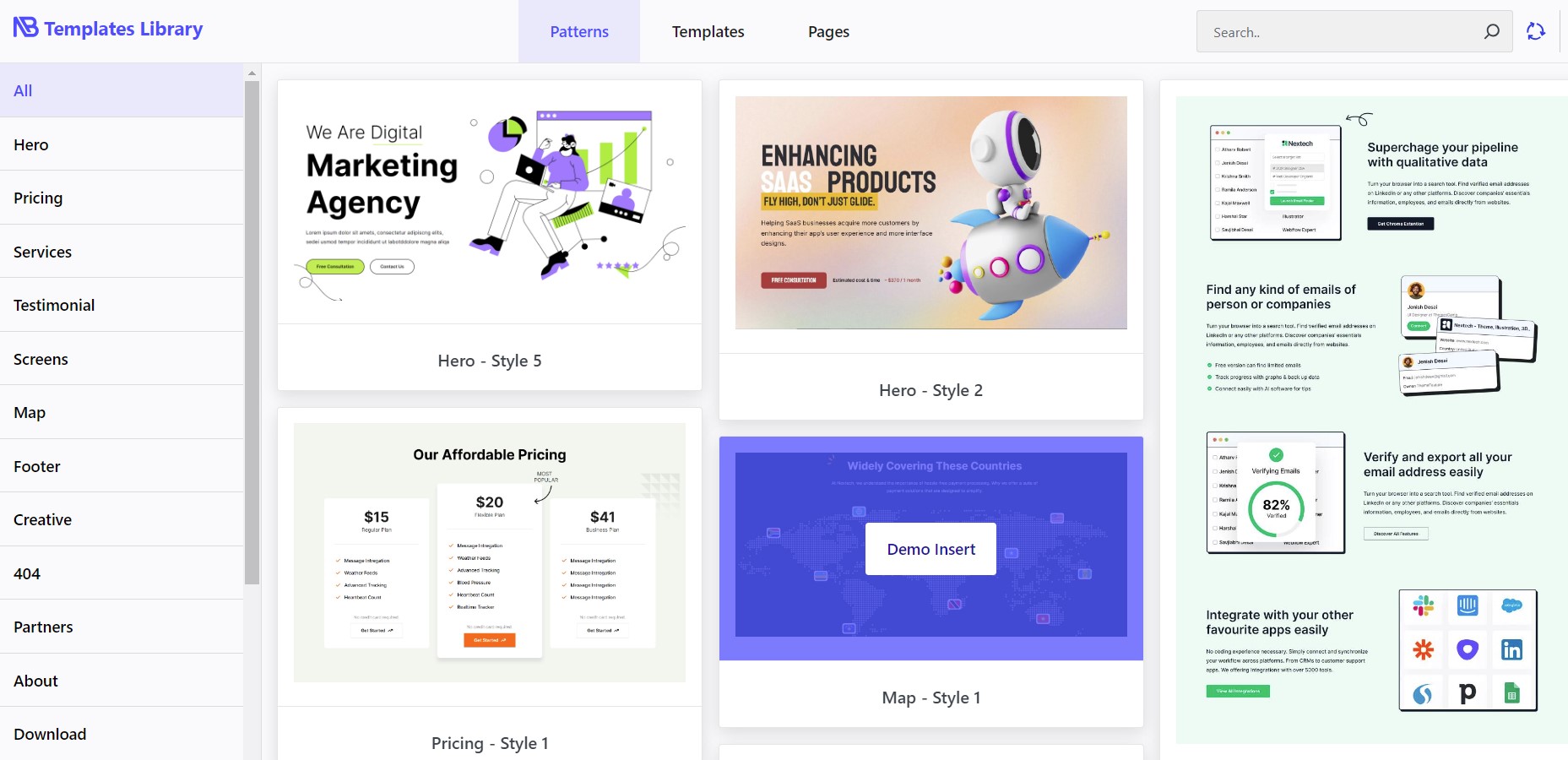
Faq
It does not required Gutenberg plugin. WordPress version 5.9 or above already have Gutenberg integrated so you can use NexaBlocks without installing Gutenberg.
A page builder like NexaBlocks offer more rich features and flexibility, which you can’t enjoy only using Gutenberg.
Yes, it is fully responsive for all devices and tested for cross-browser compatibility.
WordPress users who like to use Gutenberg will love all the advanced and cool blocks of the plugin.
NexaBlocks should be compatible with other Gutenberg plugins, some popular plugins we have checked already.
Reviews
Awesome Designs
By 
Wonderful Plugin
Changelog
1.1.1
- Security issue related to google map block is fixed.
1.1.0
- New modules added.
- New blocks added.
- improvement update
1.0.9
- New modules added.
- improvement update
1.0.8
- Template Library optmized.
- improvement update
1.0.7
- Form block Added.
- Global Width control Added.
- Template Library optmized.
- improvement update
1.0.6
- RTL Support Added.
- Tabs block Added.
- Template Library optmized.
1.0.5
- Template Library Added.
1.0.4
- some warning solved.
1.0.3
- Dashboard Added.
- improvement update
1.0.2
- Slider widget Added.
- improvement update
1.0.1
- improvement update
1.0.0
- Initial Release