NexraOne Agent
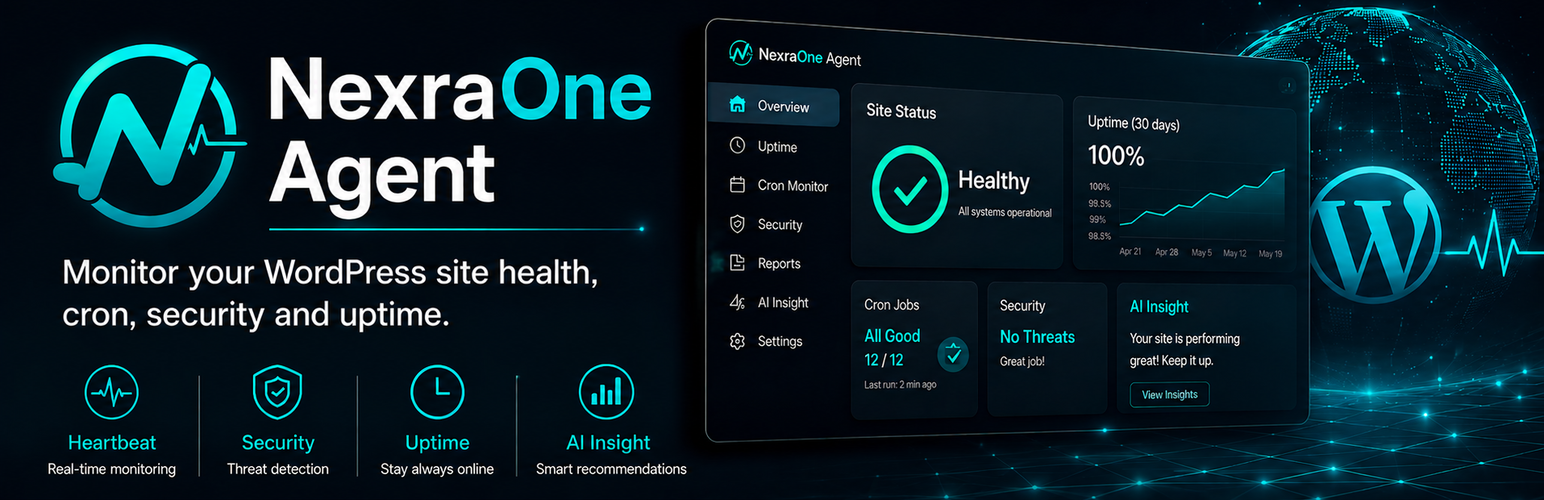
NexraOne Agent
Description
Managing several WordPress sites means checking separate dashboards, update queues, scheduled tasks, and expiry dates. NexraOne Agent connects each site to NexraOne, giving you one dashboard to see which sites need attention.
NexraOne combines external uptime checks with data reported from inside WordPress. This lets site owners, maintenance teams, and agencies monitor problems that an HTTP check alone cannot see.
Manage multiple WordPress sites from one dashboard
Install NexraOne Agent on each site you manage to view their status together. The NexraOne dashboard helps you find sites that need attention without opening every WordPress admin screen.
- View site status, health scores, WordPress versions, PHP versions, and pending updates
- Filter sites by status, category, WordPress version, PHP version, or installed plugin
- Track SSL certificate and domain expiry dates
- Review alerts and update history
Monitor WordPress from the inside
After the site is connected, the plugin reports periodic heartbeats and configured events to NexraOne. Depending on the enabled checks, you can monitor:
- WP-Cron health
- Fatal errors
- Failed login activity and administrator account changes
- Email delivery failures reported by WordPress
- WordPress core, plugin, and theme versions
- Disk usage and basic WordPress configuration diagnostics
Alerts can be sent by email. Paid plans also support Slack, Chatwork, and webhook notifications.
Update with a backup and post-update checks
Safe Update can update WordPress core, plugins, and themes from the NexraOne dashboard. Before changing the site, it saves the database and files belonging to the update targets. It applies updates one at a time, then checks the home page and WordPress REST API from outside the site.
If an update fails, NexraOne can attempt to restore the backup. Safe Update does not create a full-site backup, and its checks do not cover site-specific flows such as forms, checkout, bookings, or member login. Continue using your server or hosting backup for full-site recovery.
Remote update commands are disabled by default. A site administrator must explicitly enable them in the plugin settings before NexraOne can run an update.
Start with up to 3 sites free
A NexraOne account is required. The Free plan supports monitoring for up to 3 sites, requires no credit card, and includes email alerts. Safe Update and additional notification channels require an eligible paid plan.
Create a NexraOne account and connect your first site.
Service and privacy
NexraOne Agent is the official WordPress connector for NexraOne, operated by Solgeo Inc.
The plugin does not transmit monitoring data until a site administrator connects the site to a NexraOne account. See the External services section below for the destination, timing, and types of data sent.
Plugin source is GPLv2 or later. Use of the hosted service is governed by the NexraOne terms.
External services
This plugin connects to https://api.nexraone.app, the NexraOne API operated by Solgeo Inc. The connection provides monitoring, alerts, dashboard reporting, and optional remote updates.
When data is sent:
- During pairing or token-based connection, after a site administrator starts the connection
- In periodic heartbeats while the site remains connected
- When a monitored event occurs, such as a fatal error or email delivery failure
- While processing an authorized remote update command and reporting its progress
Data sent may include:
- Site URL, title, environment type, and relevant WordPress admin or REST URLs
- WordPress, PHP, and database product versions
- Installed plugin and theme names, versions, and update availability
- Disk usage summaries and WordPress configuration diagnostics
- WP-Cron timestamps, login-failure and administrator-account counts, and email delivery status
- Fatal-error metadata, including file paths and message excerpts
- The administrator email address used to initiate the connection
- Safe Update targets, progress, results, and backup metadata
Monitoring data is sent only after an administrator connects the site. Remote updates remain disabled until separately enabled in WordPress. Commands then come from the paired NexraOne account without an additional on-site prompt for each queued command.
Service provider: NexraOne, operated by Solgeo Inc.
- Service: https://nexraone.app/
- Support: https://nexraone.app/support/
- Terms of use: https://nexraone.app/terms
- Privacy policy: https://nexraone.app/privacy
Installation
- In WordPress, go to Plugins > Add New Plugin and search for NexraOne Agent.
- Install and activate the plugin.
- Go to Settings > NexraOne.
- Sign in to NexraOne and approve pairing, or enter a connect token from the NexraOne dashboard.
- Confirm that the site appears as connected in NexraOne.
Screenshots

See the status, health score, and pending updates of multiple WordPress sites in one list.

Filter sites by status, category, WordPress version, PHP version, or installed plugin.

Review uptime and internal WordPress checks, including WP-Cron, fatal errors, login activity, and disk usage.

Review pending updates and download or restore backups created by Safe Update.

Configure email, Slack, Chatwork, or webhook notifications for the alerts your team needs.

Pair the WordPress site with NexraOne from the plugin settings screen.
Faq
Yes. NexraOne Agent is the connector between a WordPress site and the hosted NexraOne service. You can create an account before or during setup.
The Free plan supports up to 3 sites and does not require a credit card. Check the NexraOne pricing page for current paid-plan limits.
External monitoring can check whether a URL responds. The Agent reports information from inside WordPress, including WP-Cron health, fatal errors, login failures, email delivery failures, installed versions, pending updates, disk usage, and configuration diagnostics.
Yes. Install the Agent on each site to view their status, versions, alerts, and updates in the same NexraOne dashboard. Each installation counts toward your plan’s site limit.
No. Remote update commands are disabled by default. A WordPress administrator must enable Allow remote update commands from NexraOne in the plugin settings. Enabling the setting permits commands from the paired NexraOne account; it does not start an update by itself.
Safe Update saves the database and files belonging to the update targets. It then checks the home page response, HTML, title element, and WordPress REST API. It does not back up uploads or test forms, payments, bookings, or member login.
No. Safe Update keeps a limited backup for its update workflow, not a complete site backup. The Agent reports login failures but is not a firewall, malware scanner, or access-control product.
The Free plan includes email alerts. Eligible paid plans also support Slack, Chatwork, and webhooks.
See External services below for the destination, timing, and data fields. The privacy policy explains how NexraOne processes that data.
Disconnecting removes the site’s Agent credentials. Deactivating or removing the plugin stops heartbeats and internal monitoring. External monitoring and stored service data remain managed in the NexraOne dashboard.
Advanced deployments can define NEXRAONE_DEFAULT_API_BASE_URL and NEXRAONE_DEFAULT_WEB_BASE_URL in wp-config.php. Saved connection URLs must use HTTPS.
Reviews
Changelog
0.4.22
- Align the Japanese WordPress.org translation source with the WordPress Japanese translation style guide. Plugin behavior is unchanged.
0.4.21
- Rewrite the WordPress.org listing to explain multiple-site monitoring, WordPress maintenance, Safe Update, service requirements, and data handling more clearly.
- Add screenshot captions and expand the FAQ for installation decisions.
- Replace generic directory tags with tags that describe the plugin’s current monitoring and maintenance functions.
0.4.20
- Fix a white-label-only update-cache path. This does not affect the official NexraOne Agent build.
For older release notes, see the plugin’s Development Log.