Multi-Location Appointment Booking & Staff Scheduling – Next Open
Multi-Location Appointment Booking & Staff Scheduling – Next Open
Description
Next Open is the appointment booking plugin that gets out of your way. Whether you run a single salon or manage 36 dental offices, Next Open lets customers book appointments online, 24/7 — with the right location, the right staff, at the right time.
Works beautifully for a single location. Scales effortlessly when you grow. Most booking plugins either overwhelm small businesses with complexity or fall apart when you add a second branch. Next Open does both — simple setup for one location, powerful multi-location management when you need it. Each location gets its own business hours, holiday calendar, staff roster, and time slot configuration.
Why businesses choose Next Open:
- Simple to set up — guided wizard gets you live in 2 minutes
- Works for one location or one hundred — no extra configuration needed
- The only booking plugin with multi-location as a core feature, not a paid add-on
- Each location has independent schedules, staff, services, and holidays
- One shortcode powers everything — no duplicate pages needed
- Location-specific email notifications — each branch only sees their own bookings (Pro)
- Lightweight and fast — scripts only load on pages with the booking form
- No monthly fees — free version is free forever, Pro is a one-time annual purchase
Core Features (Free)
- Guided setup wizard — go live in 2 minutes, no technical knowledge needed
- Unlimited locations with individual business hours (or just one — it’s up to you)
- Real-time appointment availability checking
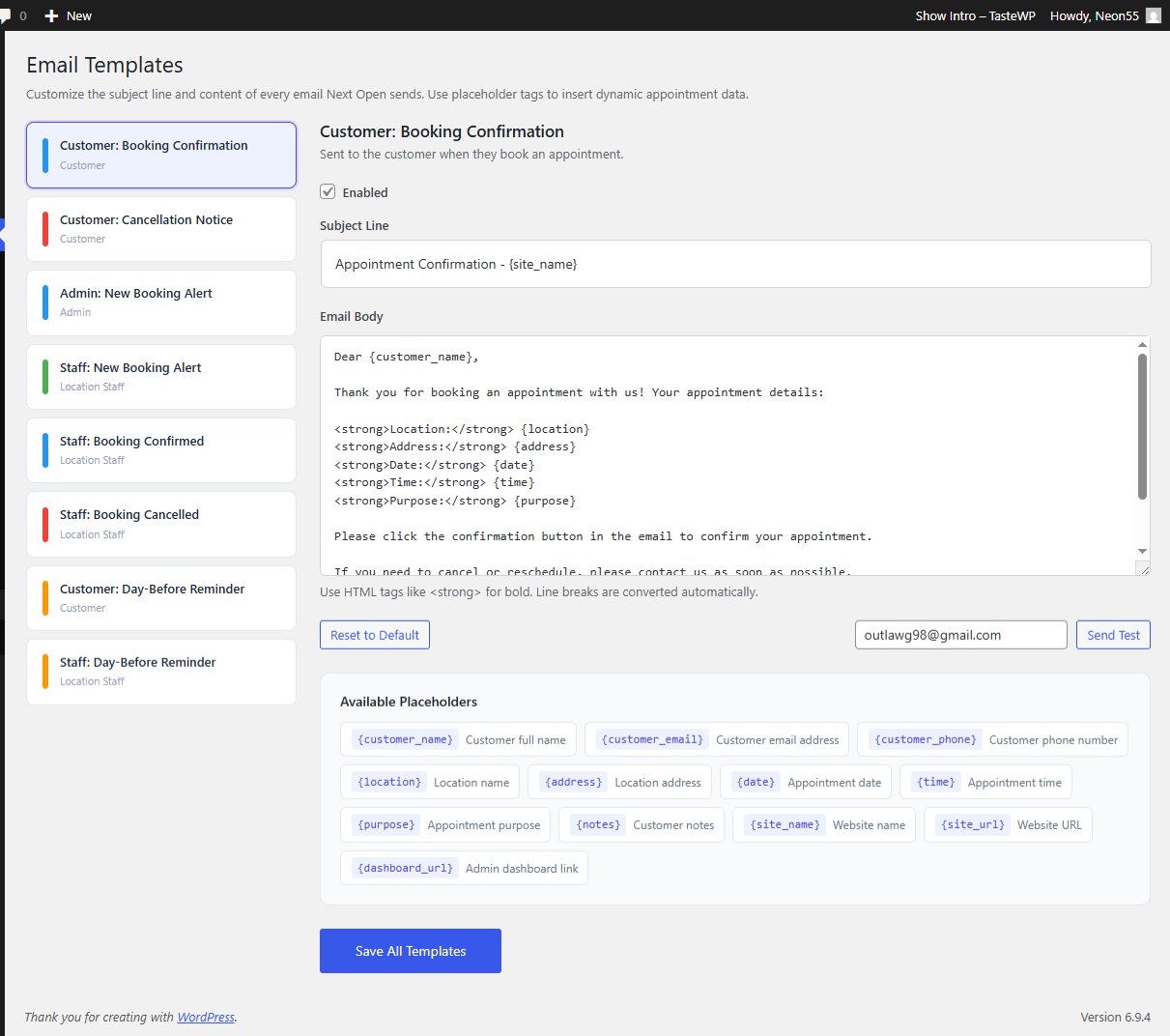
- Automated email confirmations for customers and admin
- Customizable time slots (15, 30, or 60 minutes)
- Customizable booking form heading to match your business
- Holiday and closure date management per location
- Mobile-responsive booking form with optional Google Maps
- Customer database with booking history
- Admin dashboard with appointment overview and filtering
- Timezone support for accurate scheduling
- Simple [next_open_booking] shortcode integration
Pro Features
Upgrade to Next Open Pro for advanced capabilities — whether you have one busy location or dozens:
- Staff Management — Add team members with photos, bios, individual availability schedules, and service assignments per location
- Location-Specific Notifications — Each location’s staff receives only their own booking notifications, not every booking across the business
- Confirmation & Cancellation Alerts — Staff are notified instantly when customers confirm or cancel appointments
- Day-Before Appointment Reminders — Automatic reminder emails sent to both customers and staff to reduce no-shows
- Services & Pricing — Create services with variable pricing and durations per location
- Stripe Payment Integration — Accept credit card payments or deposits at booking time
- Custom Form Fields — Add unlimited custom fields to collect location-specific information
- Customer Self-Service Portal — Customers cancel or reschedule via secure magic links, no account needed
- Buffer Times — Add preparation time between appointments to prevent back-to-back bookings
- CSV Import/Export — Bulk import staff, appointments, and customer data
- Priority Email Support — Dedicated support for Pro customers
Perfect For
- Hair salons and barbershops — one chair or a chain of locations
- Medical and dental practices — solo practitioners to multi-office groups
- Wellness centers, spas, and massage therapists
- Consulting, legal, and accounting firms
- Auto service and repair centers
- Veterinary clinics
- Tutoring and educational services
- Fitness studios, gyms, and personal trainers
- Any appointment-based business that needs online booking
How It Works
- Install Next Open — the setup wizard walks you through everything
- Add your location (or locations) with business hours
- Add holidays and closure dates
- The wizard creates your booking page automatically (or add [next_open_booking] to any page)
- Customers pick a location, choose a date and time, and book
- Confirmation emails are sent automatically to customer and admin
- Manage all appointments from your WordPress dashboard
Developer Friendly
Built with clean, well-documented code following WordPress coding standards. Includes action hooks and filters so developers can extend the booking functionality for custom workflows.
Support
Free Support: WordPress.org Forums
Pro Support: Admin@oiopublisher.com
Website: oiopublisher.com
Upgrade to Pro: oiopublisher.com/next-open
Installation
Automatic Installation
- Go to Plugins > Add New in your WordPress admin
- Search for “Next Open Location Booking”
- Click “Install Now” then “Activate”
- Go to Next Open in your admin menu to add your first location
Manual Installation
- Download the plugin ZIP file
- Go to Plugins > Add New > Upload Plugin
- Upload the ZIP file and click “Install Now”
- Click “Activate Plugin”
Quick Setup
Next Open includes a guided setup wizard that launches automatically on first activation. It walks you through creating your first location, setting business hours, and creating your booking page — all in about 2 minutes. You can also set up manually:
- Go to Next Open > Locations > Add New Location
- Enter location name, address, phone, and email
- Set business hours for each day of the week
- Configure your preferred time slot interval (15, 30, or 60 minutes)
- Save and repeat for additional locations
- Go to Next Open > Holidays to add closure dates
- Create a page and add the shortcode: [next_open_booking]
- Your booking form is live — test it with a sample appointment
Screenshots

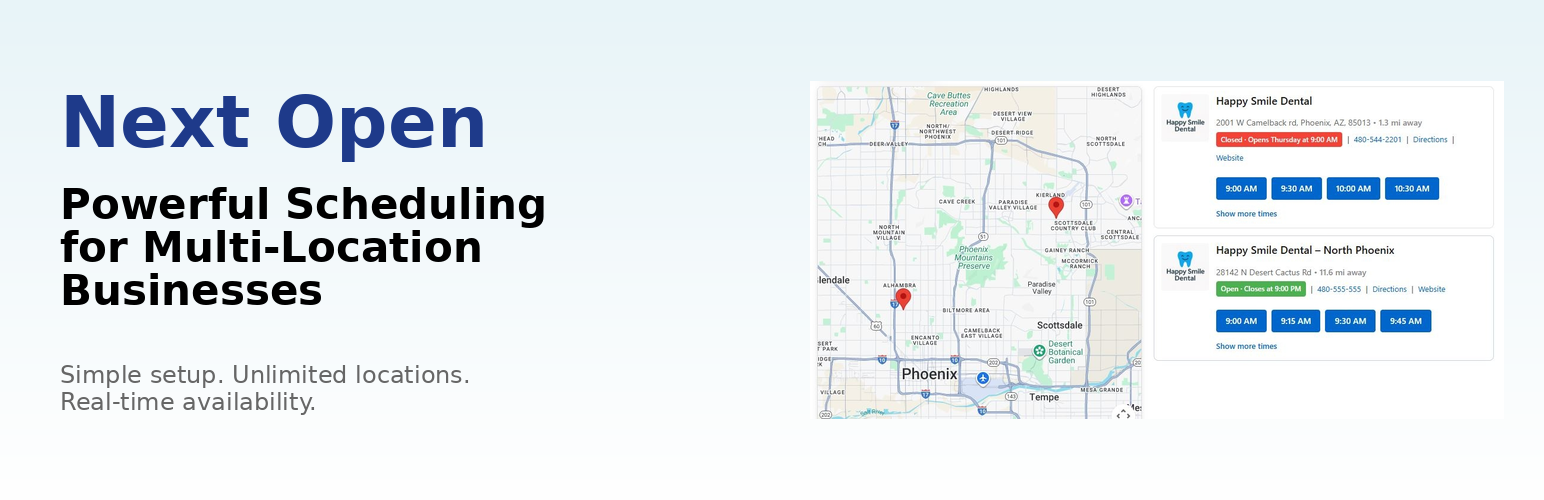
Clean booking form with location selection and time slots

Admin dashboard showing all appointments with filtering

Staff management interface with availability scheduling

Location business hours configuration

Client database with booking history and analytics

Appointments list with status management
Faq
Absolutely. Next Open works perfectly for a single location — your customers see a clean booking form with your available times, no map or location picker needed. The setup wizard gets you live in about 2 minutes. If you ever open a second location, Next Open grows with you automatically.
Customers see all your locations in one booking form. When they select a location, the calendar shows availability based on that specific location’s business hours, existing appointments, and holiday calendar. Each location operates completely independently — different hours, different staff, different services.
Absolutely. Next Open supports unlimited locations with no performance penalty. Each location has its own schedule, staff, holidays, and settings.
No. One shortcode — [next_open_booking] — handles everything. If you have one location, customers see your availability. If you have multiple locations, they choose their preferred branch first.
Yes, with Pro. When a customer books at Location A, only the staff assigned to Location A receive the notification email. Other locations are not notified. This is essential for businesses with many locations.
Yes, with Pro. Staff receive instant email alerts when a customer confirms or cancels. Cancellation alerts let staff know the time slot is available again.
Yes, with Pro. Both customers and location staff receive automatic reminder emails the day before each appointment. This reduces no-shows and keeps staff prepared.
Yes, with Pro. Staff members are assigned to locations with individual availability schedules. Customers can optionally choose their preferred staff member during booking.
You can choose 15-minute, 30-minute, or 60-minute intervals. Each location can have its own interval setting.
Yes. Each location has completely independent business hours. You can set different hours for every day of the week, and each location has its own holiday calendar.
Customers select a location, choose a date from the calendar, pick an available time slot, and fill out their contact information. They receive an instant email confirmation with a link to confirm the appointment.
Next Open checks availability in real-time. The first customer to complete the booking gets the slot. The second customer is told the slot is no longer available and asked to choose another time.
Yes, with Pro. Stripe integration lets you accept credit card payments or deposits at booking time. You can set per-location pricing and choose whether payment is required or optional.
Yes, with Pro. Customers receive a secure magic link in their confirmation email that gives them access to a self-service portal. No account creation required.
Yes. The booking form inherits your theme’s styling and is fully responsive on mobile, tablet, and desktop. It works with all major page builders including Elementor, Divi, and Beaver Builder.
Yes, with Pro. The CSV import/export feature lets you bulk import staff members, appointments, and customer data.
Next Open stores only the minimal customer data required for appointment bookings (name, email, phone). No data is sent to external services unless you enable Stripe payments.
Check spam folders first. If emails are still not arriving, install an SMTP plugin like WP Mail SMTP for reliable email delivery. This is a common WordPress issue not specific to Next Open.
Visit oiopublisher.com/next-open to purchase Pro. Install it alongside the free version — your existing data stays intact and Pro features activate immediately.
Yes. Pro is an add-on that extends the free version. Both plugins work together.
Yes. We offer a 30-day money-back guarantee on Pro.
Reviews
Changelog
1.5.0
- Added: Single-location mode — auto-detects one location, hides map and simplifies the booking form
- Added: Inclusive readme — now welcomes single-location businesses alongside multi-location
- Added: “I only have one location” FAQ entry
- Improved: Booking form adapts automatically — no configuration needed
1.4.9
- Fixed: Booking form heading changed from generic “Nearby Businesses” to customizable “Book an Appointment”
- Added: Booking Form Heading setting — admins can customize the heading customers see
- Added: Plugin action links on Plugins page (Settings + Rate ★)
- Added: Review prompt in admin footer on all Next Open pages
- Added: Review ask on wizard completion screen
- Improved: Better empty state messages when no locations exist
- Improved: Wizard completion screen with larger “Preview Your Booking Page” button
1.4.8
- Added: Deactivation feedback survey — emails reason and site info to developer
- Added: Review prompt after 5+ appointments — asks for WordPress.org review
1.4.7
- Added: Portal URL placeholder support for Pro customer self-service portal
- Improved: Email placeholder system extended for portal links
1.4.6
- Improved: Modernized UI across all admin pages — appointments, clients, staff, holidays, filters
- Improved: Rounded cards, cleaner tables, refined status badges, modern buttons and form inputs
1.4.5
- Improved: Modernized admin dashboard with premium card design and better empty states
- Improved: Cleaner stat cards, location list, and quick action buttons
1.4.4
- Improved: Modernized settings page with card-based layout
- Improved: Better visual hierarchy and form styling across admin pages
1.4.3
- Added: Email filter hooks for Pro customizable email templates
- Improved: Email class refactored with reusable layout and placeholder system
1.4.2
- Added: Onboarding setup wizard for first-time users
- Improved: SEO-optimized readme with better tags and description
- Improved: Tested up to WordPress 6.9
1.4.1
- Added: Post-booking action hook for Pro plugin extensibility
- Added: Appointment confirmation and cancellation action hooks for Pro notifications
- Fixed: Pro fields (staff_id, service_id, payment data) now properly stored with appointments
- Improved: Pro compatibility for location-specific staff notifications
1.4.0
- Added: Phone number and notes fields to booking form
- Improved: Appointment data handling
1.3.9 – 2025-12-03
- Added: Pro feature previews in admin menu for better discovery
- Added: Direct upgrade path to Pro features from admin interface
- Improved: Admin UI for clearer navigation
- Improved: Better discovery of Pro capabilities
- Fixed: Minor admin styling inconsistencies
1.3.8
- Added: Enhanced Pro plugin integration hooks
- Added: Custom JavaScript event for location selection
- Improved: Timezone handling for international businesses
- Fixed: Timezone conversion edge cases
1.3.7
- Added: Integration hooks for Pro features
- Added: Filter for custom form field modification
- Improved: Appointment data handling and validation
1.3.6
- Added: Admin email notifications for new bookings
- Added: Customer confirmation emails with appointment details
- Improved: Business day calculations for holiday handling
- Fixed: Holiday date handling in specific timezones
1.3.5
- Improved: Form validation and error messages
- Improved: Mobile responsive design
- Fixed: Calendar navigation on touch devices
1.3.0
- Added: Holiday management system
- Added: Dashboard overview page
- Added: Customer database
- Improved: Admin interface design
1.2.0
- Added: Email notifications
- Added: Appointment editing capability
- Improved: Time slot generation algorithm
1.1.0
- Added: Multiple location support
- Added: Business hours configuration per location
- Improved: Booking form user experience
1.0.0
- Initial release