Form Builder Blocks

Form Builder Blocks
Description
Form Builder Blocks is a professional-grade tool designed for the modern WordPress era. Say goodbye to complex shortcodes and external configuration pages—build, style, and manage your forms exactly where they live: in the Gutenberg editor.
This plugin provides a comprehensive suite of blocks that allow you to create anything from a simple contact form to complex job applications. With integrated database storage, you can manage submissions directly from your WordPress dashboard without needing any third-party services.
Core Features:
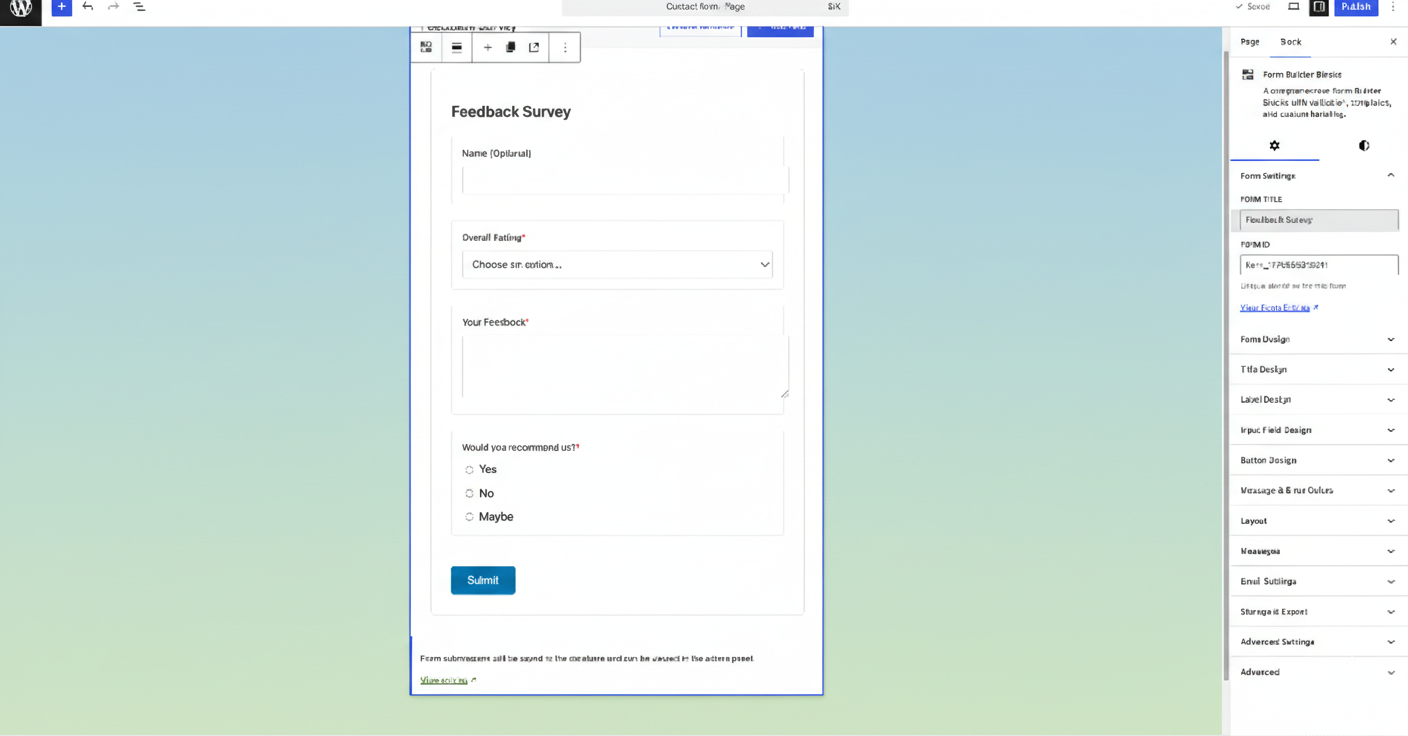
- Visual Drag-and-Drop: Intuitive block-based interface.
- Full Input Library: Text, Email, Textarea, Select, Radio, Checkbox, and File Uploads.
- Smart Templates: Launch quickly with pre-built layouts for common use cases.
- Real-time Preview: See your form exactly as it will appear to visitors.
Entry Management & Analytics:
- Automatic Storage: Every submission is saved securely to your local database.
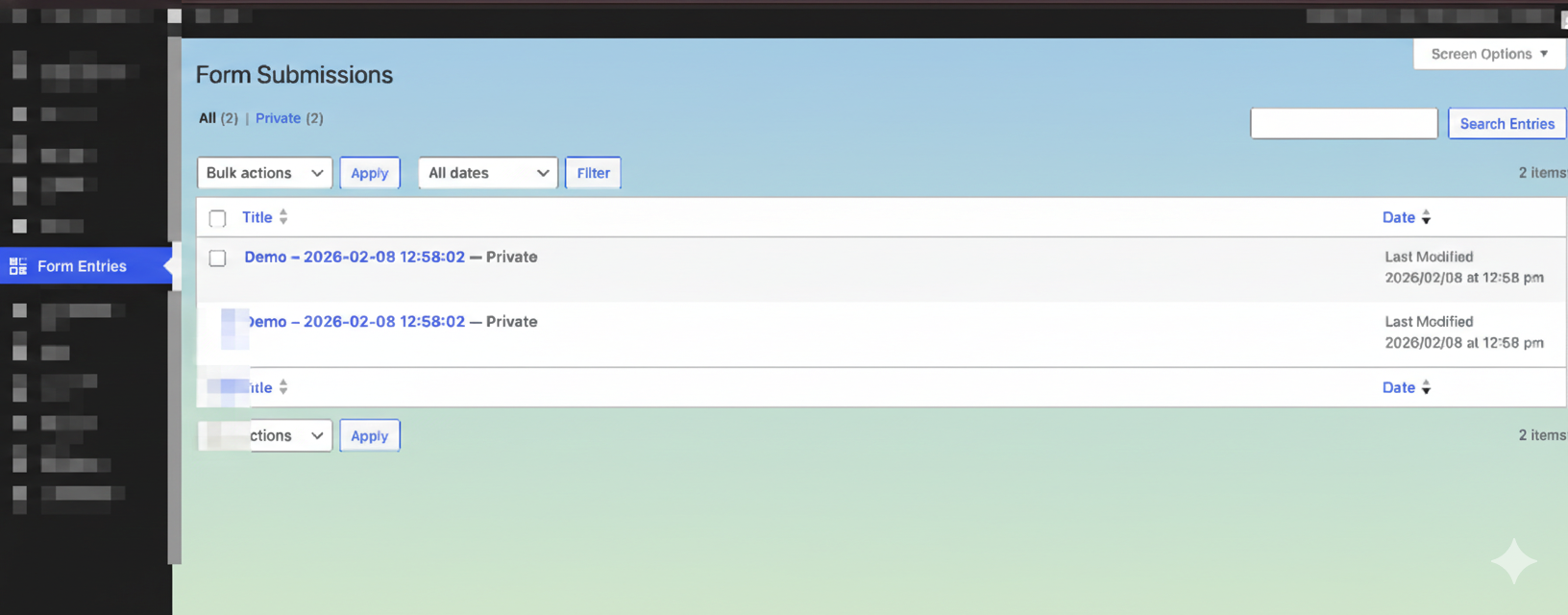
- Admin Dashboard: A dedicated space to view, search, and filter entries.
- Status Tracking: Keep track of “Read” vs “Unread” submissions.
- Data Export: Download your data in CSV or JSON formats.
- Submission Analytics: Get a bird’s-eye view of your form performance.
Advanced Features
- Custom Notifications: Send emails to multiple recipients with full entry details.
- Secure File Uploads: Drag-and-drop file uploads with strict file-type validation.
- Developer Friendly: Support for custom endpoints and advanced hooks.
Security
We prioritize the integrity of your site and data. This plugin follows WordPress security best practices:
* Full sanitization and validation of all user inputs.
* Integrated Honeypot protection to stop spam bots without annoying CAPTCHAs.
* Nonce verification to prevent CSRF attacks.
* Admin-only capability checks for accessing sensitive entry data.
* Restricted file upload permissions to prevent malicious scripts.
Privacy
By default, this plugin stores submission data in your local WordPress database. This includes:
* Form field data provided by the user.
* Submitter IP addresses and User Agent strings.
* Timestamps of the submission.
No data is transmitted to external servers or third-party services unless you explicitly configure a custom endpoint. All data is fully exportable and erasable via the WordPress Admin panel.
Installation
- Upload the
ninja-chandel-form-builder-blocksfolder to the/wp-content/plugins/directory. - Activate the plugin through the ‘Plugins’ menu in WordPress.
- Open any Page or Post and click the “+” icon to add a “Form Builder” block.
Screenshots
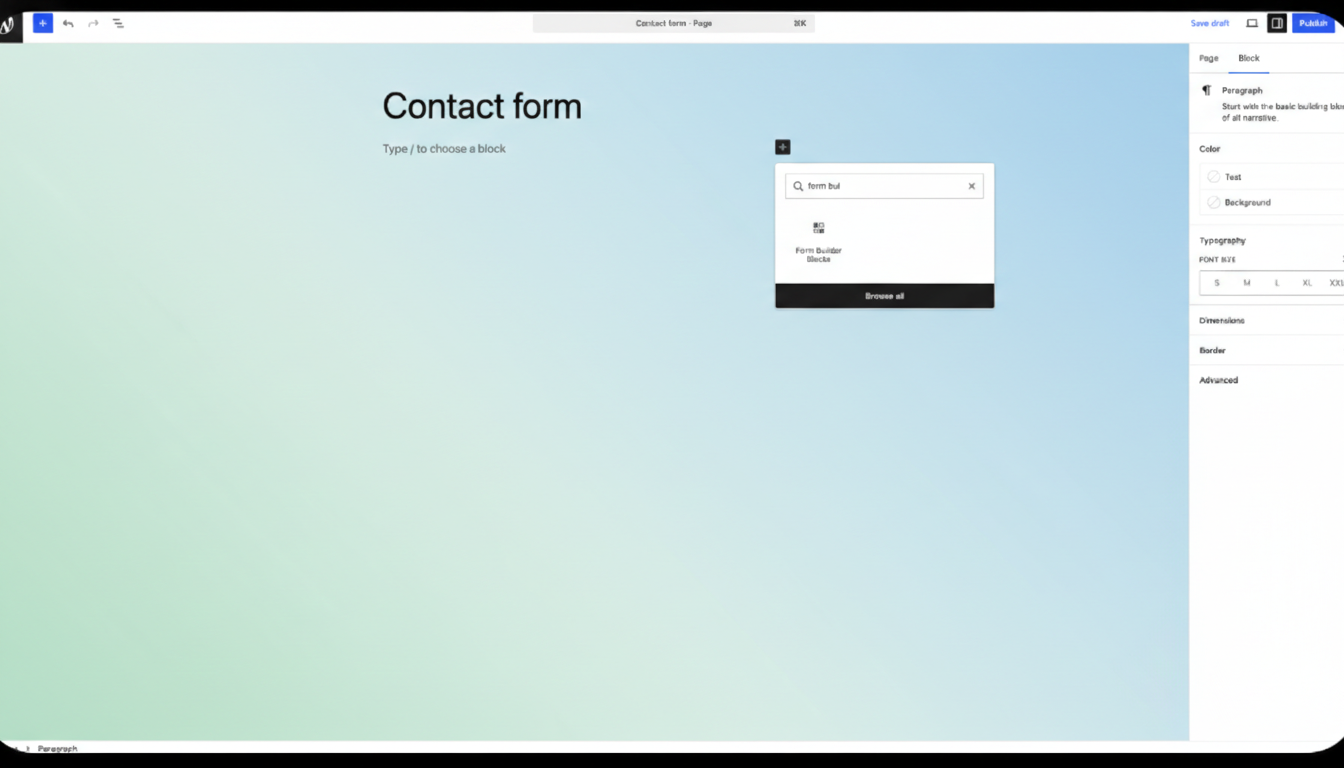
The visual form builder interface inside the block editor.
The entries management dashboard showing submission statistics.
Faq
Files are stored in a secure, restricted subdirectory within your WordPress uploads folder.
Reviews
Changelog
1.1.1
- Added rating prompt.
1.0.0
- Initial release.