NivoSearch – Ajax Search for WooCommerce
NivoSearch – Ajax Search for WooCommerce
Description
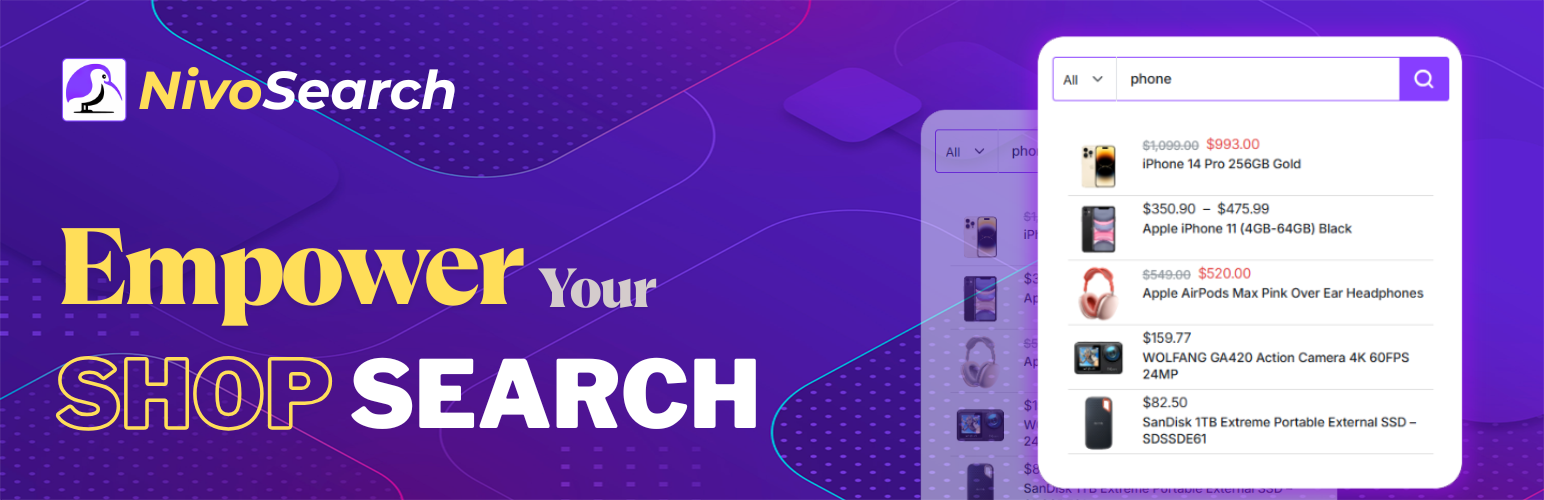
NivoSearch is a WooCommerce Ajax search plugin that delivers instant product results as shoppers type. It replaces the default WooCommerce search with a fast autocomplete experience that displays product images, prices, stock status, and relevant product information without reloading the page.
Most WooCommerce search plugins lock their best features behind a paid subscription. NivoSearch gives you a powerful WooCommerce product search experience at no cost: typo correction with 300+ built-in rules, smart fuzzy matching, parent and variation SKU search, add-to-cart directly from the results dropdown, mobile full-screen overlay, search history, WPML and Polylang multilingual support, and unlimited individually styled search bars. No subscription. No feature locks. Everything works the moment you activate the plugin.
Under the hood, NivoSearch is a WooCommerce Ajax search plugin: every keystroke fires a lightweight background request that returns matching products in under 200 ms, with no full page reload ever required. The result is a faster WooCommerce search experience that helps shoppers find relevant products quickly and reduces friction throughout the buying journey.
The truth is simple: shoppers who cannot find a product leave. Every zero-result search, every misspelled query, every product a shopper has to hunt for manually is a sale your store is losing right now. NivoSearch fixes all of that automatically, silently, and without any developer involvement.
Live Demo | Features | Documentation
At a glance: NivoSearch is a free WooCommerce product search and WooCommerce Ajax search plugin in one. It upgrades your store’s default search to an instant product search experience: shoppers type, results appear in a live dropdown within 200 ms, misspellings are auto-corrected, SKUs and variation codes are searched, and products can be added to cart directly from the results. No subscription. No coding. Works on every WooCommerce theme.
—
How NivoSearch Transforms Your WooCommerce Product Search
⚡ Instant Product Search: NivoSearch replaces the slow default WooCommerce product search with a WooCommerce Ajax search dropdown that reacts on every keystroke. Products appear with their image, name, price, SKU, stock status, and category, all within 200 milliseconds and without reloading the page. Customers who see relevant results instantly are far more likely to complete a purchase than customers who wait for a full page reload.
🔤 Typo Tolerance: NivoSearch contains a built-in dictionary of over 300 common e-commerce misspellings. “bleutooth” finds Bluetooth. “niike” finds Nike. “headfones” finds headphones. The correction happens silently: the customer never sees an error, and you never lose a sale to a spelling mistake. You can also add up to 10 custom correction rules directly from the Typo Rules page in your admin, no developer needed.
🧠 Smart Fuzzy Search: When a customer types something too garbled for even the dictionary to catch, the fuzzy search engine steps in automatically. It maintains a private index of every word in your product catalog and finds the closest match to what was typed. The right products appear, and a “Did You Mean?” hint lets the customer confirm the fix with a single tap. Fuzzy search only fires when no exact results exist, so normal searches are never affected.
🏷️ SKU and Variation SKU Search: NivoSearch searches both parent product SKUs and individual variation SKUs automatically. When a customer or warehouse staff member types a specific product code, they get the exact product returned, not a page of guesses. Zero setup required: just enable SKU search in your preset settings and it covers both parent and variation level immediately.
💬 “Did You Mean?” Suggestions: Whenever NivoSearch auto-corrects a search, a clickable “Did you mean: [corrected term]?” prompt appears directly inside the results dropdown. One tap re-runs the search with the corrected spelling, giving shoppers a confident nudge in the right direction without making them feel like they made a mistake.
🛒 Add to Cart From the Search Dropdown: Simple products display a fully functional Add to Cart button directly inside the instant search results. Shoppers add items without visiting any product page, and the cart count updates instantly with no page reload. Variable products show a direct link to the product page for option selection.
🔢 Quantity Selector in Results: Alongside the Add to Cart button, NivoSearch displays a quantity selector inside each search result. Shoppers set the amount they want and add to cart in one step, without opening any product page. Toggled independently per preset in your admin.
📱 Mobile Full-Screen Overlay: On screens under 768 px, NivoSearch automatically opens a full-screen search overlay instead of a cramped dropdown. The search bar is large and easy to type on, results are clear and tappable, and the experience feels native to mobile, not like a desktop layout squashed to fit a phone screen. No configuration required.
🎨 Unlimited Search Presets: Every search bar on your site is configured independently using NivoSearch Presets. Each preset controls its own search scope, display options, colors, bar dimensions, result limit, and search delay. Style each with color pickers for the bar background, border, text, and results panel. No CSS required. Place any preset anywhere via shortcode or the built-in Gutenberg block.
🌍 Multilingual Search: NivoSearch automatically detects the active language and scopes all instant product search results to that language on every search. Both WPML and Polylang are supported out of the box, no configuration needed.
📊 GA4 and GTM Tracking: NivoSearch fires automatic search events to Google Analytics 4, Universal Analytics, and Google Tag Manager after every search. Enable with one toggle in NivoSearch Settings. No custom tags, no custom code.
⏱️ Search History: The last 8 searches a customer makes are saved in their browser and shown the moment they focus the search bar. One tap replays any previous search, cutting re-order time to a single click.
—
What NivoSearch Does That Default WooCommerce Search Cannot
The default WooCommerce product search reloads the entire page and returns plain links with no images, no prices, and no add-to-cart. Here is what changes when you install NivoSearch:
- Live product results appear as the customer types, no page reload required
- Over 300 common e-commerce misspellings corrected automatically and silently
- Fuzzy search catches typos too unusual for the dictionary using a private product word index
- A clickable “Did You Mean?” prompt appears for any auto-corrected search
- SKU search covers both parent product codes and individual variation codes for every size, color, and configuration
- Product image, current price, sale price, stock status, and category badges shown inside every result
- Add-to-cart button and quantity selector work directly from the search dropdown
- Full-screen search overlay activates automatically on mobile for a native app experience
- Last 8 searches saved in the browser and shown on focus for instant repeat access
- WPML and Polylang language detected automatically, results scoped to the active language
- Search events sent to Google Analytics 4 and GTM automatically after every search
- Results delivered in under 200 milliseconds on standard shared hosting
—
Who Is NivoSearch For?
NivoSearch is the right WooCommerce instant product search solution for:
- General WooCommerce stores that want professional instant search without a monthly subscription
- Large catalogs with hundreds or thousands of products where shoppers need to find things fast
- B2B and wholesale stores where buyers and staff search by product code or SKU every day
- Stores with product variations (clothing, shoes, electronics) where variation-level SKU search matters
- Multilingual stores using WPML or Polylang that need language-aware instant search automatically
- Mobile-first stores where a large share of shoppers are on phones and need a full-screen overlay experience
- Stores losing sales to zero-result searches caused by misspellings, typos, or unusual product names
—
What You Get Free
Top WooCommerce product search plugins lock their best features behind a paid plan. NivoSearch includes every one of the following completely free: no subscription, no tier lock, no expiry.
- ✅ Instant product search with live autocomplete results as customers type
- ✅ Typo correction engine with 300+ built-in e-commerce misspelling rules
- ✅ Up to 10 custom typo correction rules you add directly in your admin
- ✅ Smart fuzzy search engine that catches unusual typos the dictionary misses
- ✅ “Did You Mean?” suggestions with one-click re-search
- ✅ Parent SKU and individual variation SKU search
- ✅ Add-to-cart button inside the results dropdown
- ✅ Quantity selector inside the results dropdown
- ✅ Unlimited search presets, each with independent styling and settings
- ✅ Mobile full-screen search overlay
- ✅ WPML and Polylang multilingual search with automatic language scoping
- ✅ Block and FSE theme support: Twenty Twenty-Four, Twenty Twenty-Five, and all FSE themes
- ✅ GA4, Universal Analytics, and GTM automatic search event tracking
- ✅ Search history panel: last 8 searches shown on focus
- ✅ WooCommerce products shown on the native WordPress search results page
—
For Developers
This section covers extension hooks for developers building on top of NivoSearch. Store owners can safely skip this section: all NivoSearch features are fully configurable from the WordPress admin without any code.
PHP Filters
nivo_search_args: Modify search query arguments before the search executes.
nivo_search_results: Modify the complete results array before the AJAX response is sent.
nivo_search_result_item: Modify an individual product result item.
nivo_search_shortcode_html: Override the complete shortcode HTML output.
nivo_search_localize_data: Modify the JavaScript localization data passed to the frontend.
nivo_search_should_enqueue_assets: Return false to prevent asset loading on specific pages.
nivo_search_typo_corrections: Register a custom typo correction map (array of misspelling => correction).
nivo_search_max_custom_rules: Override the custom typo rules limit (Pro tier sets this to PHP_INT_MAX).
nivo_search_language_query_args: Modify language query arguments for WPML or Polylang.
nivo_search_excluded_ids: Dynamically exclude product IDs from search results at query time.
PHP Actions
nivo_search_before_search: Fires before the search query executes.
nivo_search_after_search: Fires after results are ranked and before the AJAX response is sent.
nivo_search_index_rebuilt: Fires after the search index is fully rebuilt.
nivo_search_preset_saved: Fires after a preset's meta is saved in the database.
JavaScript Events
All events fire on document and are prefixed nivo_search:.
nivo_search:init: Search widget initialized on the page.
nivo_search:beforeSearch: Fired before a search AJAX request is sent.
nivo_search:resultsDisplayed: Fired after search results are shown in the dropdown.
nivo_search:noResults: Fired when the search returns zero products.
nivo_search:error: Fired when a search AJAX request fails.
nivo_search:resultsCleared: Fired when the results dropdown is closed or cleared.
nivo_search:focus: Fired when the search input receives focus.
nivo_search:blur: Fired when the search input loses focus.
nivo_search:didYouMeanClicked: Fired when a customer clicks a "Did you mean?" suggestion.
—
Privacy
NivoSearch collects no personal data, sends nothing to external servers, and includes no third-party tracking scripts. It is 100% self-hosted and GPL-licensed. Search history is stored only in the customer’s own browser using localStorage and is never transmitted to your server. Google Analytics integration is fully opt-in and disabled by default.
Developer
NivoSearch is developed and maintained by Nazmun Sakib.
Installation
Automatic Installation (Recommended)
- Go to Plugins > Add New in your WordPress admin
- Search for NivoSearch
- Click Install Now, then Activate
- Go to NivoSearch > Settings > Search Integration and enable Replace theme search form: your WooCommerce product search is instantly upgraded with no coding needed
Manual Installation
- Download the plugin ZIP file from WordPress.org
- Go to Plugins > Add New > Upload Plugin
- Upload the ZIP and click Install Now
- Activate the plugin
Quick Start (Under 5 Minutes)
Option A: Replace your theme’s existing search box everywhere (no shortcode needed)
- Go to NivoSearch > Settings
- Under Search Integration, turn on Replace theme search form
- Click Save: your theme’s search box is now a NivoSearch instant product search bar
Option B: Add a custom NivoSearch bar anywhere on your site
- Go to NivoSearch > Search Presets > Add New
- Set your result limit, minimum characters, and placeholder text
- Choose what to search and what to display in the results panel
- Customize colors in the Style & Layout tab
- Click Publish
- Copy the shortcode from the preset list and paste it anywhere on your site
—
Screenshots

Instant product search results: product image, title, price, SKU, and Add to Cart button appear as the customer types

"Did you mean?" suggestion displayed after NivoSearch auto-corrects a customer's typo

Search preset list in the WordPress admin: unlimited presets with the unique shortcode shown per row

Preset configuration screen: search scope, display toggles, and visual color controls in one view

NivoSearch Settings: Search Accuracy tab showing Search Index, Fuzzy Search, Typo Tolerance, and Did You Mean cards

NivoSearch Settings: Search Integration tab showing theme form replacement, shop redirect, and GA tracking options
Faq
NivoSearch is a free WooCommerce search plugin that delivers instant product search results in a live autocomplete dropdown. As shoppers type, matching products appear with images, prices, stock status, and an add-to-cart button, all without reloading the page. It works as a WooCommerce Ajax search plugin under the hood: every keystroke fires a fast background request so results arrive in under 200 ms.
WooCommerce Ajax search is a product search system that retrieves matching products in the background while the customer types, without requiring a full page reload. Instead of submitting a search form and loading a new page, shoppers can see matching products directly inside a live search interface. NivoSearch adds this Ajax search experience to WooCommerce stores along with autocomplete, typo correction, fuzzy matching, SKU search, and other product discovery features.
Instant search for WooCommerce means product results appear in a dropdown as the customer types, without any page reload. Instead of submitting a search form and waiting for a new page to load, shoppers see matching products within milliseconds of their first keystroke. NivoSearch delivers instant product search results in under 200 milliseconds on standard hosting.
Yes: NivoSearch is a WooCommerce search plugin that upgrades the default WooCommerce search to a live, instant autocomplete experience. It searches product titles, descriptions, SKUs, variation SKUs, categories, and tags, and returns results in a styled dropdown with images, prices, and stock status in under 200 ms.
The default WooCommerce product search requires a full page reload, shows plain links with no images or prices, cannot correct typos, and cannot search SKUs. NivoSearch delivers live instant search results in under 200 ms, auto-corrects over 300 common misspellings, searches both parent and variation SKUs, shows product images and prices in the results, and lets shoppers add items to cart directly from the dropdown with no page reload.
No coding is needed: NivoSearch is 100% configurable from your WordPress admin. Install the plugin, go to NivoSearch > Settings, turn on “Replace theme search form,” and your existing search box is automatically upgraded to an instant product search. No shortcodes, no PHP, no developer required.
NivoSearch runs two separate correction engines so no misspelling becomes a dead end. First, the Typo Tolerance engine checks against a built-in dictionary of over 300 common e-commerce misspellings plus any custom rules you have added. When a match is found, the search re-runs automatically and a “Did you mean?” prompt appears. If the dictionary has no match, the Fuzzy Search engine activates: it scans NivoSearch’s private product word index, finds the closest word to what the customer typed, and returns the matching products, again with a “Did you mean?” hint. Both engines run only when the original search returns no results, so exact-match searches are never disturbed.
Yes: NivoSearch searches both parent product SKUs and individual variation SKUs automatically. When a customer or warehouse staff member types a specific product code, NivoSearch returns the correct parent product regardless of whether the code belongs to the main product or to a specific size, color, or configuration variant.
Yes: simple products display a fully functional Add to Cart button with an optional quantity field directly inside the instant search results dropdown. Adding to cart updates the cart total and item count instantly with no page reload. Variable products show a direct link to the product page for option selection.
Yes: NivoSearch includes an optional quantity selector displayed alongside the Add to Cart button inside each search result. Shoppers set the quantity they want and add to cart in a single step without opening any product page. The quantity selector is toggled independently per preset in your NivoSearch admin.
“Did You Mean?” is a clickable correction prompt that appears in the search results whenever NivoSearch auto-corrects a misspelled search term. It shows the corrected spelling, for example “Did you mean: bluetooth headphones?”, and a single tap re-runs the instant product search with the correction applied. It works with both the typo dictionary and the fuzzy search engine, and can be turned on or off independently in NivoSearch Settings.
Yes: NivoSearch works with all WordPress themes without any modification. Classic themes fully supported include Astra, OceanWP, Storefront, Flatsome, Kadence, GeneratePress, and many more. Block and FSE themes (including Twenty Twenty-Four and Twenty Twenty-Five) are also fully supported, including automatic replacement of the core search block.
No: shortcodes are completely optional. Enable “Replace theme search form” in NivoSearch > Settings > Search Integration and NivoSearch automatically replaces your theme’s existing search form with instant product search everywhere it appears on your site. The shortcode and Gutenberg block are available if you want to place an additional search bar in a specific location.
Yes: NivoSearch’s Preset system lets you create an unlimited number of independently styled search bars. Each preset has its own search scope, result display settings, colors, bar dimensions, and behavior configuration. Place each preset anywhere on your site using its unique shortcode or the built-in Gutenberg block.
Yes: NivoSearch automatically activates a full-screen search overlay on devices with screens under 768 px wide. The overlay gives mobile shoppers a large, easy-to-use search bar and clear, tappable results, designed specifically for mobile, not shrunken down from a desktop layout. No extra configuration is needed.
Yes: NivoSearch automatically detects the active language and scopes all instant product search results to that language on every search. Both WPML and Polylang are supported out of the box with no additional configuration required.
Yes: NivoSearch treats accented and non-accented versions of the same word as equivalent. Searching “cafe” finds products named “Café,” and searching “resume” finds “résumé.” This works automatically with zero configuration.
Yes: NivoSearch is built for scale. All matching products are loaded in a single database batch with no per-product queries, results are cached for 5 minutes, and the private search index keeps the fuzzy engine fast even on catalogs with tens of thousands of products. Response time stays under 200 ms on standard shared hosting regardless of catalog size.
Yes: NivoSearch can automatically fire a search event to Google Analytics 4, Universal Analytics, or Google Tag Manager after every product search. Enable it in one click inside NivoSearch > Settings > Search Integration. No custom tag configuration, no custom code. A JavaScript custom event is also dispatched for other analytics platforms.
No: NivoSearch has zero impact on page load speed. The plugin’s scripts and styles only load on pages where a NivoSearch bar is placed, and the instant product search runs asynchronously after the page has fully loaded. Results are cached for 5 minutes and served from cache on repeat searches.
Yes: NivoSearch collects no personal data and sends nothing to external servers. Search history is stored only in the customer’s own browser and is never transmitted to your server or anyone else’s. Google Analytics integration is fully opt-in and disabled by default.
Your presets and settings are preserved by default when you deactivate or delete the plugin. If you want to permanently remove all plugin data, enable “Delete all data on uninstall” in NivoSearch > Settings before deleting the plugin.
Yes: NivoSearch is fully compatible with WooCommerce High-Performance Order Storage (HPOS) and the modern WooCommerce data layer.
NivoSearch is a powerful free WooCommerce Ajax search plugin that delivers live product results as shoppers type, without requiring a full page reload. It delivers live product results in a dropdown in under 200 ms using asynchronous background requests, so the page never reloads. On top of the core WooCommerce Ajax search experience it adds typo tolerance with 300+ built-in corrections, index-based fuzzy search, “Did You Mean?” suggestions, variation SKU search, add-to-cart from results, mobile overlay, search history, WPML and Polylang support, and unlimited styled presets, all free with no subscription.
NivoSearch is a feature-rich free WooCommerce search plugin that combines instant product search, AJAX results, typo tolerance, fuzzy matching, SKU search, and more. As a WooCommerce Ajax search plugin it delivers live product results in under 200 ms with no page reload. As a WooCommerce product search plugin it covers titles, descriptions, SKUs, variation SKUs, categories, and tags with typo tolerance, fuzzy search, and “Did You Mean?” suggestions built in. It also includes add-to-cart from the dropdown, quantity selector in results, search history, mobile full-screen overlay, WPML and Polylang multilingual support, GA4 and GTM tracking, and unlimited styled search presets, all completely free with no subscription and no feature locks. It works on every WooCommerce theme, including block and FSE themes, with no coding required.
Getting started takes under 5 minutes and requires zero coding. Install NivoSearch from Plugins > Add New, activate it, go to NivoSearch > Settings > Search Integration, and turn on “Replace theme search form.” Your existing WooCommerce search box is immediately upgraded to instant product search. Done.
Yes: NivoSearch finds all published WooCommerce products regardless of how they were created, including products imported via WP CLI, WooCommerce CSV importer, or any third-party import tool. After a bulk import, visit NivoSearch > Settings > Search Accuracy and click Rebuild Index to include your newly imported products in the search index.
—
Reviews
Amazing plugin!
By 
NivoSearch works great on my WooCommerce store. The search is fast, accurate, and smooth, with instant AJAX results showing images, prices, and SKUs. Easy setup, lightweight, and no theme issues. Highly recommended!
Instant Search Power-Up
By 
This plugin is essential for WooCommerce! It completely replaces the slow default search with lightning-fast, live AJAX results. Features like SKU search and typo correction mean customers find what they need instantly. Easy to set up and a massive performance boost. A definite 5-star recommendation!
Changelog
2.0.3
- NEW: Default WooCommerce search form is now replaced by NivoSearch automatically when theme integration is enabled
- NEW: Native WordPress search form and WooCommerce product search form both route through NivoSearch
- FIX: Resolved a search caching issue that could return stale results after product updates
- IMPROVED: Plugin metadata updated for better SEO and WordPress.org discoverability
- IMPROVED: Plugin name and short descriptions refined for clarity
2.0.2
- NEW: Fuzzy search engine: finds close product name matches when no exact results exist
- NEW: Search index built and maintained automatically, with one-click rebuild in Settings
- NEW: “Did you mean?” suggestion with a clickable link to re-run the corrected search
- NEW: Variation SKU search: searching a variation product code returns the correct parent product
- NEW: Typo Rules admin page: add up to 10 custom correction rules, import and export as CSV
- NEW: Typo correction engine with 300+ built-in e-commerce misspelling corrections
- NEW: Accented character support: “cafe” finds “Café” and vice versa
- NEW: WPML and Polylang multilingual support: language scoped automatically on every search
- NEW: Block and FSE theme support: replaces the Gutenberg core search block automatically
- NEW: Preset selector for theme form replacement: choose which preset replaces your theme’s search box
- NEW: Search history panel: last 8 searches shown when the search bar receives focus
- NEW: Mobile search overlay: full-screen search opens automatically on small screens
- NEW: Google Analytics 4, Universal Analytics, and Google Tag Manager: automatic search event on each search
- NEW: WooCommerce products shown on the native WordPress search results page
- NEW: Optional redirect to the WooCommerce shop page when the customer presses Enter
- IMPROVED: Fuzzy search and typo tolerance are now independent toggles in Settings
- IMPROVED: All matching products loaded in a single database batch call, with no per-product queries
- IMPROVED: SKU relevance ranking uses a single bulk database query instead of one per product
- IMPROVED: Product loading switched to direct wc_get_product(): finds all products regardless of how they were created
- IMPROVED: Index rebuild now also invalidates the search transient cache immediately
- IMPROVED: exclude_out_of_stock filter now correctly includes products with no stock meta row
- SECURITY: Nonce verified on all request paths including wc-ajax
- SECURITY: Preset settings sanitized before including in the JSON response
- SECURITY: All database queries use prepared statements throughout
2.0.0
- NEW: Add-to-cart button in search results with instant cart update and no page reload
- NEW: Quantity selector in search results, configurable per preset
- NEW: Variable product support: link to product page for option selection
- NEW: Stock status badge in results: In Stock, Out of Stock, On Backorder
- NEW: Category labels on each product result card
- NEW: Short description shown beneath the product name in results
- NEW: Sale price shown automatically when a sale is active
- NEW: SKU displayed inline next to the product name
- NEW: 5-minute result cache, cleared automatically when products or presets change
- NEW: “View All Results” link pinned to the bottom of the results panel
- NEW: Database migration system for safe plugin updates
- NEW: Preset data preserved by default on plugin deletion
- NEW: “Delete all data on uninstall” opt-in setting
- NEW: Unlimited search presets
- NEW: Gutenberg block with preset selector
- FIX: Default preset not created reliably on fresh install
- FIX: Deactivation now correctly flushes rewrite rules
- FIX: Custom CSS class attributes on the shortcode now applied correctly to the HTML output
1.2.0
- FIX: Activation race condition, default preset now reliably created on fresh install
- FIX: Activation race condition, default preset now reliably created on fresh install
- FIX: Deactivation hook now correctly flushes rewrite rules
- FIX: Shortcode container_class, input_class, and results_class attributes now applied to rendered HTML
- FIX: Duplicate clear button, suppressed browser-native X icon on type=”search” inputs
- NEW: Database migration system for safe, zero-downtime plugin updates
- NEW: Safe uninstall, preset data is preserved by default when the plugin is deleted
- NEW: “Data & Privacy” settings card with opt-in data deletion toggle
- IMPROVED: aria-label on search input and aria-live on results panel for screen readers
- IMPROVED: Submit button restored for keyboard navigation and accessibility users
- IMPROVED: Default preset now pre-populated with all current settings keys on fresh install
1.0.0
- Initial release
—