Notibar – Notification Bar for WordPress
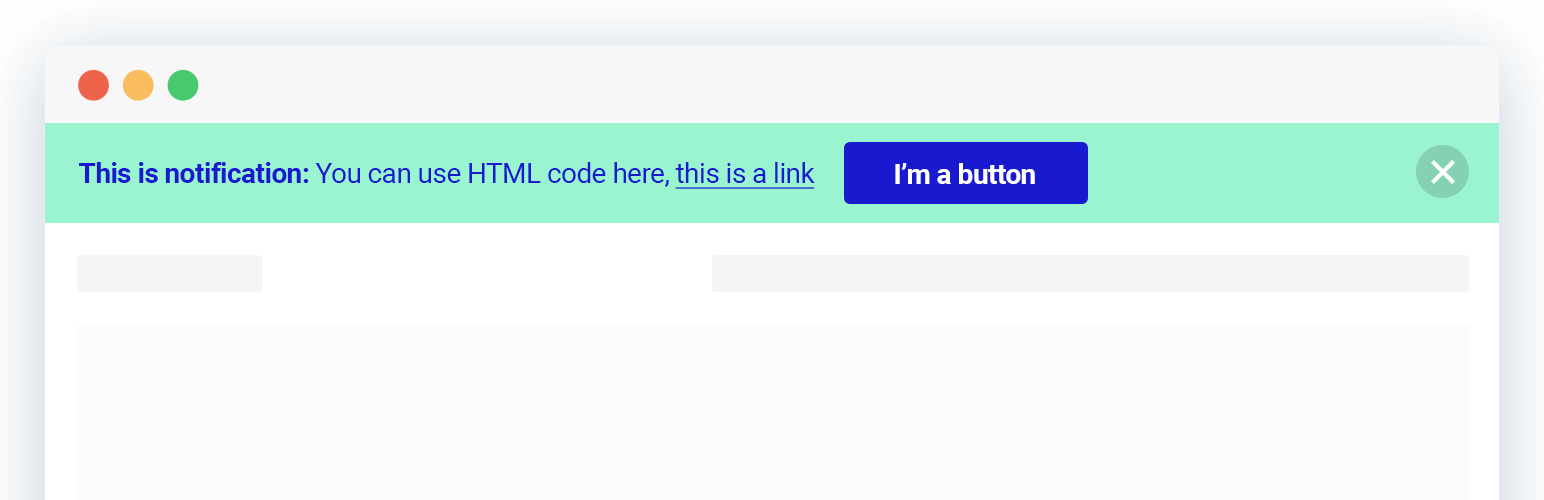
Notibar – Notification Bar for WordPress
Description
Multiple notification bars with React-powered customizer, live preview, smart scheduling, and per-bar display rules.
This plugin lets you create and manage multiple notification bars at once. Configure each bar independently (content, style, devices, display pages, close behaviour) all inside the native WordPress Customizer with instant live preview.
The Dismiss button supports three modes: close permanently, collapse/toggle, or disabled.
Per-bar page/post rules let you show bars on all pages, no pages, or a specific include/exclude list.
🔔 Check out Notibar Pro – Notification Bar for WordPress
Notibar seamlessly integrates with your existing WordPress theme, ensuring a cohesive look and feel. It has integrated clear and compelling call-to-action buttons to drive user engagement and conversions.
⚡️ FEATURES
This alert banner is built to optimize appearance and drive a positive impact on your WordPress website traffic and conversions:
- Designed with clean UI & modern style
- Schedule the date and time to go live
- Display in absolute or fixed positioning
- Custom color, text, click-to-action
- Various notice bar style presets
- Set text container width and alignment
- Actions for Dismiss button: disable, toggle, close for good
- WYSIWYG visual banner editor with live preview
- Display on all pages/posts or specific page/post ID
- Add different content for mobile devices
- Drag and drop to reorder announcement bars
- One click to duplicate a bar template
- Export/Import for a quick migration
- 100% mobile-responsive
🚀 TYPICAL USE CASES
These are good ideas on how to exploit the Notification Bar plugin:
- Important announcements
- Technical notices
- Time-sensitive appeals for donation or CTA
- Subscription increase
- Terms or operational changes
- Privacy policy acknowledgments
- Maintenance messages
- Service outage or resource shortage
- Seasonal offers or promotions on WooCommerce stores
- Driving traffic to other sites
Notibar is ideal for you to promote upcoming events, new blog posts, product launches, or special offers with ease.
Did you know? You can even capture email leads by offering incentives and integrating with your email marketing provider.
🎉 Supported Themes and Plugins
We have done extra work to ensure complete compatibility with all themes, page builders and other popular plugins.
📝 Documentation and Support
If you’re having issues, do let us know and we’ll try to help you out.
You can always reach us at Ninja Team Support Center.
♥️ Like this Top Bar Alert Plugin?
- Rate us 5⭐ stars on WordPress.org
- Check out these tutorials to create successful WooCommerce stores
Installation
- Upload the entire plugin folder to the ‘/wp-content/plugins/’ directory.
- Activate the plugin through the Plugins menu in WordPress.
Upon activation, you will see a new Notibar menu. Simply click to customize the WordPress notification bar element by changing all default settings for text, styles and effects.
Screenshots
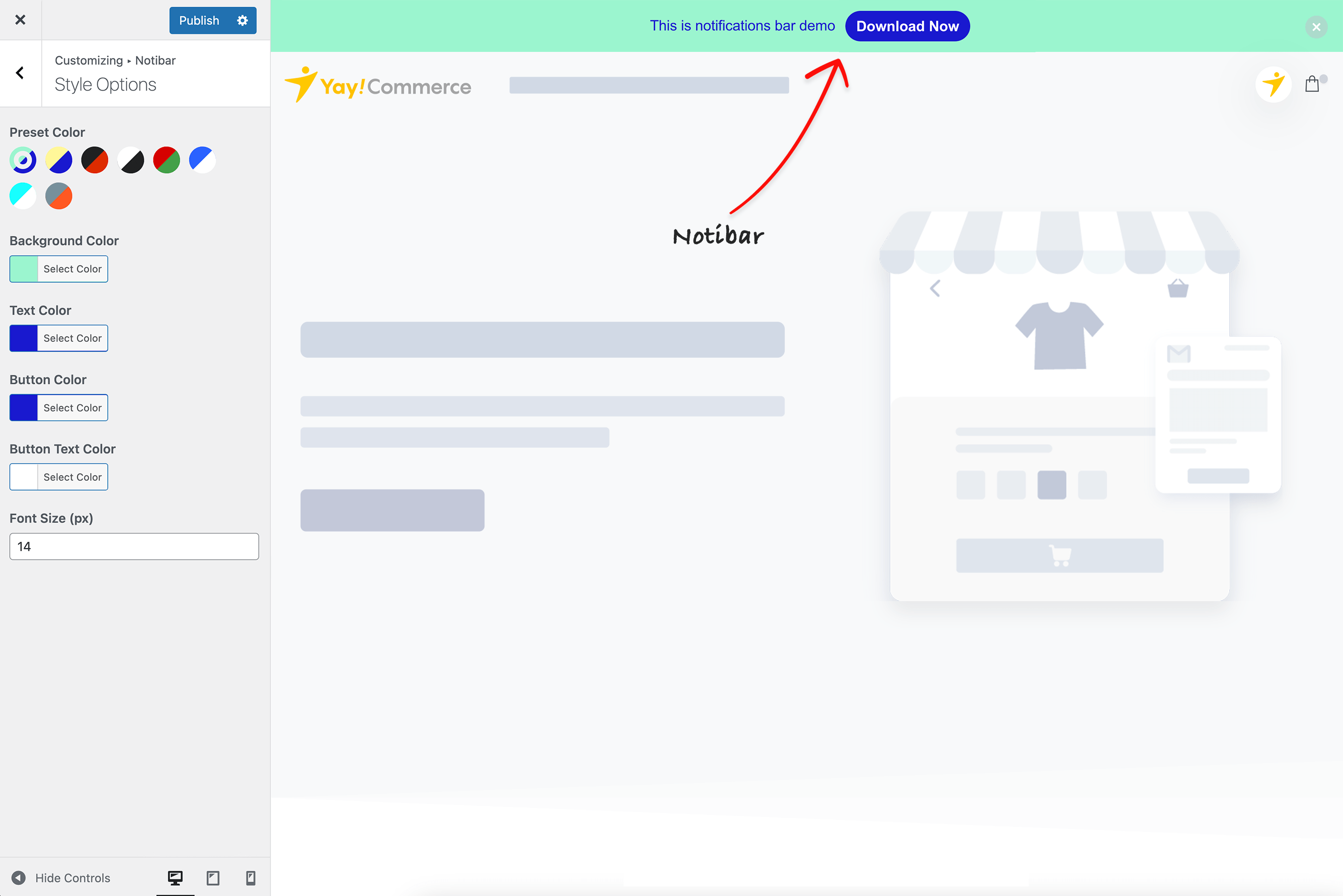
Notification bar settings location
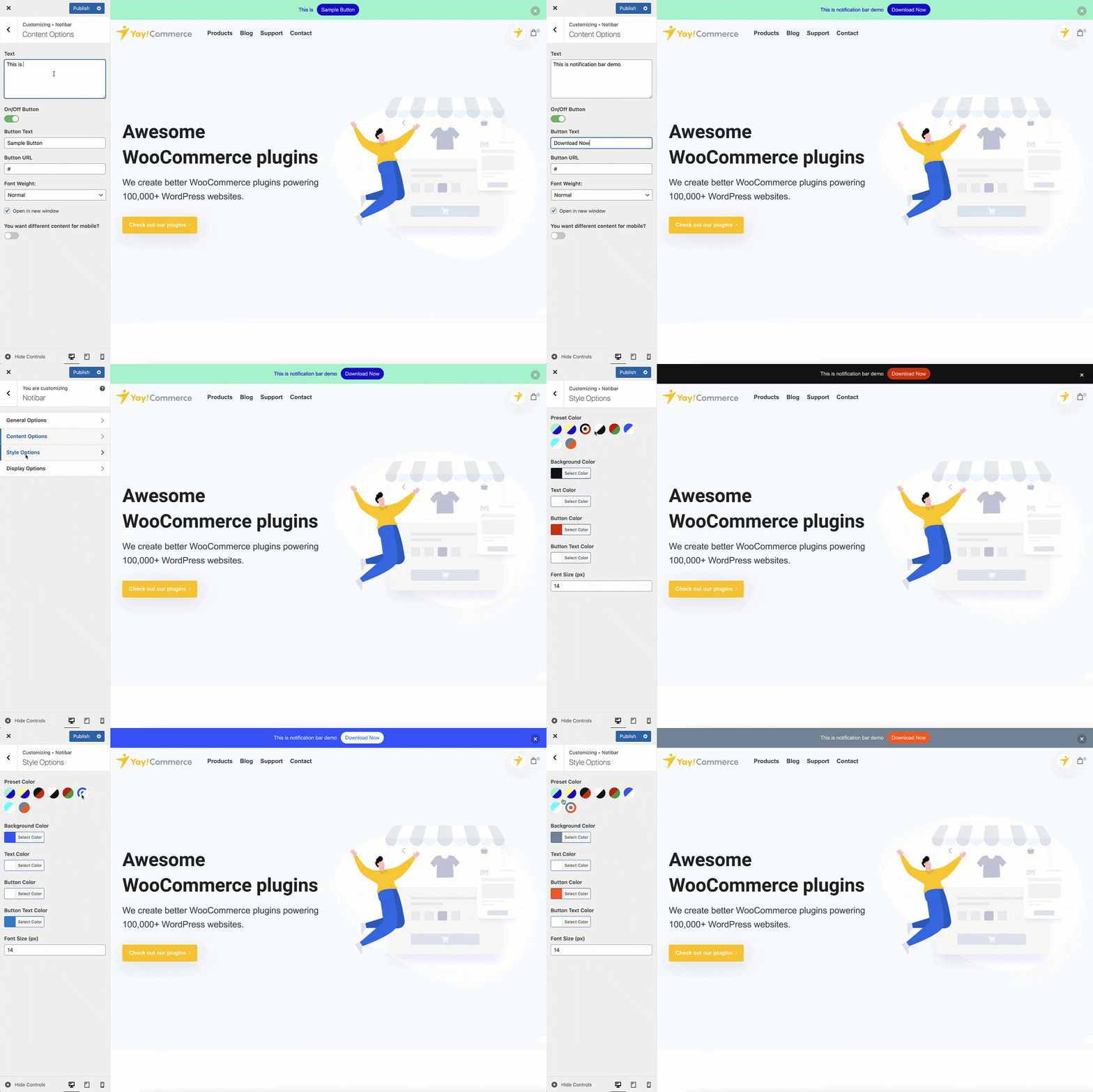
Edit content and preview it
Faq
Yes. Even on the free plan, you can create and schedule multiple bars. Manage each bar with its own content, design, and display rules.
The free version lets you show or hide specific bars on any page or post. Just select them from the dropdown in the display settings. If you need to show/hide based on custom post types or WooCommerce products, then you will need Notibar Pro.
Yes. The free version includes scheduling with a start and end date/time, as well as an auto ON/OFF daily schedule, so your bars go live and expire without any manual work.
Sure thing! You can set separate content and button for mobile devices, so your notification bar always looks and reads well regardless of screen size.
Yes. The free version includes drag-and-drop reordering and a one-click duplicate option, making it quick to manage and experiment with your bars.
Yes, both HTML and CSS are supported in the free version, so developers can fully customize the look and content of the announcements. Moreover, you can use CSS to force the notification display/swap before lazyloading or make it compatible with your caching system.
Yes, you can configure each bar to re-display after a specified period, so returning visitors will see it again after a set amount of time.
Yes. Notibar is free and includes everything you need to run multiple notification bars: content & styling, HTML/CSS support, mobile-specific content, 3-state dismiss, per-bar page/post display rules, and Export/Import.
Notibar Pro adds advanced conversion tools on top of the free plugin:
- Rotation mode (A/B testing): cycle multiple bars by sequence or random, with a custom interval and pause-on-hover
- Targeting by custom post type (including WooCommerce products)
- Advanced reports: per-bar click & dismiss tracking
- Display a bar at the bottom of the screen
- Conditional display by user role or specific users
Role and user targeting (a Pro feature) is evaluated on the server, so a full-page cache that serves one cached HTML to every visitor can show the wrong bars. The standard fix, which is used by virtually every membership/role-aware plugin, is to exclude logged-in users from the page cache (most caching plugins do this by default). Logged-out visitors all correctly receive the “logged-out / everyone” set; logged-in users then get their role/user-specific bars evaluated fresh.
WPML: Yes. Notibar v3.0+ integrates with the WPML String Translation addon. After you publish a bar, its text, button label, and button URL are auto-registered as translatable strings under the notibar domain. Translate them in WPML String Translation, and the right language renders automatically on the front-end. Both WPML core and the String Translation addon must be active, without the addon, Notibar silently serves the original strings.
Polylang: Polylang support in v3.0 is a documented stub only — there is no automatic per-bar string registration. If you need Polylang translation today, register each string manually with pll_register_string() from a child-theme or custom-plugin hook (the string names follow the pattern bar-{id}-text, bar-{id}-textMobile, bar-{id}-buttonText, etc., and live in the notibar domain). Full Polylang integration is planned for a future v3.2+ release.
Notibar plugin is built to work wonderfully with all Elementor themes, block themes and other WordPress page builders.
Absolutely! Notibar doesn’t collect or store any personal information. So rest assured.
Reviews
Got the Pro version up and running
By 
Had a little trouble installing the Pro version but their Tech Support came through. Here's what I found:
- Purchase the Pro version.
- In WordPress, delete the existing free version of the plugin.
- On the product purchase confirmation page is a downloadable zip file of the Pro plugin. Download it.
- Back in WordPress, go upload the zip file plugin and install it.
- You should now see the License sub menu of Notibar in the WordPress left nav. Select it.
- Grab the license key from the product confirmation page and paste it into the appropriate field.
- Rock and Roll!
nice product
By 
really easy to use with woocommerce theme
Working great, good customization
By 
A nice plugin with good customization options even in the free version. Excellent support too - I recently reported a small bug and it was fixed and new version released next day! Very good communication from the plugin developers. Thanks a lot, keep up the great work!
Love it!
By 
Great plugin and easy to use.
Helpful support
By 
They helped me solve my problem.
Notibar APP
By 
Great APP please keep it up
Easy to Understand, Works Flawlessly, Looks Good
By 
An excellent plugin that delivers perfectly on what it promises. Kudos to the developer.
Wonderful plugin!
By 
Practical and easy to use, and it looks great! I just wish they added the option to create more than one notification bar for different pages.
Easy to set up
By 
I needed a quick notification bar for my website and was able to set it up within 2 minutes, without "Upgrade to PRO" notifications jumping out everywhere 🙂
Excellent
By 
Excellent
Changelog
Jun 24, 2026 – Version 3.1.5
- Added: Settings to allow showing navigation arrows (Pro version only)
- Added: Hooks and integrations for 3rd parties
Jun 11, 2026 – Version 3.1.4
- Improved: Compatible with Divi 5
- Improved: Compatible with Brandy (WooCommerce theme)
- Improved: Compatible with lazyload
- Improved: Compatible with object cache
Jun 4, 2026 – Version 3.1.3
- Added: Tracking by date, guests/logged-in (Pro version only)
- Added: Analytics charts, Trend over time & Per-bar comparison (Pro version only)
- Added: License tab in the Pro version
- Updated: Admin UI
- Updated: Bar CTA button styles
May 29, 2026 – Version 3.1.1
- Fixed: Migration settings notice dismiss not persisting across page reloads
May 26, 2026 – Version 3.1.0
- New: Schedule in visitors’ local timezones (Pro version only)
- New: Display bars at bottom (Pro version only)
- New: Conditional display based on user roles, logged-in, logged-out or specific users (Pro version only)
- New: Hide/Display bars on WooCommerce products or Custom Post Types (Pro version only)
- Updated: Compatible with WordPress 7.0
Feb 25, 2026 – Version 3.0.0
- Added: Admin menu
- Added: Multiple Bars support (display different content across different pages)
- Added: Rotation option for alternating bar display (Pro version only)
- Added: Schedule open/close time for bars
- Added: Tracking functionality (Pro version only)
- Added: Import/Export Bars feature
- Updated: Refreshed UI design
Jan 26, 2026 – Version 2.1.9
- Improved: WCAG Level AA compliance
May 15, 2025 – Version 2.1.8
- Fixed: CSS refactor for notification bar
May 6, 2025 – Version 2.1.7
- Fixed: Resolve the bug that is deprecated in PHP 8
Feb 26, 2025 – Version 2.1.6
- Fixed: Security – Authenticated (Administrator+) Stored Cross-Site Scripting (WordFence reported)
Dec 10, 2024 – Version 2.1.5
- Fixed: Security (WordFence reported)
29 Jul 2023 – Version 2.1.4
- Fixed: Display options issues
26 Jul 2023 – Version 2.1.3
- Fixed: Override options when updating to the new version
- Fixed: Dropdown layout
24 Jul 2023 – Version 2.1.2
- Improved: UI
- Fixed: Improve display options
20 May 2023 – Version 2.1.1
- Fixed: Notibar in homepage
20 May 2023 – Version 2.1
- Added: Exclude page/post and include page/post
- Added: Add option button font weight
- Fixed: Small CSS bugs
2.0
- Fixed: Header issue
1.9.9
- Added: Compatible with Astra theme
1.9.8
- Added: Translation
1.9.7
- Improved: Notibar display smoother when scroll
- Updated: Compatible with Essential theme by Pixfort
1.9.5
- Improved: UI
1.9.4
- Fixed: Undefined index notice when users doesn’t have manage_options capability
- Fixed: Publish enabled issue
- Fixed: Styling Options can’t be modified on Firefox
- Fixed: Notibar doesn’t show on search page
1.9.3
- Added: Support shortcode
- Added: Support WPML for URL field
- Added: Support Konte theme
1.9.2
- Fixed: Notibar displays again when scroll on Safari
- Improved: Set style max-width for text content
1.9.1
- Improved: Compatible with WordPress 5.6
1.9
- Added: Support Enfold theme
- Added: Support Nayma theme
- Added: Support Essentials theme
- Fixed: Creates a random white space at the footer when close notibar
- Improved: CSS
1.8
- Added: Support WPML and Polylang
- Added: Button text color option
1.7
Improved: Width for Notibar
Fixed: Some small bugs
1.6
Fixed: Bar shows again after closed on mobile
1.5
- Added: Cookie for Notibar
- Fixed: Some smal bugs
1.4
- Added: Option different content for mobile
- Improved: Mobile preview
- Fixed: Some smal bugs
1.3
- Added: Support mobile view
- Added: Choose devices want to display notibar
- Improved: UI
- Fixed: Some small bugs
1.2
- Improved: UI/UX
- Improved: Optimized source code
1.1
- Improved: UI/UX
- Fixed: Some small bugs
1.0
- Release date: September 19, 2020