NotifyBay – Waitlist and Stock Alert for WooCommerce
NotifyBay – Waitlist and Stock Alert for WooCommerce
Description
NotifyBay bridges the gap between customer demand and inventory availability. It lets WooCommerce store owners capture high-intent leads when a product is out of stock (Waitlists), then handles the follow-up automatically — recovering sales that would otherwise be lost.
By leveraging background processing and intelligent notification logic, NotifyBay does this without slowing down your store or your customers’ checkout experience.
Key Features
- Waitlists & Back-in-Stock Alerts — Customers can join a waitlist on any out-of-stock product and are automatically emailed the moment it’s restocked.
- First-Come, First-Served Dispatch — Waitlisted customers are notified in the order they signed up, and a configurable minimum restock threshold stops a one-unit inventory bump from triggering a mass email.
- Asynchronous Processing — Notification emails are queued and sent in the background via Action Scheduler, so high-volume dispatch never impacts your customers’ checkout experience or your site’s performance.
- Lead Management & CSV Export — Every signup lands in a WordPress-native table you can search, filter by status, edit inline, action in bulk, and export to CSV for your email platform.
- Guest-to-Account Merging — Guest waitlist subscriptions are automatically merged into a customer’s account the moment they register, so nothing gets lost.
- My Account Integration — Customers get a dedicated Waitlist tab in their WooCommerce “My Account” area to review and manage their own subscriptions.
NotifyBay is an independent product and is not officially affiliated with, endorsed by, or sponsored by WooCommerce or Automattic Inc. WooCommerce is a registered trademark of Automattic Inc.
External services
This plugin sends deactivation feedback to an external service operated by WPAnchorBay at dfs.wpanchorbay.com, so we can understand why store owners stop using NotifyBay and improve the plugin.
This happens only when you explicitly ask it to. When you deactivate NotifyBay from the Plugins screen, a dialog offers an optional survey. Data is transmitted only if you select a reason and press “Submit & Deactivate”. If you press “Skip & Deactivate”, close the dialog, or deactivate the plugin any other way, nothing is sent. The dialog itself discloses exactly what will be transmitted before you submit, and deactivation is never blocked or delayed by this request.
When — and only when — you submit the survey, the following is sent: the reason you selected, any note you typed, your site address, the email address of the WordPress account you are logged in as, your WordPress version, and the plugin slug.
No data is sent at any other time. This plugin does not phone home during normal operation.
Service provider: WPAnchorBay — Terms of Service: https://wpanchorbay.com/terms/ — Privacy Policy: https://wpanchorbay.com/privacy-policy/
Source Code
The compiled JavaScript in the build/ directory is generated from human-readable source using @wordpress/scripts (webpack). The full, unminified source (the src/ directory) and the build tooling (package.json, webpack.config.js, tsconfig.json, postcss.config.js, tailwind.config.js) are included in this package, alongside the compiled build/ output.
The same source is also published publicly at:
https://github.com/wpanchorbay/notifybay-free/tree/1.0.3
To rebuild the compiled assets from source: run npm install, then npm run build.
Installation
- Upload the plugin files to the
/wp-content/plugins/directory, or install the plugin directly through the WordPress “Plugins” screen (Plugins Add New Upload Plugin). - Make sure WooCommerce is installed and active — NotifyBay is an add-on for WooCommerce and requires it to function.
- Activate the plugin through the “Plugins” screen in WordPress.
- Go to WooCommerce Settings Leads Settings to configure your waitlist. Your signups are listed under Products Leads.
Screenshots
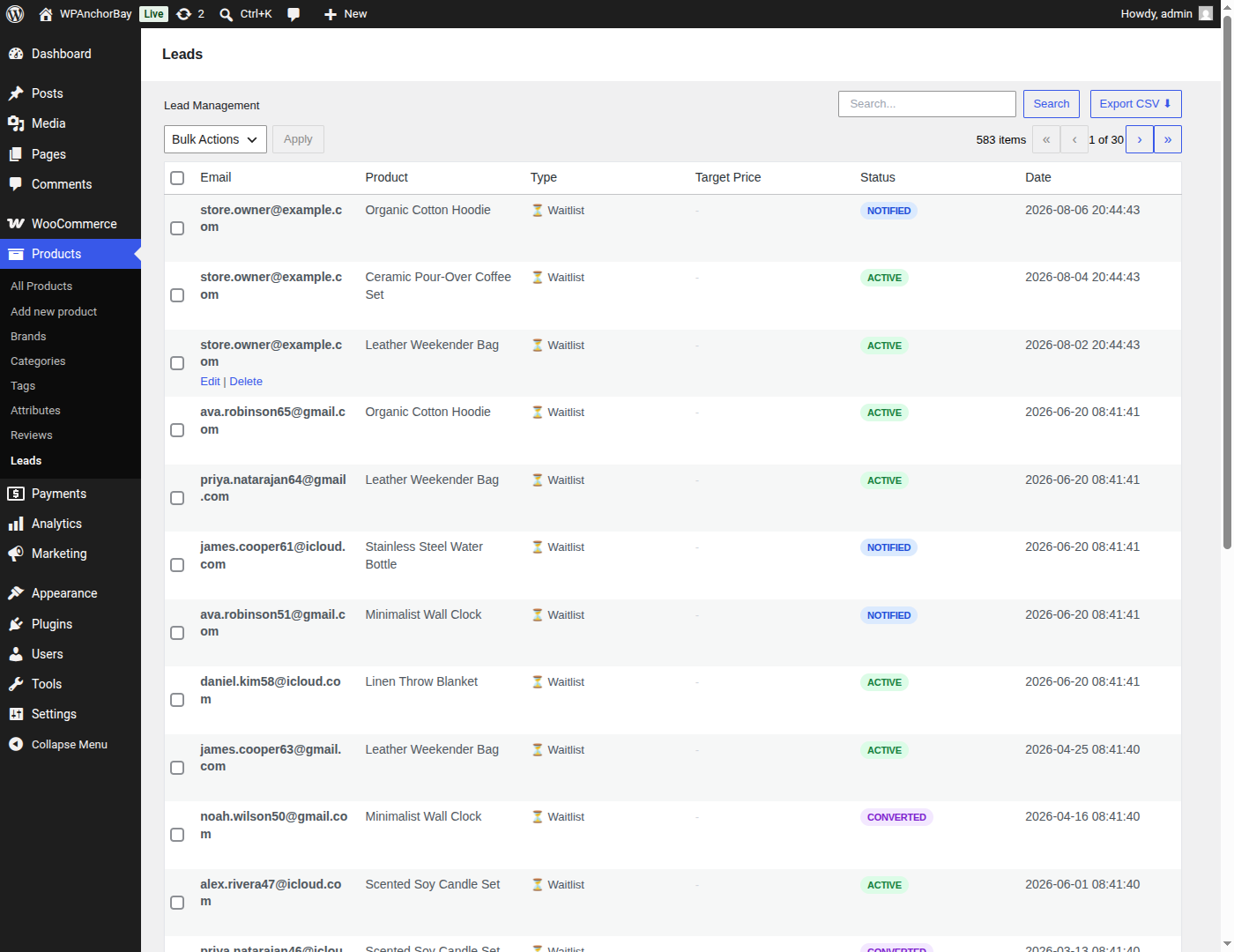
Lead Management — every waitlist signup in one WordPress-native table, with search, status filters, bulk actions and one-click CSV export.
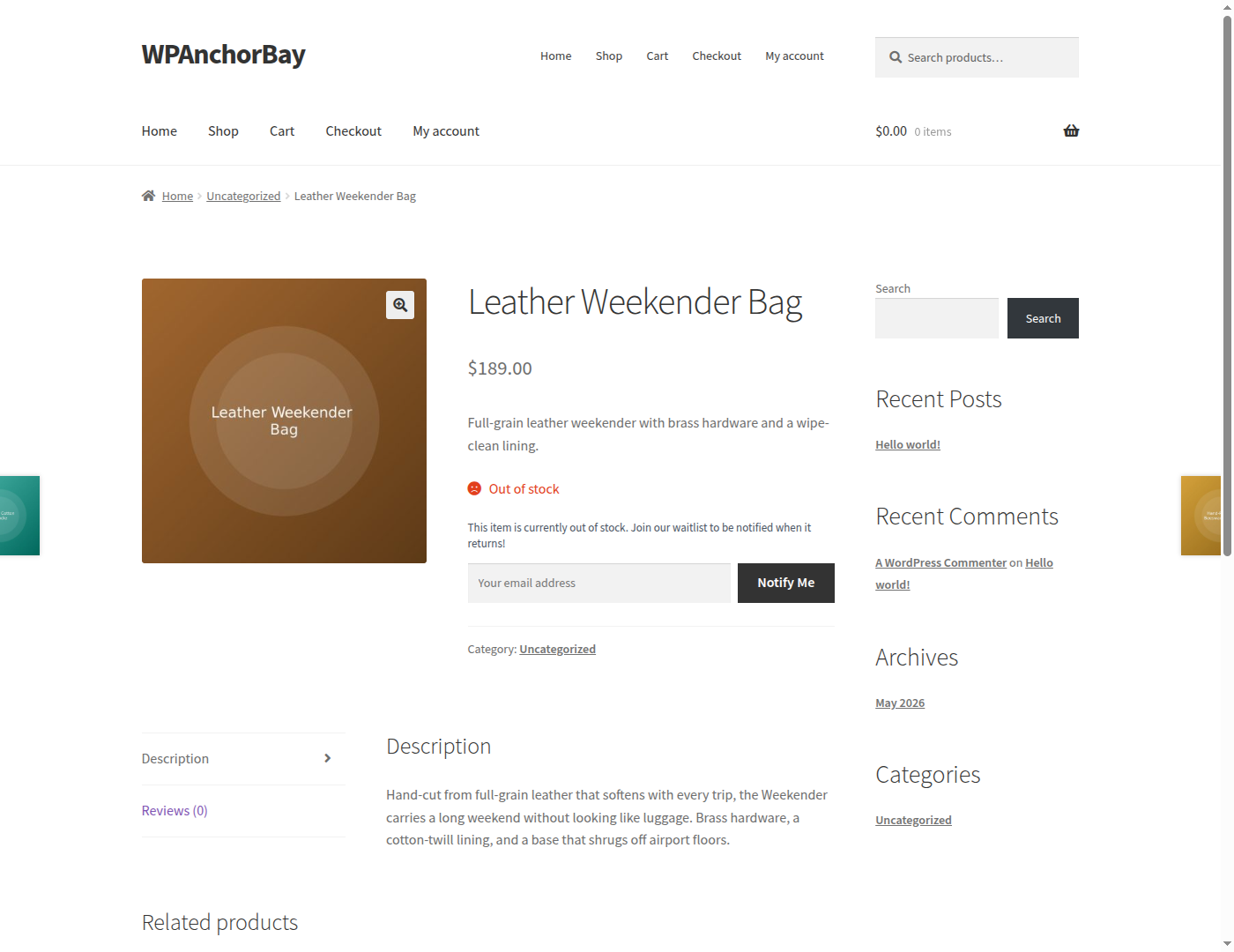
Customers join the waitlist straight from any out-of-stock product page, with no account required.
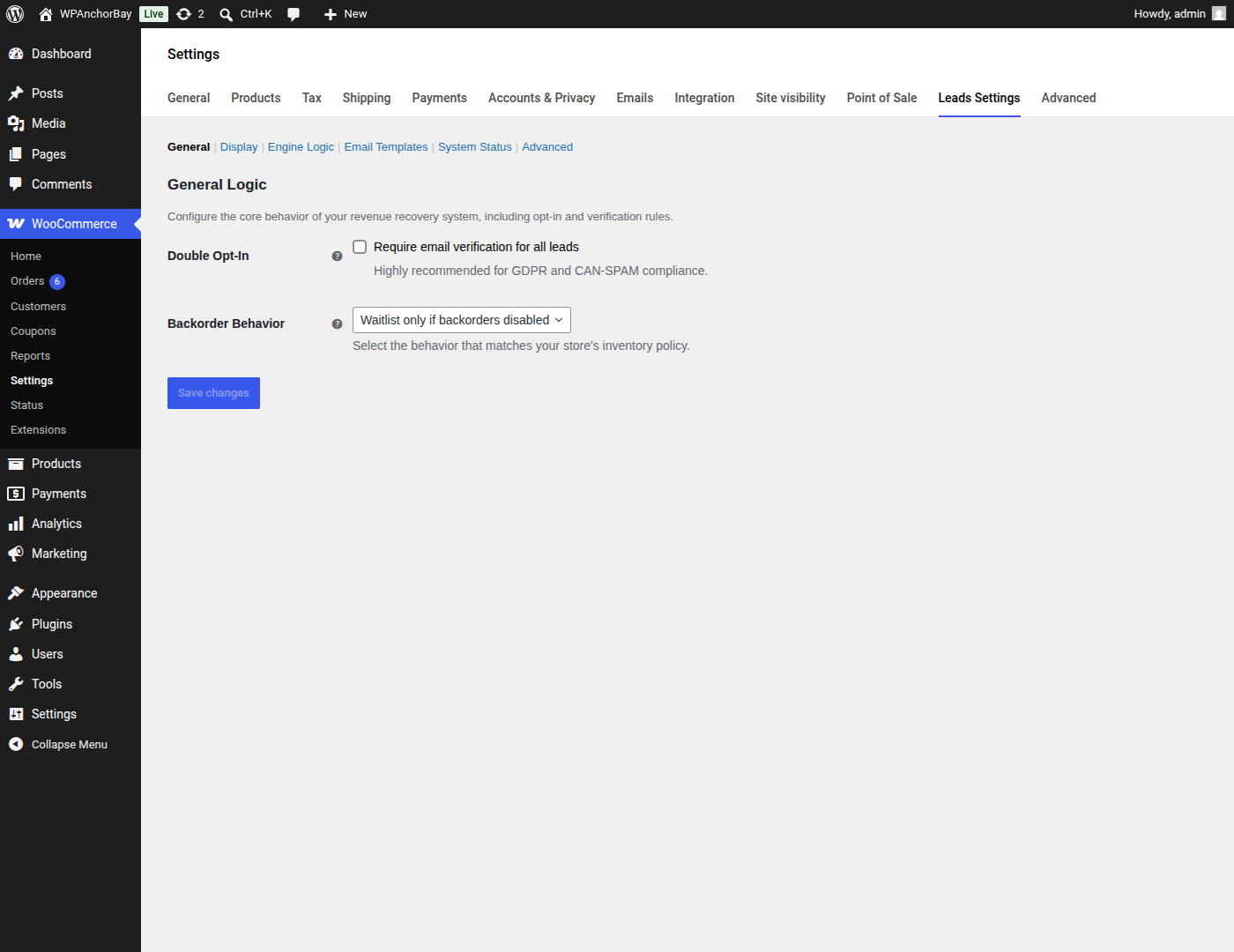
General — require email verification (double opt-in) before a signup counts, and decide how waitlists behave when backorders are allowed.
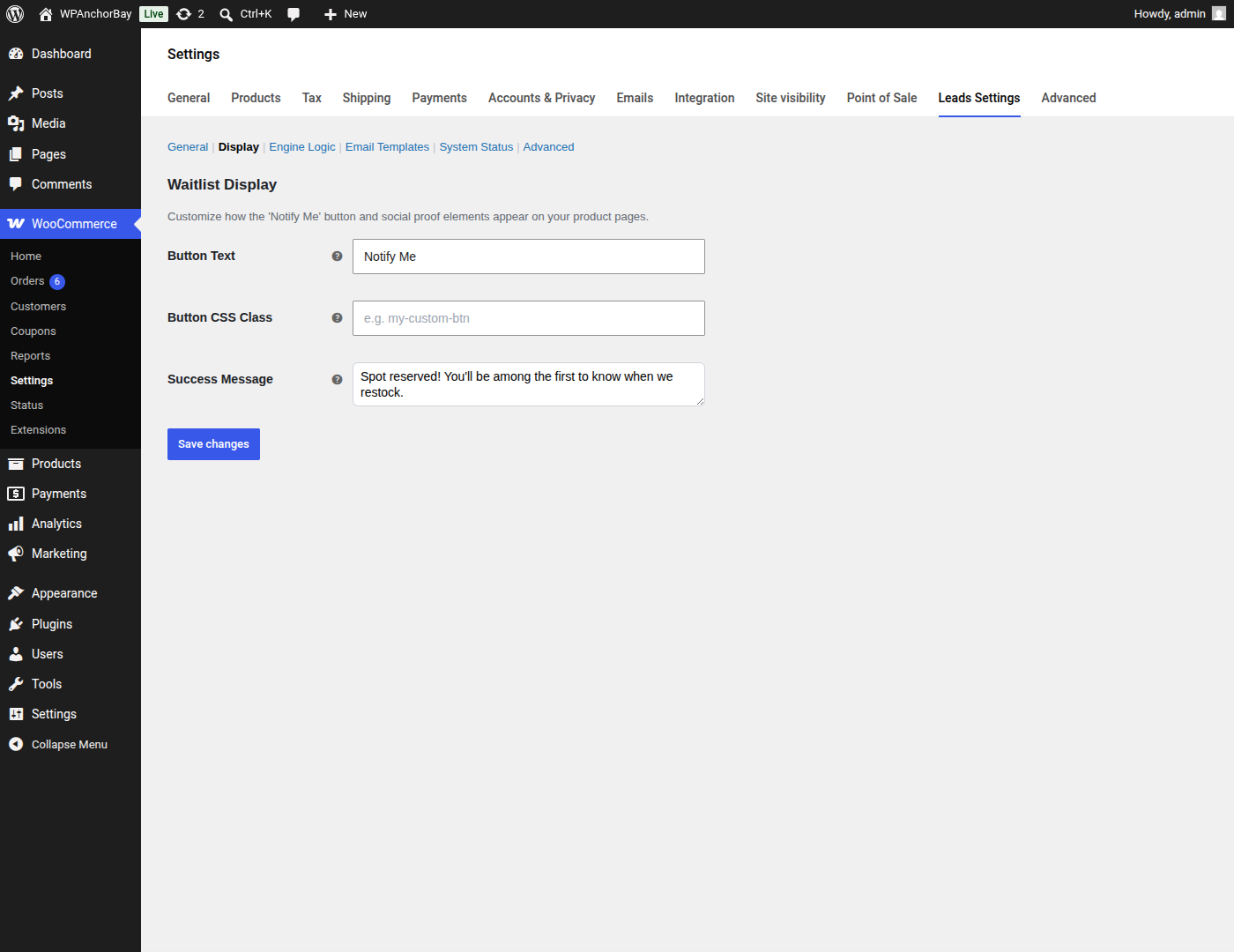
Display — set the button label, add your own CSS class, and write the confirmation message customers see after they sign up.
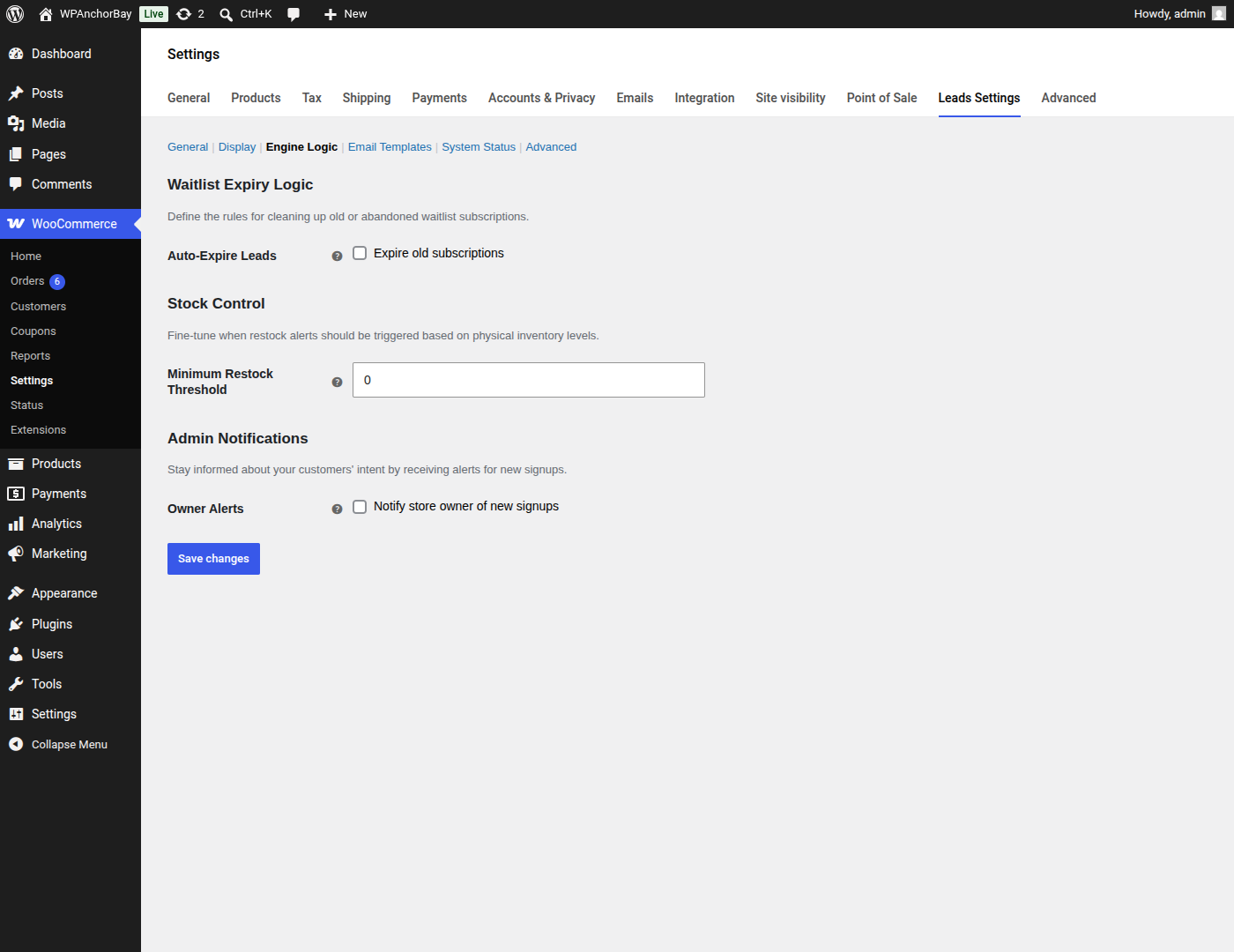
Engine Logic — set a minimum restock threshold, expire stale subscriptions automatically, and get alerted when new customers sign up.
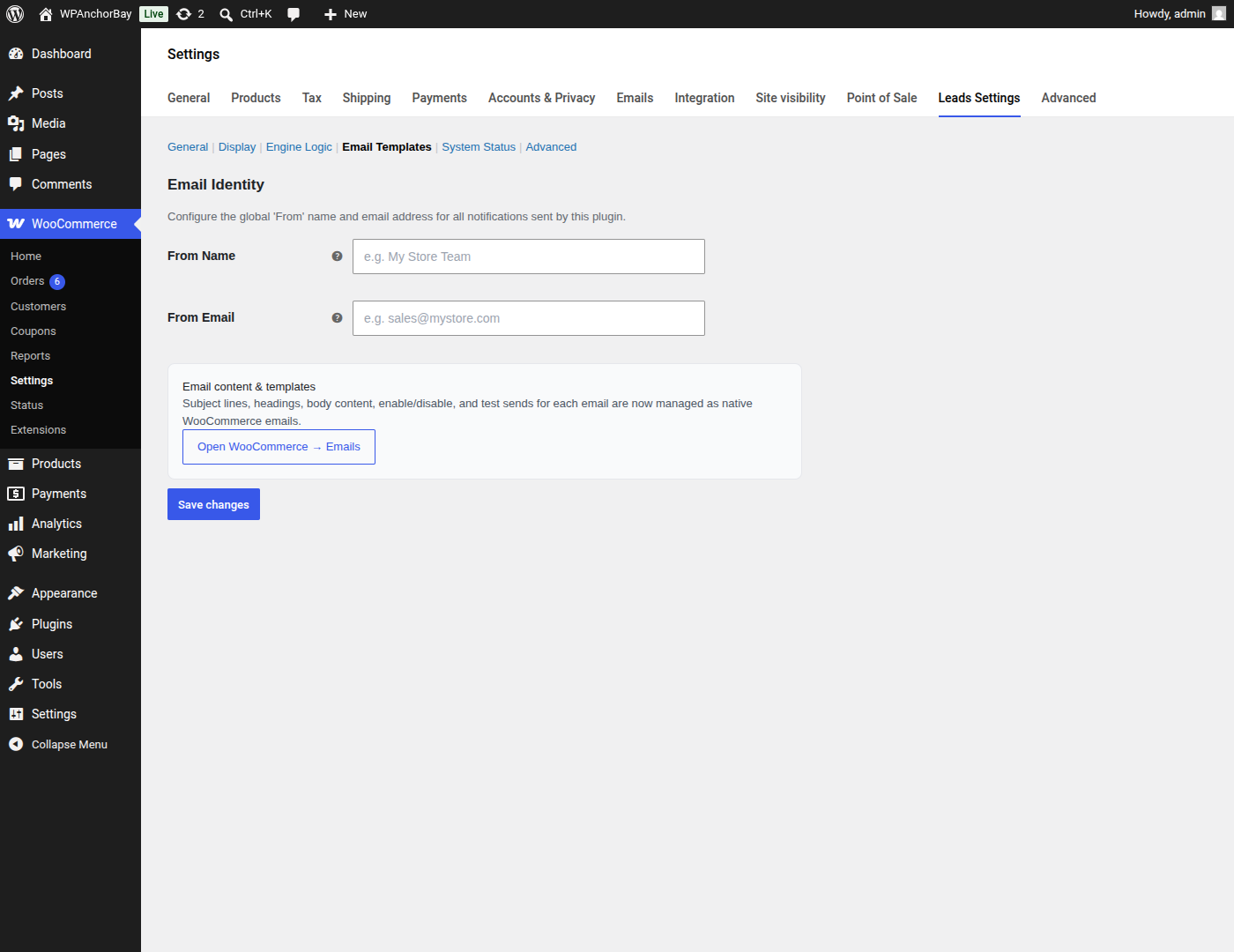
Email Templates — set the From name and address used for every notification; subject lines and content are managed as native WooCommerce emails.
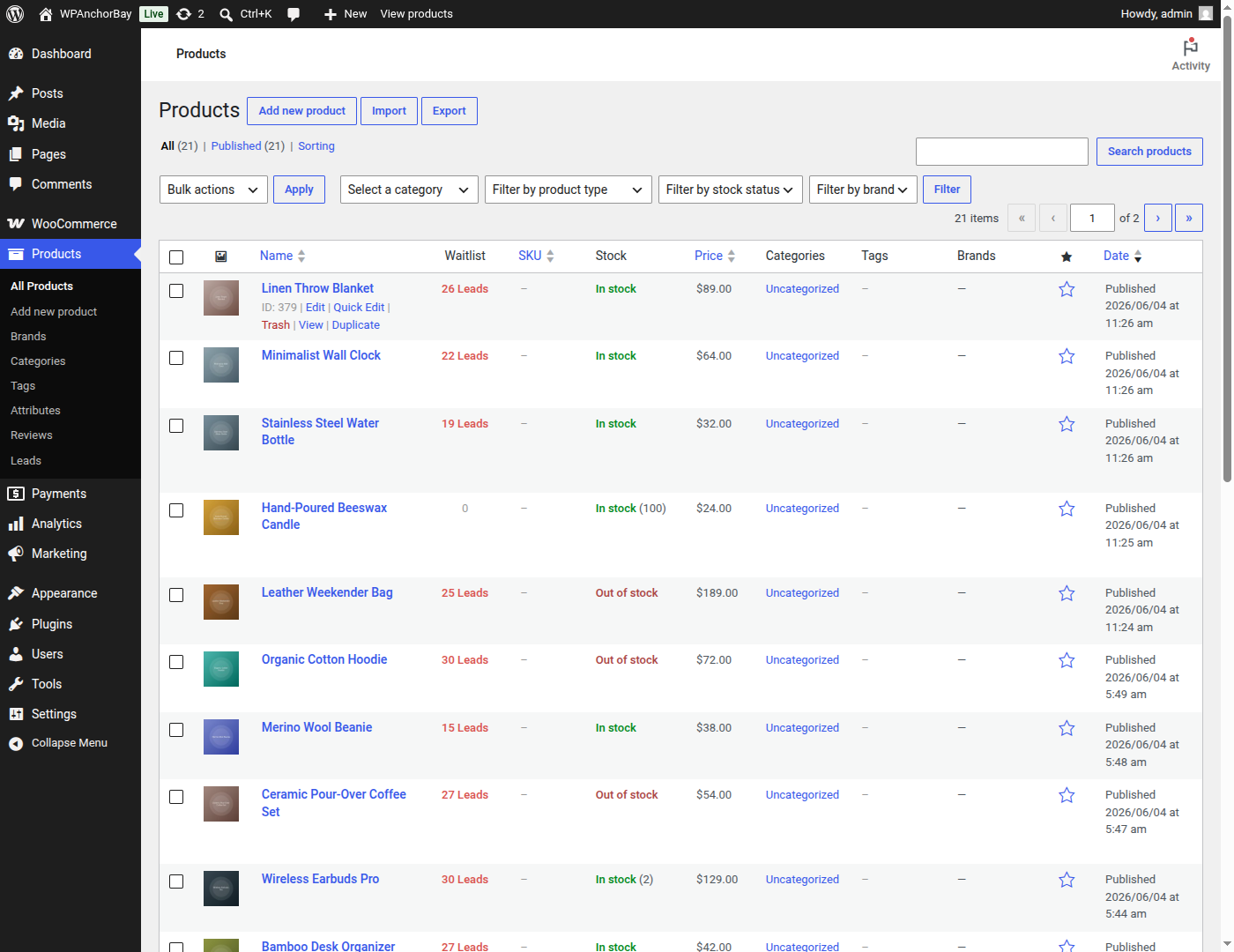
The Products list gains a Waitlist column showing pent-up demand for every product at a glance.
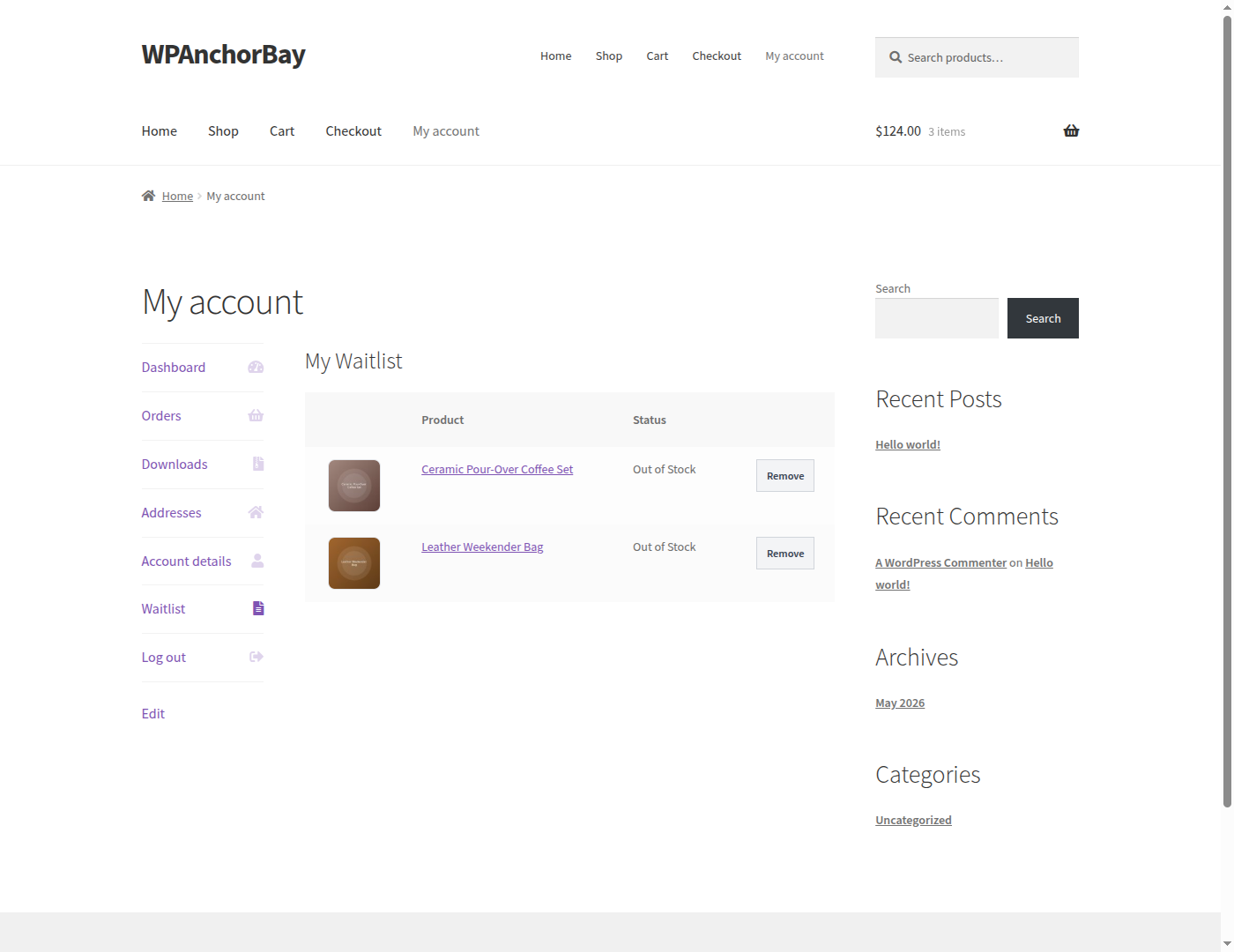
Customers manage their own subscriptions from a dedicated Waitlist tab in WooCommerce My Account.
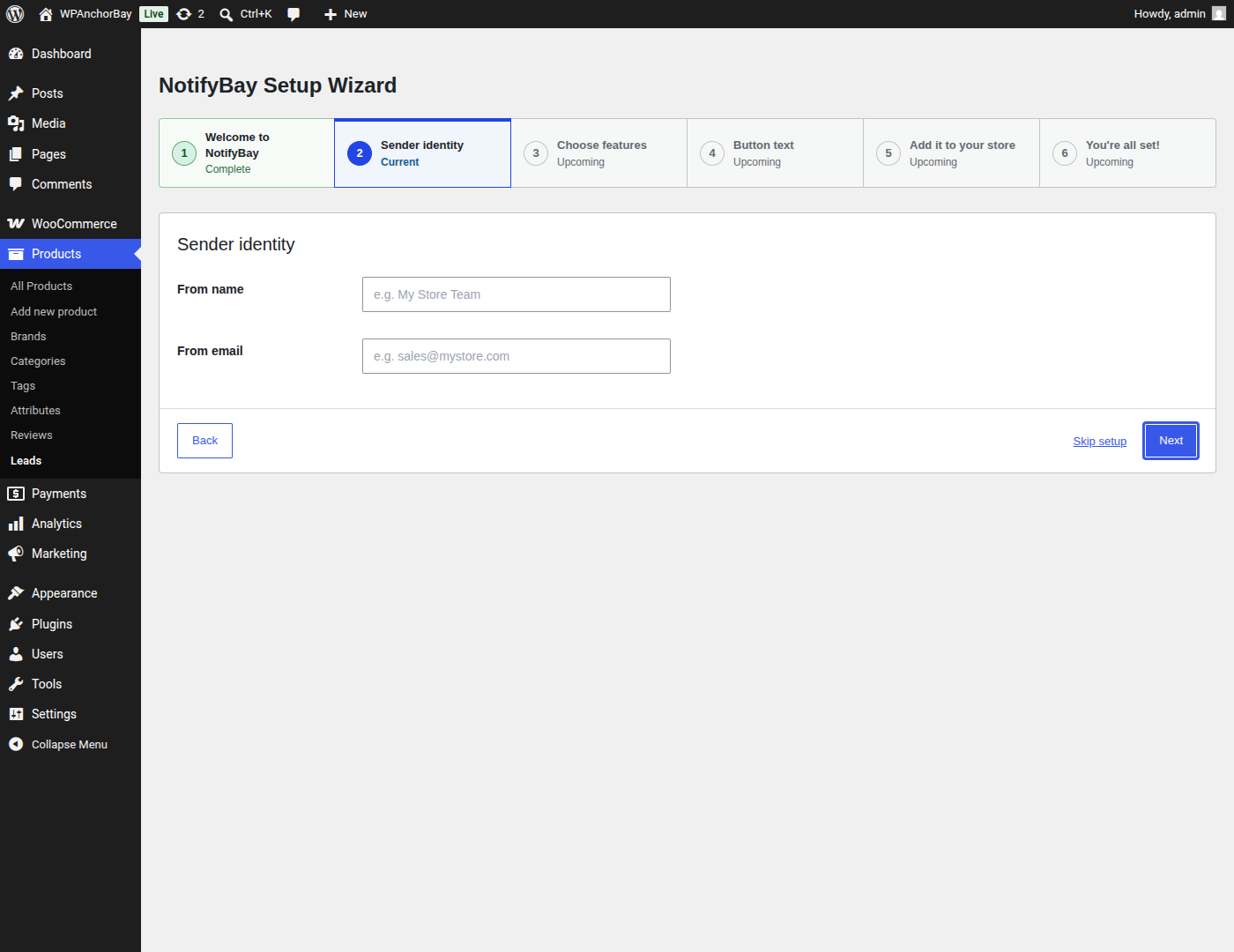
A guided setup wizard gets the waitlist live in a few steps.
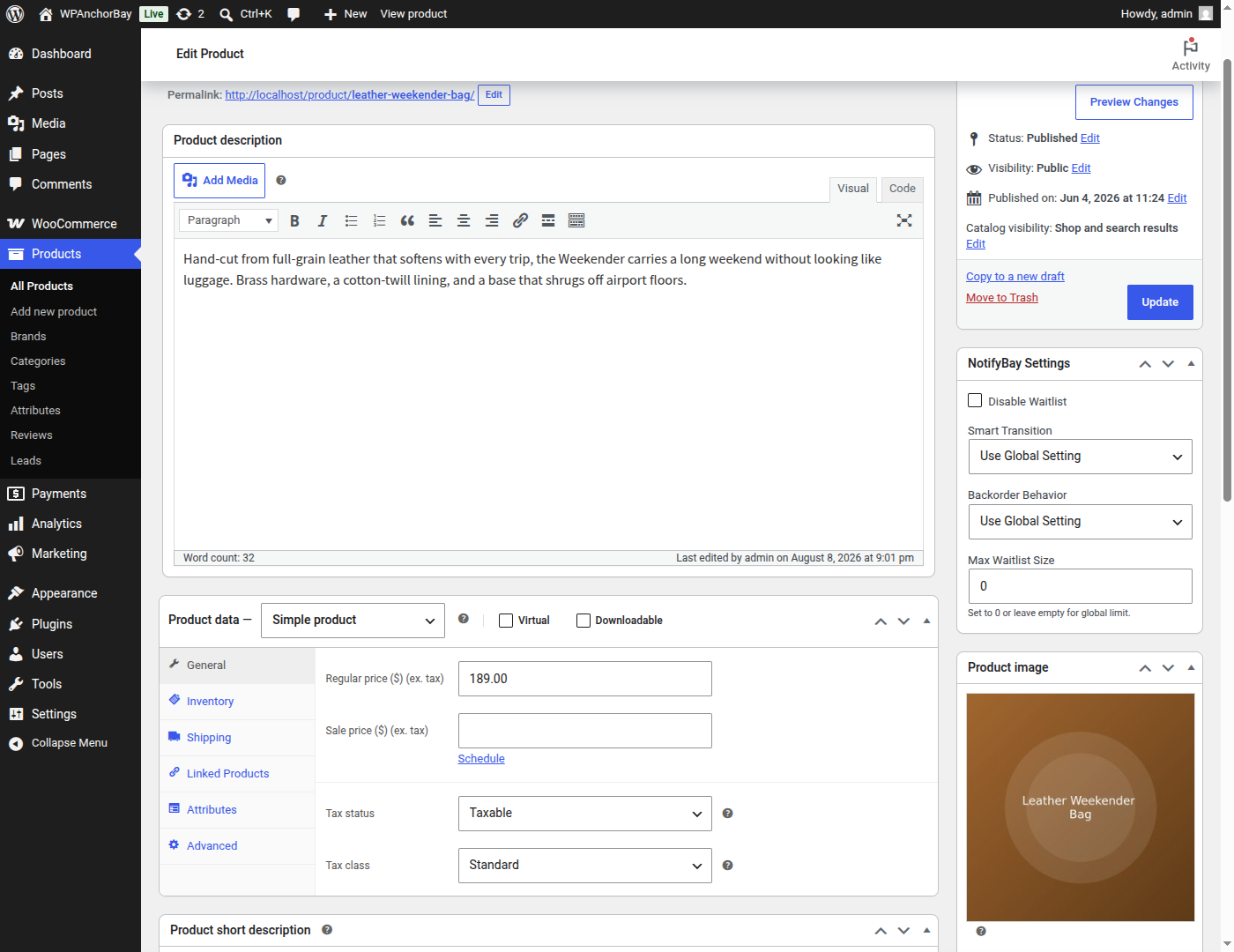
Per-product NotifyBay settings, including a per-product waitlist disable switch and backorder behaviour override.
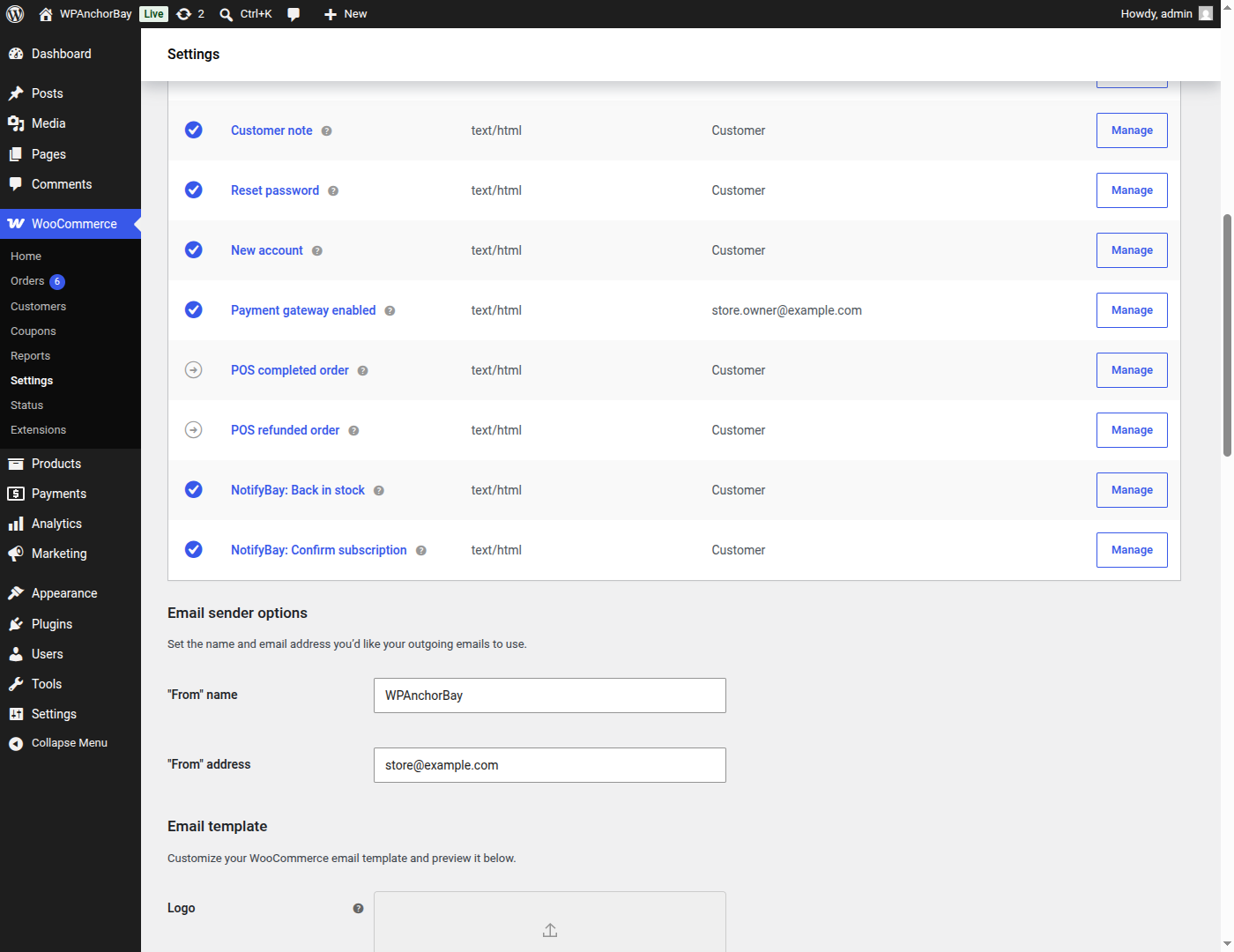
Restock and verification emails are native WooCommerce emails, editable under WooCommerce → Settings → Emails.
Faq
Yes. NotifyBay adds functionality on top of WooCommerce and will not run without WooCommerce installed and active. You’ll see an admin notice if WooCommerce is missing.
Yes. Guests can join a waitlist using just their email address. If they later create an account with the same email address, their existing subscriptions are automatically merged into that account.
Restock notifications are queued and delivered by email in the background using Action Scheduler, so notifying a large number of subscribers at once doesn’t slow down your site.
In the order they joined — oldest subscription first. When a product is restocked, everyone on that product’s active waitlist is notified, so the earliest subscribers get the earliest emails. You can set a minimum restock threshold so that very small inventory changes don’t trigger notifications at all.
Capping notifications to the number of units actually restocked — the Fair-Play reservation-window engine — is part of NotifyBay Pro. The free plugin notifies every active subscriber on the waitlist when stock returns.
Reviews
Changelog
1.0.3
- New (Beta): NotifyBay can be connected to an AI assistant over MCP (Model Context Protocol). This is a beta feature and may change in future releases. It is off until you turn it on, under WooCommerce Settings Leads Settings MCP Connection, where you also choose how much the assistant is allowed to do and copy the connection details.
- New (Beta): seven assistant tools — list leads, waitlist size by product, system status, diagnose failed notifications, update a lead, resend a back-in-stock email, and delete leads. Deleting and resending are offered only at the “Full access” level, and only to an account that can manage NotifyBay.
- New: generate, rename and revoke the Application Password the assistant connects with directly on the MCP Connection screen, without visiting your profile. Name it so you can tell it apart later, press Generate, and WordPress creates the password itself. The screen also shows the endpoint address and the account to connect as.
- New: connection details for Claude Code, Claude Desktop, Cursor, Codex, and any other client that speaks MCP over HTTP. The moment a password is generated they open in a dialog with everything filled in — the password and a ready-to-paste snippet for each client, with nothing left to substitute and no need to encode anything yourself.
- New: connecting Claude Desktop is now Download, double-click, Install. The downloaded file already contains your site address and your password, so there is nothing to copy and nothing to type. Delete the file once it is installed — it is a working credential until you do, and Revoke on the same screen cancels it at any time.
- New: the downloaded file no longer needs Node.js to be installed or the npm registry to be reachable on first connection. It now carries everything it needs, so the first connection works on a machine that has neither.
- New: the Download button is shown straight away instead of appearing only after picking “Claude Desktop” from a list that opened on a terminal command.
- New: when your account is missing the permission the assistant endpoint checks, the screen now has a button that grants it. It used to print a command for you to run on your server.
- Fix: the connection snippets were always on screen, even before a password existed — showing placeholders like “<base64(admin:application-password)>” that could not be used and gave no way to work out the real value. They now appear only once there is a real password to put in them, and say what to do when there is not.
- Fix: the connection details said a client would be “refused” while MCP is switched off. A client actually reports the address as not found, which sent people looking through user permissions for a problem that is a switch on that screen.
- Fix: with the WooCommerce back-in-stock email switched off, every restock still claimed the waitlist and queued sends that could not deliver, then returned those leads to the waitlist and did it again at the next restock — writing a warning to the log each time, for every lead, indefinitely. A restock now stops before claiming anyone and says why once.
- Fix: clearing the list of expiry windows left the sign-up form offering no expiry at all while the server still assigned one, so a logged-in shopper — whose one-click sign-up never shows the dropdown — could be given a 90-day expiry on a store that offered none, and be dropped when it passed. The form, the block and the server now read one list.
- Fix: copying anything on the settings screens — an endpoint address, a username, a snippet — silently saved the whole settings form and reported “Settings saved successfully”. Copy buttons now only copy.
- Fix: removed a non-functional “Target Price” field and column from the Leads screen. The field wrote to a database column that does not exist, which made the whole save fail — discarding the email and status changes made alongside it — and reported only “Could not update lead.”
- Fix: a failed database write is now logged with the reason, instead of failing with no explanation anywhere.
- Fix: the AI assistant connection was refused with a permissions error on any site that updated to this release rather than activating it fresh, while the MCP Connection screen still reported the endpoint as ready. The permission is now granted automatically on update, and the screen says plainly when an account is missing it.
- Fix: deactivating NotifyBay over the REST API — used by some hosts, migration tools and site managers — failed with a critical error and left the plugin active. Deactivating from the Plugins screen was unaffected.
- Fix: waitlist sign-ups were given a 90-day expiry even on stores that never switched expiry on, and were then quietly dropped when it passed. The setting is now respected, the shopper’s own choice reaches the server for the first time, and a one-time repair clears expiry dates that should never have been set.
- Fix: expiry dates were recorded in UTC while every check that reads them runs on store local time, so on stores not set to UTC leads expired early or late. The same correction applies to stale-job recovery and double opt-in cleanup.
- Fix: restoring an expired lead to active from the Leads screen appeared to work, then silently reverted within a day.
- Fix: the expiry dropdown could offer choices — “0 days”, or a negative number if one was configured — that the server ignored, silently giving the shopper no expiry. Invalid entries are now dropped when the setting is saved.
- Fix: pressing Enter in the MCP Connection screen’s name fields reloaded the settings page instead of doing what was asked.
- Fix: a back-in-stock check was queued for every product returning to stock, including products nobody is waiting for.
- Fix: hiding the top-level NotifyBay menu left the plugin’s own links pointing at a page that no longer existed.
- Fix: removed two per-product override fields (“Smart Transition”, “Max Waitlist Size”) that saved a value but never actually did anything.
- New: an option to show or hide the top-level NotifyBay admin menu, and a new sidebar icon that follows your admin colour scheme.
- Fix: Setup Wizard no longer tells users to use a Gutenberg block for manual placement unless NotifyBay Pro is active.
- Fix: clearing a numeric setting (e.g. Minimum Restock Threshold) silently reverted to the old value while the UI still showed a “Saved” success message.
- Fix: guest waitlist status checks failed silently on an expired security token; waitlist actions now refresh the token and retry automatically instead of failing with no recovery path.
- Fix: asking the assistant to re-send a back-in-stock email could put an already-notified customer back on the waitlist, so the next restock emailed them a second time. This happened whenever the background queue was slow, which is normal on stores without a real cron.
- Fix: asking the assistant to re-send a back-in-stock email while that email is switched off in WooCommerce reported the job as queued, when nothing could ever be sent. It now refuses and says why.
- Fix: a failed notification was meant to be retried three times with a growing delay. The third retry could never run, and the second was usually cancelled by a cleanup job before it fired. All three now happen.
1.0.1
- Fix: the
templates/directory (required to render the Leads Settings admin screen, product-column lead counts, and per-product override meta box) was missing from the packaged release, leaving those screens blank. Packaging now includes it correctly.
1.0.0
- Initial release.