Numvra Login Attempt Limiter

Numvra Login Attempt Limiter
Description
Counts failed logins and locks out the address that keeps guessing, with a log of what was tried and a longer lockout each time it comes back.
- Locks an address out after N failures inside a window you choose
- Each repeat makes the next lockout longer, so a bot gives up before you do
- A log of every failed attempt: when, from where, and which username was tried
- Unlock an address in one click when it was you
- An allowlist, so a mistyped password can never lock you out of your own site
- Replaces WordPress’s error message, which otherwise confirms that a username exists
- A successful sign-in clears that address’s record
- History pruned automatically after the number of days you set
Fully translatable. Translations are handled by translate.wordpress.org,
so no language files ship with the plugin.
Installation
- In the WordPress admin, go to Plugins > Add New > Upload Plugin.
- Upload numvra-login-attempt-limiter.zip and activate it.
- Open Tools Login Attempts.
Screenshots
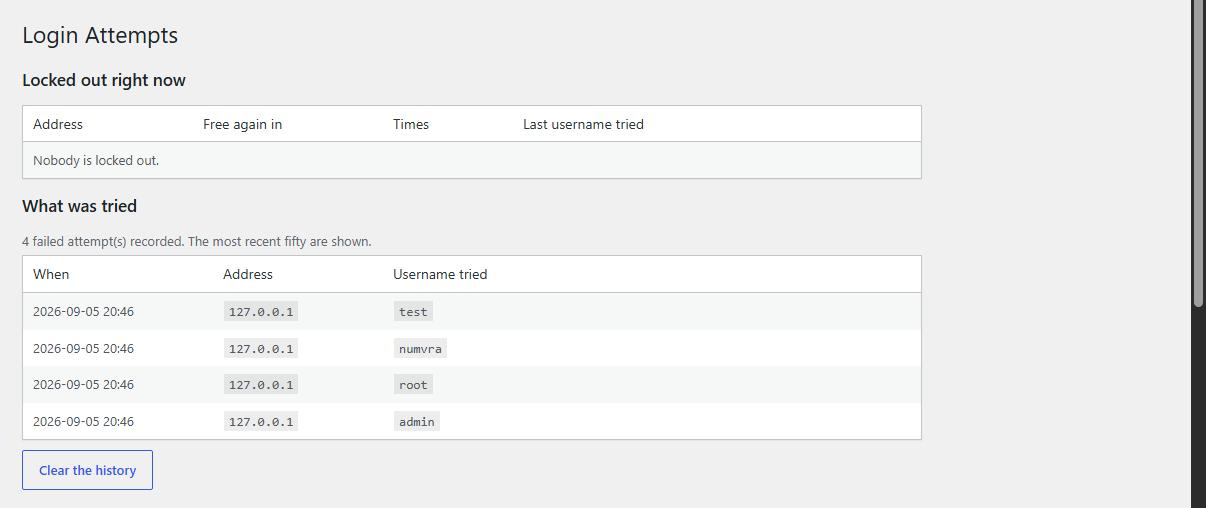
Current lockouts, and the history of what was tried from where.
Faq
No. The plugin is plain PHP, it makes no outbound request and it bundles no
third-party library.
Administrator only.
Reviews
Changelog
1.0.1
- Prefixed every function, option, nonce and menu slug.
- Moved all inline JavaScript into an enqueued asset file.
- Dropped the bundled translation files and load_plugin_textdomain().
- Every database query now goes through $wpdb->prepare().
1.0.0
- First release.