OEmbed in Library

OEmbed in Library
Description
Use oEmbed providers (Youtub, Flickr, SoundCloud, Vimeo, …) to add external medias in your library.
Installation
- Upload to the
/wp-content/plugins/directory - Activate the plugin through the ‘Plugins’ menu in WordPress
- Use the form in Media > oEmbed (wp-admin/upload.php?page=oembedinlibrary)
This plugin do NOT provide any way to embed medias in your template files.
Screenshots
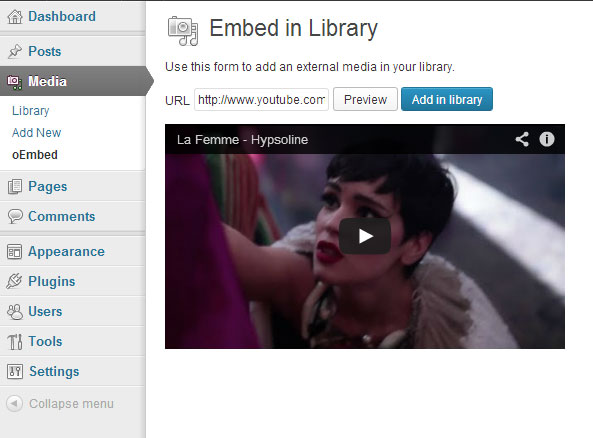
Adding a Youtube media

Adding a SoundCloud media

Detail of a Youtube video added in the library
Reviews
Changelog
1.0.2
Get ready for languages packs (WP 3.7.1 feature)
1.0.1
Renamed .pot file and french translation files
1.0
First commit