OGImg Covers
OGImg Covers
Description
OGImg Covers adds an “OGImg Covers — post cover” box to the post editor. The title, excerpt and site name are filled in from the post, you pick a style, accent color, badge and format — and the cover becomes the post’s og:image and twitter:image. Links shared in Telegram, VK, X, LinkedIn, Facebook and messengers get a proper preview card.
Features
- 32 styles — the same as in the online editor at og-studio.online; holiday styles (Halloween, Black Friday, New Year) appear on their dates.
- Photo styles: “Photo background” and “Product & price” use the post’s featured image.
- Live preview right in the post editor.
- Short image links like
og-studio.online/img/Ab3xKp9finstead of long URLs. - Covers for existing posts in one click: Tools OGImg Covers.
- Default style for new posts: Settings OGImg Covers.
[ogimg_covers_cover]shortcode to place the cover inside the post.- Works with Yoast SEO (
wpseo_opengraph_imagefilter). - Pro key (for og-studio.online Pro subscribers): covers without the og-studio.online watermark.
The plugin does not create database tables and stores no images on your hosting: settings are kept in post meta and one option.
На русском. Плагин OGImg Covers делает обложку записи из заголовка: 32 шаблона (в «Фото-фоне» и «Товаре и цене» — «Изображение записи»), живое превью, автоматический og:image и twitter:image, обложки для старых записей одной кнопкой, ключ Про — без водяного знака. Подробно: https://og-studio.online/wp-plugin
External services
This plugin relies on the OG Studio service at og-studio.online (https://og-studio.online) to draw the cover images. Without it the plugin cannot produce images.
- Rendering — the cover image is requested from
https://og-studio.online/api/og/render.png(in the editor preview) and, on the public site, by visitors’ browsers and social network crawlers via the image link inog:image. Sent: the cover title, subtitle, brand text, style, accent color, badge and format; for the “Photo background” and “Product & price” styles also the public https URL of the post’s featured image, which the service downloads to draw the cover. - Short links — when a post with an enabled cover is saved (or during bulk generation for existing posts), the same cover parameters are sent to
https://og-studio.online/api/og/shorten, which returns a short linkhttps://og-studio.online/img/…. If a Pro key is set in the plugin settings, the key is sent too (server to server; it never appears on your pages). - Key check — when the settings page is opened with a Pro key filled in, the key is sent to
https://og-studio.online/api/og/key-checkto show its status.
No other data about your site, visitors or users is sent.
Terms of use: https://og-studio.online/legal
Privacy policy: https://og-studio.online/privacy
Installation
- Plugins Add New search “OGImg Covers”, or upload the zip and activate.
- Open any post — the “OGImg Covers — post cover” box is below the editor, fields are already filled in.
- Choose a style, tick “og:image” and update the post.
- Optional: Settings OGImg Covers — default style and Pro key; Tools OGImg Covers — covers for existing posts.
Screenshots
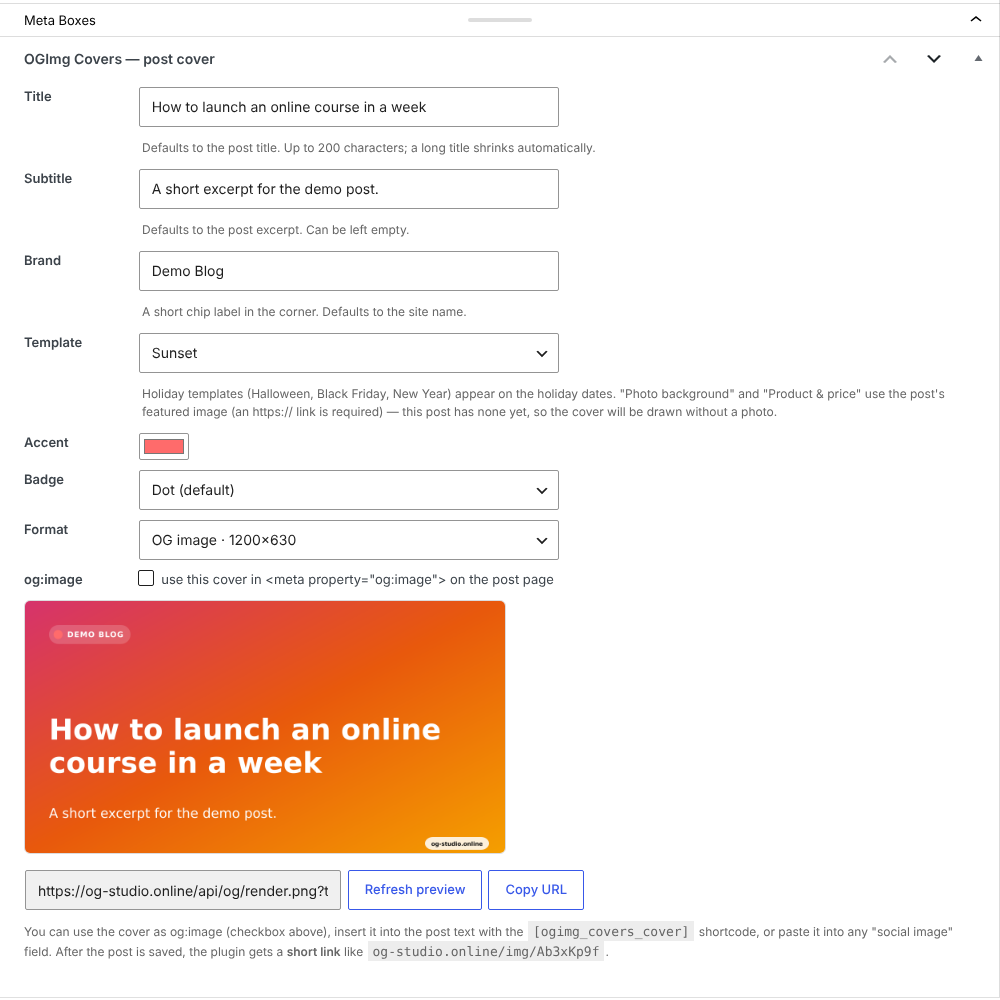
The "OGImg Covers — post cover" box in the post editor.
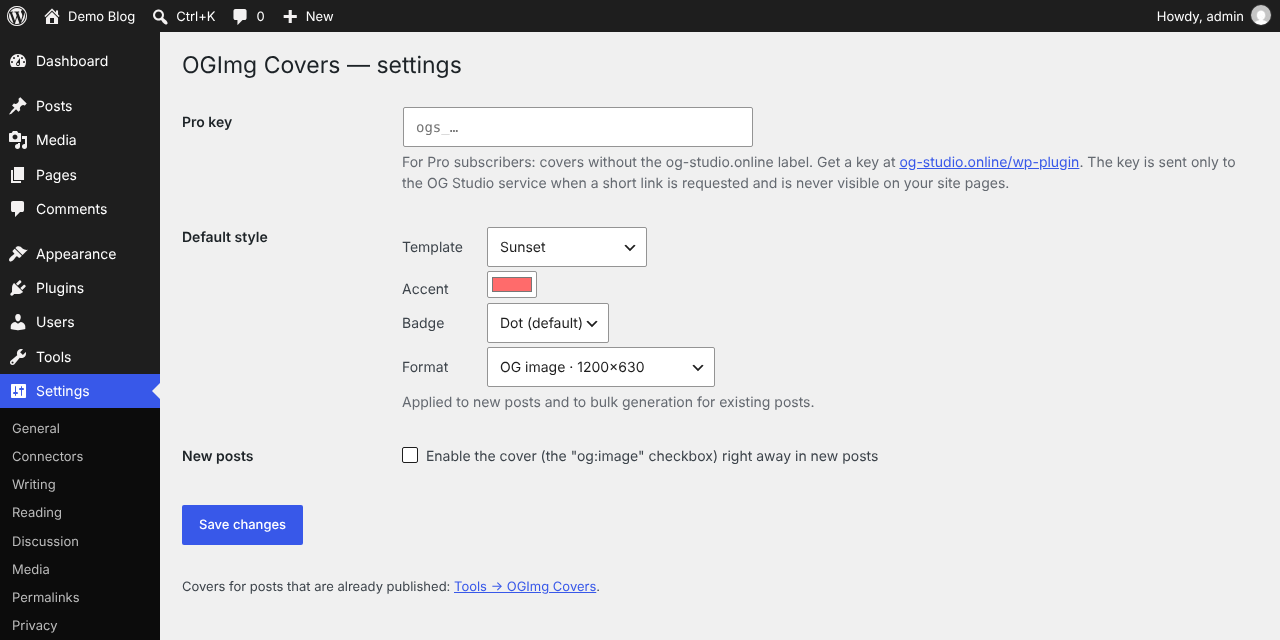
Settings: default style and Pro key.
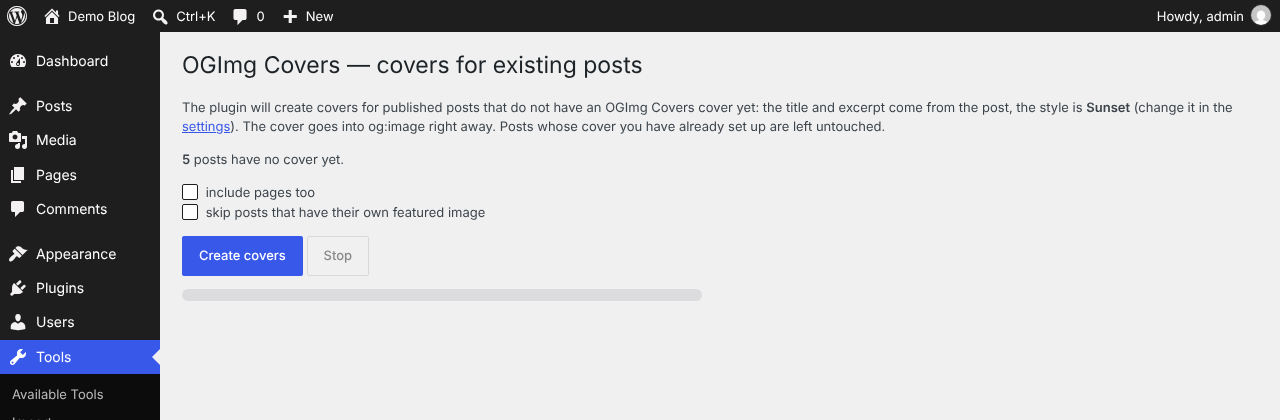
Covers for existing posts.
Faq
Yes. Covers have a small og-studio.online label in the corner; og-studio.online Pro subscribers can remove it with a Pro key.
Nothing until you run Tools OGImg Covers. It creates covers only for published posts that have no OGImg Covers cover yet; posts you configured by hand are not touched.
With Yoast SEO the cover replaces Yoast’s og:image when enabled for the post. With other SEO plugins both tags may be printed; social networks use the first one.
Already shared previews keep working from social network caches; new previews appear once the service is back. The plugin falls back to the full image link if a short link cannot be created.
Reviews
Changelog
1.5.1
- Interface is now fully translatable (English source strings); Russian translation included.
1.5.0
- Plugin renamed to OGImg Covers (new slug ogimg-covers); settings and per-post data are migrated automatically.
- The old [og_studio_cover] shortcode keeps working.
1.4.0
- New “Photo background” style: the post’s featured image as the cover background with a dark overlay.
- “Product & price” shows the featured image in the product card.
- The featured image must be an https URL; without one the cover is drawn without a photo.
- With a Pro key the service keeps its own copy of the photo for the short link.
- List style: up to 6 items.
1.3.0
- 8 new task styles: blog article, webinar / event, quote, big number, product & price, job, podcast episode, list of 3 (31 styles in total).
1.2.0
- Styles synced with the online editor (23 styles, editor names); holiday styles open only on their dates.
- Settings page: default style, “enable for new posts”, Pro key.
- Bulk covers for existing posts (Tools OGImg Covers).
- Pro key: short links without the watermark.
- Scripts and styles are enqueued properly; uninstall cleans up.
1.1.0
- Short image links og-studio.online/img/…
1.0.0
- First release.