Synctrack – Sync PayPal Tracking Auto
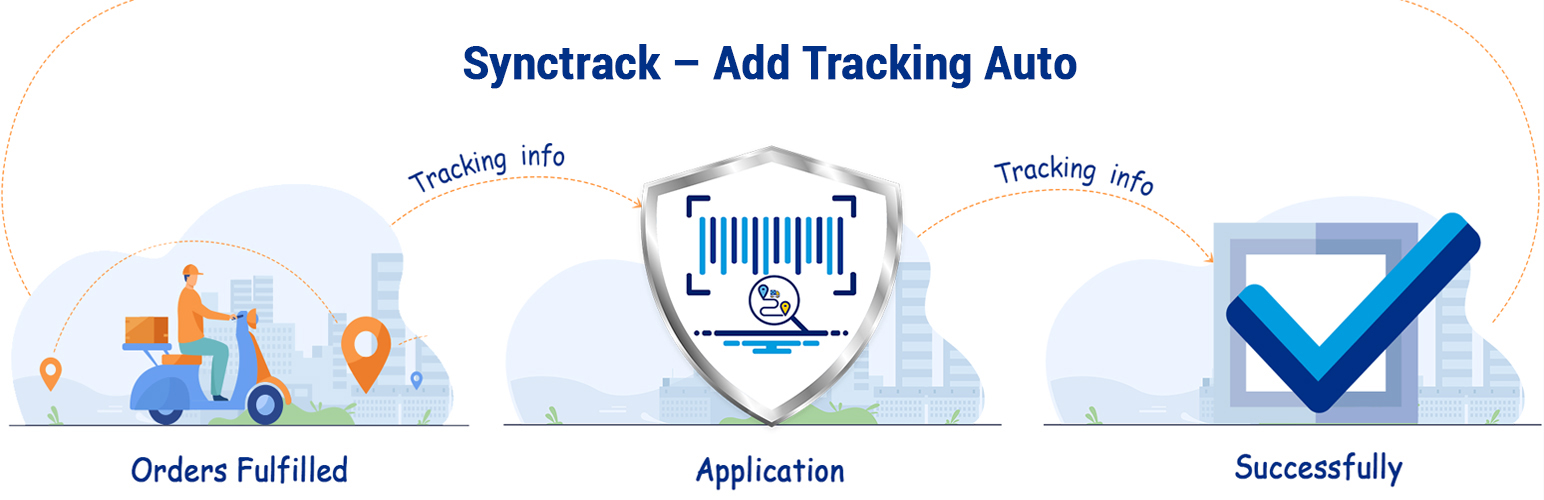
Synctrack – Sync PayPal Tracking Auto
Description
With 2-year experience working on Shopify, we never stop trying to bring the perfect App for our users. Synctrack helped over 10k merchants to win disputes and solve “PayPal holds” with over 800.000 transactions/ month.
How it works?
Once you have fulfilled orders, SyncTrack – Sync tracking auto will be noticed, and get the tracking information and send it to PayPal automatically. Adding order tracking info is one of the requirements and it protects you from disputes like Unauthorized Transaction or Item Not Received. This information enables you to access funds more quickly, provide seller protection, and keep customers informed.
Why use SyncTrack – Sync PayPal tracking auto
Adding tracking info to PayPal improves cash flow and reduce chargebacks, disputes, and refund from customers for these reasons:
- A red flag is raised regarding your account, payment provider may apply a reserve on it
- There’s a rocket in sales or disputes or chargebacks level, payment provider is holding your payments for up to 21 days in order to protect the buyers
- Seller Protection reduces claims and chargebacks and helps prevent fraud
With Synctrack, by providing tracking information through PayPal:
- Customers can keep track of their transactions
- You can improve your account’s track record – and have the reserve level lowered (or even completely removed)
- You can access your funds right after delivery with supported carriers
What makes us different?
- Real-time sync PayPal tracking and Stripe: Minimize the time money is on hold
- Synchronize shipments at 1000 trackings/min (exclusive)
- Process old orders within up to 365 days (exclusive)
- Manage & sync orders for all stores in 1 place with 1 subscription
- Unlimited accounts – All plans
- Supports all third-party checkout and merchant payment gateways
- Onboarding and quick setup in just 1 minute
- Auto-matching courier
Synchronize shipments at 1000 trackings/min
The speed of Synctrack for syncing is 1000 trackings/ min, that’s super fast. Therefore, you can minimize the time of being held by PayPal.
Process old orders within up to 365 days
Not only 90 days, 365 days period is the number of days you can sync past orders.
Multi-stores integration
Manage & sync orders for all stores in 1 place with 1 subscription
Benefits
Auto sync tracking info to Paypal
Once the order fulfilled, the app will be notice and auto get the tracking information and send it to paypal.
Protect your Paypal account
Adding tracking info is one of the requirements and protects you from disputes like Unauthorized Transaction or Item Not Received.
Less complaints
Customers often request refunds, file disputes or even chargebacks. By providing your customers valid tracking information through PayPal, they can keep tabs on their purchases and know when to expect delivery.
Pricing
Find out about all the pricing options
Requirements
- WooCommerce 3.4 or newer
- Enabled pretty permalinks (required for WooCommerce REST API)
Installation
1. Install the plugin
The latest versions are always available in the WordPress Repository, and you can choose one of your favorite ways to install it:
- automatically using built-in plugin installer (recommended)
- manually by uploading a zip archive
- manually by FTP
2. Complete the setup
After the installation, continue by click to Synctrack - Add PayPal Tracking Auto menu item and follow the instructions in our Sign Up wizard.
Screenshots


Faq
If you need to return the plugin to its original settings (for example when you used wrong Google account during login) you can delete all the plugin data via uninstalling and reinstalling it.
- Go to the
Plugins, click onDeactivatebelow the Synctrack – Sync PayPal Tracking Auto plugin name. After the plugin is deactivated, you will be able toDeleteit. - At this time, all the plugin data stored in your database are safely removed. Now you can click on
Add newbutton and install it again.
If you would have any difficulty with the usage of this extension, or have any issues you would like to raise with us please feel free to submit a support ticket by emailing contact@omegatheme.com.
Reviews
You are great
By 
The plugin works great!
The automation it did for us saves us half a day per person, which is a great benefit for us.
Their support is also great and they would always help you out.
I recommend with 10 out of 10
Excellent support with sync/upload issue
By 
I contacted the support team because I had problems with the instruction. Within a couple of minutes Niel replied with good instructions what to do. The upload issue I experienced was more a hassle but also he and his colleague Tracy helped out very quick despite the different time zones we were in. They fixed the upload issue in the plug in and even uploaded my data. Problem solved 🙂 Excellent support!
Awesome team
By 
Top plugin.
They are super responsive and solved my problem quickly. 5/5
Works With WooCommerce Shipment Tracking Plugin!
By 
I created a WordPress.org account just to rate this plugin 5 stars! It works flawlessly with the WooCommerce Shipment Tracking plugin, and syncs tracking numbers with your PayPal account.
Good customer support
By 
Very good customer support. Fair pricing with good into offer.
Perfect Support
By 
I got a perfect support within minutes. And the App works fine! Thanks to the whole team and specially Joseph!
Amazing plugin, best support
By 
The best application to synchronize your tracking numbers with PayPal! It does what it says and does it very well! The support is just outstanding. Thank you!
very good customer service
By 
Excellent Plugin. Amazing Service, Support!
By 
Awesome Service, Even Better Support!
By 
Changelog
2.0.0 – 2024-01-17
- Update High Performance Order Storage
1.0.0
- Final release
1.0.1
- update dispute template