Live Chat & AI Chatbots – onWebChat

Live Chat & AI Chatbots – onWebChat
Description
Provide real-time support and keep your visitors engaged around the clock with our powerful live chat plugin and smart AI chatbot.
onWebChat live chat plugin integrates seamlessly with WordPress and WooCommerce websites, allowing you to Chat with website visitors in real-time, monitor web traffic and boost your conversions.
We offer a 100% free plan packed with features, and when you sign up, you’ll also receive a 1-month free trial of our Pro AI Plan! Explore our plans.
Start now! It takes less than a minute – just install the onWebChat live chat plugin and sign up for our service
Special Offer: Enjoy a 1-month free trial of our Pro AI Plan by simply signing up for our live chat service! Plus, test out our AI chatbot with 50 free bot credits. Compare all plans here
Key Features & Benefits:
…and much more!
Enhance Customer Experience:
Your customers will love the convenience!
Need Assistance?
Have questions? Chat with us directly on onWebChat!
Installation
1. Install the Plugin: Activate the onWebChat live chat plugin on your WordPress site.
2. Sign Up: Create an account with onWebChat.
3. Connect: Link the plugin to your onWebChat account using your email and password.
4. You’re Live: The chat widget appears on your site instantly!
Note: If you encounter issues connecting via email/password, use your Chat ID found in the Chat Dashboard or registration email.
Screenshots
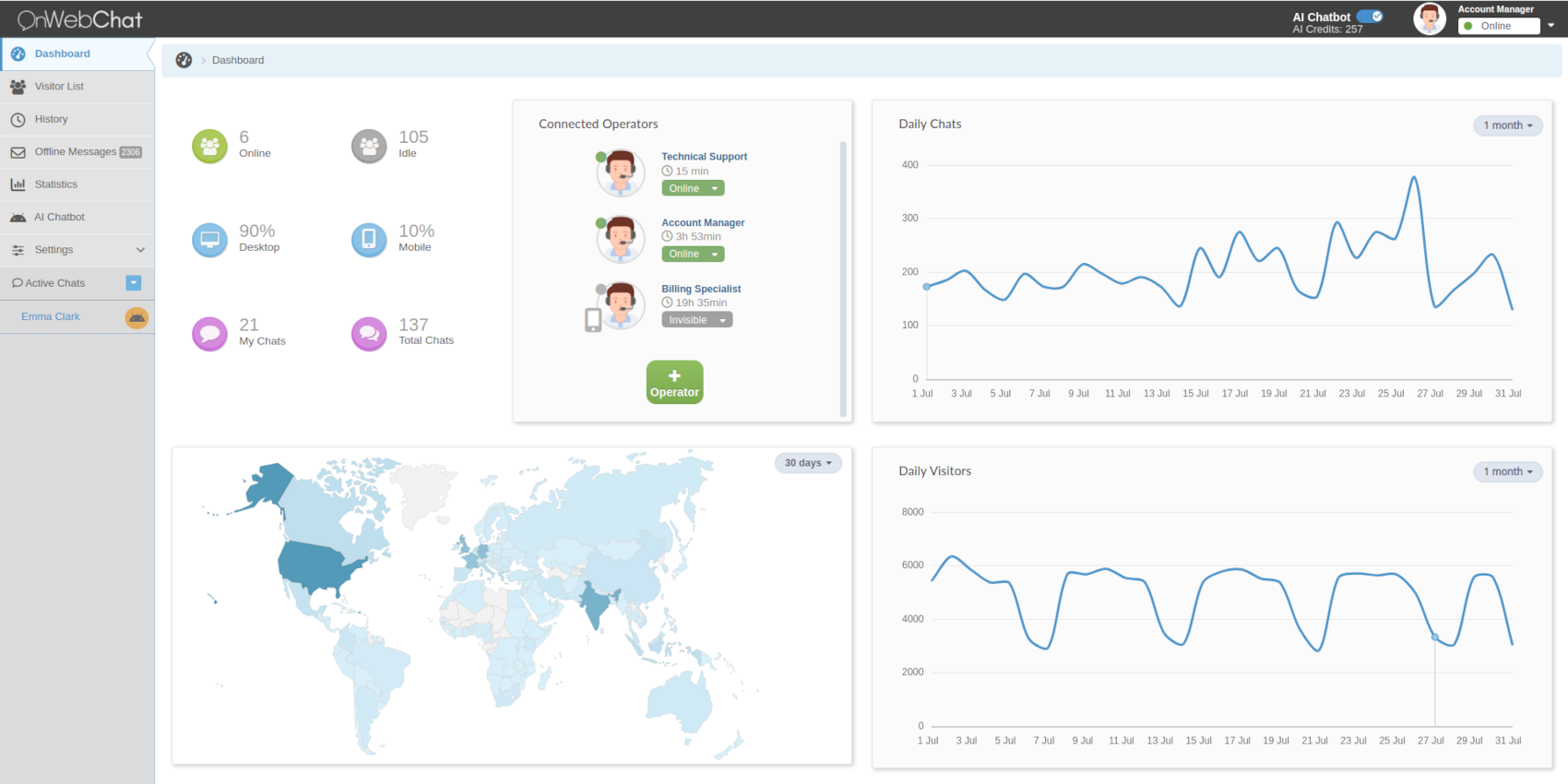
Chat Dashboard
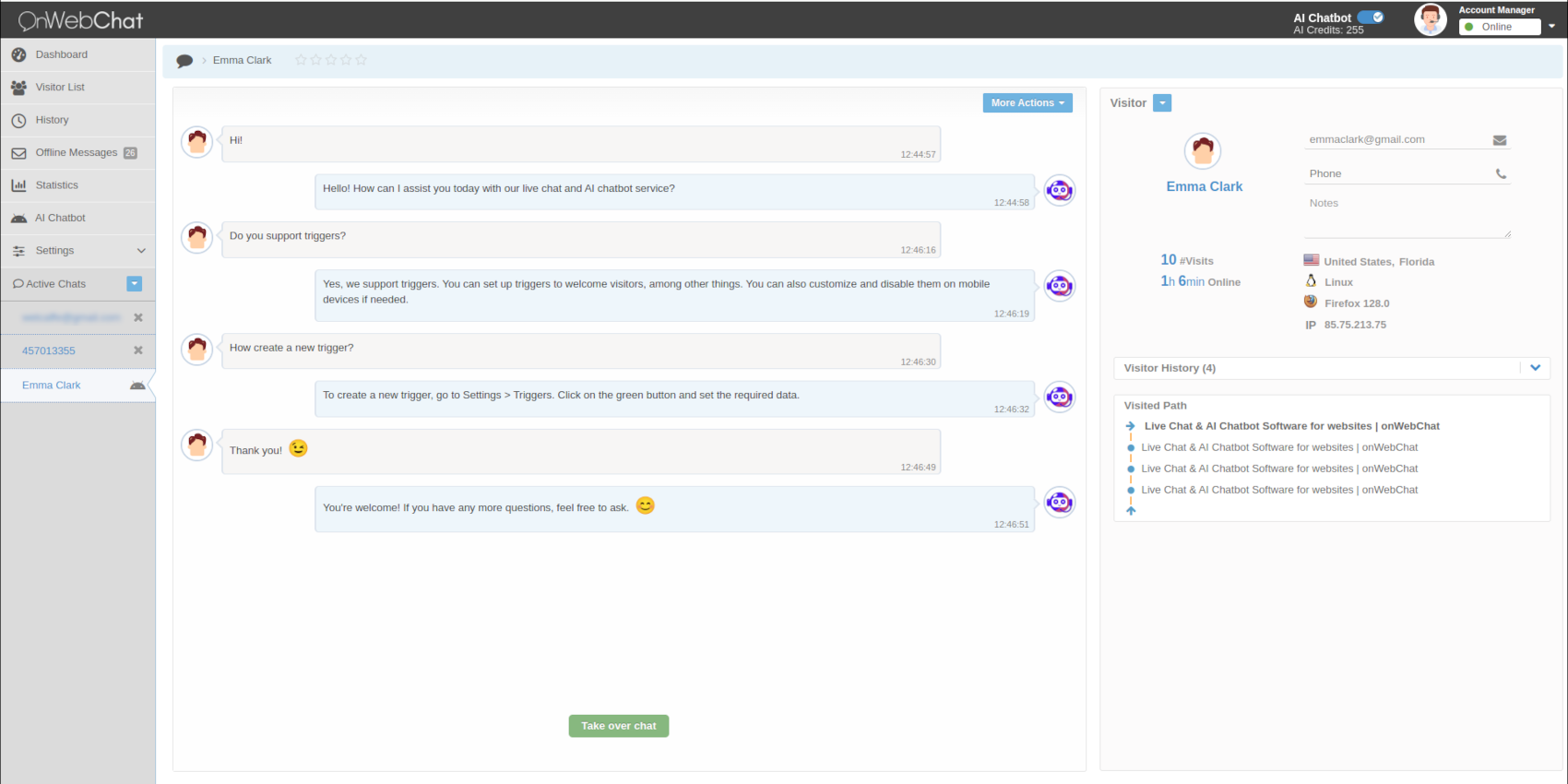
AI-powered chat interaction with a visitor
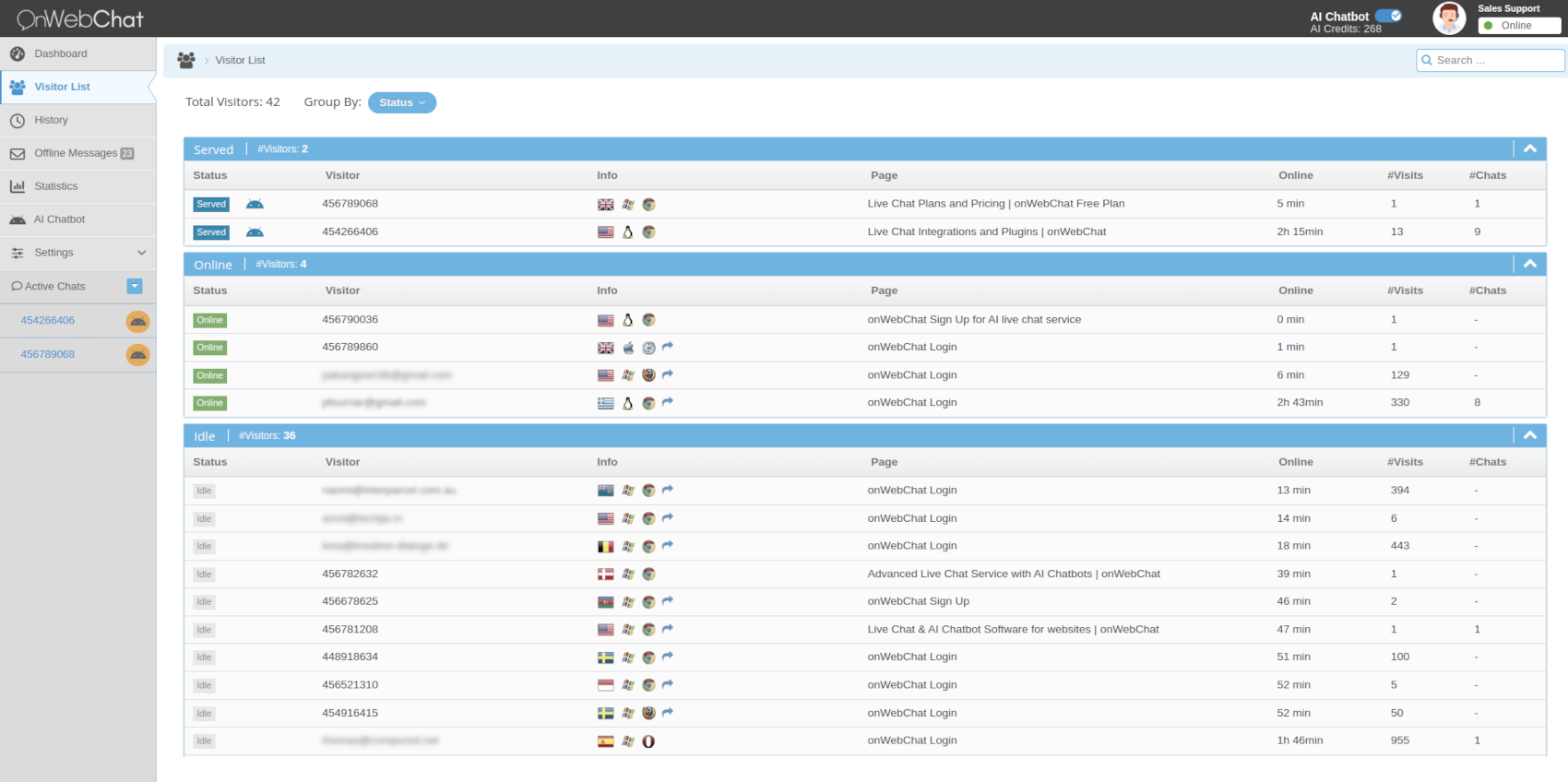
Monitoring visitors in real-time
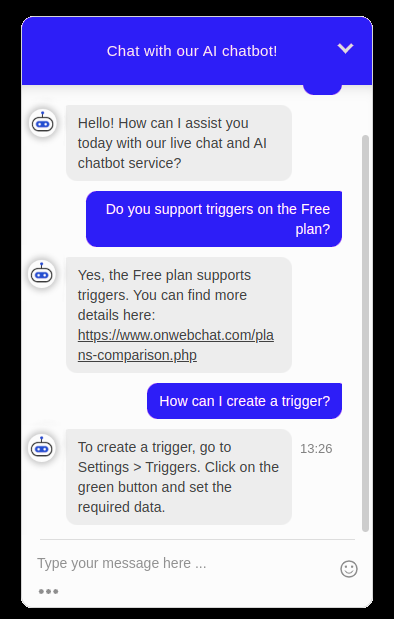
onWebChat live chat widget
Faq
If you haven’t joined onWebChat yet, simply sign up for an account. Once registered, you’ll gain access to the Pro AI plan and receive 50 AI bot credits to start using our AI chatbot. Integration is effortless, just provide some training data (questions-answers), and you’re ready to test your AI chatbot on your website!
No credit card is required to sign up. We also offer a completely Free plan that includes almost all features, making it an excellent choice for most small businesses. Additionally, new sign-ups enjoy 1 month of access to our Pro AI Plan at no cost.
The Pro AI Plan includes all the features of the Free Plan, plus white-label customization, an advanced AI chatbot, and unlimited chat history.
You can try our beta AI bot with 50 free bot credits that we provide with registration. To use the AI chatbot, you’ll need to be on our Pro AI plan with at least one operator. Pricing starts at $6 for 200 chat dialogs (chat sessions), with lower prices available if you want to buy more chatbot credits.
Absolutely! Our AI chatbot excels at understanding questions, even those with mistakes. It leverages your data to provide accurate and freshly crafted responses, akin to human communication. Additionally, it offers multilingual support, allowing it to converse with your visitors in their preferred language, regardless of the language of your data.
No extra software required. Simply install this plugin and register on onWebChat.
Adjust widget settings via your onWebChat Chat Dashboard.
Absolutely! You can customize the language and text to your liking.
Certainly. Just deselect “use offline form” in your Operator Console.
Yes, our Pro AI Plan allows you to remove the onWebChat logo.
Absolutely. Monitor real-time visitor activity, including geolocation, browsing behavior, and more.
Yes, active chats can be handed off to other available operators.
Yes, employ automated Triggers or manually click on a visitor to initiate a chat.
We prioritize security with SSL encryption, ensuring all chat communications are secure.
Our dashboard supports multiple languages including English, Swedish, German, French, Italian, Spanish, Portuguese, Slovenian, Greek, and Turkish. The chat widget can be fully customized in any language to match your audience.
If your connection is blocked (e.g., by a firewall), use your Chat ID from the Operator Console to connect.
Reviews
An impressive plugin!
By 
OnWebChat is the perfect solution for adding a live chat to your WordPress website. It's easy to install, visually appealing, and has great functionality. It increases customer engagement and has made our support much more efficient. I recommend it!
better than most, if not the best!
By 
I've tried many chat plugins most claim the plugin is free but this is usually not the case. Onwebchat is the exception here- they offer a free version with limits of 100 chats per month- totally fair in my opinion! There are some other extra features that require the pro subscription which is reasonably priced as well.
The dashboard you log into on their website has a number of metrics you can track including what pages users are currently viewing, customized responses (pro feature) custom chat bubbles, and so much more.
I've reached out to their support team on a number of occasions and they are quick to respond, helpful, and professional- keep in mind, I have not purchased a pro subscription yet and the service level is a breath of fresh air. Give it a shot I think you'll agree!
Shout out to the Onwebchat team for a great plugin that does exactly what is described, no bs!
Oren
Good I found this plugin!
By 
Easy to integrate
By 
Excellent
By 
Great plugin
By 
Best live chat tool
By 
It's a kind of magic
By 
Excellent plugin
By 
Great tool!
By 
Changelog
onWebChat Live Chat (Chat version 3.4.1)
- Tested on WordPress 6.8 and update texts
onWebChat Live Chat (Chat version 3.4.0)
- Bug fix and security improvements
onWebChat Live Chat (Chat version 3.3.2)
- Bug fix
onWebChat Live Chat (Chat version 3.3.1)
- AI chatbot support & fix bug
onWebChat Live Chat (Chat version 3.3.0)
- AI chatbot support
onWebChat Live Chat (Chat version 3.2.0)
- Security bug fix
onWebChat Live Chat (Chat version 3.1.0)
- Javascript api commands support
onWebChat Live Chat (Chat version 3.0.4)
- bug fix
onWebChat Live Chat (Chat version 3.0.3)
- bug fix
onWebChat Live Chat (Chat version 3.0.2)
- Ability to show/hide live chat widget on selected pages – bug fix
onWebChat Live Chat (Chat version 3.0.1)
- Ability to show/hide live chat widget on selected pages
onWebChat Live Chat (Chat version 2.0.2)
- Support for new Chat id format
onWebChat Live Chat (Chat version 2.0.0)
- Add login option by username/password or Chat id.
- Option to show/hide live chat widget
onWebChat Live Chat (Chat version 1.0)
- First onWebChat livechat plugin versio