OPcache Manager

OPcache Manager
Description
OPcache statistics and management right in the WordPress admin dashboard.
OPcache Manager is a full featured OPcache management and analytics reporting tool. It allows you to monitor and optimize OPcache operations on your WordPress site or network.
OPcache Manager works on dedicated or shared servers. In shared environments, its use has no influence on other hosted sites than yours. Its main management features are:
- individual script invalidation, forced invalidation and recompilation;
- manual site invalidation – a sort of ‘smart’ OPcache reset only for your site;
- manual site warm-up – to pre-compile all of you site files;
- optional scheduled site invalidation and/or warm-up.
OPcache Manager is also a full featured analytics reporting tool that analyzes all OPcache operations on your site. It can report:
- KPIs: hit ratio, free memory, cached files, keys saturation, buffer saturation and availability;
- metrics variations;
- metrics distributions;
- OPcache related events.
OPcache Manager supports multisite report delegation (see FAQ).
OPcache Manager supports a set of WP-CLI commands to:
- invalidate or warmup cache – see
wp help opcache invalidateandwp help opcache warmupfor details; - toggle on/off main settings – see
wp help opcache settingsfor details; - obtain operational statistics – see
wp help opcache analyticsfor details.
For a full help on WP-CLI commands in OPcache Manager, please read this guide.
OPcache Manager is part of PerfOps One, a suite of free and open source WordPress plugins dedicated to observability and operations performance.
OPcache Manager is a free and open source plugin for WordPress. It integrates many other free and open source works (as-is or modified). Please, see ‘about’ tab in the plugin settings to see the details.
Support
This plugin is free and provided without warranty of any kind. Use it at your own risk, I’m not responsible for any improper use of this plugin, nor for any damage it might cause to your site. Always backup all your data before installing a new plugin.
Anyway, I’ll be glad to help you if you encounter issues when using this plugin. Please read carefully the FAQ at the bottom of this page before requesting support.
Privacy
This plugin, as any piece of software, is neither compliant nor non-compliant with privacy laws and regulations. It is your responsibility to use it with respect for the personal data of your users and applicable laws.
This plugin doesn’t set any cookie in the user’s browser.
This plugin doesn’t handle personally identifiable information (PII).
Donation
If you like this plugin or find it useful and want to thank me for the work done, please consider making a donation to La Quadrature Du Net or the Electronic Frontier Foundation which are advocacy groups defending the rights and freedoms of citizens on the Internet. By supporting them, you help the daily actions they perform to defend our fundamental freedoms!
Installation
From your WordPress dashboard
- Visit ‘Plugins > Add New’.
- Search for ‘OPcache Manager’.
- Click on the ‘Install Now’ button.
- Activate OPcache Manager.
From WordPress.org
- Download OPcache Manager.
- Upload the
opcache-managerdirectory to your/wp-content/plugins/directory, using your favorite method (ftp, sftp, scp, etc…). - Activate OPcache Manager from your Plugins page.
Once Activated
- Visit ‘PerfOps One > Control Center > OPcache Manager’ in the left-hand menu of your WP Admin to adjust settings.
- Enjoy!
Screenshots

Daily Statistics
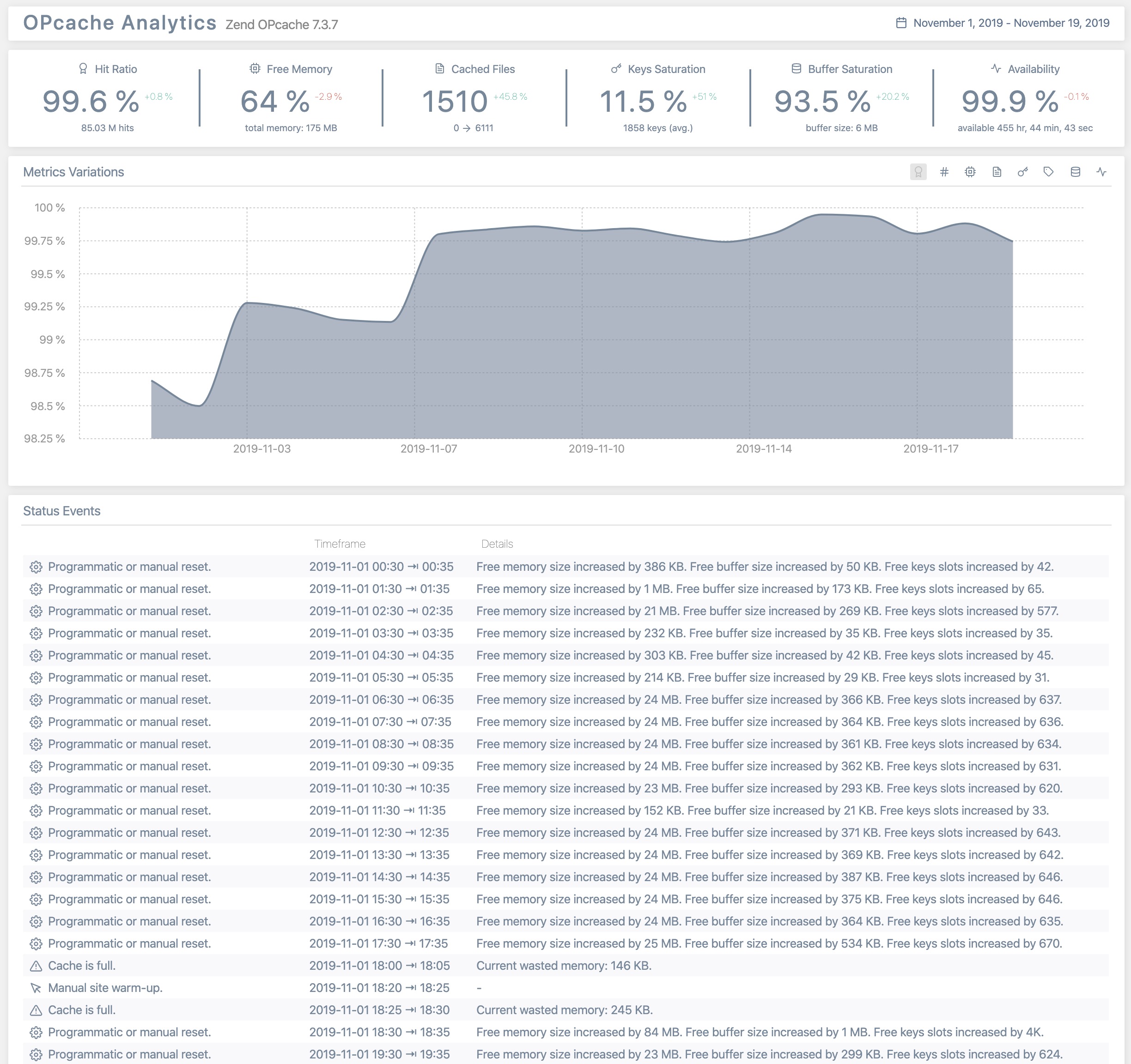
Historical Statistics

Management Tools
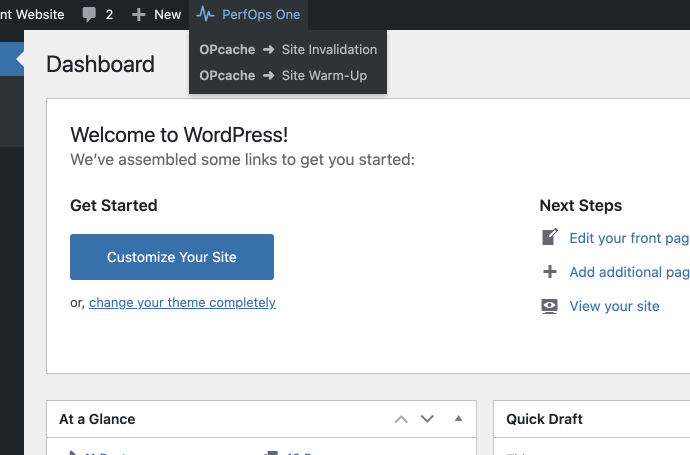
Quick Actions in Admin Bar
Faq
Yes. It is designed to work on multisite too. Network Admins can configure the plugin, use management tools and have access to all analytics reports. Sites Admins have access to the analytics reports only.
You need to have a fully operational WordPress cron. If you’ve set an external cron (crontab, online cron, etc.), its frequency must be less than 5 minutes – 1 or 2 minutes is a recommended value.
Support is provided via the official WordPress page. Because I am human myself, please note that I only answer to support requests made by humans, who behave like humans. This excludes requests or bug reports written by AI or those that do not adhere to basic rules of courtesy.
You can report bugs and suggest ideas via the GitHub issue tracker of the plugin.
Reviews
Works great and it's a good analytic tool as well
By 
Works great and it's a good analytic tool as well.
Works amazingly well
By 
Really thank you! It is amazing and Noble seeing such a great set of tools being offered for free And supporting open source in a true spirit of the idea.
The entire set of Perfops Plugins is Tremendously useful and helpful.
For anyone stumbling upon this look no further and spread the word.
Once again, can't thank you enough, Both for the product and for showing the way
Very useful
By 
Great plugin
Excellent.Pretty useful information in it
By 
Changelog
Please, see full changelog.