Openpay AR Payment Gateway

Openpay AR Payment Gateway
Description
With this plugin your customers can pay with debit, credit and prepaid cards, easily, quickly, securely and with low fees.
When customers choose Openpay at checkout, they complete the payment on Openpay’s secure checkout and are then sent back to your store. The order is updated automatically once the payment is confirmed, with no manual checks on your side.
Adding Openpay as a payment method is simple:
- If you are not an Openpay customer yet, download the app from the App Store or Play Store and sign up.
- If you are already a customer, sign in at https://dashboard.openpayargentina.com.ar and generate your integration credentials.
- Install the plugin in WooCommerce.
- Enable and configure Openpay as a payment method in WordPress.
Read the terms and conditions.
For more information and technical documentation, visit https://openpayargentina.com.ar/woocommerce.
External services
This plugin relies on Openpay, a third-party payment service, to process payments. It cannot work without it. Openpay’s payment processing is provided by the GeoPagos platform, so the plugin connects to these servers:
auth.geopagos.com(authentication): receives your Client ID and Secret ID and returns a temporary access token.api.openpayargentina.com.ar(payments): creates the payment order for each purchase and checks its payment status.
Data is sent in these cases:
- When you click “Verificar Credenciales” on the settings screen: your Client ID and Secret ID are sent to
auth.geopagos.comto check that they are valid. - When a customer places an order with Openpay: your Client ID and Secret ID are sent to
auth.geopagos.comto obtain an access token. Then the plugin sends toapi.openpayargentina.com.arthe items (ID, name, quantity and unit price), the taxes, the currency, the pages the customer returns to after paying, and the address of your store where the service reports the payment result. For orders that need shipping, it also sends the shipping method and amount, the shipping address, and the customer’s first and last name. - While an order is pending payment: the order’s payment reference is sent to
api.openpayargentina.com.arto check whether the payment was confirmed.
The customer enters their card details on the payment page hosted by the service. Card details never pass through your store.
- Openpay terms and conditions: https://www.openpayargentina.com.ar/terminos-condiciones
- Openpay privacy policy: https://www.openpayargentina.com.ar/politicas-privacidad
The plugin settings screen also loads the Roboto font from Google Fonts (fonts.googleapis.com), which receives the administrator’s IP address and browser details. See the Google privacy policy: https://policies.google.com/privacy
Installation
Minimum requirements
- WordPress 6.8 or later
- WooCommerce 8.5 or later
- PHP 7.4 or later
- An active SSL certificate on the store
Automatic installation
- In the WordPress admin, go to “Plugins”.
- Click “Add New” and search for “Openpay AR Payment Gateway”.
- Click “Install Now”.
- Activate the plugin.
Configuration
- We provide you with an API key and a secret key to enable sales.
- In the WooCommerce payment settings, select our payment option and click “Manage” to open the plugin settings screen.
- Enter your credentials in the form. You can check that they are correct with the “Verificar Credenciales” (Verify credentials) button.
- Save your credentials. You can now start using our payment method.
Screenshots

Openpay AR enabled as a payment provider in WooCommerce > Settings > Payments.
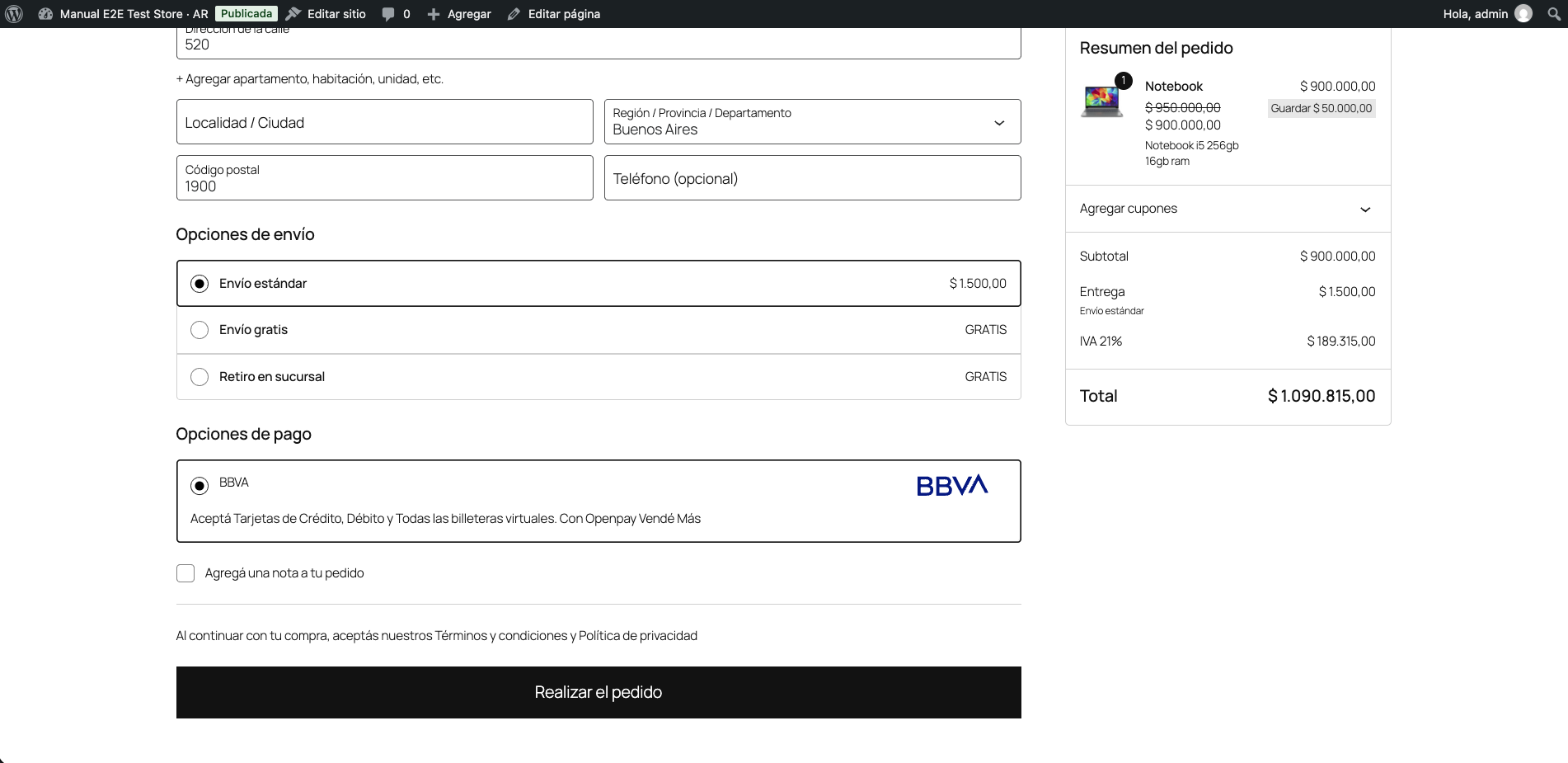
Customers choose BBVA at checkout to pay with credit or debit cards.
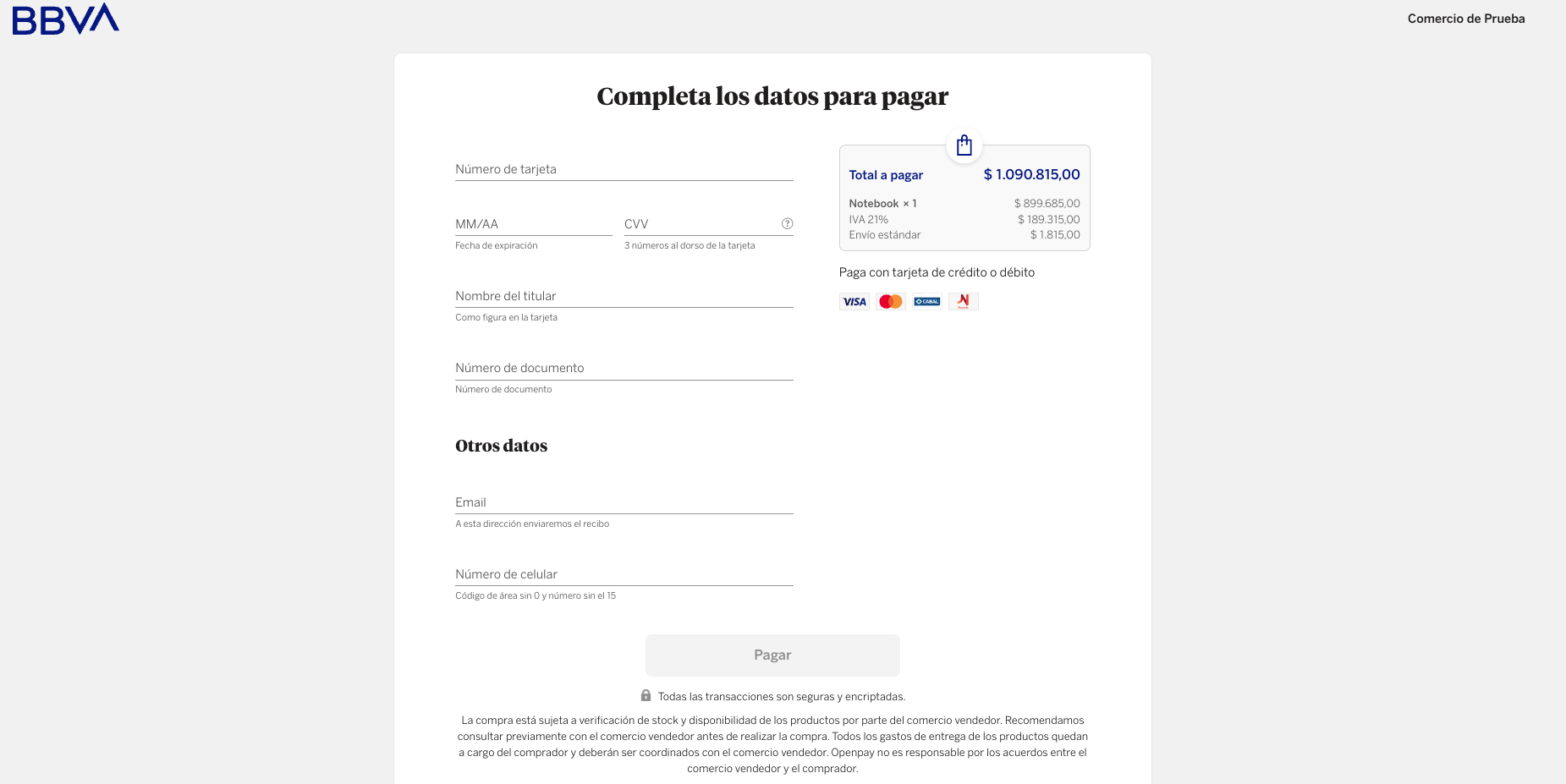
The secure Openpay payment page, where customers enter their card details to complete the purchase.
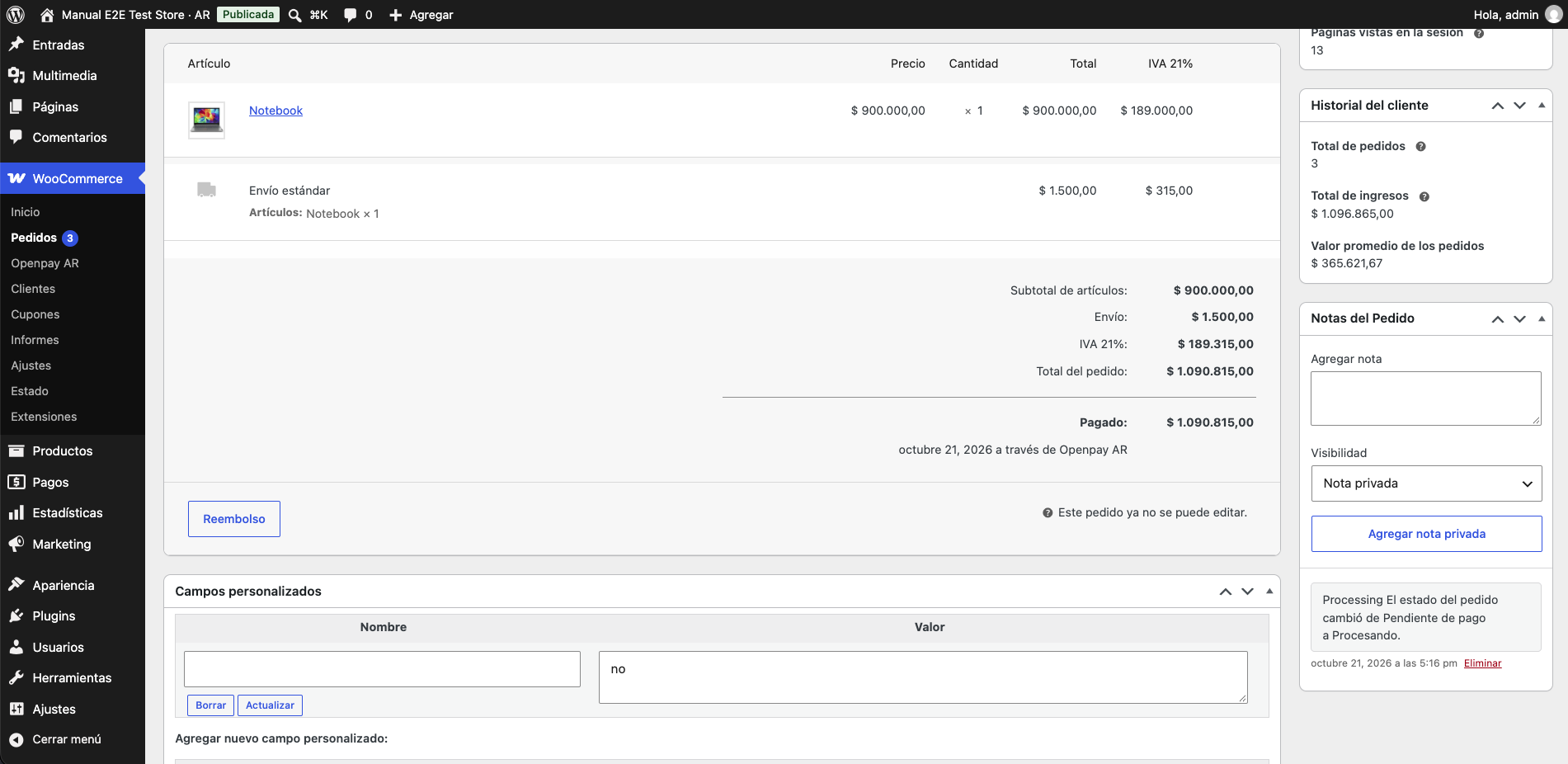
An order paid with Openpay AR, updated automatically once the payment is confirmed.
Faq
Send us your question through our contact form: https://openpayargentina.com.ar/woocommerce
Sign in at https://dashboard.openpayargentina.com.ar and follow the steps to generate them.
The payment is completed on Openpay’s secure checkout, and your customer returns to the store when it is done. This way card details never pass through your site.
The order is created as pending when your customer goes to pay, and it becomes paid once Openpay confirms the payment. If the confirmation does not arrive, the plugin checks the status on its own, so a pending order can update itself a few minutes later.
Purchases may fail to complete, and the store administrator is shown a notice about the problem.
Reviews
Por ahora bien
By 
Hola, lo instale, hice pruebas en produccion y por ahora bien!
no funciona con la ultima version de php
By 
no funciona para php 8.3.2, en la pagina de openpay lo dice pero en la pagina del plugin dice php superior a xxxx.
No funciona, no sé quien diseñó o creó este plugin
By 
No funciona absolutamente nada, directamente sale un error "no se pudo activar este plugin debido a un error fatal". está muy mal configurado, tiene que usarse en un sitio web completamente vacío para que funcione, y aún así funciona con errores, no lo recomiendo en lo absoluto ya qué tiene muchos problemas.
Changelog
1.4.0 (2026-10-22)
Added
- Verified compatibility with the current WordPress and WooCommerce versions.
Changed
- Improved plugin performance and stability: every release is now tested automatically across the supported PHP, WordPress and WooCommerce versions.
- Improved diagnostic logs, which now record only the information needed to troubleshoot.
Fixed
- Checkout no longer hangs when the payment link cannot be created: a message is shown and the order is not left half done.
- Fixed how zero taxes were sent, which caused inconsistencies in the order details.
- Taxes now appear in the order details with the name configured in WooCommerce.
1.3.1 (2025-08-22)
Added
- Support for taxes in the order details.
1.3.0 (2025-06-17)
Added
- Support for selling digital products, where no shipping or billing information is required.