Order Item Details Column for WooCommerce
Order Item Details Column for WooCommerce
Description
Order Item Details Column for WooCommerce is a lightweight yet powerful backend enhancement plugin designed to improve WooCommerce order management efficiency.
Once activated, the plugin adds a new “Order Item Details” column to the WooCommerce orders list, allowing administrators to view essential order product information without opening each order individually.
This plugin is especially useful for cross-border ecommerce stores, B2B stores, wholesale sellers and operational teams that handle large volumes of orders daily.
Features
✔ Adds Order Item Details column in WooCommerce Orders table
✔ Displays product names
✔ Displays product quantity
✔ Automatically reads product Capacity attribute (Capacities)
✔ Shows line subtotal
✔ Shows shipping fee
✔ Shows formatted order total
✔ Clean structured display
✔ Zero configuration — works instantly after activation
✔ Lightweight — no performance worries
✔ Works on all admin screen sizes
Why We Built This Plugin
As a platform deeply involved in cross-border ecommerce practice and technical service, CBSHS discovered a common problem among WooCommerce sellers:
The default WooCommerce backend requires repeatedly entering each order detail page just to check product information and cost details — which is extremely inefficient, especially for stores handling frequent or bulk orders.
This plugin was developed to solve that real operation pain point — enabling sellers and teams to instantly view full order product structure and fee information directly on the order list page, significantly improving work efficiency.
Compatibility
- WordPress 6.0+
- Fully compatible with WordPress 6.8+
- WooCommerce latest version
- Fully supports WooCommerce HPOS (High Performance Order Storage)
- Supports legacy order storage
- PHP 7.2+
- Compatible with PHP 8+
Credits
Developed by CBSHS (cbshs.com)
License
This plugin is licensed under the GPLv2 or later license.
Installation
- Upload the plugin files to
/wp-content/plugins/ - Activate the plugin through the WordPress Plugins page
- Go to WooCommerce Orders
- You will now see a new column named Order Item Details
No configuration required.
Screenshots
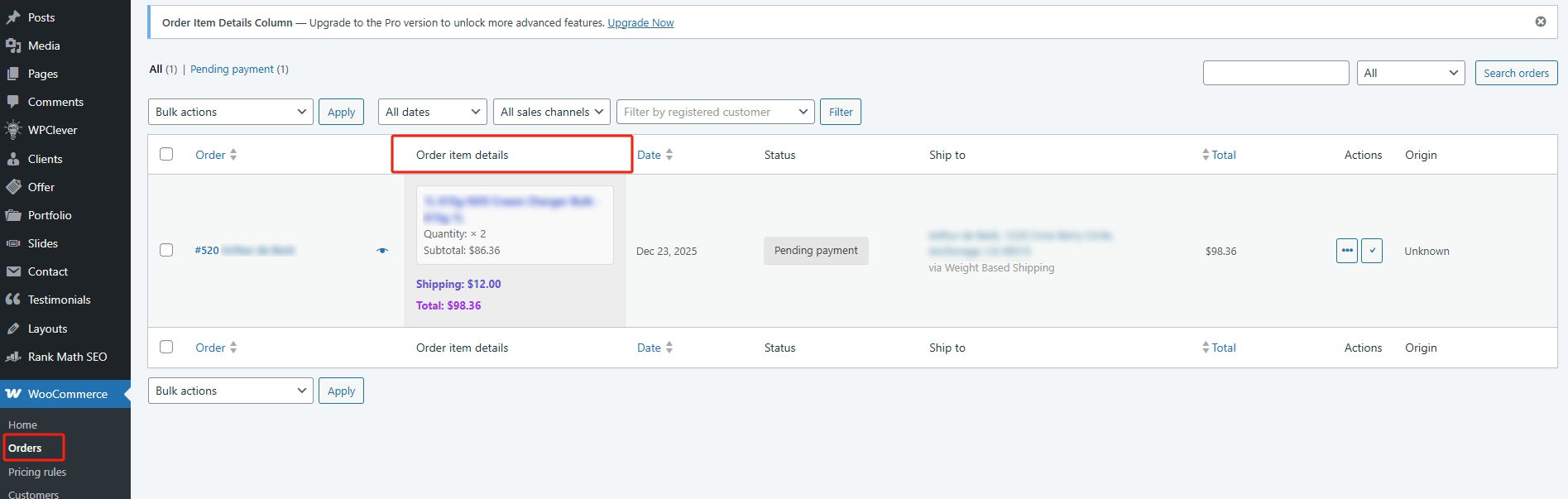
Order Item Details column displayed in WooCommerce Orders List - free version.
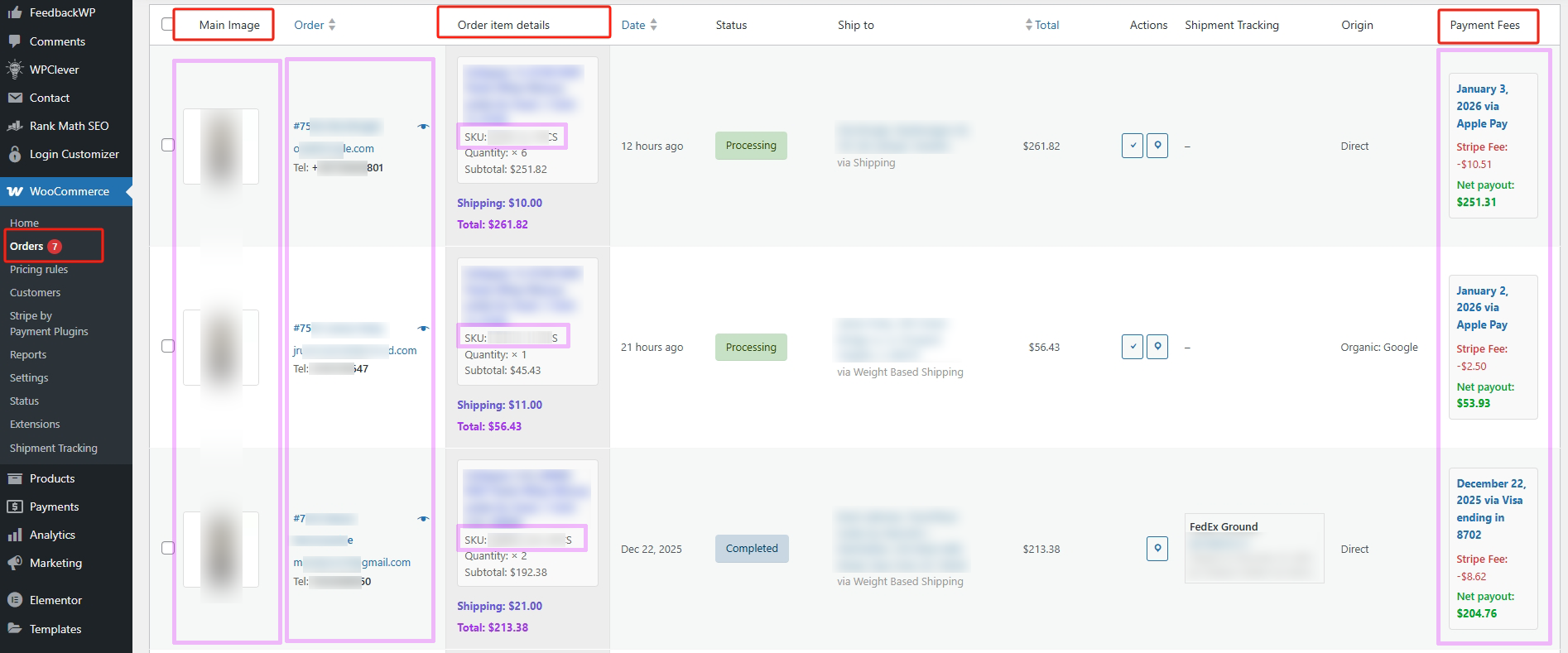
Order Item Details column displayed in WooCommerce Orders List - Pro version.
Faq
Yes. Fully compatible with WooCommerce HPOS and legacy order storage.
No. It only displays backend data and does not add database burden.
No configuration needed. Simply install and activate.
Reviews
Changelog
1.4.0
- Updated overall compatibility and optimized code logic.
1.3.0
- Improve plugin stability and compatibility.
1.0.0
- Initial release
- Added Order Item Details column
- Display product name, quantity and Capacities attribute
- Show subtotal, shipping and total
- HPOS + Legacy Orders fully supported
- Tested with WordPress 6.8+