Order Role Manager for WooCommerce
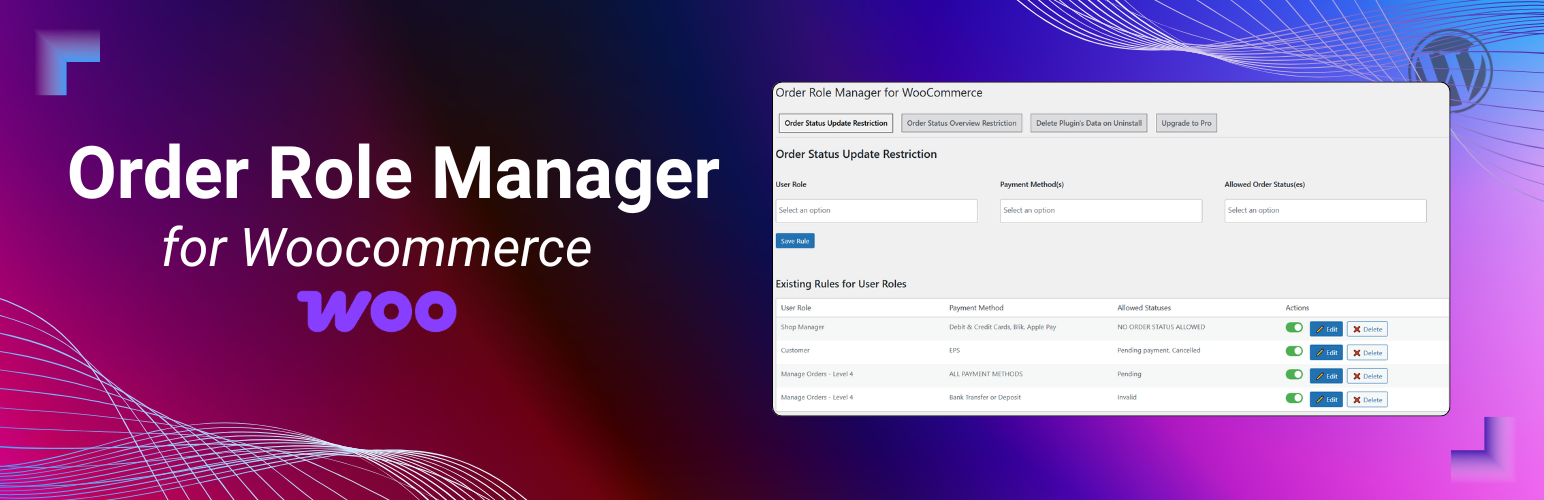
Order Role Manager for WooCommerce
Description
Order Role Manager for WooCommerce gives you powerful control over who can do what on your WooCommerce Orders.
How It Works
The plugin provides a tab-based admin interface under WooCommerce Order Role Manager, allowing you to restrict order actions based on user roles (and individual usernames in Pro).
The plugin uses whitelisting based on user role + payment method. You define rules that say “this role may change an order to these specific statuses, but only when the order was paid with this payment method.” For example: if you allow Shop Managers to move an order to Completed only when the payment method is Bank Transfer, then for Bank Transfer orders a Shop Manager will only be able to change the status to Completed—all other statuses are blocked. If a status isn’t explicitly allowed by a matching rule, the change is prevented.
These same restrictions are enforced in the UI. In the Orders list Actions column, any quick actions that would lead to a non-allowed status are hidden/blocked for that user role. In Bulk actions, disallowed bulk status changes are removed/blocked as well, so restricted users can’t mass-update orders to statuses they’re not allowed to use. This keeps both single-order actions and bulk workflows aligned with your role/payment-based rules.
License
This plugin is licensed under the GPLv2 or later. See license.txt for details.
Installation
- Upload the plugin files to the
/wp-content/plugins/order-role-manager-for-woocommercedirectory, or install through the WordPress Plugins screen. - Activate the plugin through the ‘Plugins’ menu.
- Go to WooCommerce Order Role Manager to configure.
🔹 Free features
- Restrict Order Status Changes by user role (with payment method condition)
- Restrict Order Status Overview (orders summary bar) by user role
🔒 Pro features
- Restrict status transitions using current-to-next order status sequence rules
- Restrict order Trash/Delete
- Restrict Order Notes deletion
- Restrict Billing / Shipping / Payment fields
- Restrict Customer assignment & Order date changes
- Restrict Bulk actions on orders
- Restrict Orders page columns (actions, etc.)
- Restrict Order page screen elements (meta boxes)
- Add Unlimited rules
- Restrict by Specific usernames
- Manage rules directly from User Profile Pages
- User-specific rules override role rules
Great for stores with multiple staff members — users only see and do what they’re allowed to.
Free Tabs
– Order Status Restriction
Define which order statuses a user role can update, based on payment methods.
Each rule includes:
1. User Role
2. Payment Method
3. Allowed Statuses
Works on:
– Single Order Page
– Bulk Actions dropdown
– Order Actions column
– Order Status Overview
Control which statuses appear in the Orders Page summary bar.
– Choose user role
– Select visible order statuses
Pro-Only Tabs
– Order Status Update Sequence Restriction
Define the only allowed next order statuses for each current status by user role or username. Existing overall order-status restrictions are applied first, and sequence rules can only further limit the remaining statuses.
– Trash, Notes, Address, Customer, and Date Restrictions
Choose the allowed user roles for:
– Moving orders to Trash
– Deleting order notes
– Editing billing/shipping/payment fields
– Changing customer assignment
– Changing order creation date
– Bulk Actions Restriction
Block mass updates like bulk delete or status changes by role.
– Orders Page Columns
Control visible columns on the Orders List Page by role.
– Order Screen Elements
Hide elements from the Single Order Page (meta boxes, custom IDs) by role.
– User-Specific Rules
Manage all restrictions directly from user profile pages. User rules override role rules.
Use case examples
- Limit warehouse staff from changing order status.
- Allow support team to add notes but not delete them.
- Prevent freelancers from editing order addresses or sensitive data.
Screenshots

Order Status Restriction Tab Working Explained

Order Statuses Overview Restriction Tab Working Explained
Faq
The role retains default WooCommerce permissions.
Yes, rules can be toggled on/off.
No, only those you configure.
Yes, compatible with most order-related extensions.
Yes, username-specific rules are available in Pro.
Yes, enable “Delete data on uninstall” in settings.
Reviews
Changelog
8.2.0
- SECURITY: Added centralized server-side validation for order status transitions through REST, AJAX, direct order saves, legacy order saves, and bulk actions.
- SECURITY: Added strict allowlist validation for roles, payment methods, and WooCommerce order statuses.
- FIX: Applied restrictions consistently to single-order status selectors, order previews, list-row actions, and bulk status changes.
- FIX: Evaluated all assigned user roles using exact role matching and removed unsafe fuzzy status-action matching.
- FIX: Corrected rule cache invalidation and limited rule queries to once per request.
- FIX: Prevented duplicate enable/disable AJAX requests and corrected admin URL and rule deletion handling.
- PERFORMANCE: Reused WooCommerce SelectWoo and kept plugin assets scoped to the plugin settings screen.
- SDK: Updated the bundled Freemius SDK to version 2.13.4 and consolidated uninstall cleanup.
- DOCS: Added information about Pro order status sequence restrictions and WordPress 7.1 compatibility.
8.1.0
- Initial release on WordPress.org.
- FREE: Restrict order status updates by user role with optional payment method filter.
- FREE: Restrict order status overview visibility by role.
- PRO: Restrict status transitions using current-to-next order status sequence rules for roles and individual users.
- PRO: Restrict order trash, order notes deletion, billing/shipping/payment fields, customer assignment, and order date changes.
- PRO: Restrict bulk actions on orders by role.
- PRO: Restrict visible screen columns on Orders page.
- PRO: Restrict screen elements (meta boxes) on single order page with custom ID support.
- PRO: Unlimited rules per tab.
- PRO: User-specific rules from user profile pages (override role rules).
- UI/UX: Enhanced admin tab layout for rule management.
- TWEAK: Updated compatibility information for WordPress 7.1.