Order SMS For WooCommerce
Order SMS For WooCommerce
Description
Order SMS for WooCommerce allows store owners to send automatic SMS notifications to customers when a new order is placed or the order status changes.
In addition to automated order notifications, the plugin also provides the ability to send custom SMS messages manually. Store administrators can send both single SMS to an individual phone number and bulk SMS to multiple customers at once.
This makes the plugin useful not only for transactional messages but also for promotional campaigns, announcements, delivery updates, and other custom communications directly from the WooCommerce dashboard.
Supported SMS gateways:
* Twilio
* Vonage (Nexmo)
* MSG91
* BulkSMSBD
Features include:
* Send SMS to customers when a new order is placed
* Send SMS to customers when the order status changes
* Send custom SMS messages manually
* Send single SMS to a specific phone number
* Send bulk SMS to multiple customers at once
* Supports multiple SMS gateways
* Simple and easy-to-use settings page
* Lightweight and performance-friendly
* Compatible with most WooCommerce themes
This plugin is not affiliated with or endorsed by WooCommerce.
External Services
This plugin relies on third-party SMS gateway services to deliver SMS notifications and custom SMS messages.
The plugin connects to the following external services:
- Twilio
- Vonage (Nexmo)
- MSG91
- BulkSMSBD
These services are used for sending both transactional and manually triggered SMS messages.
Data sent to external services:
* Customer or recipient phone number
* Order ID (for order-related messages)
* Order status and SMS message content
When data is sent:
* When a new WooCommerce order is placed
* When the WooCommerce order status changes
* When an administrator sends a custom single or bulk SMS manually
The plugin does not collect, store, or track any personal data beyond what is necessary to send SMS messages.
All data transmission is initiated only by configured store events or manual actions performed by the site administrator.
External service policies:
* Twilio – Privacy Policy: https://www.twilio.com/legal/privacy
Terms of Service: https://www.twilio.com/legal/tos
* Vonage – Privacy Policy: https://www.vonage.com/legal/privacy-policy/
Terms of Service: https://www.vonage.com/legal/communications-apis/terms-of-use/
* MSG91 – Privacy Policy: https://msg91.com/privacy-policy
Terms of Service: https://msg91.com/terms-and-conditions
* BulkSMSBD – Privacy Policy: https://www.bulksmsbd.com/privacy-policy
Terms of Service: https://www.bulksmsbd.com/terms-and-conditions
Use of these services is subject to their respective terms and privacy policies.
Installation
- Upload the plugin folder to the
/wp-content/plugins/directory, or install the plugin directly from the WordPress plugin directory. - Activate the plugin through the “Plugins” menu in WordPress.
- Ensure WooCommerce is installed and activated.
- Go to the plugin settings page and configure your SMS gateway credentials.
Screenshots
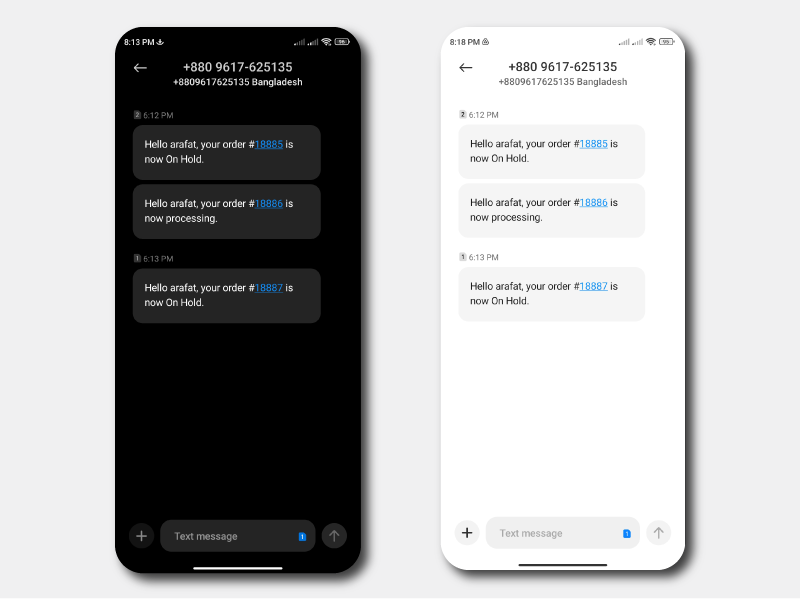
Example order SMS notification
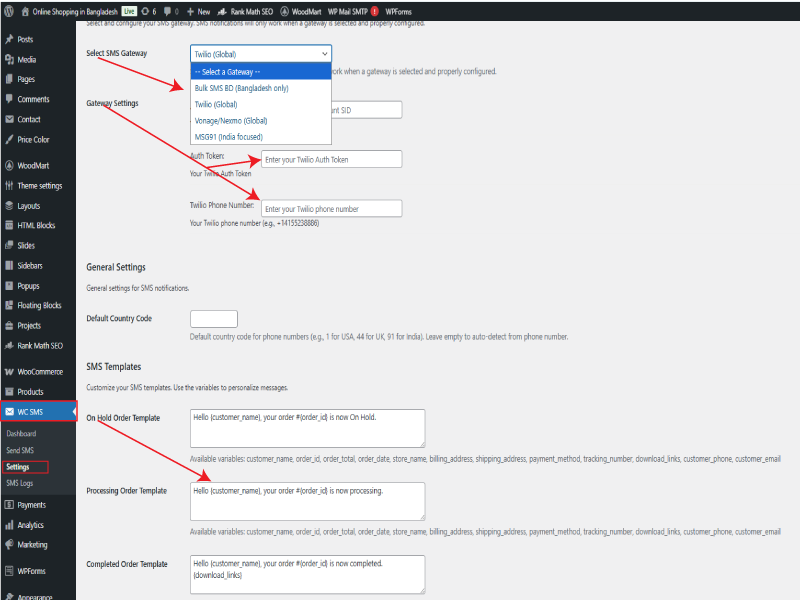
SMS gateway settings page
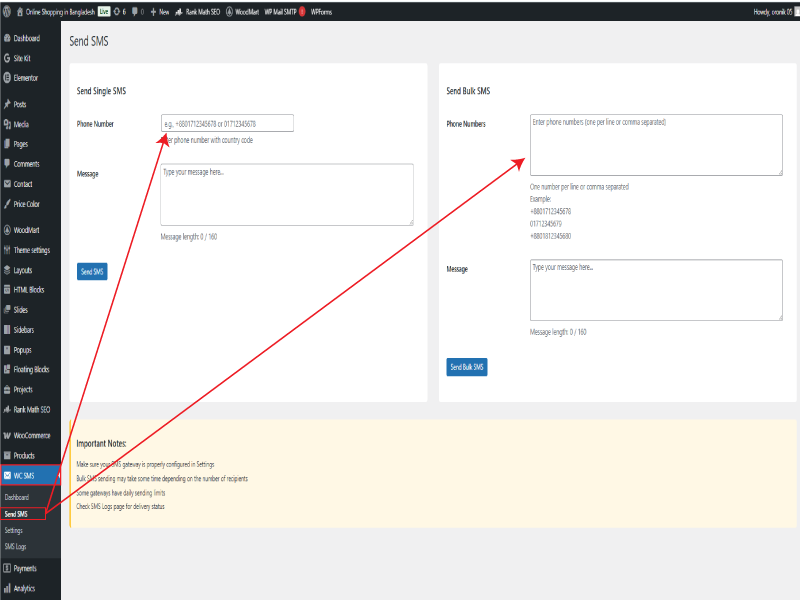
Send Custom SMS (Single & Bulk)
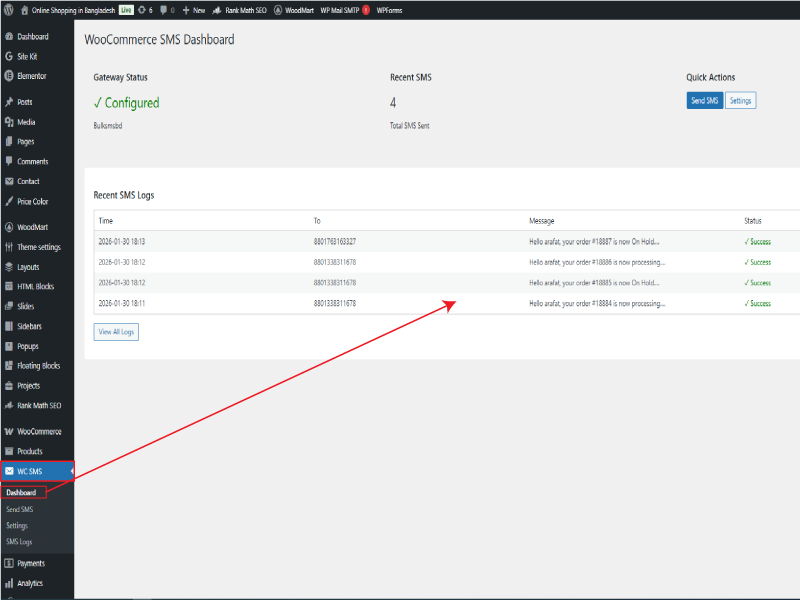
Dashboard: Recent SMS Log / History
Faq
Yes. WooCommerce must be installed and activated for this plugin to work.
SMS messages are sent automatically when a new order is placed and when the order status changes.
Yes. You can send custom SMS messages manually, including single SMS to a specific phone number and bulk SMS to multiple customers.
Currently supported gateways are Twilio, Vonage (Nexmo), MSG91, and BulkSMSBD.
Yes. This is a free plugin.
No. This plugin is not affiliated with or endorsed by WooCommerce.
Reviews
Changelog
1.0.0
- Initial release