Order Tracking for WooCommerce

Order Tracking for WooCommerce
Description
Introduction
Easily track orders placed on your e-commerce website. Simply use your order number and email to find the status of your order.
Installation
- Upload the plugin folder to the /wp-content/plugins/ directory.
- Activate the plugin through the Plugins menu in WordPress.
- Thats it! you can now configure the plugin.
Screenshots
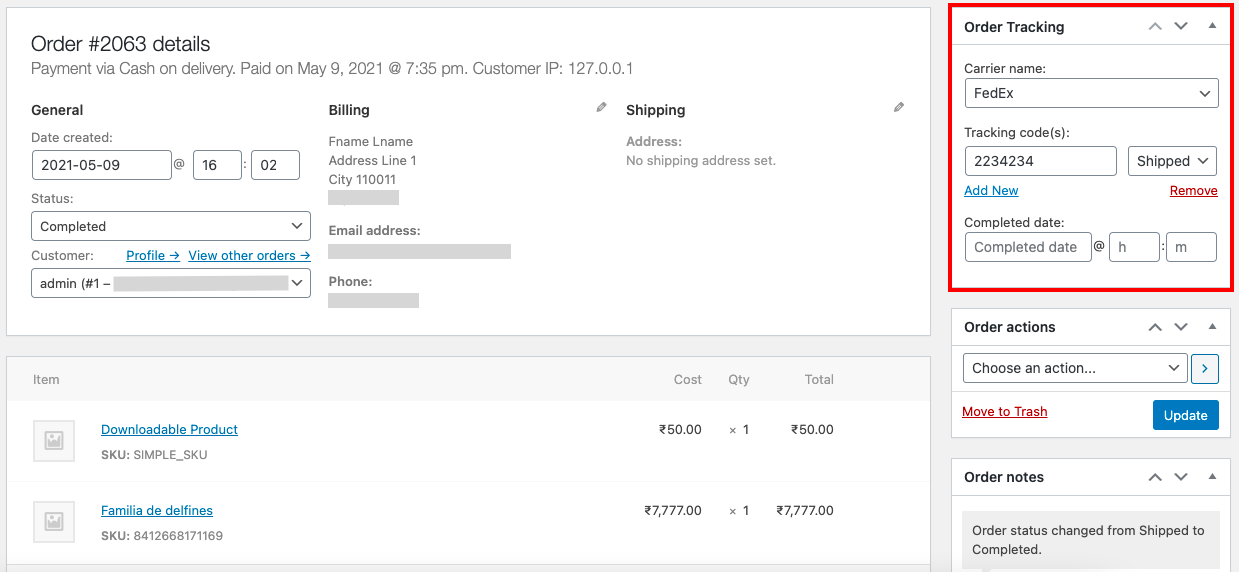
Add tracking details to order

Manage general settings of the plugin

Manage shipping carriers that will be used for order shipping
Reviews
Changelog
1.1
- Tested OK with WordPress 5.9.2 and WooCommerce 6.3.1.
1.0.1
- Tested OK with WordPress 5.8 and WooCommerce 5.5.2.
1.0
Initial release.