Ordifolio – PDF Product Catalog for WooCommerce

Ordifolio – PDF Product Catalog for WooCommerce
Description
Ordifolio turns your WooCommerce products – or a simple CSV/Excel export – into a professional PDF product catalog in one click. Add your logo and brand colors, group products by category and let customers download the catalog with a button or the [ordifolio_catalog] shortcode.
Perfect for wholesalers, B2B price lists, trade fairs, shops that send catalogs by email or WhatsApp, restaurants and any business that needs a printable product list.
Free features
- WooCommerce or CSV input – use your store products or upload a CSV (comma or semicolon, UTF-8 or Excel/Windows encoding).
- No product limit – large catalogs are built step by step and split into PDF parts when needed.
- Your logo and colors – main and accent color pickers.
- Grouped by category, with images, SKU, price and short description.
- Download button / shortcode:
[ordifolio_catalog label="Download our catalog"]. - Full UTF-8 support: accents, ñ, ç, €, « » … render correctly (embedded DejaVu fonts).
- Light on resources: products are read in batches of 100, thumbnails are used and big catalogs are rendered in parts, so it runs on modest shared hosting without timeouts.
- No external services: the PDF is generated on your own server; nothing is sent to third parties.
- Spanish and English interface.
- Optional, off-by-default “Made with Ordifolio” credit.
Ordifolio Pro
- Sector templates (restaurant menu, fashion lookbook, industrial/spare parts)
- Print quality (300 DPI)
- Multiple catalogs (by category) with their own shortcode
- Automatic background regeneration with WP-Cron on a schedule (daily/weekly), so the PDF is always up to date
- Cover page and index
- Priority support
Plans: 49 €/year (1 site), 99 €/year (5 sites), 199 €/year (unlimited sites).
Español
Ordifolio crea un catálogo PDF de tus productos de WooCommerce o de un archivo CSV, con tu logotipo y colores, agrupado por categorías y con botón de descarga. Ideal para tarifas de precios, mayoristas, ferias y tiendas que envían catálogos por email o WhatsApp.
Third-party libraries
- Dompdf (LGPL-2.1) – https://github.com/dompdf/dompdf
- php-font-lib, php-svg-lib (LGPL), Sabberworm PHP CSS Parser (MIT), Masterminds HTML5 (MIT)
- DejaVu fonts (Bitstream Vera license, free)
- Freemius WordPress SDK 2.13.4 (GPL-3.0) – https://github.com/Freemius/wordpress-sdk
Installation
- Install and activate the plugin from Plugins Add New.
- Go to PDF Catalog in the admin menu.
- Choose the product source (WooCommerce or CSV), upload your logo and pick your colors.
- Click Generate PDF now.
- Add
[ordifolio_catalog]to any page or post to show the download button.
Screenshots
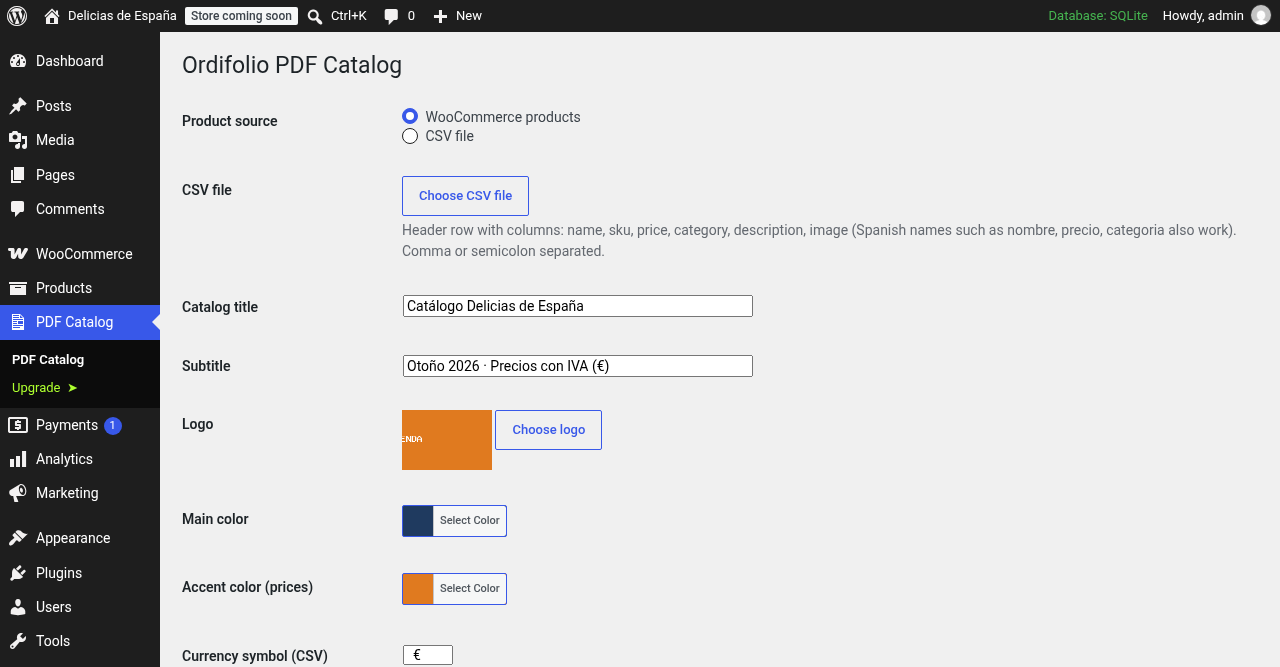
Settings screen: product source (WooCommerce or CSV), logo, brand colors and template.
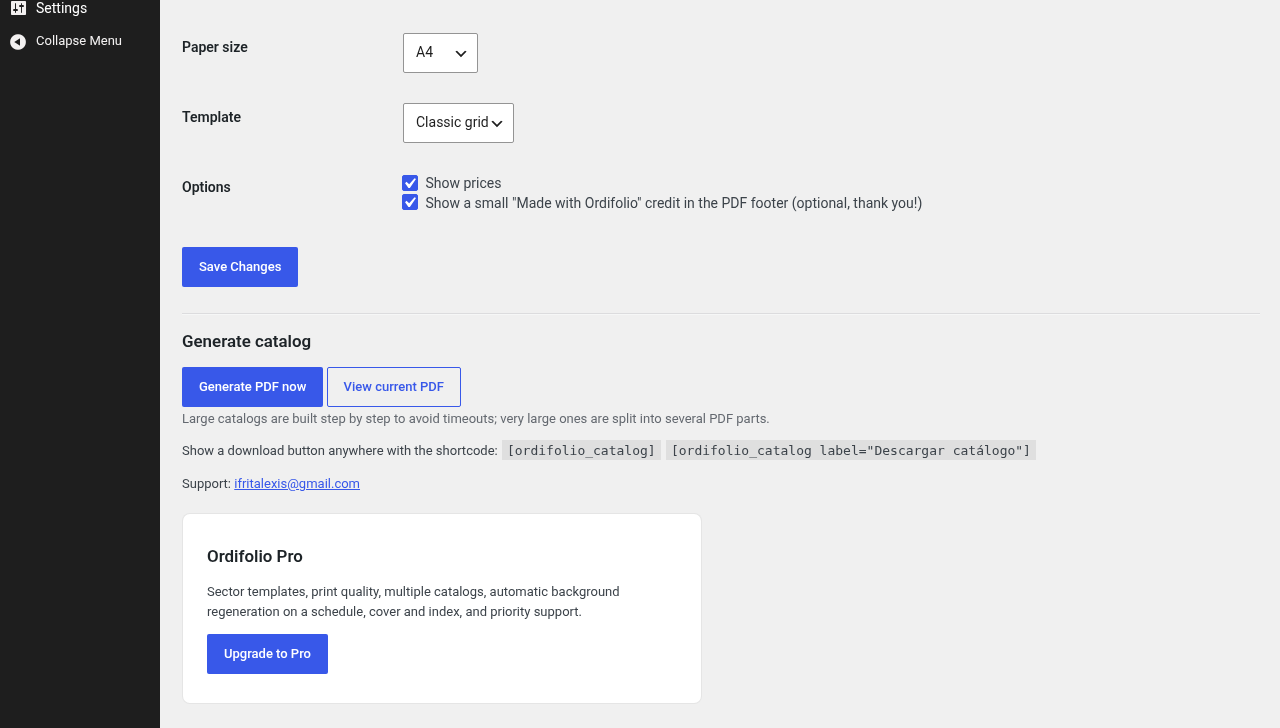
Generate the catalog in one click and copy the download shortcode.
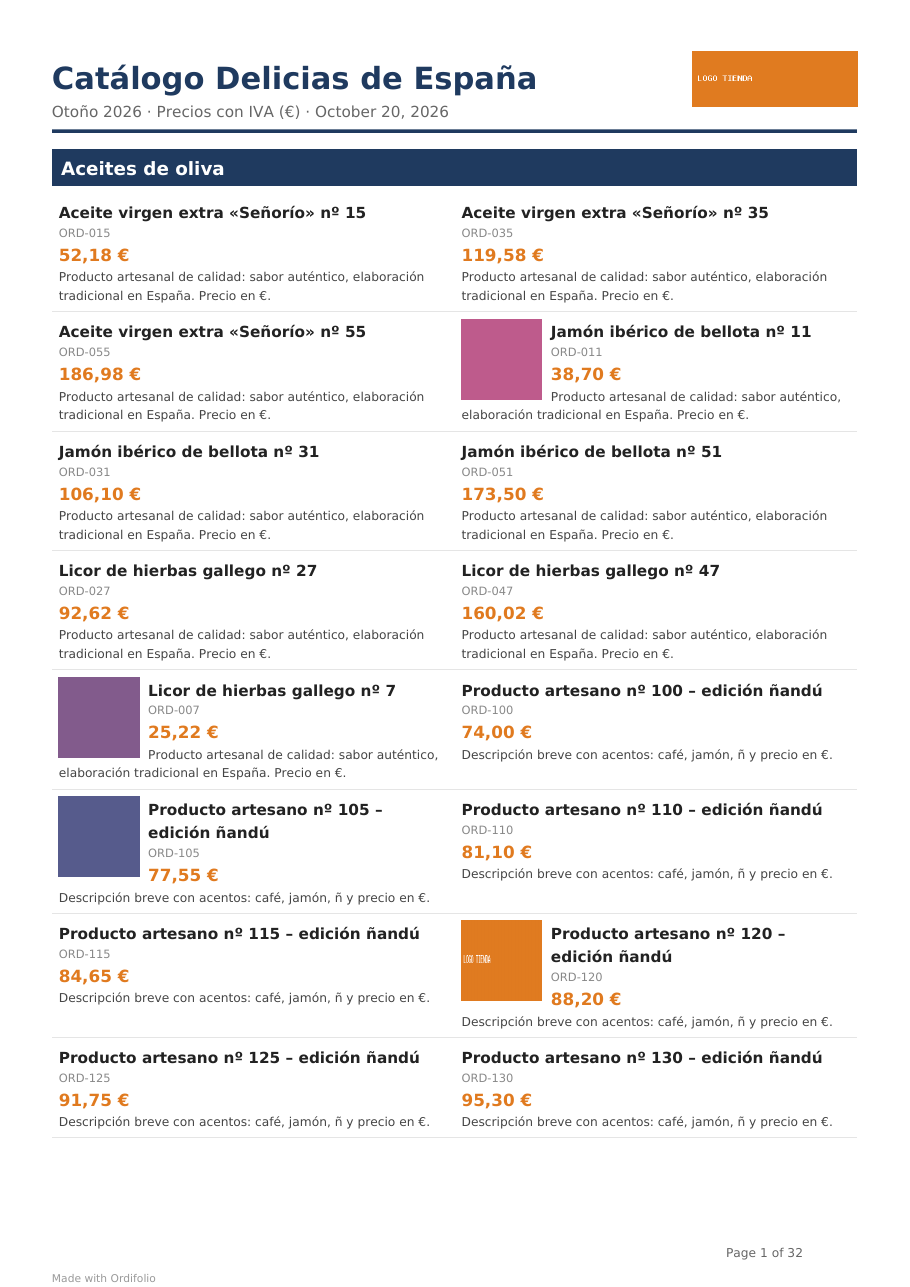
Generated PDF catalog: products grouped by category with images, SKU and prices (UTF-8: accents, ñ, €).
![Download button on the front end via the [ordifolio_catalog] shortcode.](https://ps.w.org/ordifolio/assets/screenshot-4.png?rev=3760631)
Download button on the front end via the [ordifolio_catalog] shortcode.
Faq
No. Without WooCommerce you can use a CSV file with the columns name, sku, price, category, description, image (or Spanish: nombre, referencia, precio, categoria, descripcion, imagen).
Yes. The PDF embeds DejaVu fonts with full UTF-8 coverage, and Excel CSV files in Windows-1252 are converted automatically.
No. The free version includes every product. Very large catalogs (more than 1,000 products by default, filter ordifolio_volume_size) are split into several PDF parts and the shortcode shows one button per part.
In wp-content/uploads/ordifolio/. The file is public so visitors can download it via the shortcode.
Use the WordPress.org support forum or write to ifritalexis@gmail.com. Pro customers get priority email support.
Only if you opt in. On activation Ordifolio (via the Freemius SDK) asks whether you want to share non-sensitive diagnostic data and receive updates; you can skip it and the plugin works the same. Licensing and payments for Pro are handled by Freemius.
Yes. Generation runs in small steps: products are read 100 at a time and the PDF is rendered in parts of up to 1,000 products, so each request stays short and light. Thumbnails are used instead of full-size images and remote resources are disabled.
Only images that already exist in your Media Library (paste their URL). Remote images are never downloaded.
Reviews
Changelog
1.0.1
- Free version has no product limit: catalogs of any size are generated step by step (no timeouts) and split into PDF parts when very large.
- PDF styles moved to template .css files loaded through Dompdf’s stylesheet API.
- Translations are now provided by translate.wordpress.org language packs.
1.0.0
- First release.