Organize Media Folder

Organize Media Folder
Description
Organize Media Library by Folders. URL in the content, replace with the new URL.
Things to manage
- Organize files into the specified folder.
- Can create folders.
- Can filter searching by folders.
- URL in the content, replace with the new URL.
- Can upload media to the specified folder.
- Can upload media to the specified date time.
Logs
- Displays the last 100 logs.
EXIF caption
- Sort each Exif data to an arbitrary position and insert it into the caption as text.
- Exif
- Can extend Exif tags with the following plugin.
- Exif Details
EXIF date/time
- Can use the Exif shooting date and time, if the media has Exif shooting date and time.
How it works
Installation
- Upload
organize-media-folderdirectory to the/wp-content/plugins/directory - Activate the plugin through the ‘Plugins’ menu in WordPress
Screenshots
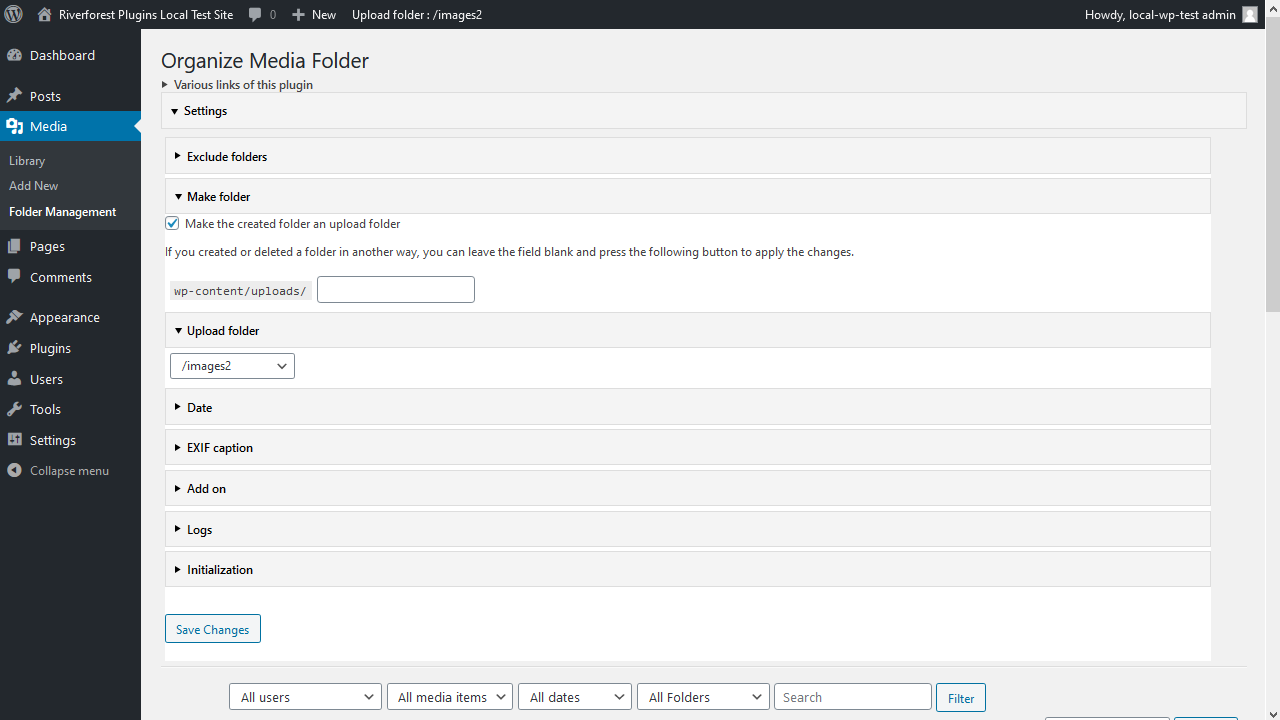
Settings
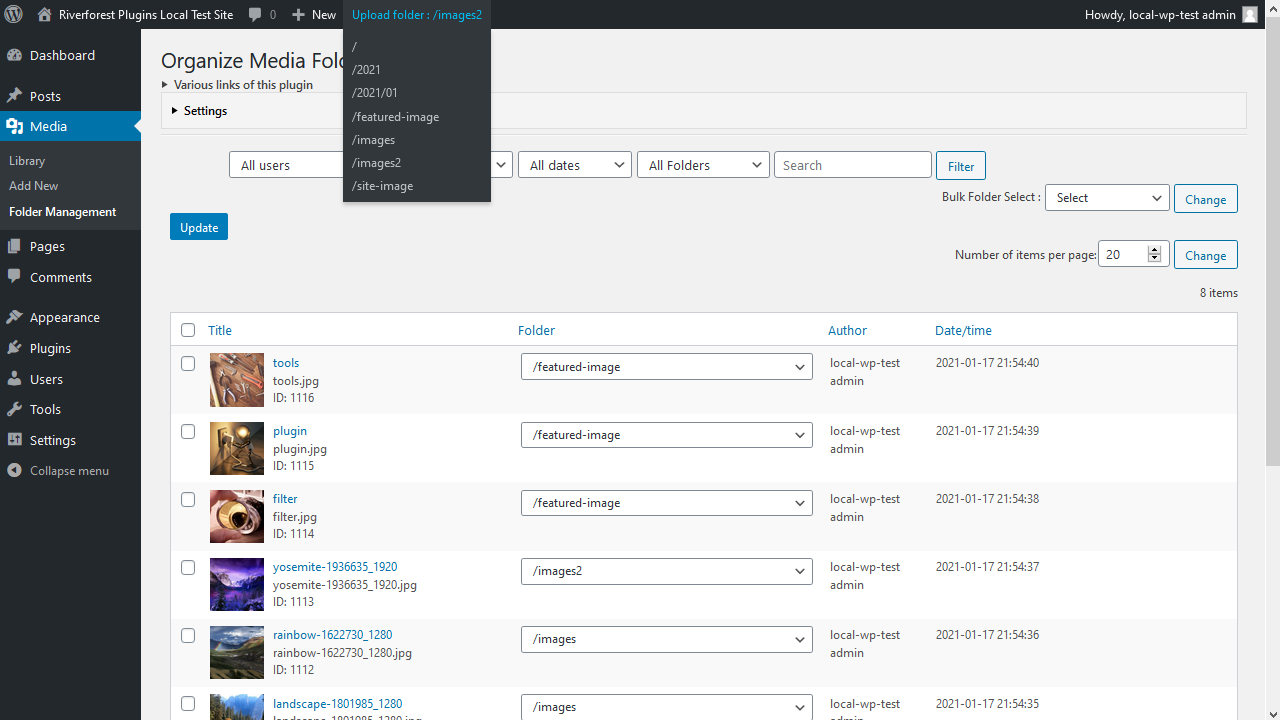
Management
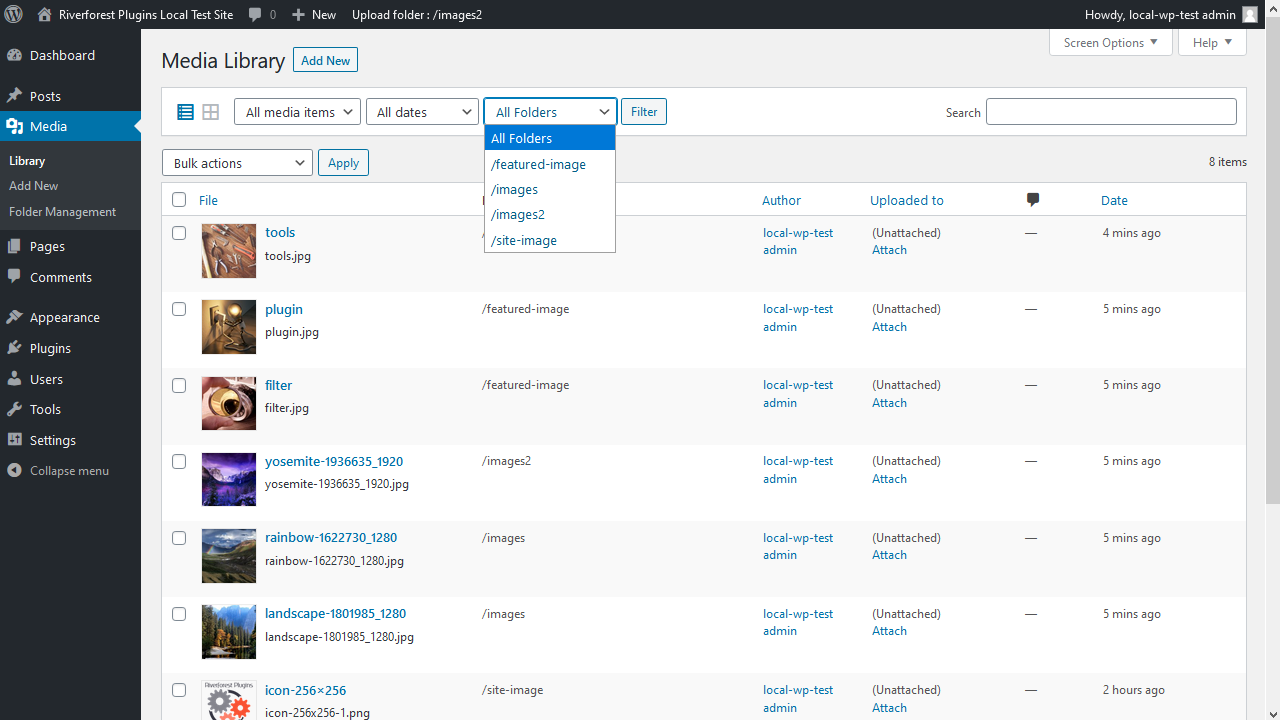
Filter of Media Library by folders
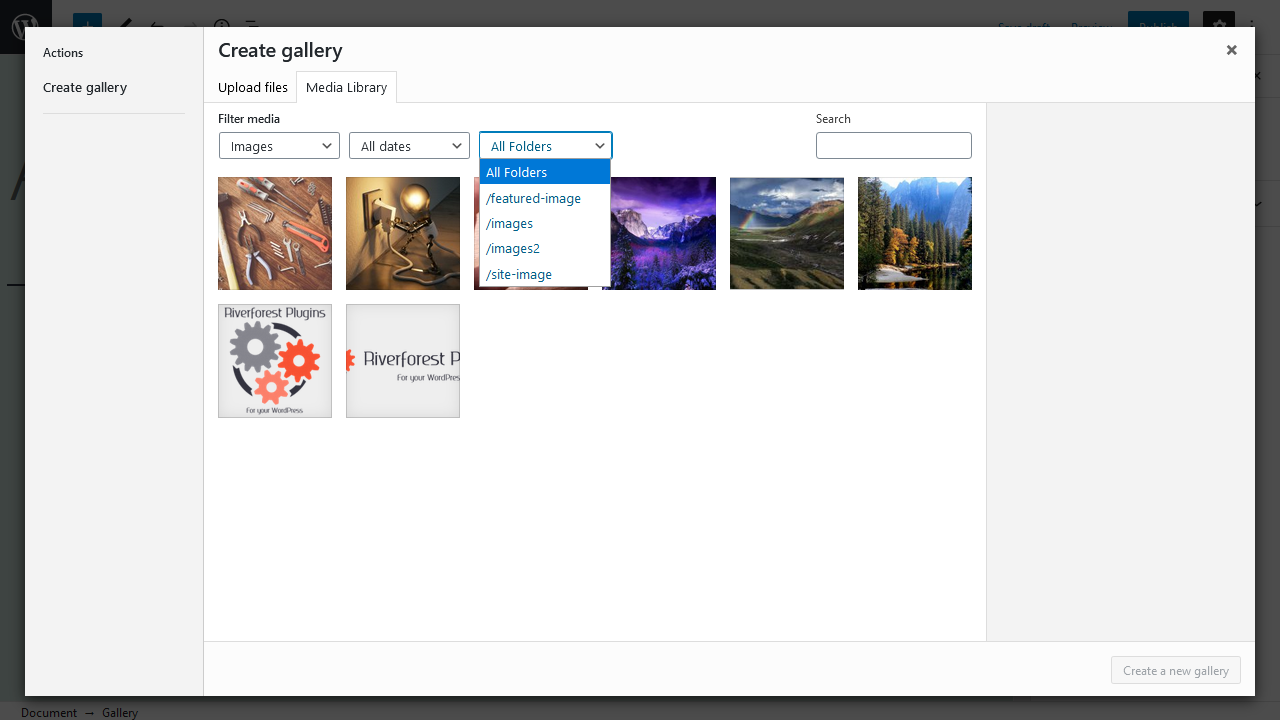
Filter of Insert Media
Faq
none
Reviews
This Plugin Saved My Sanity (And My Media Library)!
By 
I honestly can't thank the developer enough for this plugin. Before I found "Organize Media Folder," my WordPress media library was an absolute disaster zone. I had thousands of images, PDFs, and files all dumped into one single, chaotic folder. Finding anything was like searching for a needle in a haystack, and I was spending way too much time just scrolling through pages of uploads.
This plugin changed everything. It’s incredibly simple to use, yet so powerful. I can finally create a proper folder structure (by year, by project, or by type) and move all my existing files into them with just a few clicks.
But the real lifesaver for me was the URL replacement feature. I was terrified that moving all my files would break all my old posts and pages. To my surprise, this plugin automatically updates every single link in my content when I move a file. No broken images, no dead links – it just works seamlessly!
It’s lightweight, fast, and has made managing my website so much more enjoyable. If you're feeling overwhelmed by a messy media library, do yourself a favor and install this plugin. It's one of the best tools I've ever added to WordPress.
Thank you so much, Katsushi Kawamori, for creating such a practical and reliable solution. You've made my workflow so much smoother!
Fantastic
By 
It's pretty basic, but gets the job done. Thanks!
Organize Media Library by Foldersからの切替
By 
<font _mstmutation="1"></font>
Organize Media Library by FoldersからOrganize Media Folderの切替をしていますが、
新のOrganize Media Folderではフォルダーの内容が一部表示されません。プラグインを置き換えるだけで自動的に元のフォルダーの状態になるのではないですか。
よろしくお願いいたします。
<font _mstmutation="1"></font>
<font _mstmutation="1"></font>
<font _mstmutation="1"></font>
<font _mstmutation="1"></font>
<font _mstmutation="1"></font>
Made moving more than 10,000 files into 50+ folders a breeze!
By 
Thank you very much for writing this plugin.
I have a woocommerce shop with about 50 products and 60+ variations per product. Managing the files in year/month folders very cumbersome.
With your plugin, I was able to replicate the product category structure + the sku name, which makes finding related media a breeze.
Exactly What I Needed for Audio
By 
I was able to organize my theme demo files, audio, and uploaded files all with a few mouse clicks. Some bad review because they didn't even try. It's laid out pretty logicly I thought and VERY powerful plugin!
Too confusing
By 
This one doesn't even detect the folders already done before. So there's nothing much i can do with it... Or there's a way to make them appear i haven't spotted but the plugin is too confusing for that... Or it's a paid feature again...
Works exactly as expected
By 
This does exactly what I want. I like being able to have the physical files structured and match inside WordPress without having to do both separately. I like that once set-up, it is a simple extension to the media library for managing rather than a whole new interface.
My only suggestion would be to make it easier to select the folder you want when uploading files anywhere. Maybe integrating what this plugin in the wordpress repository does, "custom upload folder" so that you have a dropdown selection for the folder in the uploads box or pop-up.
But overall, great plugin that does exactly what it needs to cover the basics of managing the physical media files inside WordPress.
too complicated
By 
Brilliant
By 
Extremely helpful
By 
Changelog
[2.00] 2026/10/21
- Added – Added Exif-related features.
[1.37] 2026/08/20
- Added – Display a warning when there is too much media while the admin screen is loading.
[1.36] 2025/04/20
- Fix – Loading the management screen.
[1.35] 2024/03/03
- Fix – Added nonce when sorting.
- Fix – Changed file operations to WP_Filesystem.
1.34
Supported WordPress 6.4.
PHP 8.0 is now required.
1.33
Fixed adminbar dropdown.
1.32
Fixed potential security issue.
1.31
Fixed a pagination problem when searching for text.
1.30
Fixed problem of register to term for folder by XAMPP.
1.29
Fixed initialization problem.
Fixed uninstall.
1.28
Fixed a problem where terms for media other than images were not registered.
1.27
Fixed problem of folder filter for gallery block.
1.26
Added a warning message when a conflicting plugin is activated.
1.25
Fixed uninstall.
1.24
Fixed a problem with getting options.
1.23
Added the ability to select the folders to be displayed in the admin bar.
1.22
Fixed translation.
1.21
Change readme.txt
1.20
The upload folder can now be changed from the admin bar.
Removed unnecessary code.
1.16
Added an error handler for moving files of the same name between folders.
1.15
“Character Encodings for server” setting removed.
Fixed a problem with content replacement in threshold images.
1.14
Fixed a problem with error handling when copying files.
1.13
Simplified the output log.
1.12
Supported MAMP(Windows).
1.11
The display when moving folders has been made more detailed.
Added logging.
Added media ID display.
1.10
Fixed problem of “Folder” column for Media Library list screen.
1.09
Added explanation.
1.08
Fixed a problem with PHP8.
1.07
Change the “Folder” column in the admin page.
Added a “Folder” column to the Media Library list screen.
1.06
Fixed the method of updating the term.
1.05
Fixed a problem with media uploads.
1.04
Supported XAMPP.
1.03
Supported XAMPP.
1.02
Fixed translation.
1.01
Fixed an issue with the display of the narrowed list regarding gallery insertion when posting.
1.00
Initial release.