ORQADESIGN Bluesky Feed

ORQADESIGN Bluesky Feed
Description
Bluesky Feed lets you embed a user’s latest posts from the Bluesky network onto your WordPress site. Just add a shortcode to any post, page, or widget. The feed is cached for performance and customizable via plugin settings.
- Display latest posts from any Bluesky handle
- Lightweight and styled with CSS
- Caches results for performance
- Works with shortcodes:
[bluesky_feed handle="@yourhandle" limit="5"]
Arbitrary section
This plugin was built to help developers and creators showcase their Bluesky content on WordPress.
Installation
- Upload the plugin files to the
/wp-content/plugins/bluesky-feeddirectory, or install it through the WordPress plugins screen directly. - Activate the plugin through the ‘Plugins’ screen in WordPress.
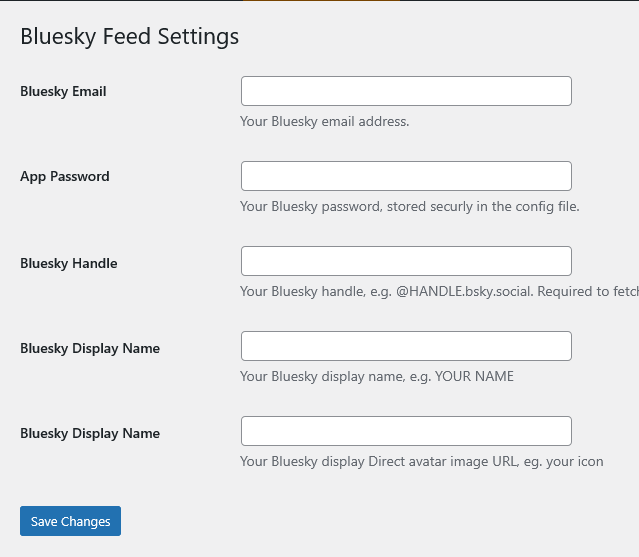
- Add your Bluesky credentials in the plugin settings page.
- Use the
[bluesky_feed handle="@example"]shortcode in posts or pages.
Screenshots
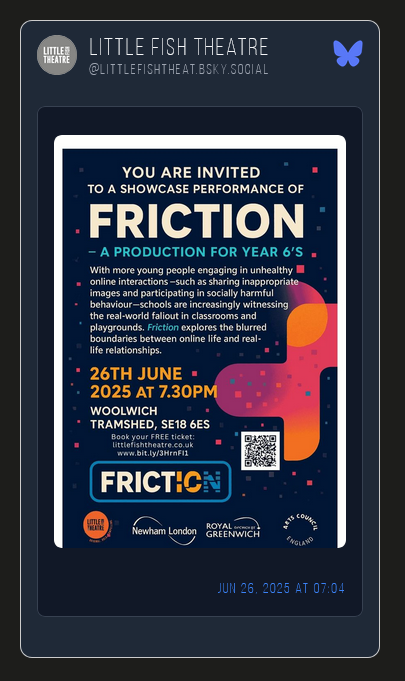
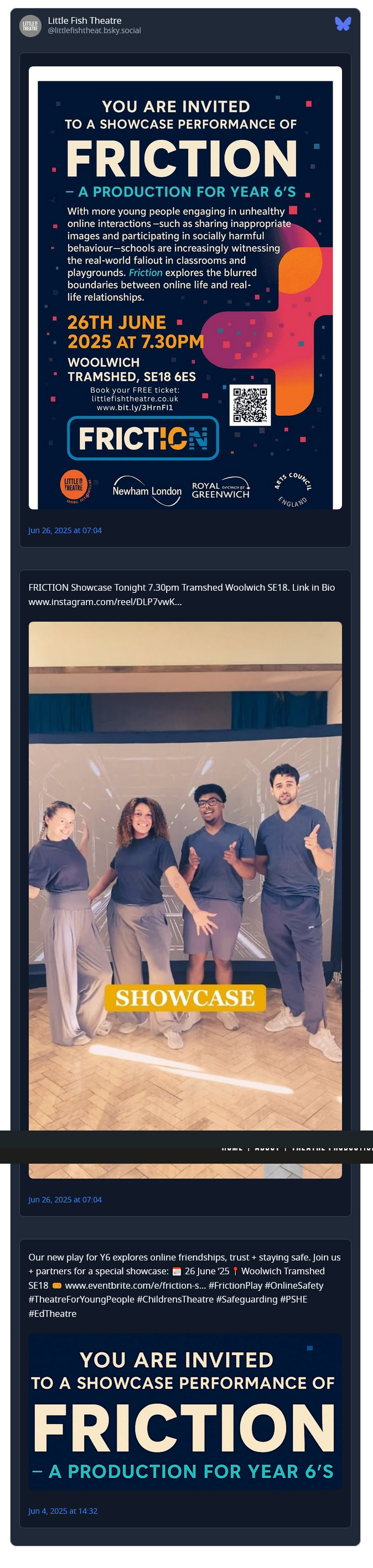
Example frontend output of the feed
Settings screen to add your Bluesky credentials
Faq
You’ll need to create a Bluesky App Password in your Bluesky account settings.
Yes, the plugin includes a style.css file you can customize or override in your theme.
Reviews
Changelog
1.0.1
- Fix: Settings could not be saved due to an early return preventing register_setting() from running.
- Fix: Prevent Bluesky API authentication from running during plugin load.
1.0
- Initial release