OS DataHub Maps

OS DataHub Maps
Description
This plugin allows maps to be inserted into a page or post using the new Ordnance Survey Data Hub platform which launched in 2020. It displays UK Ordnance Survey maps with their legendary level of topographical detail, making them ideal for walking, cycling, riding, and just about anything outdoors-related. You can add routes from GPX files, elevation profiles, and markers for points of interest.
The plugin takes over where the previous plugin, OS OpenSpace Maps, left off. Using the new OS Data Hub and its suite of APIs, you now have access to the full 1:25,000 Explorer mapping as well as the 1:50,000 Landranger series. And the free allowances are a lot more generous, offering typically 2,000,000 map views per month.
This plugin uses Leaflet.js to display the maps, giving a clean interface and a responsive feel with easy zoom control, full screen view and even printing. Insert the [osmap] shortcode anywhere in your post, page or custom post type content to display a map.
The map is set up using shortcode attributes, and there are now more of these than can be described in this Readme file. For full details, please check the plugin homepage.
Additional Shortcodes
Display one of the marker icons inline with your text using [osmap_marker color=red]. This may be used to add annotation to your maps.
Use [osmap_link marker=1 zoom=8] in conjunction with marker_link=link attribute to embedded a link within text on the page. When clicked, the map will be scrolled into view, zoomed onto the marker position and the marker opened.
Examples
-
[osmap]displays a map at the default height and zoom level, centred on OS headquarters in Southampton. This is the simplest way to test that the plugin is working. -
[osmap height="300" width="300" color="blue" gpx="http://www.example.co.uk/myfile.gpx"]displays a 300px by 300px window containing a blue track from the file specified. -
[osmap markers="NY2000008000;Wasdale"]shows a default size and zoom window with a marker placed and the popup text “Wasdale”
Migration from OS OpenSpace Maps
Ordnance Survey has now shut down the OpenSpace Maps service. This plugin aims to give a seamless upgrade to use the new Data Hub Maps service instead. It uses the same shortcode and all the same attributes are supported.
The Data Hub service is a significant upgrade from OpenSpace, allowing use of the excellent 1:25,000 Explorer mapping. It also has a much more generous free data allowance, typically 2 million map views per month.
The plugin itself is also a major upgrade, with many more features than the original OpenSpace plugin.
Installation
- Go to the Plugins page in the admin area, search for
datahubnavigate to the plugin page and clickinstall. - Or download and extract
os-datahub-maps.zipinto the/wp-content/plugins/directory. This will create a subfolder calledos-datahub-mapscontaining the plugin files. - Activate
OS Mapsthrough the ‘Plugins’ menu in WordPress - Before the plugin will work you need to add your API key to the settings page on the dashboard.
- If you are running WordPress Multisite you (or your network administrator) will have to add KML and GPX files to the allowed file types under ‘Network Settings’ if you wish to upload these files.
Screenshots
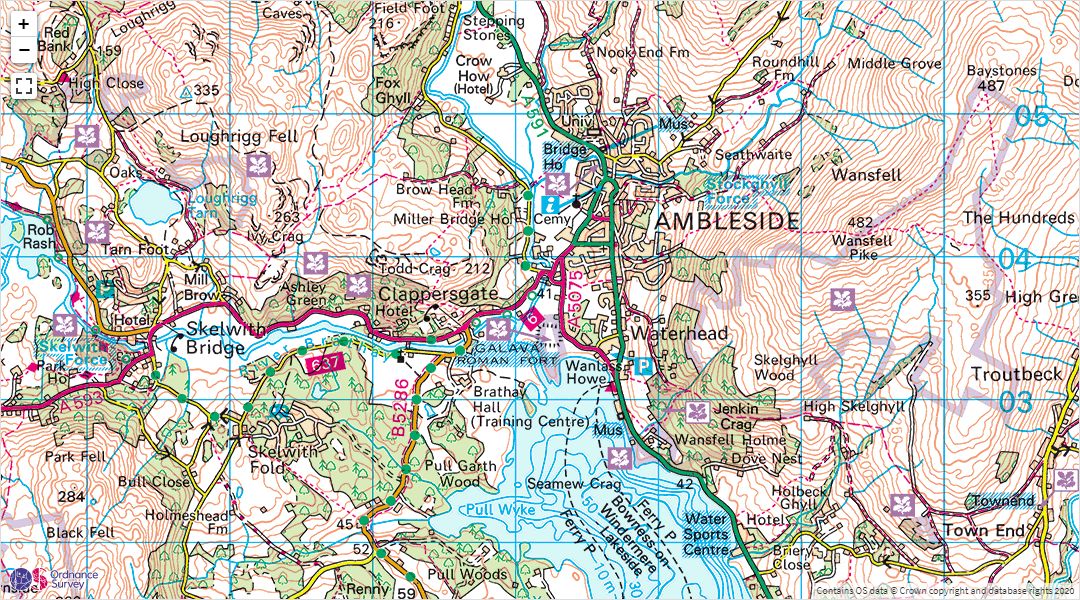
A 1:50,000 Landranger map embedded in a WordPress post
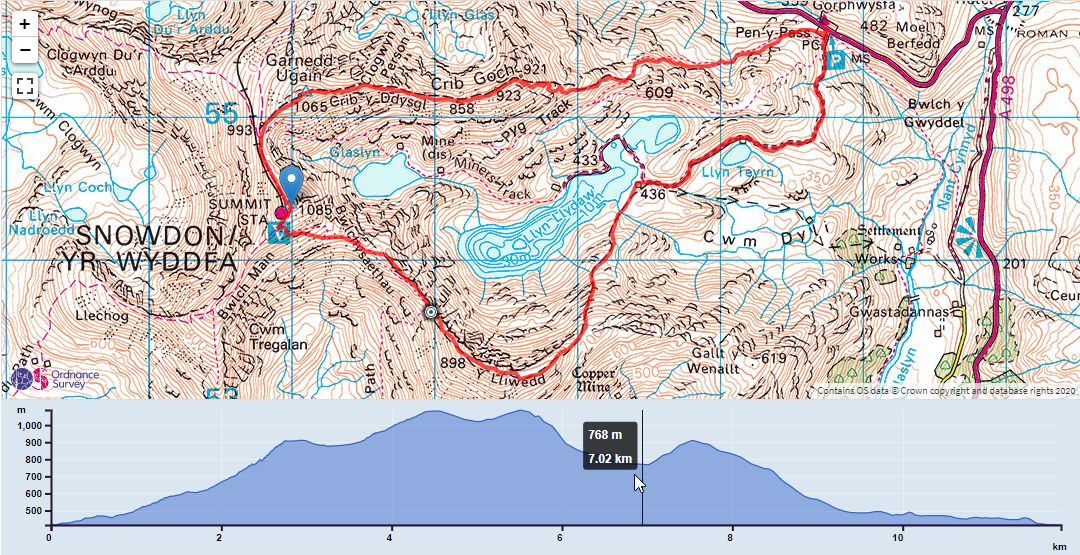
A map showing a GPX track and elevation profile
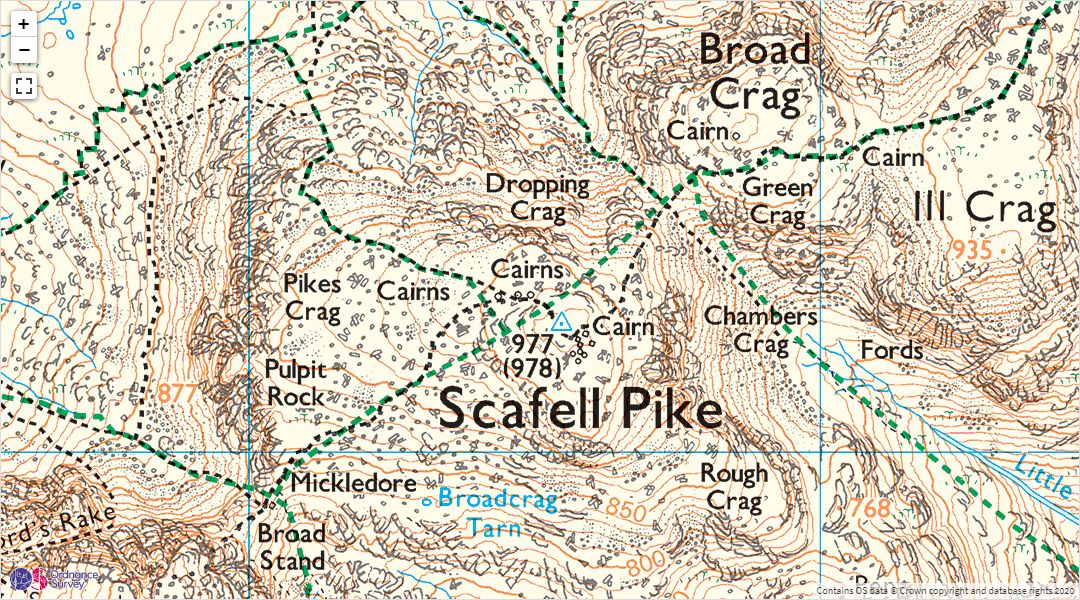
A 1:25,000 Explorer map
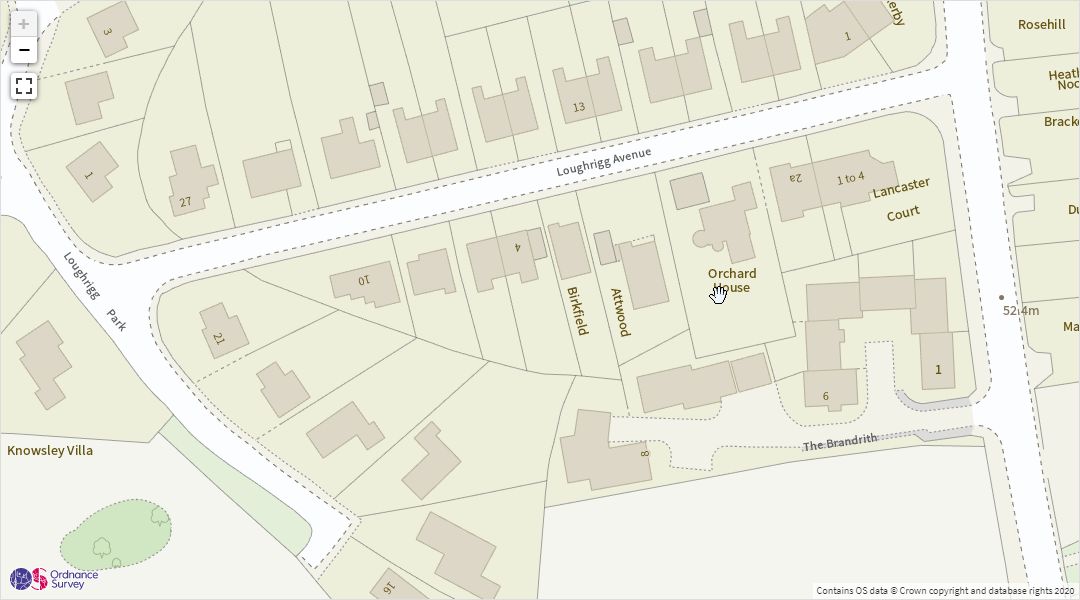
Highly detailed street-level views are also available
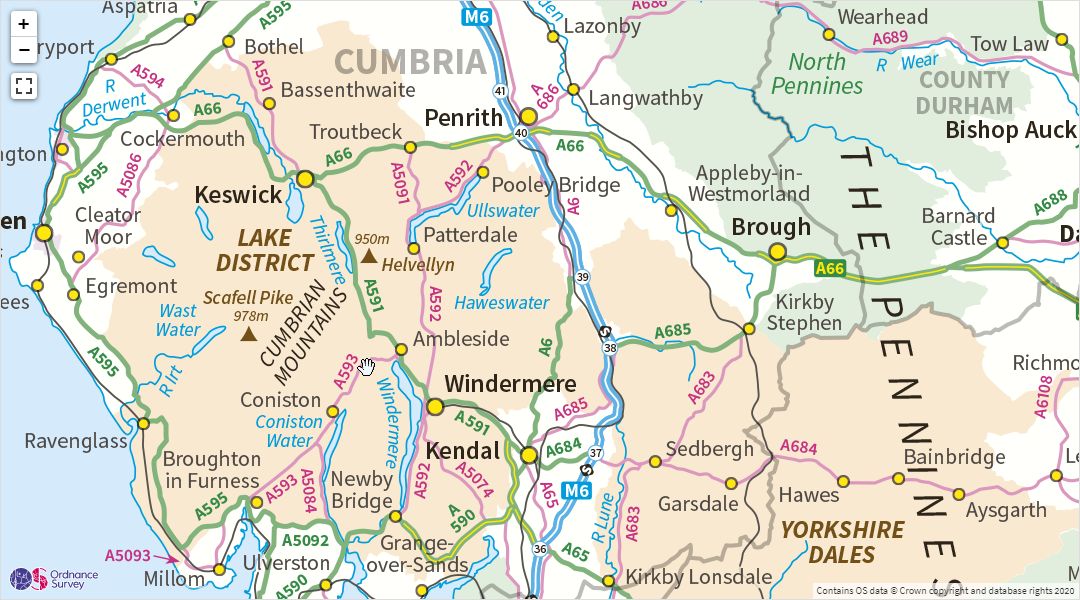
Zoomed out to 1:1M scale
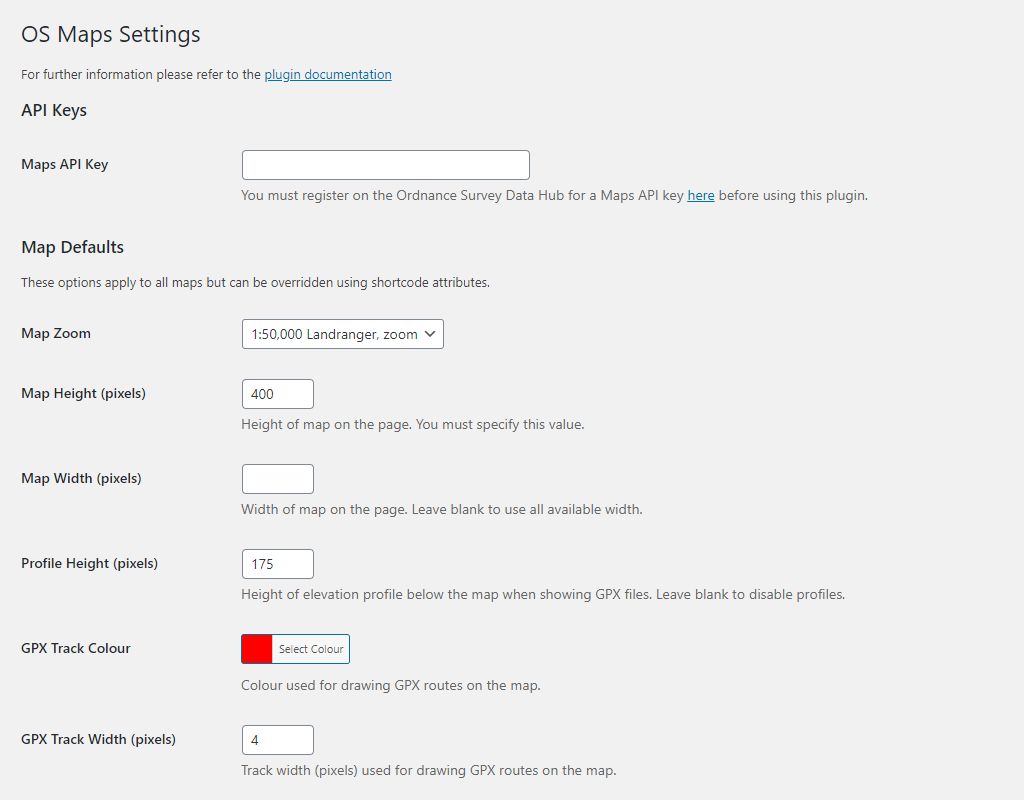
The defaults settings page
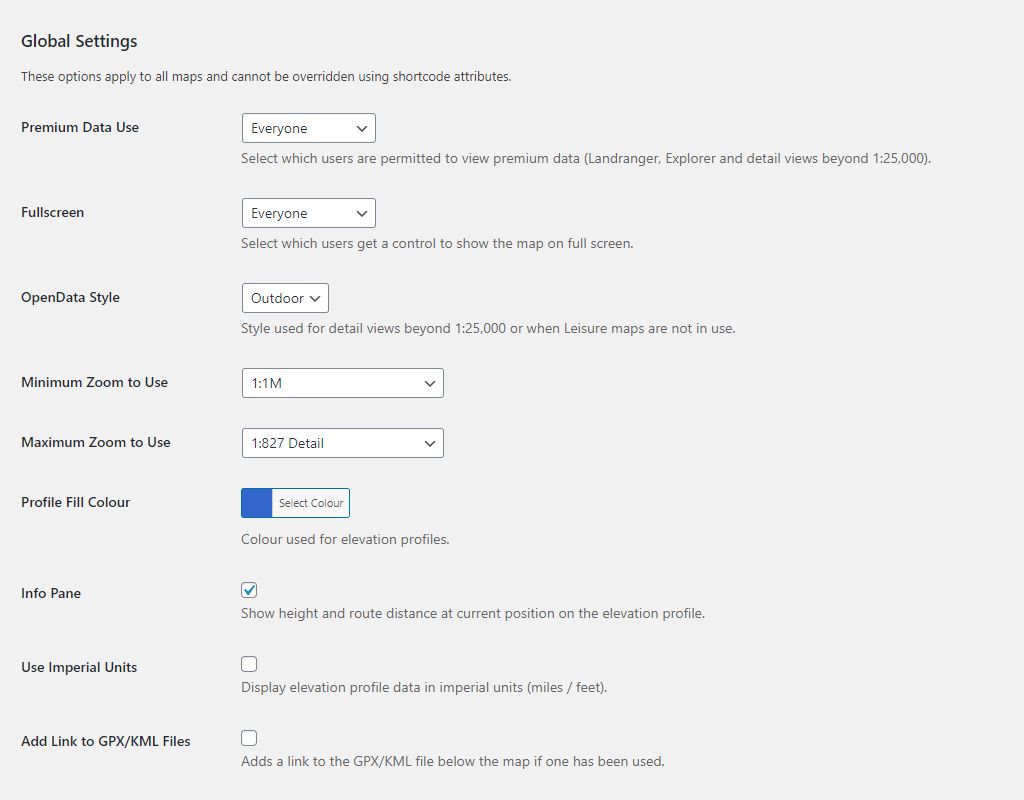
The global settings page
Faq
As far as possible, yes. The new Data Hub mapping service is very different from the OpenSpace service, but we have tried to maintain compatibility as far as possible. All being well you should be able to install the new plugin, set the API key and a few defaults. When you disable the OpenSpace plugin, this one should just populate the existing shortcodes in the same way.
You can find examples and much more information on the plugin homepage
Ask questions in the support forum on the WordPress plugin page
Reviews
Really good
By 
Comprehensive set of features, easy to use (much, much easier than using the OS APIs). Simple to embed OS topographic maps, routes created with OS maps (or anything that creates GPX or KML), markers etc.
Excellent - working nicely on WordPress.com
By 
Very happy with this and have it working well on wordpress.com. It's well thought through, excellent documentation and actively maintained. In case anyone is doing similar, wordpress.com doesn't allow you to upload gpx files and there appears to be no way around this. I created a simple free hosting account on Cloudflare and upload the gpx and marker files there - and this works fine.
Really useful plugin
By 
Really useful to setup maps for the locations of trips on our walking site - rhsoc.uk thank you!
Only missing feature for me is to link the map pop-ups to a page for our trips, but realise the API may restrict that.
Great plugin to enhance your site
By 
Nice Ordnance Survey map plugin
By 
Superb maps, excellent plugin, outstanding support
By 
Works perfectly
By 
Excellent - saved me a lot of time
By 
Superb
By 
Excellent Plugin and Migration Path
By 
Changelog
1.8.4
Bug: CVE-2026-1730 requires fix to validating extension of uploaded files.
Bug: JSON validation improved to avoid PHP exception with specific incorrect JSON content.
For previous versions please refer to Changelog.txt