P-ivo – Abandoned Cart Recovery for WooCommerce

P-ivo – Abandoned Cart Recovery for WooCommerce
Description
Abandoned Cart Recovery for WooCommerce detects when a customer leaves items in their WooCommerce cart without checking out, and sends them a reminder email with a one-click link back to their exact cart — restored, even if their original session has since expired.
What the free version does
- Tracks logged-in customers’ carts automatically; tracks guests from the moment they type their email at checkout (before submitting an order) — works with both the classic checkout and WooCommerce’s Block Checkout
- Sends exactly one reminder email after a delay you configure (15 minutes to 48 hours, default 60 minutes)
- One editable email template: your logo, your message, a button with your own text and color, and merge tags for the customer’s name and their cart contents
- Optionally include one existing WooCommerce coupon code in the reminder, chosen from a dropdown of your published coupons
- A dashboard showing abandoned and recovered cart counts, plus an estimated value of currently-unresolved carts (clearly labeled as an estimate)
- An admin list of tracked carts with bulk actions to exclude/unsubscribe or delete
- A permanent unsubscribe link in every email — once someone opts out, they stay opted out even after old tracking data is cleaned up
- Configurable data retention (default 30 days) that removes raw cart data automatically while keeping your dashboard totals intact
- Full WordPress Privacy Tools support (export and erase requests)
- Uninstalling keeps all your data by default — deletion is two separate opt-in checkboxes, both off by default
Recovery attribution, done carefully
A cart is only ever counted as “recovered” when the customer actually placed their order via the recovery link — never guessed from a matching email address and a plausible time window, which can produce false positives. If a recovered order is later cancelled or refunded, the cart is automatically reclassified so your numbers don’t stay inflated.
Pro version
A separate Pro version adds a multi-step reminder sequence (each step with its own delay, subject, and message), automatically generated single-use expiring coupons, segmentation by minimum cart value or excluded products/categories, email open and click tracking, a full reports page (recovered revenue over time and by product), and the option to remove the “Powered by” footer. This listing is for the free version only.
Installation
- Upload the plugin files to
/wp-content/plugins/p-ivo-abandoned-cart-recovery-for-woocommerce, or install the plugin directly through the Plugins screen in WordPress. WooCommerce must already be installed and active. - Activate the plugin through the ‘Plugins’ screen.
- Go to Cart Recovery > Settings to set your reminder delay, email content, and (optionally) a coupon to offer.
- That’s it — abandoned carts start appearing on the Cart Recovery dashboard automatically.
Screenshots
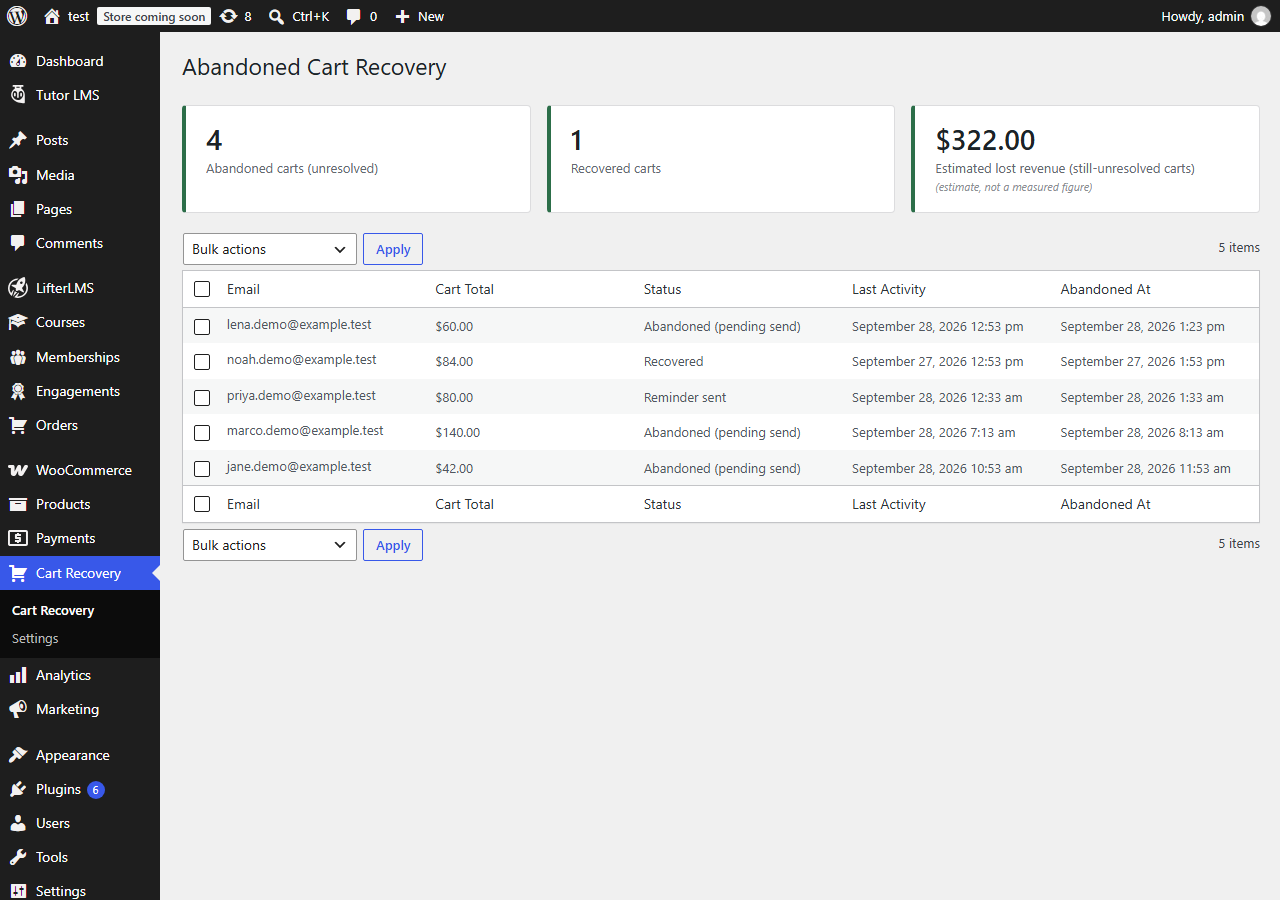
The Cart Recovery dashboard: abandoned/recovered counts, estimated lost revenue, and the tracked-carts list.
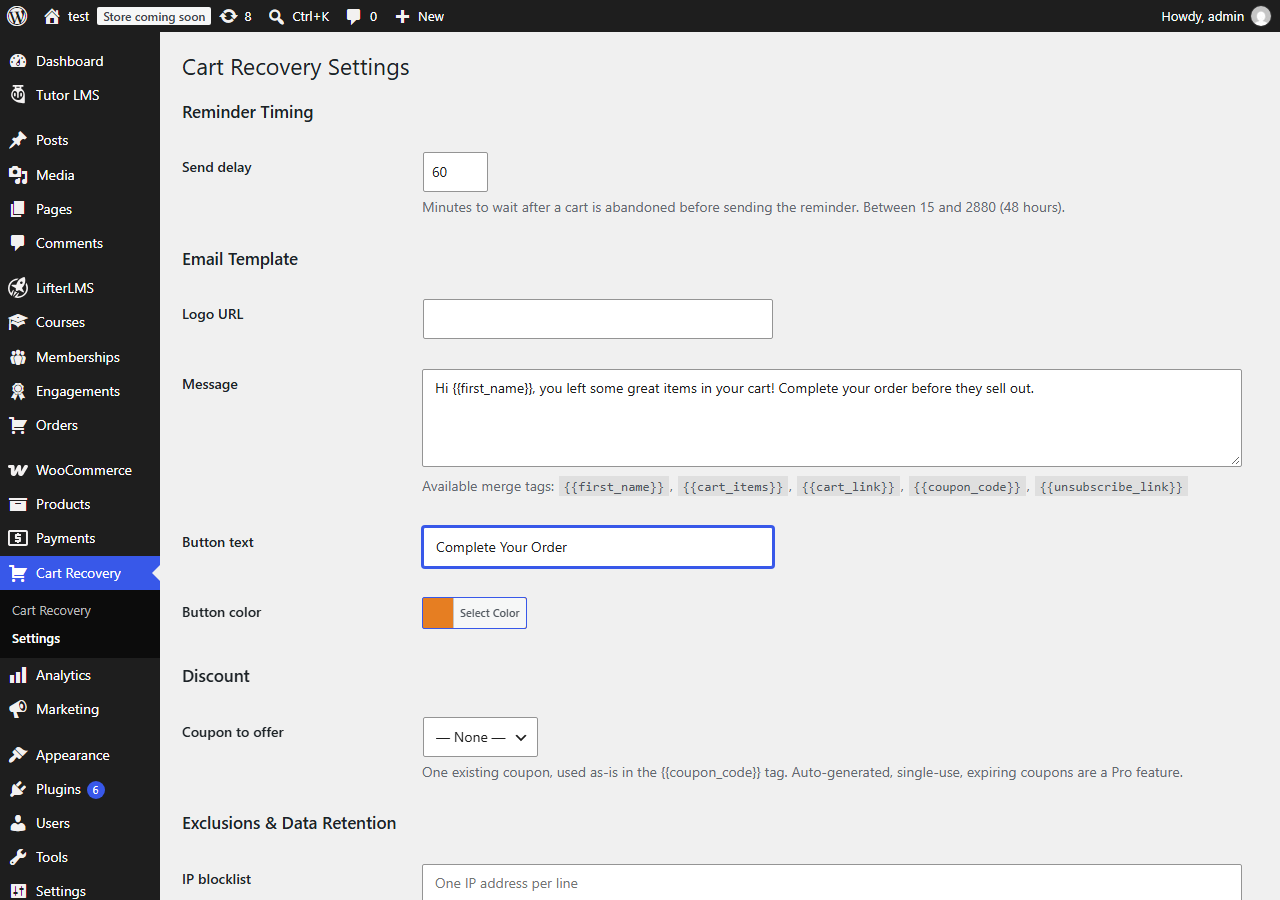
The Settings screen: reminder delay, email template, and coupon selection.
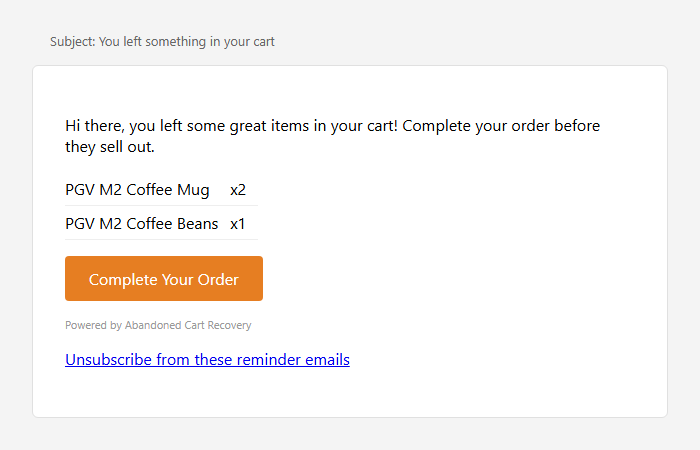
A recovery reminder email as received by a customer.
Faq
No. A guest’s cart is only tracked from the moment they type an email address into the checkout email field, before submitting their order. Tracking a guest’s cart earlier than that isn’t reliably possible without asking for their email some other way (like a newsletter signup), which this plugin doesn’t do.
No, email only.
The cart is automatically moved out of “recovered” status once the order is cancelled, refunded, or fails, so your recovered-carts count and (in Pro) your revenue report don’t keep counting an order that didn’t actually go through.
It’s the sum of cart totals for carts that are currently abandoned and not yet recovered — an estimate of value still on the table, not a promise that all of it would have converted. It’s separate from any measured “recovered revenue” figure.
Yes, and it’s the environment this plugin is developed and tested against, since it’s WooCommerce’s own current default for new stores. The plugin only ever uses WooCommerce’s standard order APIs (never a direct database query for order data), which should make it work correctly on stores still using the older order storage as well — if your store uses that older storage, we’d recommend confirming cart recovery/reversal behavior on a staging copy before relying on it in production.
The dashboard and (in Pro) the reports page combine values as if your store uses a single currency. If you sell in multiple currencies, treat the totals as directional rather than exact.
Yes. Deactivating never touches your data. Even deleting the plugin from the Plugins screen keeps all your tracked carts, statistics, and settings by default — nothing is removed unless you’ve checked “Delete data on uninstall” on the Settings screen first, which is off by default. A second, separate checkbox controls whether your unsubscribe list is also deleted; it stays off even when the first box is checked, so a later reinstall can’t accidentally re-email someone who opted out. (WordPress’s own plugin-delete confirmation screen will mention that deleting “will also delete its data” regardless of these settings — that’s generic wording WordPress shows for any plugin that ships an uninstall routine, not a sign your data is about to be removed; actual deletion only happens if you checked the box first.)
Every reminder email includes a working unsubscribe link, and once someone unsubscribes they’re permanently excluded from future reminders, even after their original cart data has been cleaned up.
Reviews
Changelog
1.0.0
- Initial release.
- Internal: all code identifiers now use a unique “pivoabca” prefix, and the text domain matches the plugin slug.