Page Builder Audit

Page Builder Audit
Description
Page Builder Audit provides a simple admin tool to audit all pages on your WordPress site and identify which page builder (if any) each page uses.
Detected Page Builders:
- Elementor
- WPBakery Page Builder
- Divi Builder
- Beaver Builder
- Brizy
- Oxygen Builder
- Thrive Architect
- SeedProd
- Bricks Builder
- Breakdance
Additional Detection:
- Block Editor (Gutenberg)
- Classic Editor
- Empty pages
Features:
- View all pages in one table with ID, title, status, page builder, and page template
- Summary statistics showing page builder usage breakdown
- Only detects page builders that are actually installed on your site
- Export audit results to CSV
- Color-coded badges for easy scanning
- Works with any theme
Use Cases:
- Planning a migration from one page builder to another
- Auditing sites before taking over maintenance
- Identifying pages that need updating
- Documenting site architecture
Installation
- Upload the
page-builder-auditfolder to the/wp-content/plugins/directory - Activate the plugin through the ‘Plugins’ menu in WordPress
- Go to Tools > Page Builder Audit to view the audit
Screenshots
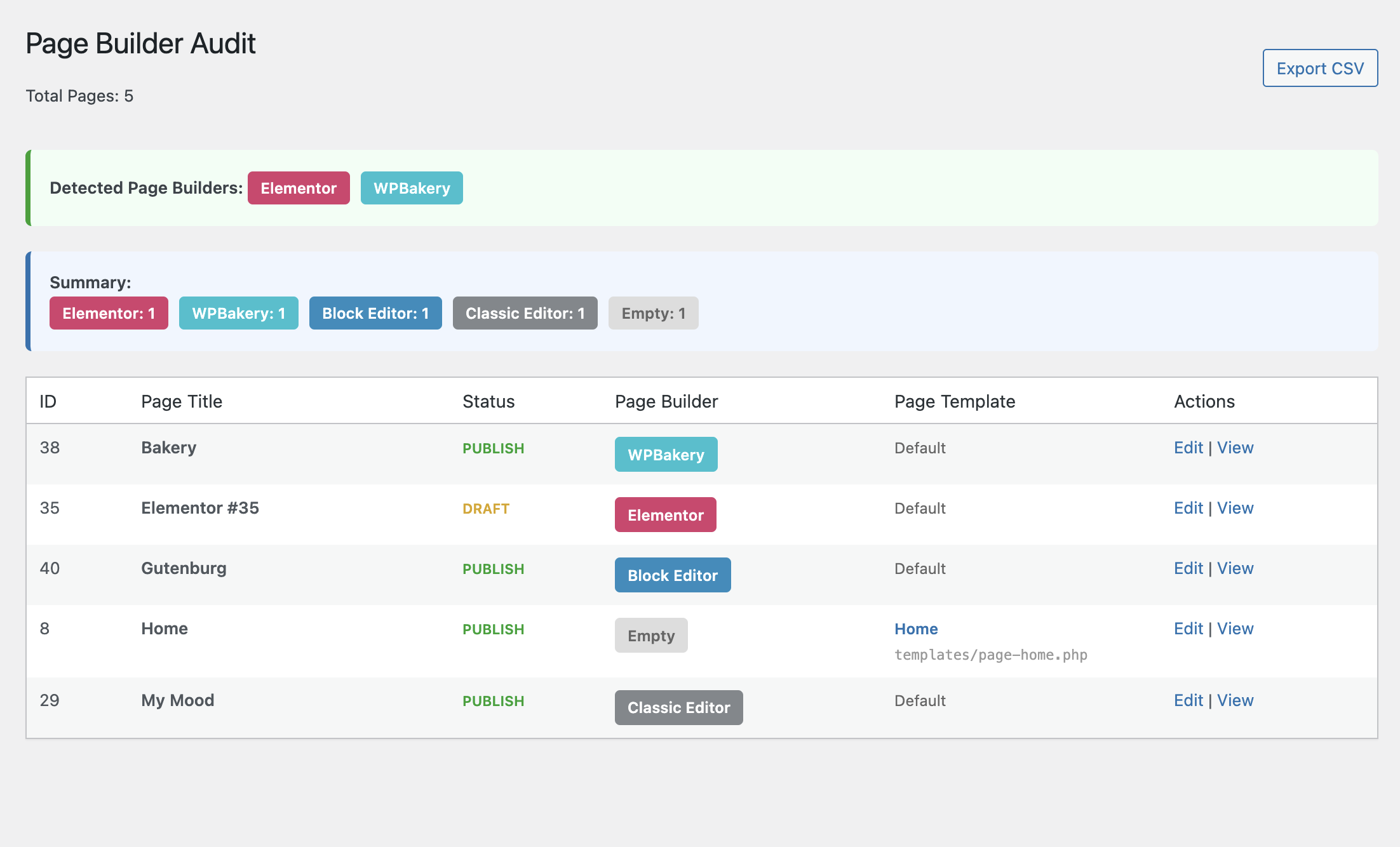
Main audit page showing all pages with their page builder and template information
Faq
After activating the plugin, go to Tools > Page Builder Audit in your WordPress admin.
The plugin only checks for page builders that are currently installed and active on your site. If a page builder isn’t detected, it means that plugin isn’t installed.
Yes! Click the “Export CSV” button to download a spreadsheet with all page data.
This indicates the page was built using the WordPress Block Editor (Gutenberg), which is the default editor since WordPress 5.0.
This indicates the page has content but doesn’t use Gutenberg blocks. It was likely created with the Classic Editor or TinyMCE.
This indicates the page has no content in the post_content field.
No. This plugin is read-only. It only reads page data and metadata to determine which page builder was used. It never modifies any content.
Reviews
Changelog
1.0.0
- Initial release
- Detects 10 popular page builders
- Distinguishes between Block Editor, Classic Editor, and empty pages
- Shows page template information
- CSV export functionality