PDF for Elementor Forms + Drag And Drop Template Builder
PDF for Elementor Forms + Drag And Drop Template Builder
Description
DEMO: https://pdf.add-ons.org/elementor-forms/
Download Pro Version: https://add-ons.org/plugin/elementor-form-pdf-generator-attachment/
Documents: https://pdf.add-ons.org/document/
The PDF For Elementor Forms add-on is an additional plugin that extends the functionality of Elementor Forms by providing features for generating PDF files from form submissions and attaching files to email notifications.
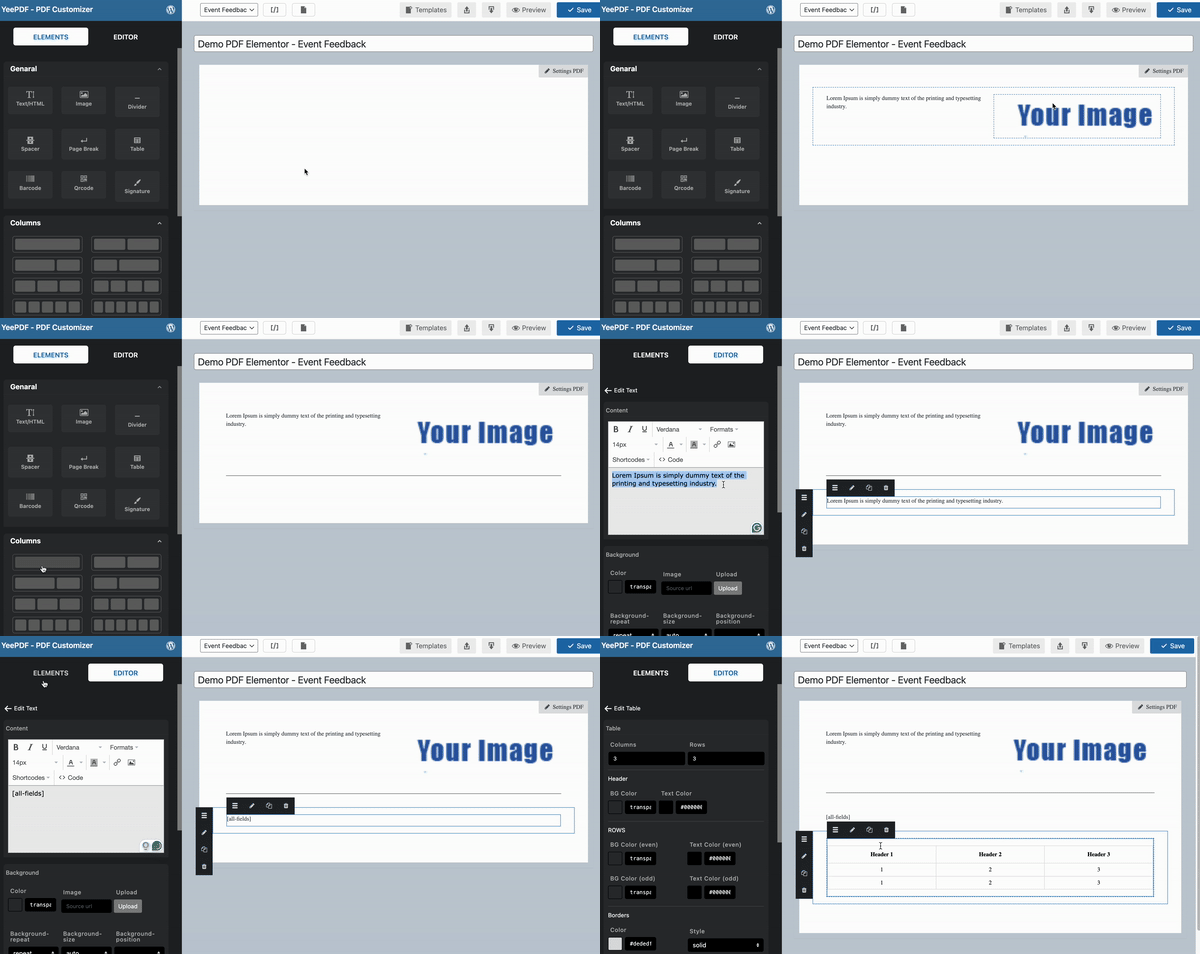
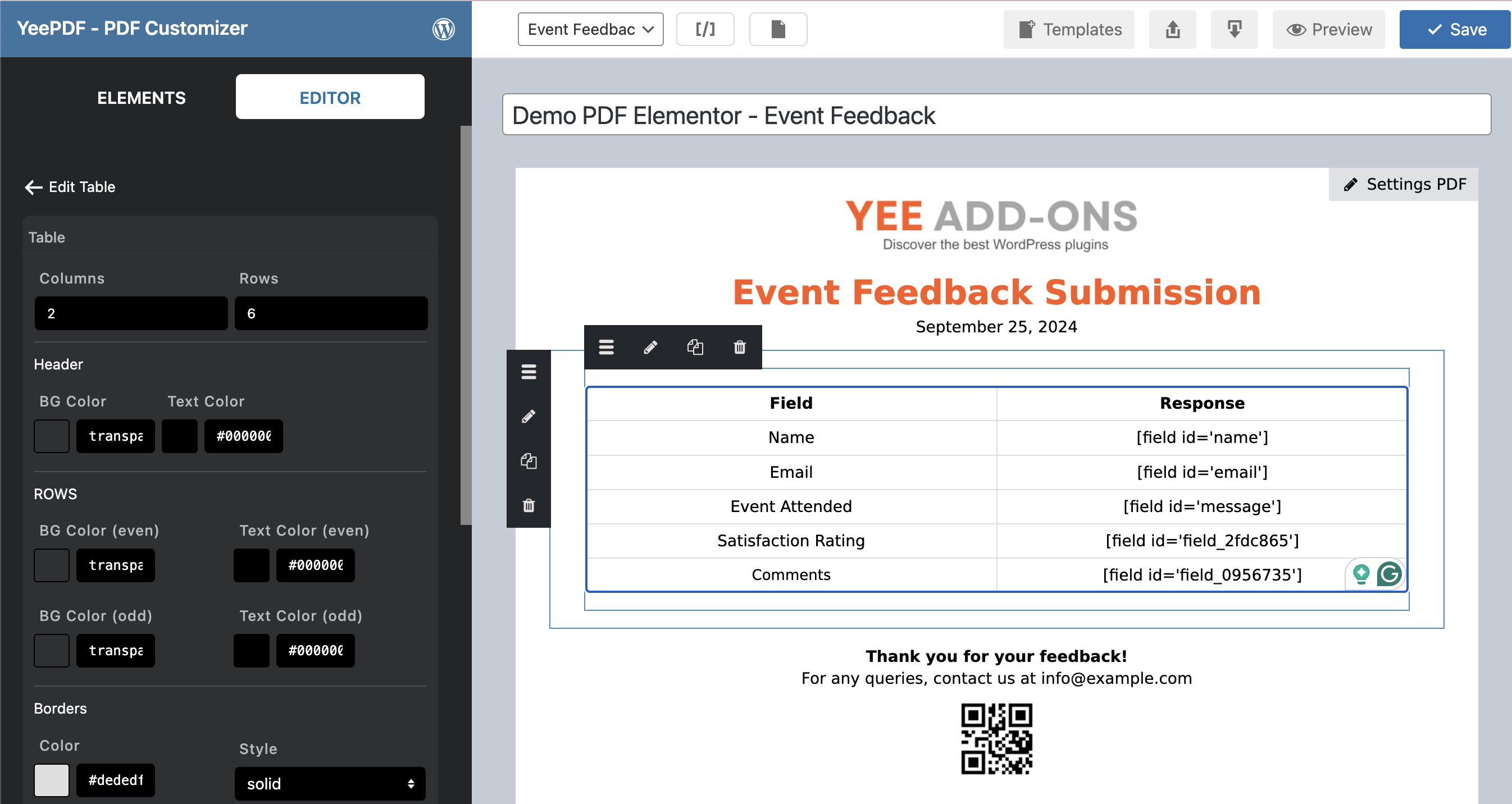
Elementor Forms PDF is a helpful tool that helps you build and customize the PDF Templates for Elementor Forms. The plugin provides sufficient base elements and Elementor Forms elements as well as developmental tools for users to build a completed pdf. You can easily drag and drop, edit and style for transaction PDF using layouts, insert desire contents with no coding knowledge required, and adds a PDF to the email sent out to your customers. Overall, you need to do is a couple of mouse clicks to create and experience your pdf template that will be sent to your customers.
Drag and Drop Templates
The plugin offers a web-based drag & drop PDF template editor that lets you design templates and generate PDF documents from reusable templates without coding.
Unlimited Use, No Restrictions
There are zero hard limits to the number of PDFs you can configure across all your forms or generate on your entries.
Additional Fonts
Match your branding and enhance the overall look and feel of PDFs by install your own fonts.
Custom PDF Paper Size
Allows you to add custom different paper sizes for your PDF templates.
Shortcode and Merge Tags
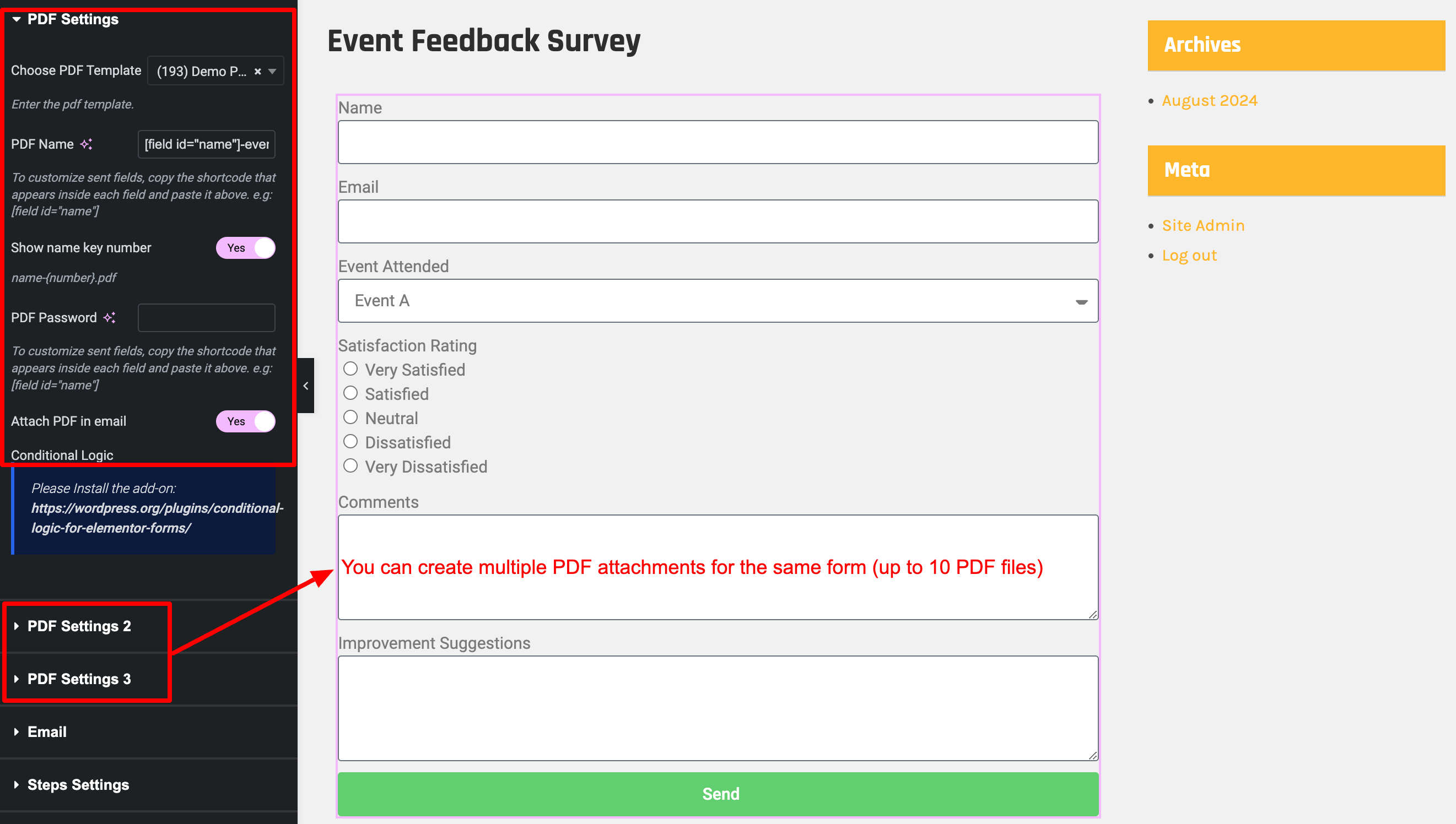
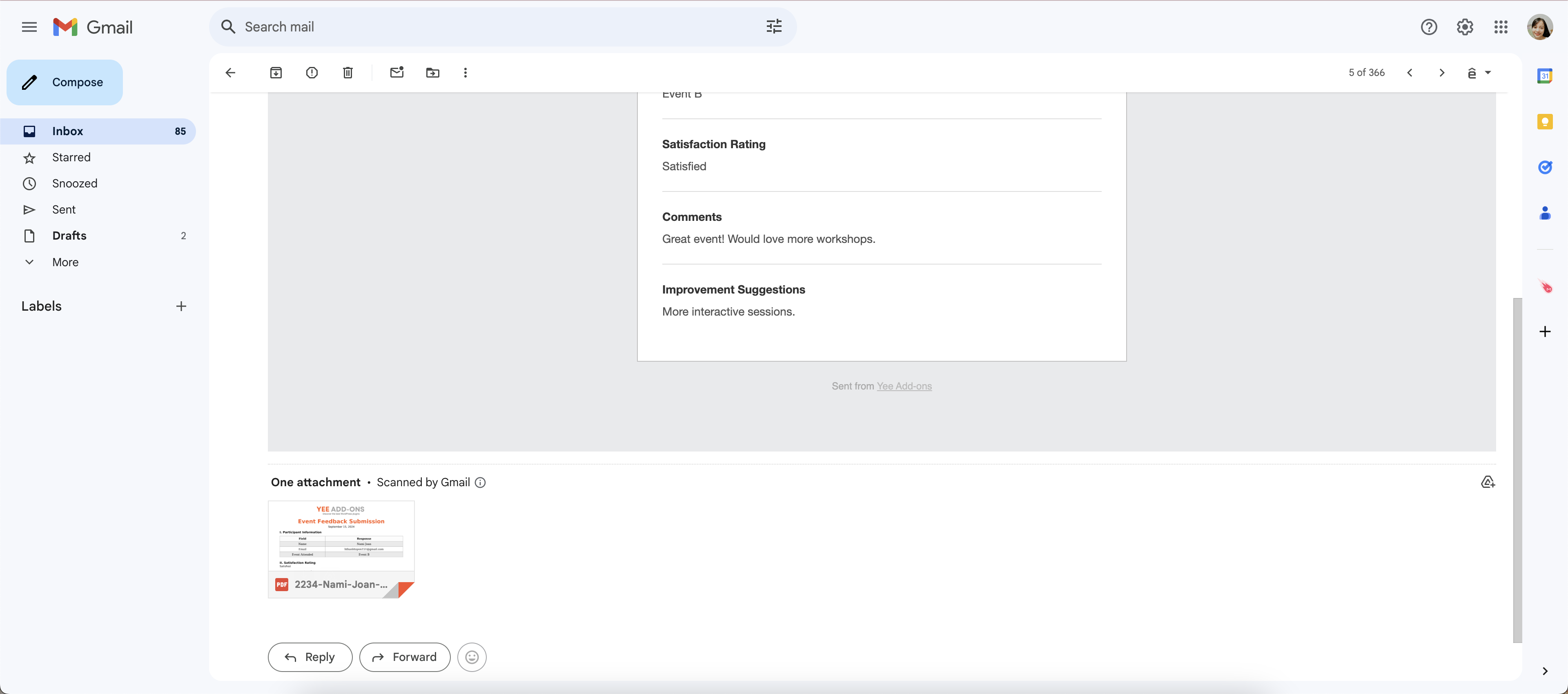
You can generate a link or URL to PDFs using both shortcodes and merge tags so your users can download the PDF right after form submission.
Conditional Logic
You can hide or show PDF content or create or uncreate pdf.
The Second PDF For a Form
It is possible to make a generation of multiple PDFs for the same form.
Download PDF Files
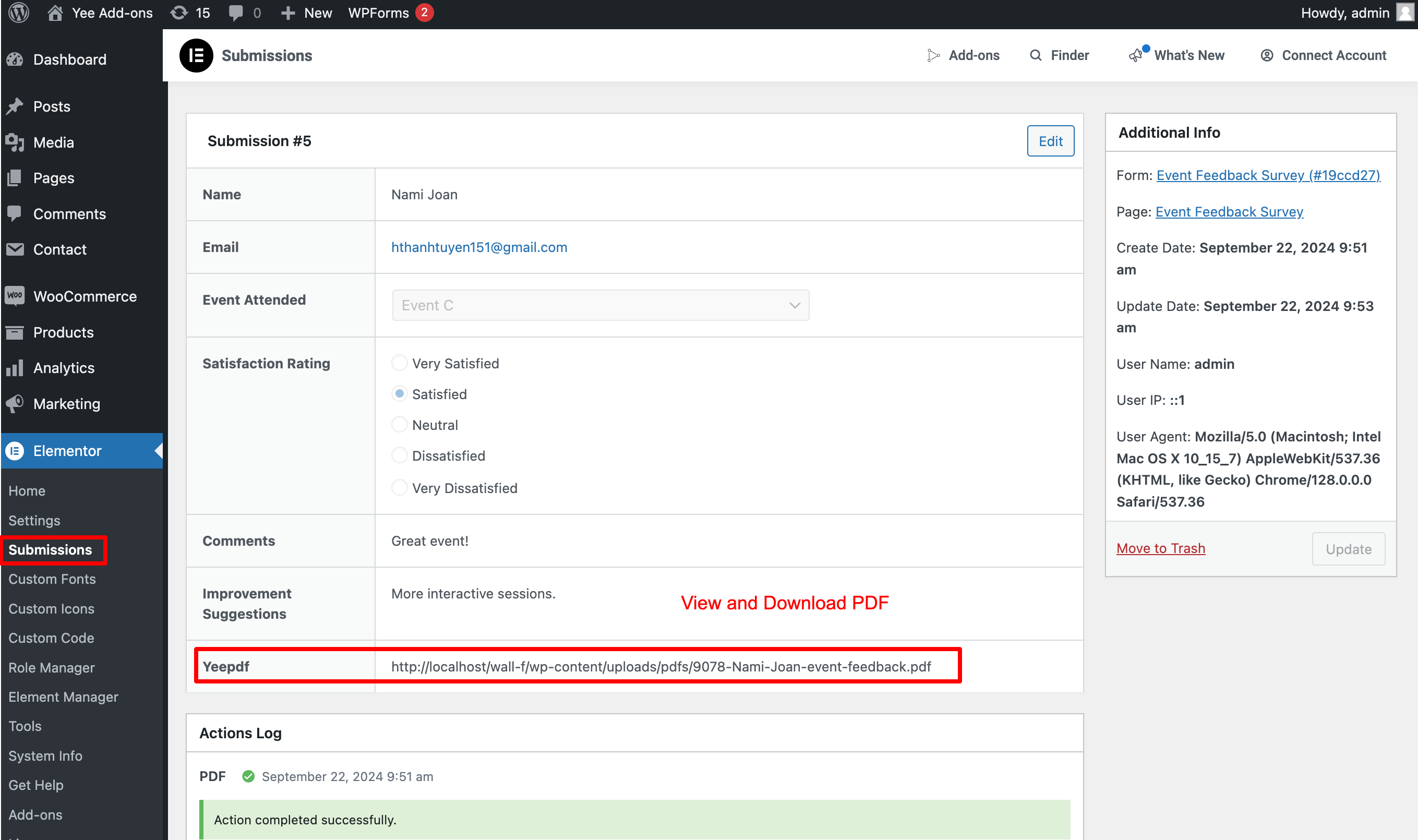
You can view and download PDFs from the Elementor Submissions page.
Smart Real-Time Preview
View the instant preview of the customization for documents as you make them. See real-time previews of the last placed order with your desired custom appearance.
Privacy and Security
Your form data is never sent to a third party to generate the PDFs and the documents are generated directly on your web server.
Page Break
We can use Page Break and new content will be move on next pages in PDF.
Multilingual
A multitude of languages from across the globe can be displayed in PDFs, include complex scripts like Hebrew, Arabic, Thai, Japanese, Chinese, and Korean.
PRO VERSION
- Table Customization
- QRcode Supports
- Barcode Supports
- Watermarks Supports
- Header Supports
- Footer Supports
- Conditional logics Supports
- 30-day money-back guarantee
- 1-year support
External services
This plugin connects to the Dropbox API to store PDF files. Data is only sent to Dropbox when the user has configured and enabled the integration in the plugin settings. This service is provided by Dropbox, Inc.
terms of use https://www.dropbox.com/terms, privacy policy https://www.dropbox.com/privacy
Installation
Normal installation
- Download the pdf-for-elementor.zip file to your computer.
- Unzip the file.
- Upload the
pdf-for-elementor.zipdirectory to your/wp-content/plugins/directory. - Activate the plugin through the ‘Plugins’ menu in WordPress.
Document: https://pdf.add-ons.org/document/
Screenshots
Reviews
Amazin plugin!
By 
It's exactly what I was looking for: a simple PDF generation solution with custom fields. The support team was also very helpful in assisting me with the configuration.
Amazing Plugin!
By 
very flexible with the premium plugin you can add many condisions to different elements for the best results and great support
resets, breaks and doesn't save
By 
while creating a form, the plugin resets all content, had to restart several times in a multipage document. Garbage.
great plugin
By 
great plugin for my personal website
Fantastic plugin and support
By 
This plugin saved so much time by eliminating the need to code Elementor form submissions into a PDF and attaching that PDF to an email. When creating the PDF template, support was responsive and even added requested functionalities. Highly recommend!
It does what it promises and is very easy to use.
By 
Thanks to this plugin we have managed to generate pdfs directly from the form, which makes our work much easier.
The operation is very intuitive, and the technical service solved my only query on the day, which surprised me very pleasantly.
Excellent
By 
Great plugin, really easy to use and style. Excellent customer support. Plugin updated within hours when trouble shooting a problem.
Not working
By 
It breaks the website (Elementor Pro) when PDF activated and assigned to the form.
it's free
By 
Try to work
Changelog
6.3.1
- Added: Select emails to attach to the email.
6.2.0
- Added: Installation wizard template
6.0.0
- Added: Font awesome ( [yeepdf_fontawesome unicode=’f2b4′] use Unicode ) https://fontawesome.com/search?o=r&ic=free&s=regular&ip=classic
5.9.1
- Fixed: Edit table
- Added: Hook change format input
5.5.1
- Fixed: Line breaks Textarea
5.3.0
- Added: Rotate text
- Fixed: Background
- Fixed: Broken Access Control
5.2.0
- Added: Save PDF to Dropbox
- Fixed: Background transparent
- Fixed: Custom size
5.1.0
- Added: Preview entry in editor
4.9.0
- Fixed: Check class_exists(‘QRcode’)
- Added: Hook yeepdf_format_br
- Added: Show preview entry in enditor
4.8.1
Fixed: Do not save PDFs on the server
4.5.1
- Added: hook attached recipient list
4.5.0
- Fixed: columns
4.4.1
- Added: Action redirect download PDF after submission
4.4.0
- Fixed: Do not save PDFs on the server
- Added: Secure the folder for downloading PDFs
4.3.0
- Added: Random number shortcode
4.2.2
- Fixed: Default Font
- Added: Do not save PDFs on the server
4.1.0
- Fixed: Save Barcode, QRCode
- Fixed: Show all forms
3.9.0
- Added: Width Height 100% or Auto or px
3.8.0
- Fixed: Conditional logic
- Fixed: Option Header Footer
3.7.0
- Added: Active Form
3.6.7
- Fixed: Current date languages
3.6.6.1
- Change: Style Break page
3.6.5.1
- Fixed: Signature field
3.5.0
- Added: Update performance
- Added: Element table
3.0.0
- Fixed: Fixed: Major update (version < 3.0.0 not updated);
2.3.3
- Fixed: File name ASCII
2.3.0.0
- Fixed: QRCode and Barcode
2.2.9.2
- Fixed: add attach upload field
2.2.9
- Added: 7 columns
- Added: Not contains Conditional logic
2.2.8
- Added: Conditional logic create PDF
- Added: Settings remove id name
- Added: Maximun 10 files PDF
2.2.7.1
- Added: 5 + 6 columns
- Fixed: Backend Icon
- Fixed: Conditional Logics
2.2.6
- Compatible with WordPress 6.5
2.2.5
- Add shortcode download pdf [pdf_download]
2.2.0
- Big Update