PDF Resume Parser

PDF Resume Parser
Description
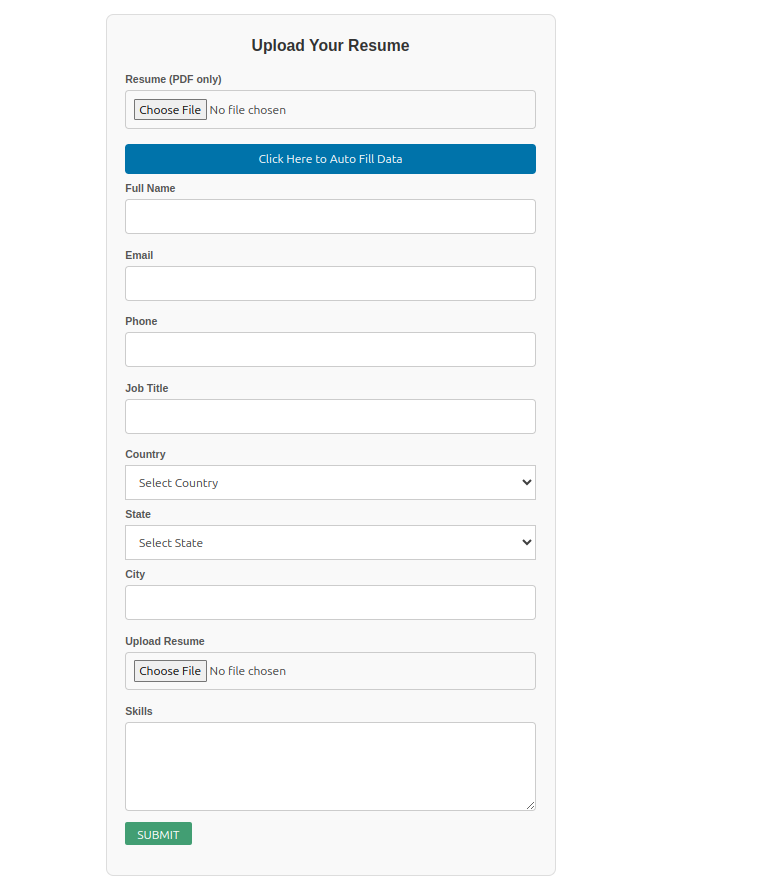
Resume Parser is a simple and powerful plugin to upload and parse PDF resumes.
It allows users to submit their resumes through a form and display the parsed data in a clean data table using a shortcode.
Features:
– Upload PDF resumes easily
– Parse important resume information
– Display resumes in a searchable, sortable table
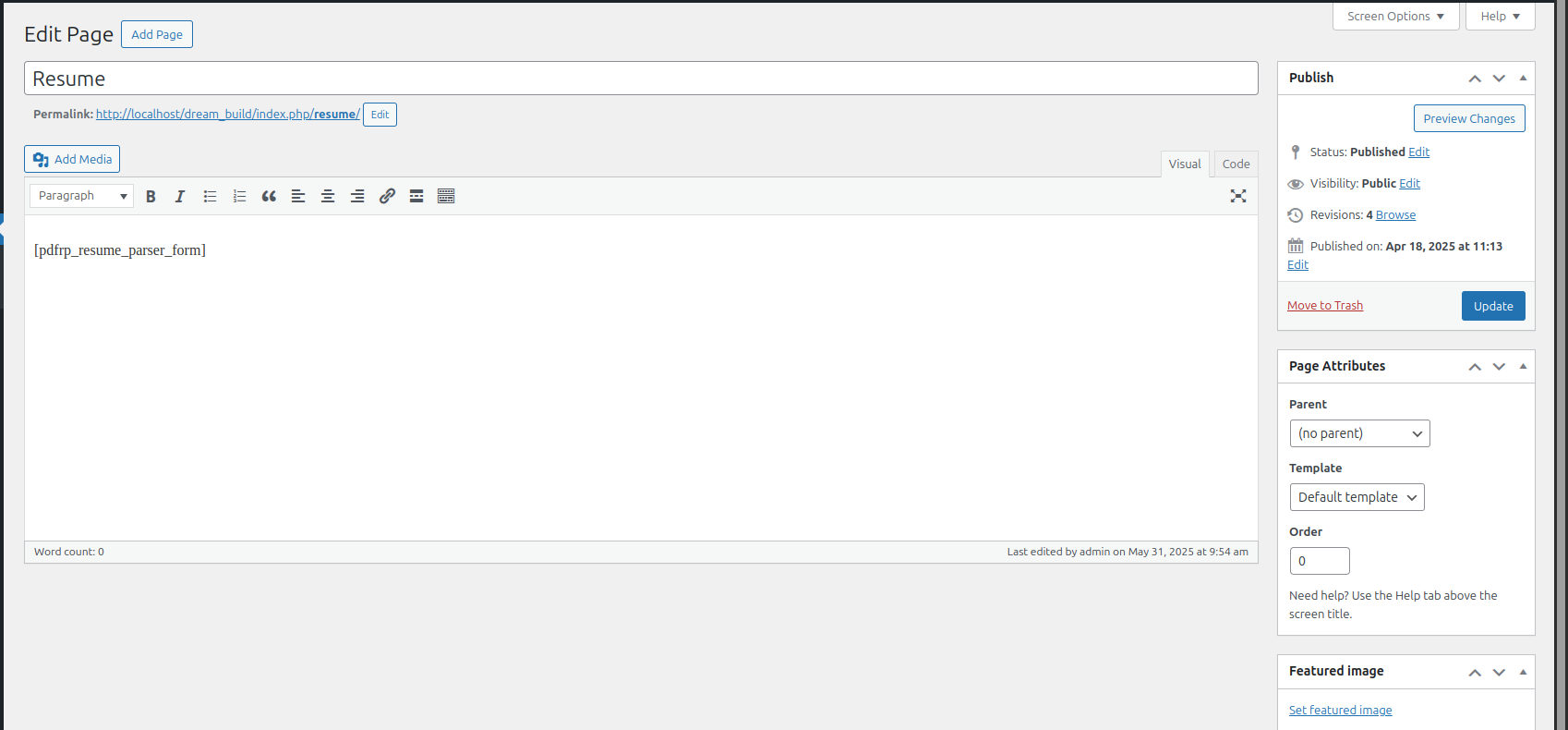
– Simple shortcode: [resume_parser_form]
– Responsive and lightweight
– See applyed user in backend
– Open that resume from there
Installation
- Upload the plugin files to the
/wp-content/plugins/paf-resume-parserdirectory, or install the plugin through the WordPress plugins screen directly. - Activate the plugin through the ‘Plugins’ screen in WordPress.
- Use the shortcode
[resume_parser_form]on any page or post to display the upload form.
Screenshots

Resume upload form.
Parsed resume data displayed in a table.
Example of a resume entry details.

Admin view of uploaded resumes.
Faq
Use the shortcode [resume_parser_form] anywhere you want the form to appear.
Currently, the plugin supports uploading PDF files only.
The upload limit depends on your WordPress and server settings.
Reviews
Changelog
1.0
- Initial release.