Peeps – People Directory
Peeps – People Directory
Description
Peeps – People Directory is a WordPress plugin that helps you create and manage a directory of people on your website. Perfect for displaying staff members, team rosters, or employee directories.
Features:
- Custom post type for managing people profiles
- Block templates for single person posts and archive pages
- Configurable phone number formatting
- Custom URL structure for people profiles
- Public/private directory option
Installation
- Download the latest release from GitHub
- Upload the plugin files to the
/wp-content/plugins/peepsdirectory - Activate the plugin through the ‘Plugins’ screen in WordPress
- Go to People Settings to configure the plugin options
Screenshots
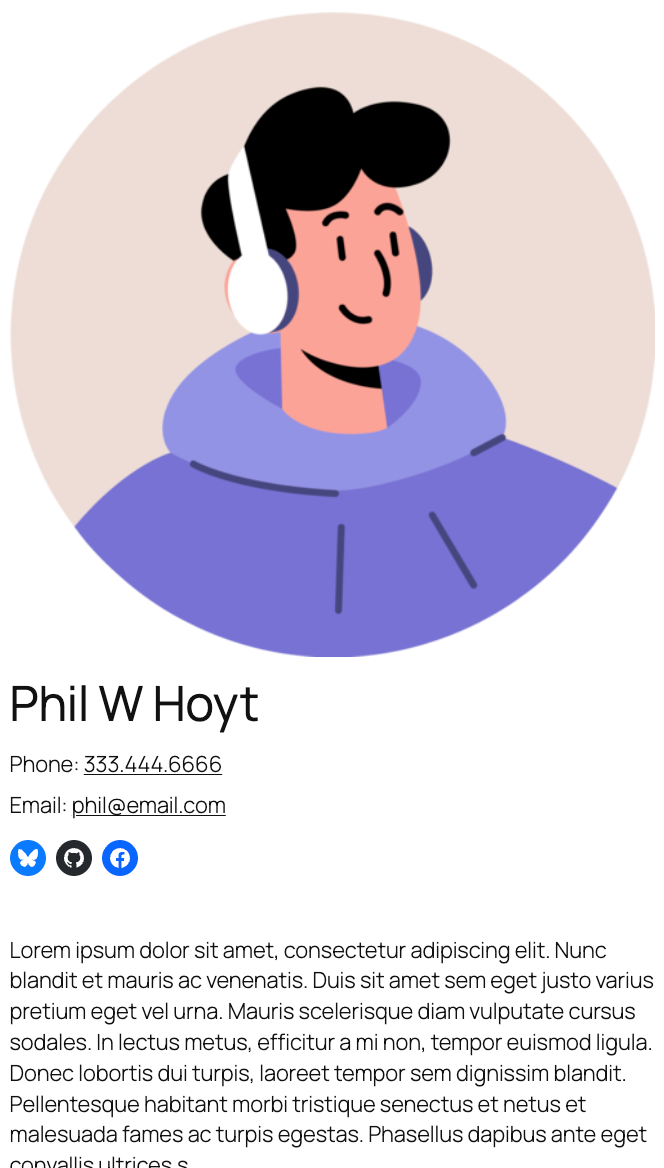
Example of a person post displayed on the frontend
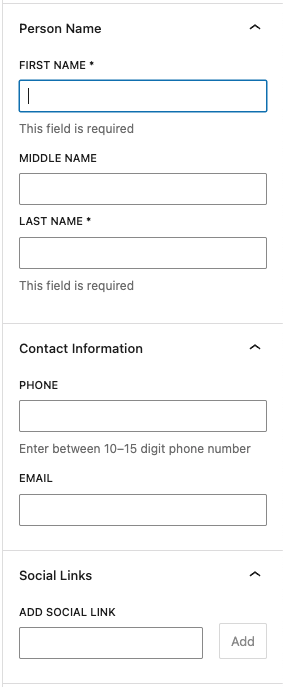
Fields available when editing a person post
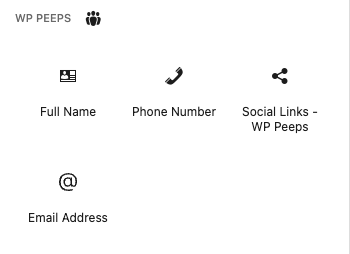
Available Peeps blocks in the block inserter
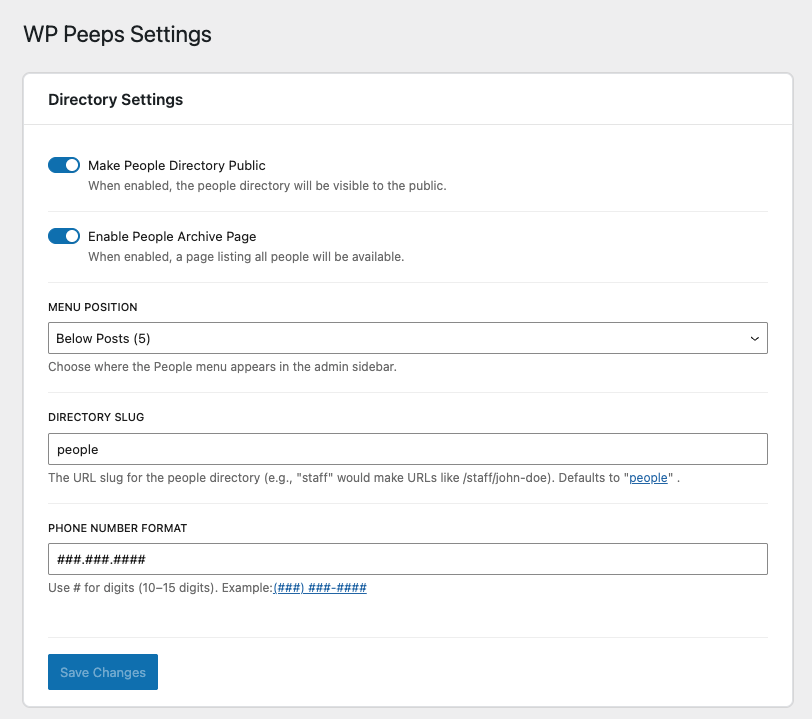
Peeps – People Directory settings page
Faq
Go to People Settings and update the “Directory Slug” field. After saving, visit the WordPress Permalinks page and click “Save Changes” to update your URLs.
Yes, in People Settings you can disable the “Make People Directory Public” option to make the directory visible only to logged-in users.
Go to People Settings and update the “Phone Number Format” field. Use # symbols where you want digits to appear. For example: (###) ###-####
Reviews
Changelog
2.2.2
- Added Developer Docs tab to the settings page with reference tables for the post type key, meta keys, available blocks, and settings options
- Fixed phone block displaying empty in the editor when no phone number is set — now shows the configured format as a placeholder
2.2.0
- Added 9 missing social platform detections: Discord, TikTok, Threads, Patreon, VK, 500px, RSS/Atom feeds, Gravatar, and mailto links
- Full Name block now prevents disabling the last active name part
- Full Name block now shows an editor warning when no name parts are selected
- Fixed email meta validation to trim whitespace before checking validity
- Fixed redundant text alignment class being manually applied in phone and email blocks (now handled automatically by WordPress block supports)
- Fixed brittle email block placeholder check (was comparing against a hardcoded string)
- Centralized default values for phone format, CPT slug, and menu position into a single source of truth
- Consolidated multiple useSelect calls in the editor panel into one
- Removed duplicate constants and utility functions across block files
2.1.0
- People post type is now always available in the Query Loop block, regardless of the “Make People Directory Public” setting
- Single person profile pages return 404 when the directory is set to private
- Social links block preview now updates immediately when links are added, removed, or reordered without requiring a post save
- Fixed editor sidebar styles not applying correctly in the admin page
- Fixed spacing between fields in the Person Name, Contact Information, and Social Links editor panels
- Fixed TextControl deprecation warnings for WordPress 7 compatibility
- Added phone extension field to the Contact Information panel
2.0.0
- BREAKING: Updated all prefixes from “wp_peeps” to “ph_peeps” for WordPress Directory compliance
- BREAKING: Post type changed from “wp_peeps_people” to “ph_peeps_people”
- BREAKING: All meta keys changed from “wp_peeps_” to “ph_peeps_“
- BREAKING: All option names changed from “wp_peeps_” to “ph_peeps_“
- BREAKING: Block names changed from “wp-peeps/” to “ph-peeps/“
- Updated plugin name to “Peeps – People Directory”
- Updated namespaces from “WP_Peeps” to “PH_Peeps”
- Updated text domain from “wp-peeps” to “peeps-people-directory”
- Added sanitization callbacks for boolean settings
- Note: Existing posts and settings will need to be migrated or re-entered
1.3.1
- Updated plugin name from “WP Peeps” to “Peeps” for WordPress Directory compliance
1.3.0
- Added block template for archive pages
- Archive template includes featured image, name, contact information, and social links
1.2.0
- Automatic permalink flush on plugin activation
- Automatic permalink flush on plugin deactivation
- Added notice when changing settings that affect permalinks (slug, public status, archive)
1.1.0
- Added block template registration for single person posts
- Default template includes featured image, full name, contact information, and social links
- Template is customizable through the Site Editor
1.0.0
- Stable release
- Comprehensive code audit and security improvements
- Fixed XSS vulnerabilities
- Added proper validation and sanitization
- Improved error handling and logging
- Code quality improvements and documentation
- Performance optimizations
0.1.1
- Disable post title editing
0.1.0
- Initial release
- People directory custom post type
- Admin settings page
- Phone number formatting
- Required name fields
- Contact information fields