Peligent AI Assistant
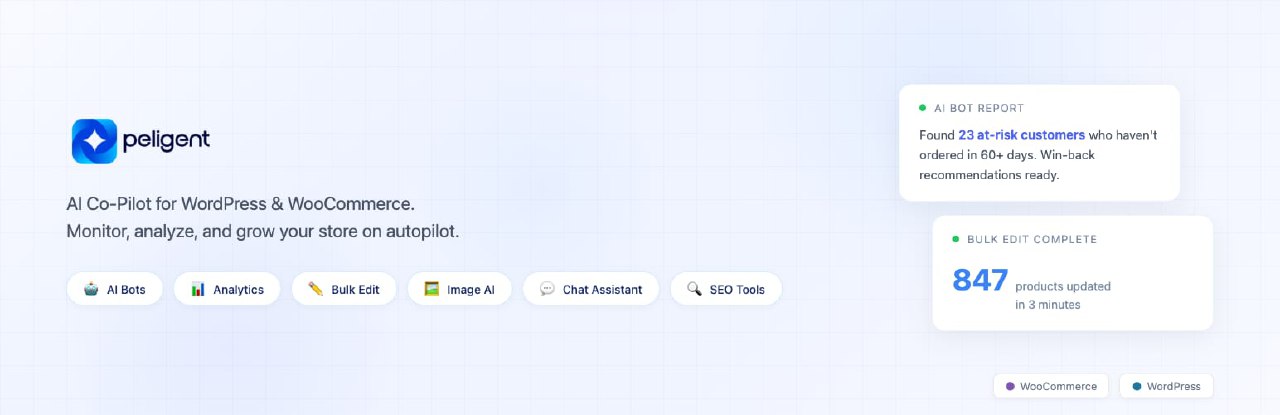
Peligent AI Assistant
Description
Running a WooCommerce store means spending hours on things that don’t grow your business: editing product images one by one, writing descriptions from scratch, digging through error logs, wondering why your site feels slow, and trying to figure out which customers are slipping away.
Peligent brings AI directly into your WordPress and WooCommerce admin to handle all of it. Connect your store, and you get an AI assistant that already knows your products, orders, and customers — plus a growing library of AI bots that monitor, analyze, and report back so you don’t have to.
AI Bots That Monitor and Grow Your Store
Peligent bots run on your schedule and deliver clear, actionable reports. You choose what to monitor and how often. Out of the box, bots can:
- Find at-risk customers before they stop buying, with specific win-back recommendations
- Monitor site speed and pinpoint exactly what’s slowing you down — which plugin, which image, which script
- Check plugin health for conflicts, outdated versions, and security risks
- Review error logs and surface critical issues in plain language, not developer jargon
- Spot growth opportunities hiding in your store data — missed cross-sells, pricing gaps, and untapped revenue
And this is just the starting point. Our team builds custom bots for your specific needs at no extra cost. If you have a problem you want automated, tell us and we’ll build it.
Bulk Edit Your Entire Catalog
Updating products one by one doesn’t scale. Select hundreds of products and let AI update them all at once:
- Rewrite descriptions with consistent brand voice and SEO optimization
- Remove backgrounds and create studio-quality product images
- Update prices, categories, tags, and attributes across your catalog
- Optimize SEO meta titles, descriptions, and alt text in bulk
Whether you’re migrating to WooCommerce, running a seasonal update, or cleaning up years of inconsistent product data — bulk edit handles it in minutes instead of weeks.
Product Image Background Removal
Upload a product photo and Peligent removes the background automatically, then creates a clean, studio-quality image ready for your store. No design tools, no photographer, no editing skills needed.
AI Content Generation
Generate product descriptions, blog posts, and other content in seconds. Adjust the tone and style to match your brand, then publish directly from your dashboard. Stop staring at blank pages — let AI draft it and you refine it.
Ask Your Store Anything
The AI chat assistant lives inside your WordPress and WooCommerce admin sidebar. Ask about orders, customers, store performance, or anything else in plain language. No filters, no reports to build — just ask and get an answer.
- “What were my top-selling products last month?”
- “Show me customers who haven’t ordered in 60 days”
- “Which products have no images?”
Conversion Analytics
Connect Google Analytics and see which products, categories, and brands actually convert. Traffic, orders, and revenue in one view — synced automatically so your data is always fresh.
Works in Multiple Languages
Peligent supports multiple languages, making it useful for store owners and teams around the world.
Start Free, No Payment Required
Every new account includes free AI credits to explore all features. No credit card required. Use your free credits, see the results, then decide.
We Build What You Need
Peligent is shaped by its users. If you need a feature, a bot, or a workflow that doesn’t exist yet — reach out at support@peligent.com. We take every request seriously and regularly ship what our users ask for.
How it works
After activation, visit WooCommerce > Peligent. Paste your Peligent Connect Secret, click “Save & Connect to Peligent”, and your website is connected. The AI assistant starts learning your store right away.
External services
This plugin connects to the Peligent service at https://app.peligent.com to provide AI-powered features for your website. All communication is encrypted over HTTPS.
How the connection works
When you click “Save & Connect to Peligent”, the plugin establishes a secure connection between your website and the Peligent service. This allows the AI assistant to learn about your store and provide personalized insights, recommendations, and content.
Keeping your AI assistant up to date
Once connected, the plugin keeps the AI assistant in sync with your store so it can provide accurate, relevant responses. This includes your product catalog, order activity, and store configuration. The sync happens automatically when changes occur in your store, so your AI assistant always has the latest information.
Google Analytics and Search Console
You can optionally connect Google Analytics and Google Search Console from your Peligent dashboard to view traffic, search performance, and conversion data alongside your store metrics. These connections are read-only. Peligent cannot modify your Google data. You can disconnect at any time.
Peligent’s use of Google API data adheres to the Google API Services User Data Policy, including the Limited Use requirements. For details, see our Google API Disclosure.
Dashboard features
Several plugin pages (Bulk Update, Bots, Reports, Action History, and the AI chat sidebar) load content from app.peligent.com within your WordPress admin. These may request microphone access if you use voice input with the AI assistant.
You are in control
You can disconnect from Peligent at any time from the plugin settings page, which stops all data sharing immediately. Uninstalling the plugin removes all stored credentials and settings from your website. For Google services, you can also revoke access from your Google Account permissions.
For full details on how we handle your data, see our Terms of Service and Privacy Policy.
Installation
- Upload the plugin files to the
/wp-content/plugins/directory or install via the WordPress Plugins screen. - Activate the plugin through the ‘Plugins’ screen in WordPress.
- Go to WooCommerce > Peligent.
- Paste your Peligent Connect Secret.
- Click “Save & Connect to Peligent” and follow the redirect to your Peligent dashboard.
Screenshots

Transform Photo Into Studio Quality

AI Assistant in WordPress and WooCommerce admin

Product description and blog post content generation with AI

Bulk Product Update - Select and enrich multiple products with AI-powered content generation

Store Analytics Dashboard - Monitor customers, orders, revenue, and order status at a glance
Faq
In your Peligent dashboard under Websites > Connect Secret.
The plugin creates a limited user with only the specific capabilities needed to manage WooCommerce products, orders, and uploads. It does not have full administrator access. You can revoke it from the settings page at any time.
Yes. All communication between your website and Peligent is encrypted over HTTPS. We never sell your data or share it with third parties for advertising. Our servers are hosted in SOC 2 compliant data centers. See our Privacy Policy for details.
Yes. You can connect Google Analytics and Google Search Console from your Peligent dashboard to see traffic and search data alongside your store metrics. The connection is read-only and you can disconnect at any time.
Yes. Every new account includes 500,000 one-time AI credits to explore all features. No credit card required. When you need more, Pro starts at \$49/month with 2,000,000 credits.
Absolutely. Email us at support@peligent.com with your idea. We regularly build custom bots and features based on user requests — at no extra cost.
You control the schedule. Set any bot to run daily, weekly, or monthly based on what makes sense for your store. You receive clear, actionable reports automatically.
Reviews
I was looking for this
By 
Changelog
1.7.11
- Fix setup wizard advancing before sync completes — now waits for full data sync
- Show real sync progress instead of fake progress bar during setup
- Resume sync polling after page refresh instead of skipping to next step
- Run AI profile analysis after sync completes for accurate store description
- Increase setup timeout from 3 minutes to 10 minutes for large stores
1.7.10
- Add edit_others_posts and edit_others_published_posts capabilities to app user for blog image updates
1.7.06
- Keep iframe alive when sidebar closes (preserves in-progress chat streams)
1.7.05
- Add Chat Widget toggle in plugin settings
- Responsive floating widget for all screen sizes
1.7.04
- Redesigned setup wizard: streamlined from 4 steps to 3 with live progress dashboard
- Live indexing stats during setup: products, orders, and customers count up in real-time
- AI Store Insights panel appears automatically when profile analysis completes
- Credential validation on connect: tests WooCommerce and WordPress API before saving
- Profile data auto-saved silently (no manual review step needed)
- Increased connection timeout for stores with slower API responses
- Edge case fixes for number animation and duplicate save prevention
1.7.03
- Fix: Target mode hover detection now works correctly
1.7.02
- Fix: Show floating chat button on all admin pages, not just iframe pages
1.7.01
- Fix: Floating chat widget no longer clipped at screen edge
- Fix: Target mode now works on more page elements (tables, cards, widgets)
- Fix: Visual feedback when clicking non-targetable areas
1.7.0
- NEW: Page-aware quick actions — chat suggests relevant actions based on your current WP admin page
- NEW: Target mode — click the crosshair to select any product, order, or setting and ask AI about it
- NEW: AI Insights widget on dashboard — proactive alerts from bots, sync status, and store health
- NEW: Pending prompt queue for Ask AI buttons — opens sidebar with pre-filled prompt
- Improved sidebar header with target mode button
- WooCommerce HPOS compatibility for page detection and target mode
1.6.17
- Advanced Features now auto-enable on first connection (no manual toggle needed)
- Currency and products now sync properly to Peligent Dashboard
- Improved setup wizard with detailed progress messages during store analysis
- Chat sidebar auto-opens after completing setup wizard
- Bug fixes and stability improvements
1.6.16
- Wizard setup now completes in seconds instead of waiting for full analysis
- Added live indexing progress banner on plugin settings page
- Friendly messages during setup and indexing
- Improved connection token handling for reliability
1.6.14
- Critical fix: plugin no longer disconnects on transient network errors
- Plugin activation no longer overwrites WooCommerce keys if already connected
- Improved connection resilience and error handling
1.6.13
- Better error messages for invalid Connect Secret (shows actionable guidance)
- Advanced features auto-enabled on connect with clear explanation
- Improved description of what advanced features do
1.6.12
- Profile settings now sync with Peligent Dashboard (single source of truth)
- Sync status indicator on Store Profile section
- Graceful fallback when dashboard is unreachable (3s timeout)
1.6.11
- Auto-enable Advanced Features on first connect
- Fix user access being cleared during onboarding
1.6.10
- Fix wizard timeout and retry for slower stores
- Fix connection badge not updating after connect
1.6.9
- Advanced Features toggle: one-click enable/disable (no manual app password copy-paste)
- Auto-creates WordPress Application Password securely on toggle
- Toggle available in both setup wizard (Step 4) and settings page
1.6.8
- Streamlined setup wizard from 5 steps to 4 (Connect, Analyzing, Review, Complete)
- User Access removed from wizard (still available in settings)
- Application Password section now highlights AI feature benefits
- Completion message tells users to check email when indexing finishes
1.6.7
- Redesigned settings page with collapsible card sections
- Added User Access as setup wizard step 4
- All settings now editable after initial setup
- Dashboard links include site URL for proper redirect
- Security improvements and bug fixes
1.6.6
- Bug fixes and stability improvements
1.6.5
- New step-by-step setup wizard with smooth transitions
- AI-powered store profile analysis on connection
- Auto-detects language, industry, tone, and products
- Pre-fills assistant settings with AI suggestions
- Button loading states and input validation feedback
- Skip, Back, and Retry buttons for better navigation
1.6.4
- Fixed media modal display issue in product editor
1.5.2
- Added Partner Program support
- Added new marketplace screenshots
1.5.1
- Bug fixes and stability improvements
1.4.9
- Added Bulk Product Update feature
- New bot scheduling and management UI
1.4.7
- Bug fixes
1.4.6
- Bug fixes
1.4.5
- Fixed Maximize and Support button behavior
1.4.4
- Added Blog Post content generation
1.4.3
- Added plugin screenshots for WordPress.org listing
1.4.2
- Fixed RTL styles for right-to-left language support
- Auto-add activating user to allowed users list
- Fixed plugin icon display
1.3.2
- Added Connect button in onboarding modal
- Added plugin icon for WordPress repository
- Hidden Peligent Assistant button on frontend
1.3.0
- One-click connect flow
- Redirect to Peligent dashboard after connect
- Simplified settings UX
- Added WordPress.org headers and readme
1.2.0
- Previous internal version