Pendid AI Studio

Pendid AI Studio
Description
Pendid AI Studio is an admin-only WordPress client for the Pendid AI Studio service. It lets an administrator connect a WordPress site to a Pendid account and create or edit website-ready images from the dashboard.
Image generation, editing, account access, feature availability, model availability, credit pricing, credit balance, and plan limits are provided by the external Pendid service at https://studio.pendid.com. Generated files are delivered from https://media.pendid.com. The WordPress plugin does not contain a separate premium codebase or local paid-feature unlock system. Service availability and limits are determined by the connected Pendid account.
The WordPress integration requires an eligible Pendid account and available credits. Some capabilities may vary by the connected Pendid plan. Current pricing and access information are received from Pendid Studio, and the Pendid server remains authoritative when a generation or edit request is processed.
Connection is completed through Pendid Studio in the browser. You do not copy or paste an access token. WordPress stores an internal plugin token for later requests, and the token is never displayed.
Features
- Guided connection approval with a local disclosure and a second approval screen in Pendid Studio.
- Server-provided image configuration, feature availability, account limits, and current credit pricing.
- Standard and Advanced image-model choices when made available by the Pendid service.
- Website purposes for featured images, article images, banners, landing pages, and products or services.
- Standard image sizes plus additional service-enabled sizes when available to the connected account.
- Visual mood selection with bundled local preview images for supported moods; moods without a bundled preview use a local placeholder.
- Multiple optional JPG, PNG, or WebP reference images, up to the limit returned for the connected Pendid account. Each uploaded image is limited to 8 MB and the WordPress upload limit.
- PNG, JPEG, and WebP output choices.
- Optional Pendid Brand Kit use when available to the connected account.
- Editing of the latest result with a focused text instruction; every successful edit is saved as a new Media Library attachment.
- Live generation feedback while a request is being processed.
- Automatic Media Library saving with a prompt-based filename, title, and alternative text.
- A Pendid-side copy of generated images as a backup.
- Contextual account guidance when the connected account cannot process another request.
- Account refresh, account-management link, local disconnect, and remote token-revocation attempt.
- English source strings, bundled Persian (fa_IR), and RTL administration support.
- No frontend scripts, styles, markup, visitor analytics, or tracking.
Requirements
- WordPress 6.4 or later.
- PHP 7.4 or later.
- An eligible Pendid account with available credits for the WordPress integration.
- Outbound access to https://studio.pendid.com and https://media.pendid.com.
Getting Started
- Open Pendid in WordPress admin and connect your Pendid account.
- Open Create Image.
- Choose the available model, website purpose, image size, file format, and visual mood.
- Describe the image and optionally add reference images or use available account features such as Brand Kit.
- Review the current Pendid credit price shown by the plugin. The server confirms the authoritative charge when the request is processed.
- Generate the image. A successful result is displayed and saved to the Media Library.
- Edit the result with a focused instruction if needed, or start a new image.
- Use Settings to refresh account status, manage the account, or disconnect.
External services
This plugin relies on Pendid services for account connection, authentication, account status, service-plan and credit validation, capability configuration, current pricing information, image generation, editing, reference-image processing, optional Brand Kit application, generated-media delivery, and token revocation.
No generation or editing request is made until an administrator explicitly connects the site and starts an action. After connection, administrative Pendid screens may request current account/configuration information so the plugin can display the connected account’s service availability, limits, balance, and pricing.
Pendid Studio — https://studio.pendid.com
Used for connection and approval, authentication, connected-account status, service-plan and credit validation, capability configuration, current pricing information, generation and editing, reference-image processing, optional Brand Kit application, generated-asset registration, and token revocation.
Data sent may include:
- Site URL, WordPress admin URL, site label, administrator locale, and a one-time connection state during connection.
- The internal plugin token in the Authorization header for authenticated Pendid requests.
- Prompt or edit instruction, website purpose, internal image format, selected model tier, output size, output file format, visual mood, and related generation options.
- Optional reference images selected by the administrator, up to the service-provided account limit.
- A request to apply the Brand Kit stored in the connected Pendid account. The plugin does not download or store the Brand Kit locally.
- For edits, the Pendid source-image URL and source key required to identify the image being edited.
Data received from Pendid Studio may include connected-account information, current credit balance, service-plan information, capability availability, input limits, available model tiers, available image sizes, current credit pricing, generated-asset metadata, and generation billing information.
Reference images, generated images, and related request data may be processed or retained according to the Pendid Privacy Policy and Terms.
Pendid Media — https://media.pendid.com
Used to deliver generated files and edit-source images. The plugin validates generated output against this host before saving it to the Media Library.
Privacy Policy: https://pendid.com/privacy-policy/
Terms: https://pendid.com/terms/
Privacy
Pendid AI Studio does not collect visitor analytics and does not add public-site tracking.
Data sent to Pendid may include site and admin URLs, site label, administrator locale, one-time connection state, prompts or edit instructions, purpose and format selections, selected model tier, output size and format, visual mood, optional reference images, optional Brand Kit request, source-image information, and the internal plugin token in the Authorization header.
The plugin does not send WordPress administrator passwords, visitor information, analytics, post contents, existing Media Library files that the administrator did not explicitly select for the operation, or public frontend activity.
WordPress stores the internal plugin token, connected account information, connection date, short-lived administrator transients, and successful generated or edited images. The token is stored in a non-autoloaded option and is not displayed.
Installation
- Upload the
pendid-ai-studiofolder to/wp-content/plugins/, or install it from the WordPress Plugins screen. - Activate Pendid AI Studio.
- Open Pendid from the WordPress admin menu.
- Select Review and Connect, read the disclosure, and continue to Pendid Studio.
- Sign in when required, review the site and permissions, and approve the connection.
Screenshots
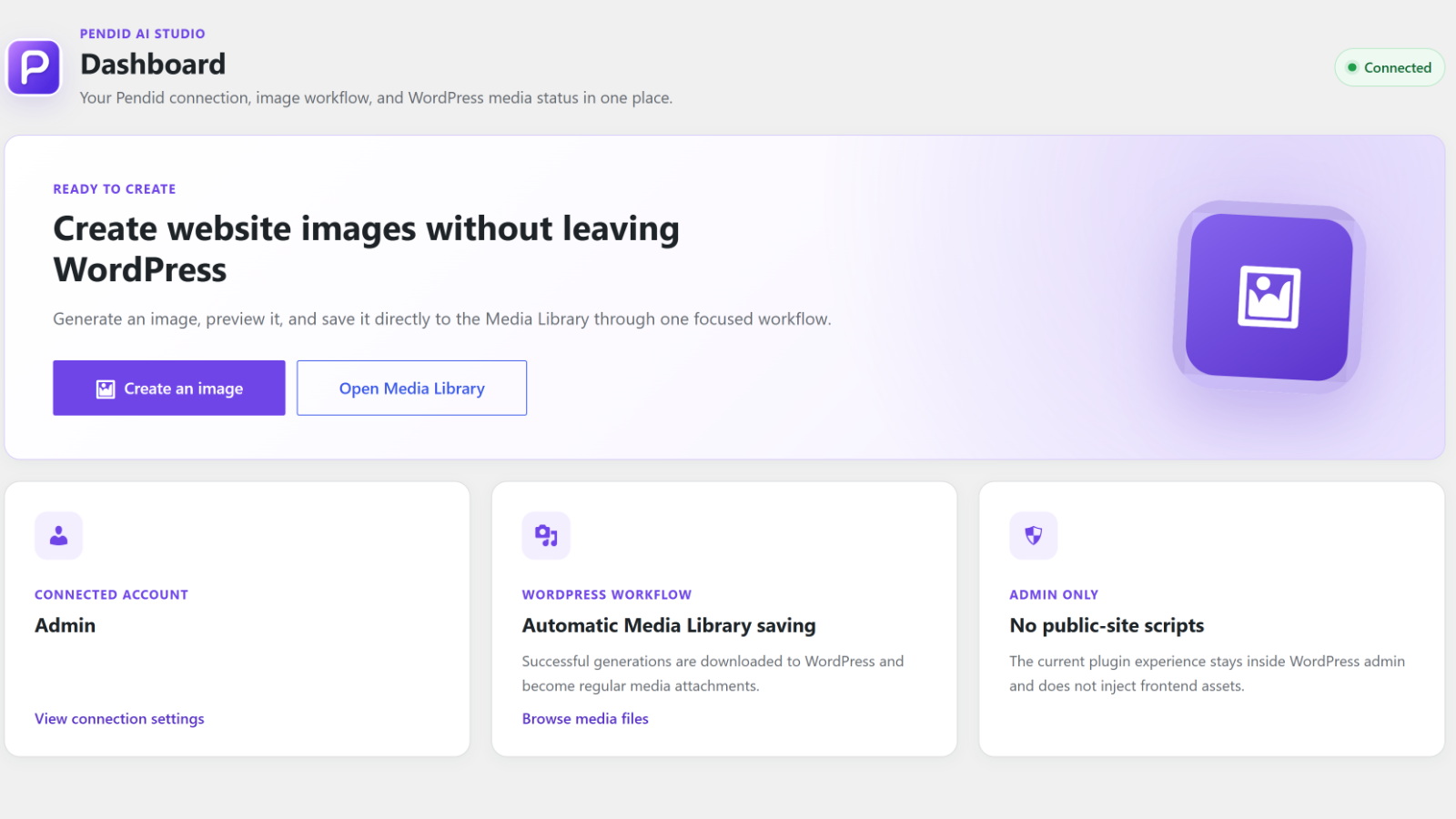
Connected Pendid dashboard and Media Library workflow.
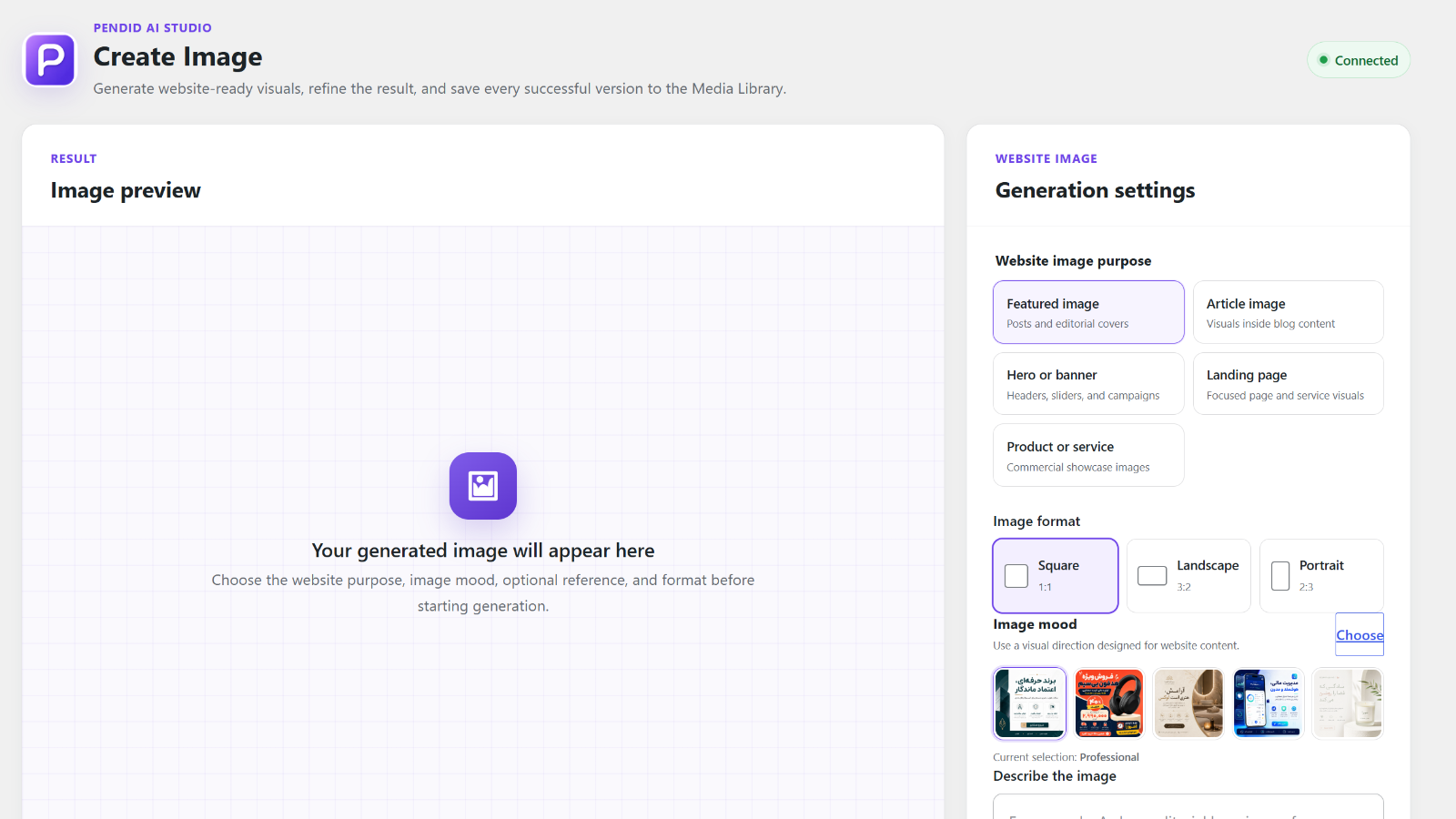
Create Image workspace with server-provided model, size, account, and pricing information.
Visual mood and website-purpose selection.
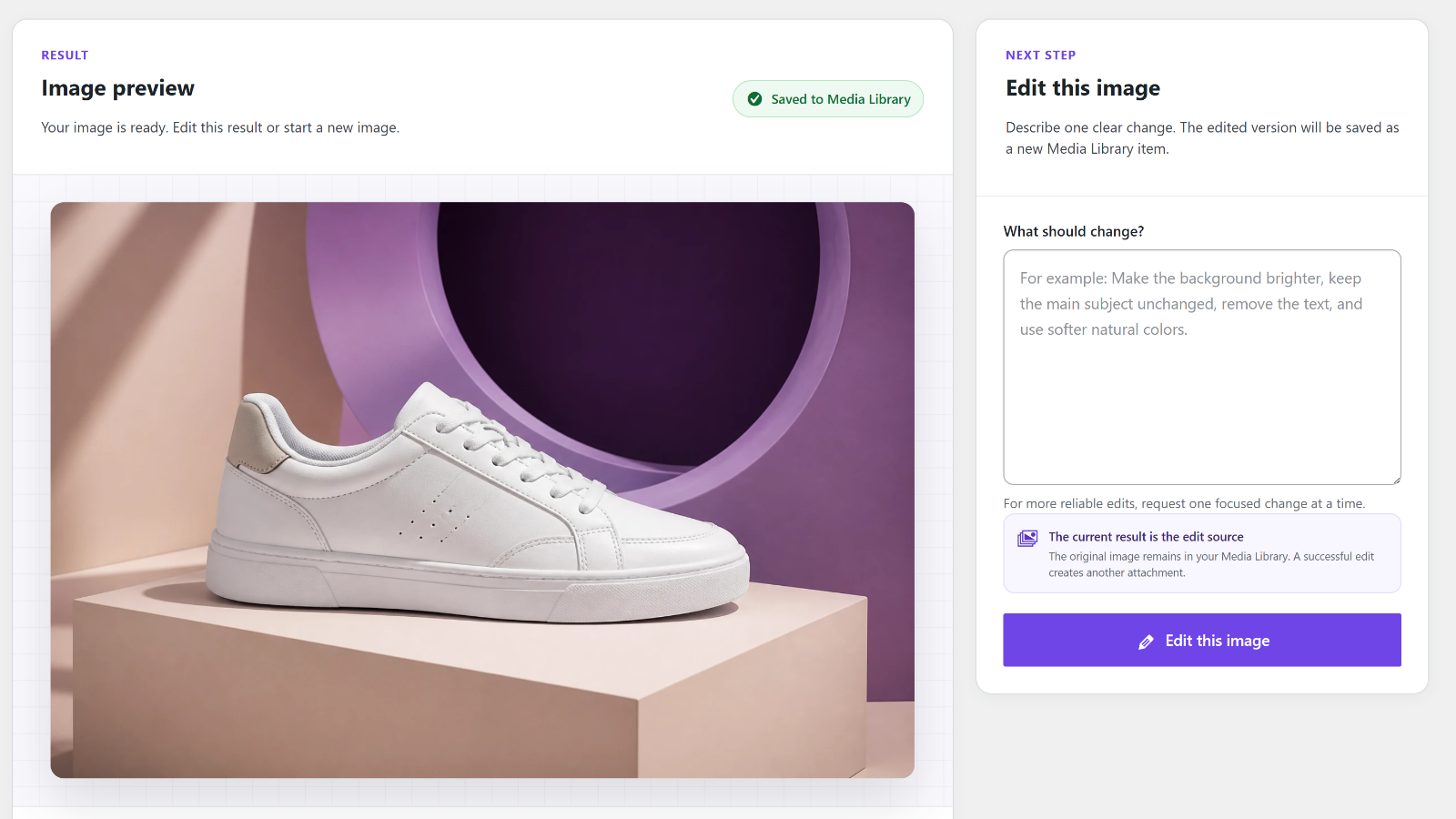
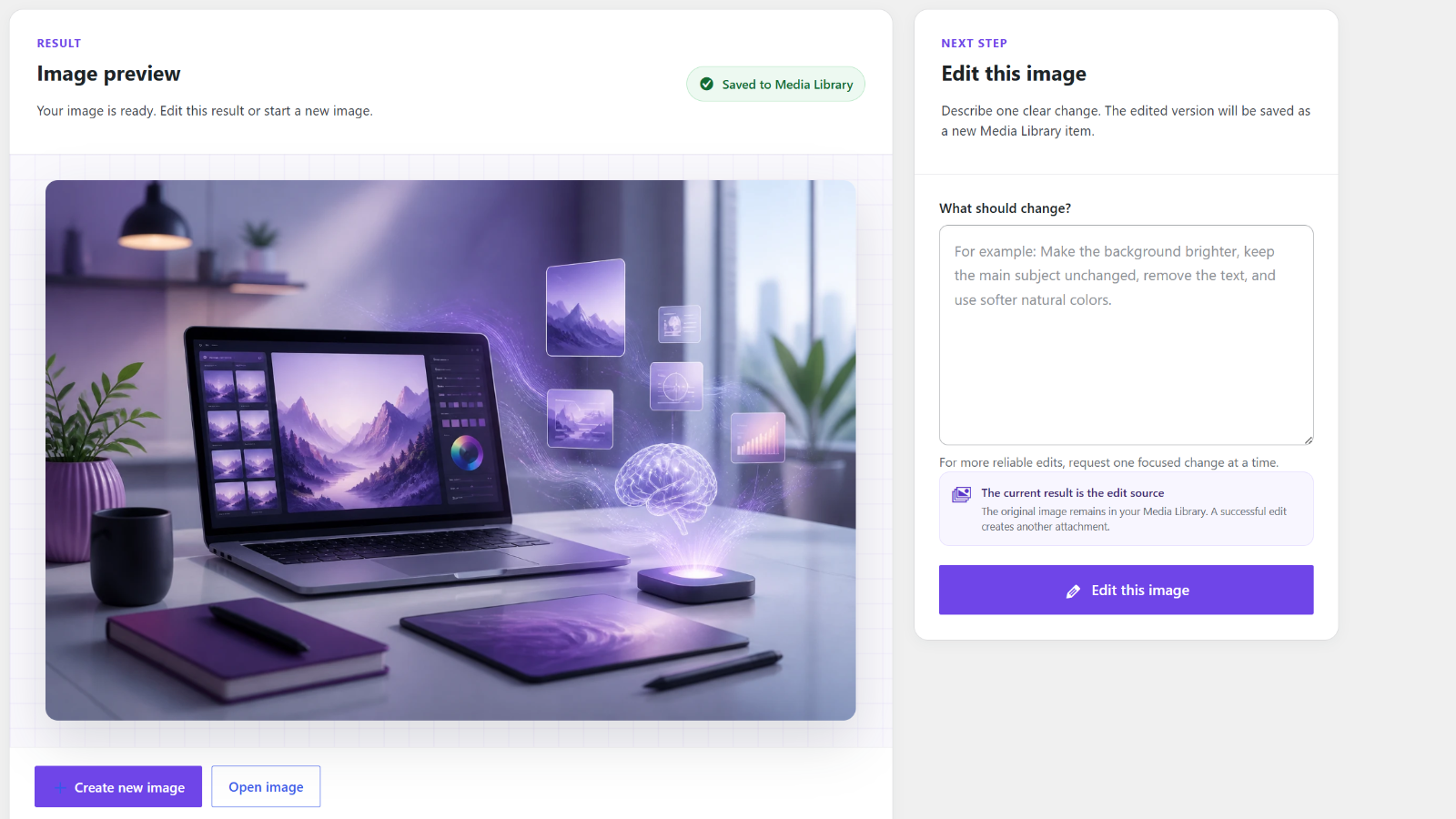
Generated image and focused edit workflow.
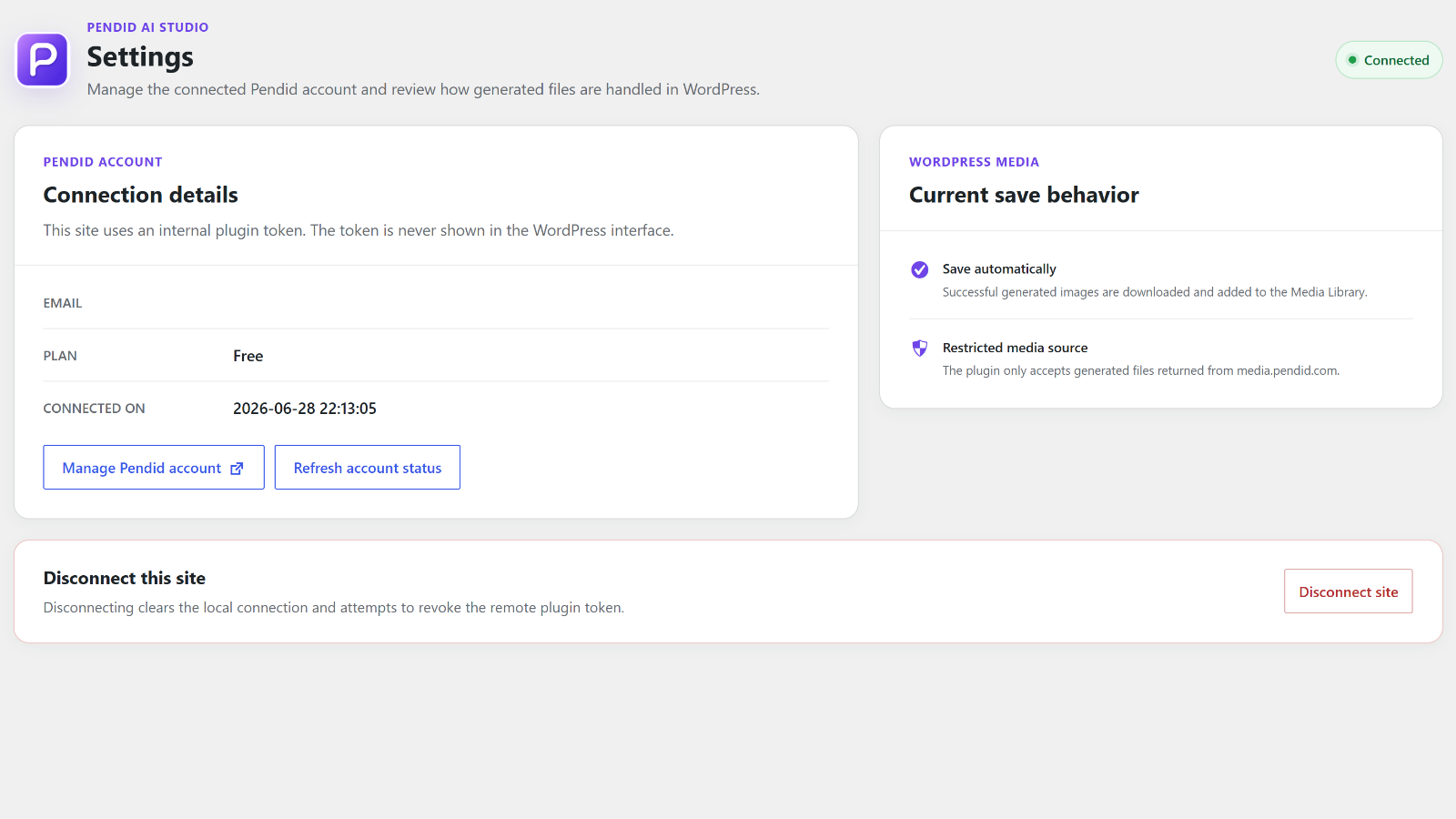
Settings, account state, and save behavior.
Faq
Yes. Generation and editing run through Pendid Studio. The WordPress integration requires an eligible Pendid account and available credits. Feature availability and limits are managed by the Pendid service.
No. The WordPress plugin is a single GPL-licensed codebase. Image generation is provided by the external Pendid service, and the connected Pendid account determines available service capabilities, limits, and credit pricing.
No. Current credit pricing is received from Pendid Studio. The Pendid server remains authoritative at generation time, including any model or image-size pricing that applies to the request.
No. The browser connection flow creates the internal token automatically. WordPress stores it locally and never displays it.
Yes. You can optionally send JPG, PNG, or WebP reference images. The maximum number is returned by Pendid for the connected account. Each image is limited to 8 MB and the WordPress upload limit. Reference images are sent to Pendid for the requested generation and are not automatically copied into the WordPress Media Library.
The plugin receives the currently available models, image sizes, limits, and access information from Pendid Studio. Some service capabilities may vary by the connected Pendid account.
When Brand Kit is available to the connected Pendid account, the plugin can ask Pendid Studio to apply it. Brand Kit data itself is managed by Pendid Studio; the plugin sends the request to use it but does not store the Brand Kit locally.
Yes. Each successful generation or edit becomes a normal Media Library attachment. A generated copy also remains available through Pendid as a backup.
Yes. You can edit the latest result with a focused text instruction. A successful edit creates a new attachment and leaves the original unchanged.
No. It is admin-only and adds no frontend scripts, styles, markup, visitor analytics, or tracking.
No. Results may vary according to the prompt, references, selected options, model, and service availability.
The plugin attempts to revoke the remote token and then clears the local connection. If revocation fails, WordPress is still disconnected locally.
Use Settings > Disconnect site first so the plugin can attempt remote token revocation. Generated Media Library attachments are not removed.
Email info@pendid.com.
Reviews
Powerful AI image generation, works great!
By 
I've been using Pendid AI Studio for a while now and I'm really happy with it.
As someone working in the AI image creation space, I appreciate how well the
plugin integrates with WordPress and how straightforward the workflow is —
no unnecessary complexity, just solid results.
The image quality is impressive and the interface is clean and intuitive.
Setup was quick and it just worked without any headaches. Support and
updates have also been consistent, which matters a lot when you're relying
on a tool for real projects.
Highly recommend it if you're looking for a reliable AI image tool for
your WordPress site.
Changelog
1.2.0
- Synchronized Create Image with the current Pendid Image service contract.
- Added server-provided model choices, plan-aware image sizes, multiple reference images, PNG/JPEG/WebP output, and optional Brand Kit requests.
- Added live Pendid credit-price display while keeping the Pendid server authoritative for the actual charge.
- Added lightweight live generation feedback in the image preview while a request is processing.
- Restored visual mood selection with bundled local previews and placeholders for moods without bundled artwork.
- Kept feature availability, account limits, pricing, and generation billing controlled by the external Pendid service instead of local plugin unlock logic.
- Updated WordPress 7.1 compatibility metadata and external-service/privacy documentation.
1.1.0
- Prepared the first public WordPress.org directory release after final approval.
- Synchronized stable-version metadata and screenshot descriptions with the directory assets.
1.0.8
- Added bundled Persian (fa_IR) translation and RTL admin support.
- Added locale-aware Persian or English Pendid Studio approval.
- Kept official WordPress language packs above the bundled fallback.
- Added seven visual mood preview images.
1.0.7
- Fixed admin stylesheet caching.
- Improved WordPress and Pendid storage notes.
- Improved reference-image chooser focus styling.
1.0.6
- Added website purposes, visual moods, reference images, result editing, and Create new image.
- Kept plan and allowance management in Pendid.
1.0.5
- Added loading states, duplicate-submit prevention, preserved drafts, account guidance, and prompt-based media metadata.
1.0.4
- Added one-time callback state validation, cancelled/expired states, and callback-origin validation.
1.0.3
- Added a native admin-menu icon, accessible connection disclosure, and clearer external-service information.
1.0.2
- Added separate Dashboard, Create Image, and Settings pages and Pendid page branding.
1.0.1
- Improved onboarding, image-format choices, result actions, and responsive styling.
1.0.0
- First public release with account connection, generation, Media Library saving, account refresh, and token revocation.