GoHero Store Customizer for WooCommerce

GoHero Store Customizer for WooCommerce
Description
GoHero is just a great WooCommerce extension to customize any store. Like change button text/labels, add contents and much more. GoHero is compatible with all WooCommerce themes.
No coding experience requires to change button text/label, add new contents inside WooCommerce core pages. GoHero nice and simple
settings will handle all for you. Following details and screenshots explaining all powerful feature of GoHero.
Getting Started Video
Customize/Change Text
- Add to cart (Single product)
- Add to cart (Shop/Loop)
- Out of stock (Single product)
- View product (Grouped product – Shop/Loop)
- Select options (Variable products – Shop/Loop)
- Buy product (External product – Shop/Loop)
- Place order (Checkout page)
Customize WooCommerce Core Pages
- Before cart table
- Before cart contents
- Cart contents
- After cart contents
- After cart table
- After cart
- Proceed to checkout
- Cart coupon
- After cart totals
- Before cart totals
- Cart is empty
- Before mini cart (cart in widget)
- Widget shopping cart before buttons
- After mini cart
- Cart totals before shipping
- Cart totals after shipping
- Cart totals before order total
- Cart totals after order total
- Before shipping calculator
- After shipping calculator
GoHero PRO Features
GoHero PRO has more powerful feature and control to customize your store like:
- Customize Shop/Store page
- Customize Product page
- Customize My account page
- Customize Checkout page
- Customize Thanks page
- Customize Change button titles (add to cart etc)
- Customize Product Page
- Disable Related Products
- Customize Related Products
- Add Unlimited Product Tabs
- Enquiry/Get a Quote Form for Product
- Front-end editor to add/edit contents
Change Any Text
Another a cool feature of GoHero PRO version is that you can change Any text from entire site. Like if you want to change ‘Billing Address’ text on checkout
page, you can do this with GoHero PRO.
Installation
- Upload plugin directory to the
/wp-content/plugins/directory - Activate the plugin through the ‘Plugins’ menu in WordPress
- After activation, you can set options from
WooCommerce -> GoHeromenu
Screenshots
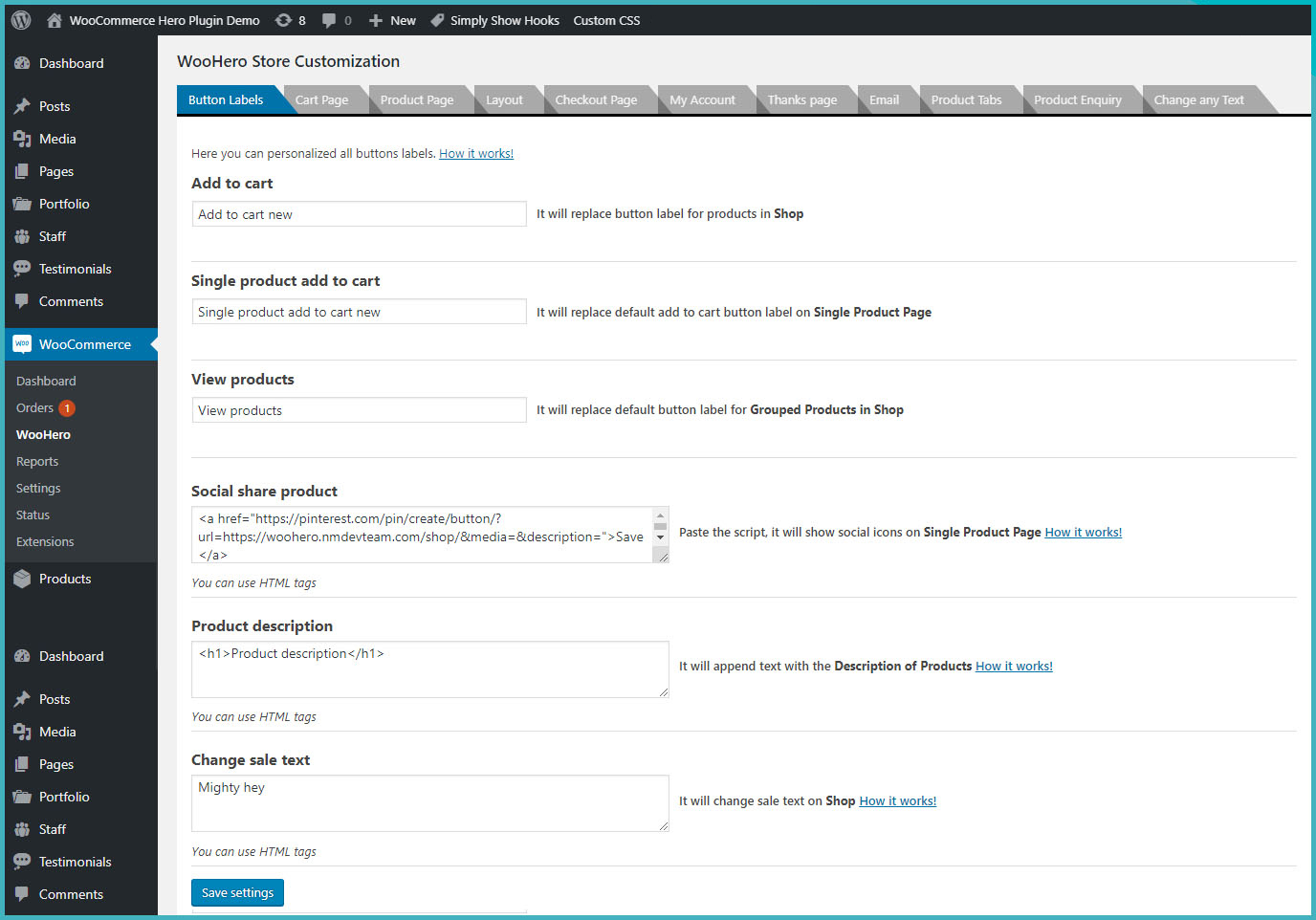
Change the button labels

Showing custom message on Cart page

Showing custom message on Product page

Customize the Product page

Showing custom message on My Account page
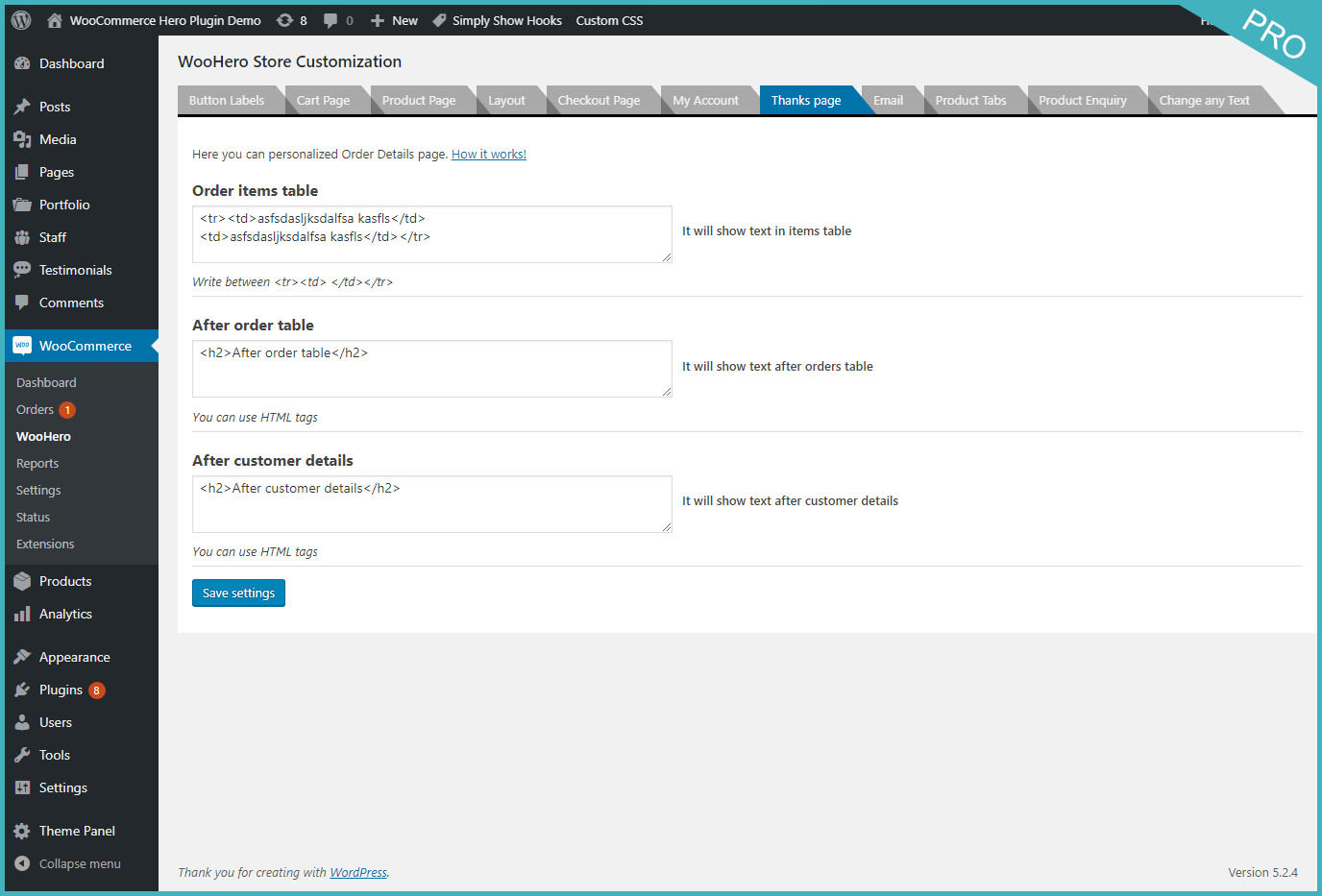
Showing custom message on Thanks page
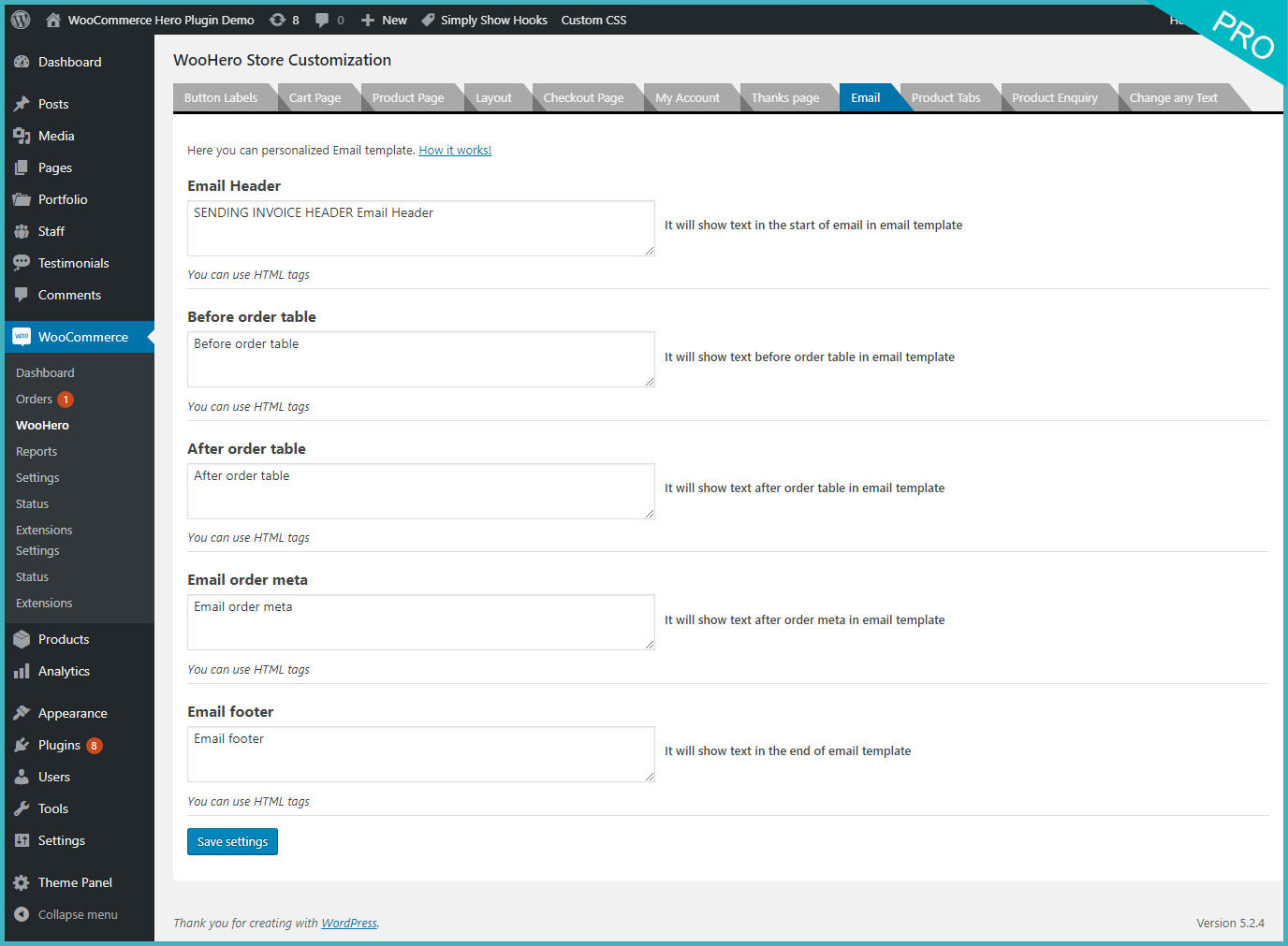
Customize your email message

Added the tabs inside the Products

Enquiry send against Products
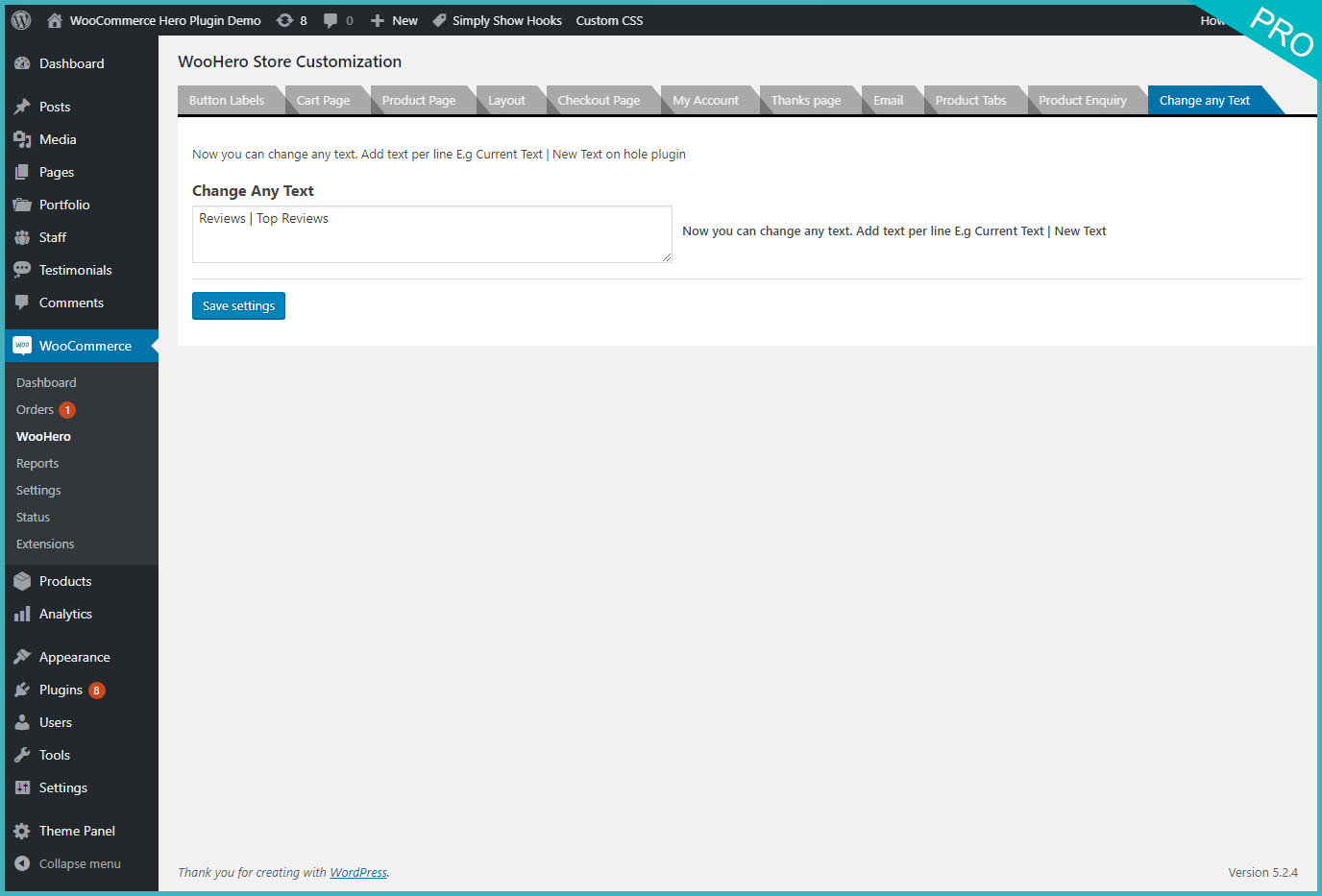
Change the any text on all pages

Write the Description of tabs inside the products
![Customize the page on frontend admin bar [Enable GoHero]](https://ps.w.org/personalize-woocommerce-cart-page/assets/screenshot-12.jpg?rev=2194918)
Customize the page on frontend admin bar [Enable GoHero]
![Customize the page on frontend admin bar [Enable GoHero]](https://ps.w.org/personalize-woocommerce-cart-page/assets/screenshot-13.jpg?rev=2194918)
Customize the page on frontend admin bar [Enable GoHero]

Enquiry tabs show on Product page
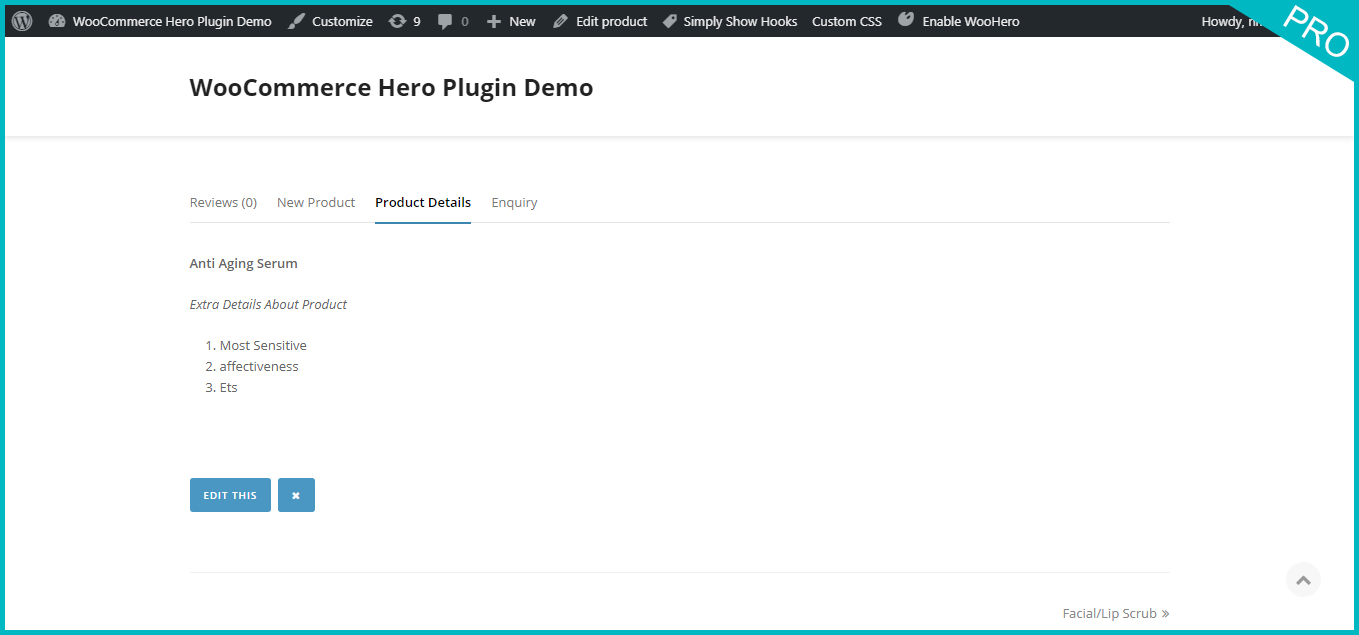
Extra tabs show on Product page
Faq
No
In Dashboard, you will menu title WooCommerce -> GoHero
Yes, it is compatible with all themes.
Reviews
not much option
By 
Super powerful for being free!
By 
Fake
By 
Great Support - Great Product!
By 
Plugin Works Awsome
By 
Loving it
By 
Fantastic!
By 
This is so easy, flexible and genuinely useful!
Why or why are more people not using it and voting for it?
Changelog
4.0 Jan 26, 2025
- A security patch is applied.
3.5 December 21, 2022
- Tweaks: Due to some branding issues the plugin name is updated.
3.4 January 19, 2022
- Tweaks: WC latest version check
3.3 September 19, 2021
- WC latest version updated
- Bug fixed: Product tabs HTML issue fixed
3.2 June 19, 2020
- Feature: It will display a Button on Cart page to remove all Cart Items.
- Feature: It will hide content on the product page and add to cart button. Just show the login form
3.1 Jan 11, 2020
- Bug fixed: Change Any Text
3.0 Nov 17, 2019
- Feature: Re-arranged settings tabs
- Feature: Front-end editor to add/edit contents
- Feature: Disable/Enable related products, set column size
- Feature: Products limit and columns size in Shop page.
- Feature: More actions added to on checkout page.
- Feature: Compatibility check with latest WooCommerce, PHP and WordPress
2.5 June 3, 2019
- Bug fixed: Some security related issue fixed
2.4 October 23, 2018
- Bug fixed: Settings saving issue in php version 7+ fixed.
2.3 July 28, 2018
- Bug fixed: Menu moved under WooCommerce Manin Menu
2.2 July 21, 2018
2.1 July 14, 2018
- Bug fixed: Warnings removed
- Compatibility check with WooCommerce
2.0
- WooCommerce 3.0 compatible issue fixed.
1.2
- Some minor changes made in options page.
1.1
Following button title/labels can be change
- Add to cart (Single product)
- Add to cart (Shop/Loop)
- Out of stock (Single product)
- View product (Grouped product – Shop/Loop)
- Select options (Variable products – Shop/Loop)
- Buy product (External product – Shop/Loop)
- Place order (Checkout page)
1.0
- It is first version, and working perfectly