Perxel Image Optimizer
Perxel Image Optimizer
Description
Perxel Image Optimizer converts your WordPress media library to WebP locally,
on your own server, and serves it – entirely from an admin page, built for shared
hosting.
- No third party. Conversion runs in PHP via WP_Image_Editor (GD/Imagick).
Nothing is uploaded to a CDN or an external optimization service, and there is
no API key, account or paid tier. Your images never leave your host. - Free. The whole plugin, no upsell.
- Runs in the background. A light scan estimates the work, then a background
job (Action Scheduler) converts the library newest-to-oldest, one calendar
month at a time. Pause, resume, cancel, close the tab – progress is durable.
Optional email report when a run finishes. - Or run it Fast. An opt-in mode that drives the conversion from the open
admin tab, so the server works continuously – much quicker on shared hosting
with no cron. It throttles itself if the host pushes back, and stopping never
loses work. - Your JPEG and PNG files stay.
foo.jpggets afoo.jpg.webpsibling;
the conversion never modifies the source file. - Image size limit. New uploads are scaled down to a maximum size (1920 px
by default, adjustable), and the unused full-size original WordPress keeps
beside a scaled upload is deleted to save disk space (can be turned off).
“Shrink existing images” does the same once for images uploaded before. - Serving through a managed
.htaccessblock on Apache/LiteSpeed, with an
to<picture>fallback on nginx or when.htaccessis not writable. - Per-attachment Convert / Reconvert / Remove buttons in the Media library.
- New uploads are converted automatically, shortly after upload.
- WP-CLI commands (
wp perxel-image) for running it over SSH.
The admin area is two screens under Media > Optimization: an Optimization page (scan
prepare live monitor) and a separate Settings page (environment,
conversion options, serving, notifications, cleanup).
Installation
- Upload the
perxel-image-optimizerfolder to/wp-content/plugins/. - Activate the plugin through the Plugins screen.
- Go to Media > Optimization.
Screenshots

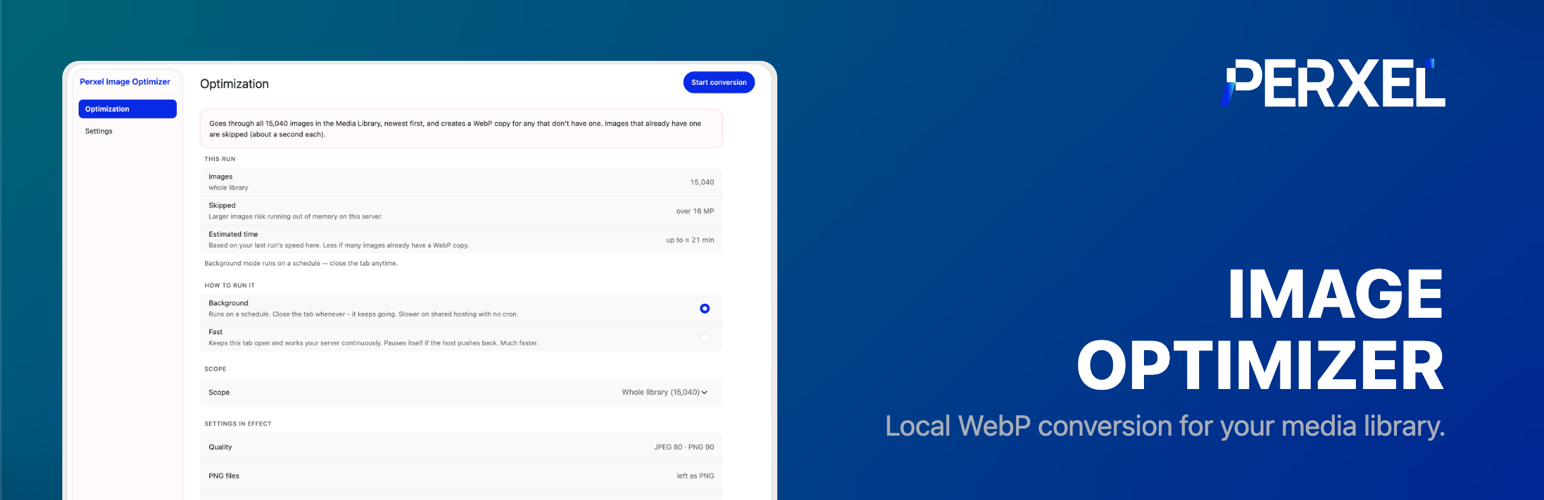
Optimization: the prepare screen shows the whole-library image count, an estimated time, and a choice of Background or Fast run.

Settings: image size limit, JPEG/PNG quality, sizes to convert, serving, and completion-email options.
Faq
The WebP conversion never does: every converted file is a new .webp sibling
next to the original. The image size limit does, by design: a new upload
bigger than the maximum (1920 px by default) is scaled down, and the full-size
original WordPress keeps beside the scaled copy is deleted. Set the maximum to
0 for no limit, or turn off “Delete originals of scaled uploads” to keep them.
“Shrink existing images” (or wp perxel-image cleanup) changes images already
uploaded only when you run it, and cannot be undone.
Yes, with WP-CLI: wp perxel-image status, wp perxel-image convert,
wp perxel-image cleanup –dry-run and wp perxel-image settings get|set.
The .htaccess swap is Apache-only. On nginx the plugin rewrites <img> tags to
with a WebP source instead.
Reviews
Changelog
1.2.1
- Fix: “Shrink existing images” (and
wp perxel-image cleanup) saves the resized JPEG at quality 82, WordPress’s default, even when the theme sets a higher JPEG quality (some force 100, which made the shrunk files several times bigger). - Fix:
wp perxel-image settings set serve truenow writes the .htaccess block on Apache too (over WP-CLI the server was not recognised, so it fell back to<picture>tags until an admin page was opened).
1.2.0
- New: find the plugin’s screens and settings from WordPress’s command palette (Cmd/Ctrl+K, WordPress 6.9 and newer, on any admin screen). Type “WebP”, “image size”, “quality” or “email report” and pick “Perxel Image Optimizer > …” to open that section.
- Shared admin UI updated to 0.24.0.
1.1.0
- New: image size limit. New uploads bigger than the maximum (1920 px by default, adjustable in Settings, 0 = no limit) are scaled down on their longest side.
- New: the full-size original WordPress keeps beside a scaled upload is deleted, to save disk space. On by default; turn off “Delete originals of scaled uploads” to keep them.
- New: “Shrink existing images” in Settings deletes the kept originals of images uploaded before and scales full-size images over the maximum down, in place, so links keep working. Their WebP copies are redone automatically.
- Fix: deleting an image now deletes its WebP copies too (they were left on disk).
- New: WP-CLI commands:
wp perxel-image status,convert,cleanup(with--dry-run) andsettings.
1.0.2
- Housekeeping only, no behaviour change. Plugin URI now points to the product page on perxel.com instead of the GitHub repo.
1.0.1
- Tightened output-escaping suppressions in the admin views to per-file
targeted ignores, addressing the plugin review’s escaping feedback. - Media Library scripts/styles now load only on the Media list and the
single-attachment edit screen.
1.0.0
- First public release.
- Local WebP conversion via WP_Image_Editor – no CDN, no external service, free.
- Month-scoped bulk run with two drivers: a background run on Action Scheduler
(pause, resume, cancel, durable progress, optional completion email) and an
opt-in Fast mode where the browser tab drives the encode loop directly, for
shared hosting with no working WP-Cron loopback. Fast mode self-pauses when
the host throttles and resumes after an escalating cooldown; a live Gentle /
Balanced / Turbo control sits on the running monitor. - Closing the tab, Stop, or Cancel never reverts converted files – the run
parks and resumes from where it left off. - Per-attachment Convert / Reconvert / Remove buttons in the Media library, and
automatic conversion of new uploads. - Serving via a managed
.htaccessblock on Apache/LiteSpeed, with an<img>to
fallback elsewhere. - Two admin screens under Media > Optimization – Optimization (prepare + live monitor)
and Settings – in a shared sidebar layout, server-rendered.