Photo Sphere Viewer – 360° Panorama, Virtual Tour, 360 Video & AR 3D Model Viewer
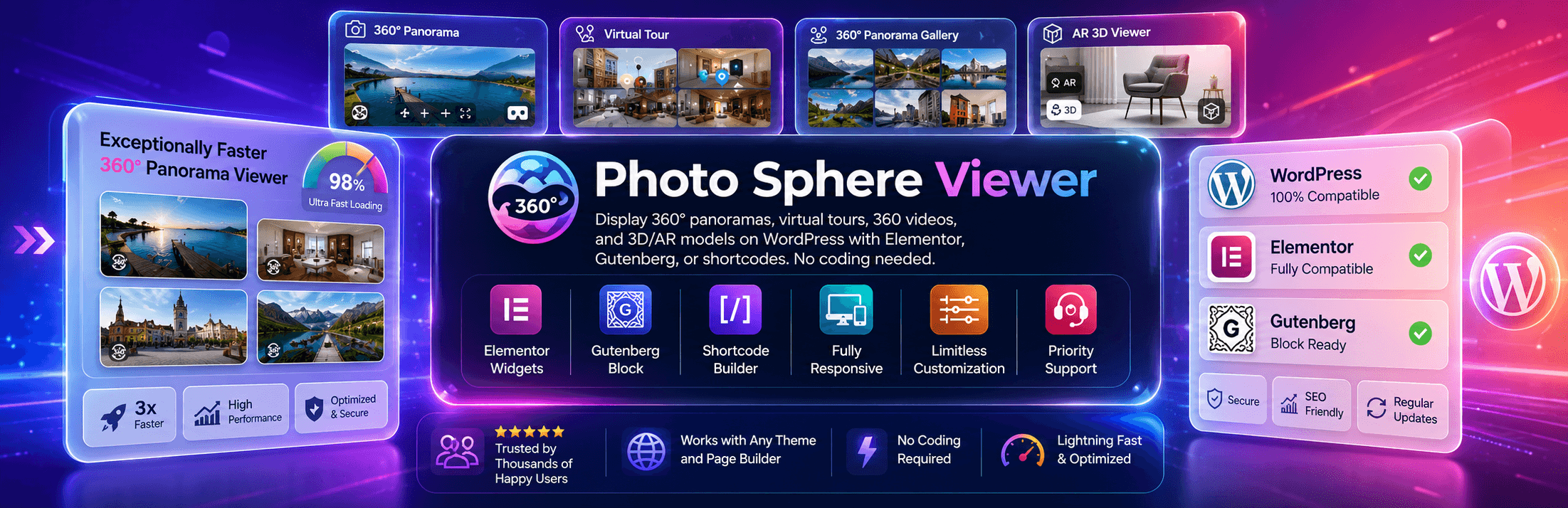
Photo Sphere Viewer – 360° Panorama, Virtual Tour, 360 Video & AR 3D Model Viewer
Description
🌐 One plugin, four ways to show something in 360°
Photo Sphere Viewer started as a simple way to drop an equirectangular panorama into a WordPress page without wrestling with iframes or third-party embed accounts. It’s grown into four viewers in one plugin: panoramas, multi-scene virtual tours, 360° video, and AR-ready 3D models (.glb / .gltf). Add any of them through the block editor, an Elementor widget or a shortcode — whatever your site already uses.
If you shoot with a DJI drone, Ricoh Theta, Insta360, or anything that outputs a stitched equirectangular image, it’ll load. No proprietary format, no vendor lock-in.
📷 Built with real camera gear in mind
A lot of 360 plugins are built by people who never touched a drone. This one wasn’t.
- DJI Matrice and other drone panoramas — WordPress quietly re-compresses anything over 2560px into a
-scaled.jpgsince 5.3, which is fine for a blog photo and terrible for a 40MP aerial panorama. The plugin ships with its ownImageResolverthat grabs the original upload instead, so fine detail doesn’t turn to mush. - Ricoh Theta, Insta360, GoPro MAX, Qoocam, Kandao — any properly stitched equirectangular JPEG or PNG just works, no special export needed.
- Google Street View and Android Photo Sphere — same deal, drop the file in and go.
- Gyroscope viewing (Pro) — point a phone around and the panorama follows, VR-headset style, over HTTPS.
🧭 Four viewers
Panorama viewer — the original use case. Upload an equirectangular JPEG/PNG, visitors drag, pinch and zoom on desktop or mobile. Set field of view, zoom limits, movement speed, a starting yaw/pitch, fullscreen, and a caption navbar with zoom and download buttons. Pro adds auto-rotation, on-screen move buttons, a description panel and clickable info hotspots.
Virtual tour builder — string together as many scenes as you want, connected with 3D arrow hotspots. Each scene gets its own starting angle and caption, and you pick which one loads first. Good fit for real estate walkthroughs, hotel tours, museum floor plans. Pro adds a scene gallery bar, a compass overlay, auto-rotation, on-screen move buttons and a description panel.
360° video player — same dragging/looking-around interaction, but for an equirectangular MP4 instead of a still image. Play/pause, seek, volume. Pro unlocks muted autoplay and loop.
AR 3D model viewer — embeds a .glb/.gltf model via Google’s <model-viewer>, with an AR button on phones that support it. Point it at a WordPress Media Library file or an external URL, set a poster image, auto-rotate, shadow intensity and alignment. Pro adds HDR environment lighting, a skybox background, custom camera orbit, and the ability to lock zoom/tap-to-rotate if you’re building a fixed product showcase.
🧩 Add it wherever you build pages
- Elementor — four separate widgets (Photo Sphere Viewer, PSV Virtual Tour, PSV 360° Video, AR 3D Viewer), each of which can be switched off individually from the admin panel if you don’t need it cluttering the widget list.
- Block editor (Gutenberg) — a 360° Panorama block: pick a photo, set the toolbar, height and info hotspots from the sidebar, done. Shortcodes work too, in a Shortcode block.
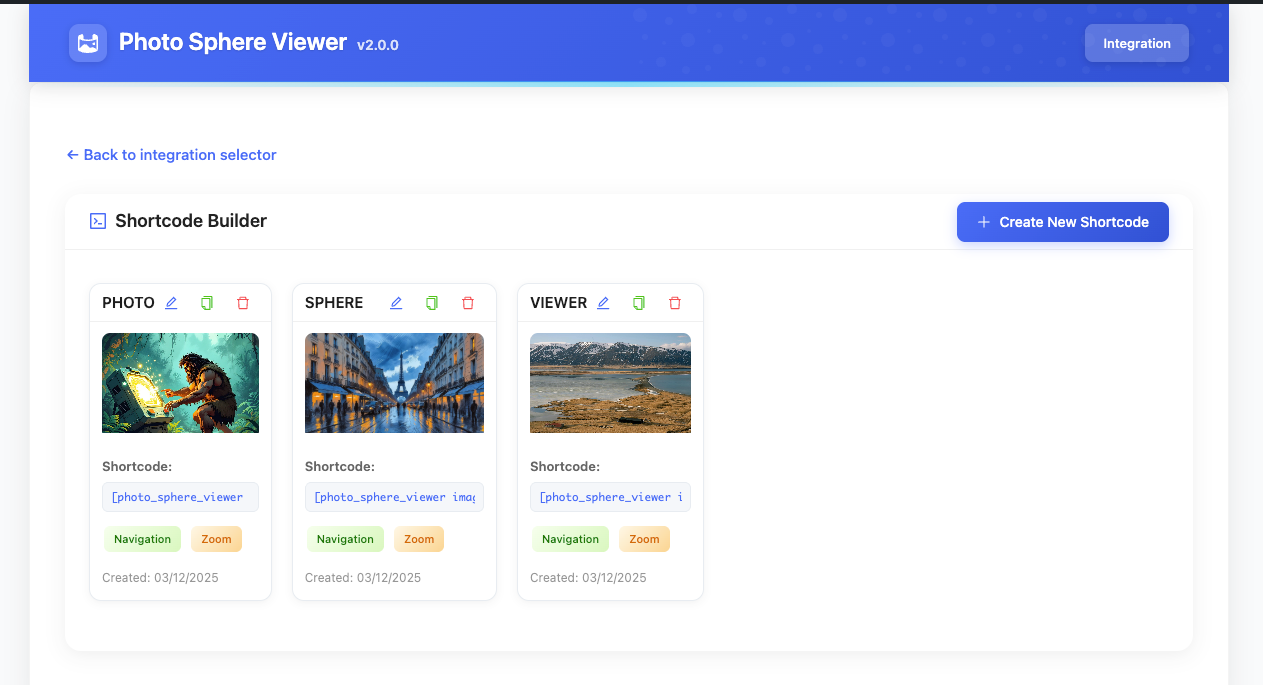
- Shortcode Builder — a visual admin screen that spits out
[psv],[psv_tour],[psv_video], and[psv_ar]shortcodes you can paste into a WooCommerce product description, a theme widget area, or anywhere else shortcodes render.
What else is in the box
- Fully responsive, touch-optimized drag/pinch on mobile
- Navbar buttons toggle individually — zoom, caption, fullscreen and download free; auto-rotation, move and the description panel with Pro
- Style controls for navbar background, caption color, typography, alignment
- Width/height in px, %, vh or vw
- Default yaw (-180° to 180°) and pitch (-90° to 90°)
- Custom canvas background color
- Mouse-wheel zoom, drag movement, two-finger touch, Ctrl+scroll, cursor capture and fisheye toggles
- Original-resolution image loading for panoramas larger than WordPress’s 2560px threshold (Pro)
- Built on Vite, so the frontend bundle stays small
- Translation-ready (text domain
photo-sphere-viewer, loads from/languages/) - A clean shortcode API and Elementor widget hooks if you’re extending it yourself
Who actually uses this
Real estate agents doing property walkthroughs, hotels and vacation rentals showing off rooms before booking, 360° photographers building portfolios, museums and campuses doing self-guided tours, WooCommerce stores adding 360° product views or AR models, architects showing before/after spaces, and drone pilots who just want their DJI panoramas to not look blurry on the web.
Plays nicely with
Elementor, Elementor Pro, the block editor, WooCommerce, Yoast SEO, Rank Math, WPML, Polylang, and the usual caching suspects — WP Rocket, LiteSpeed Cache, W3 Total Cache. Tested against DJI Matrice/Mavic, Ricoh Theta, Insta360, GoPro MAX, Qoocam, Kandao, and Google Street View exports.
How It Works
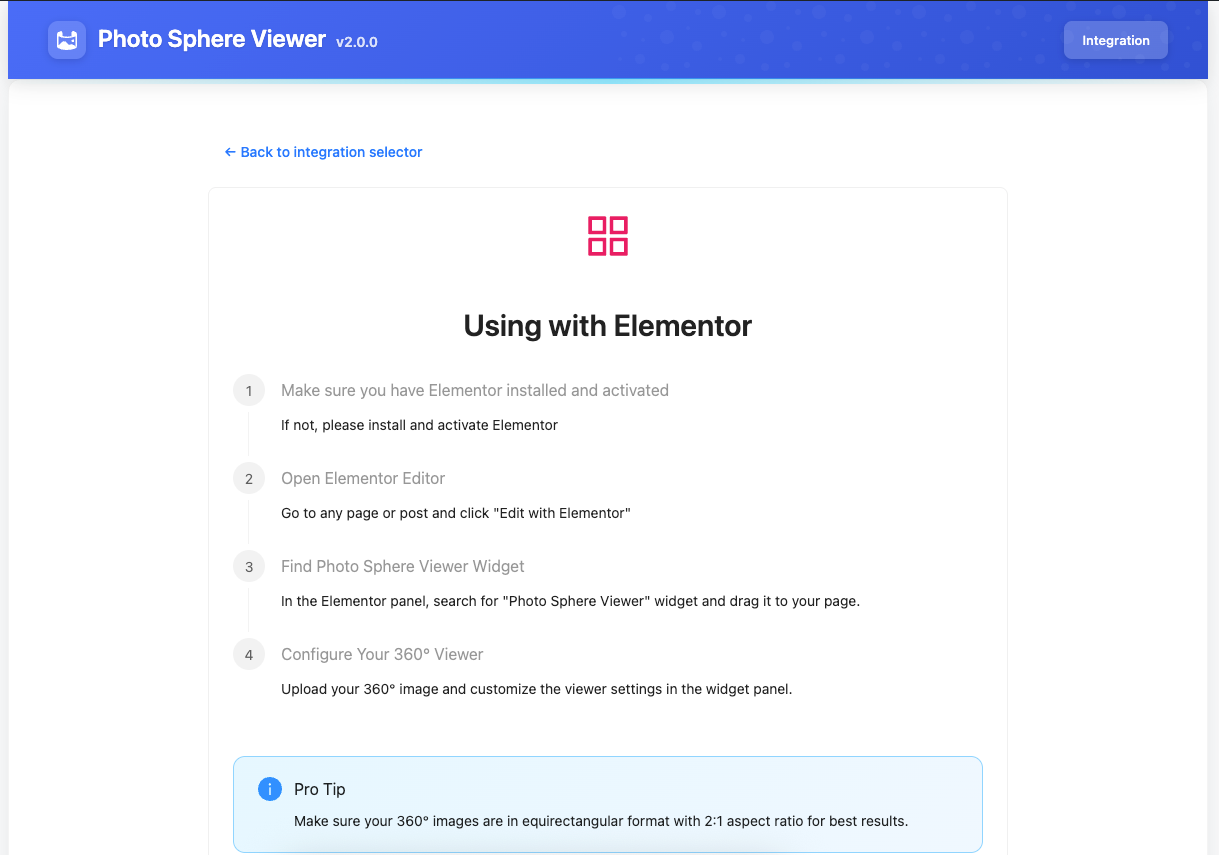
Using Elementor
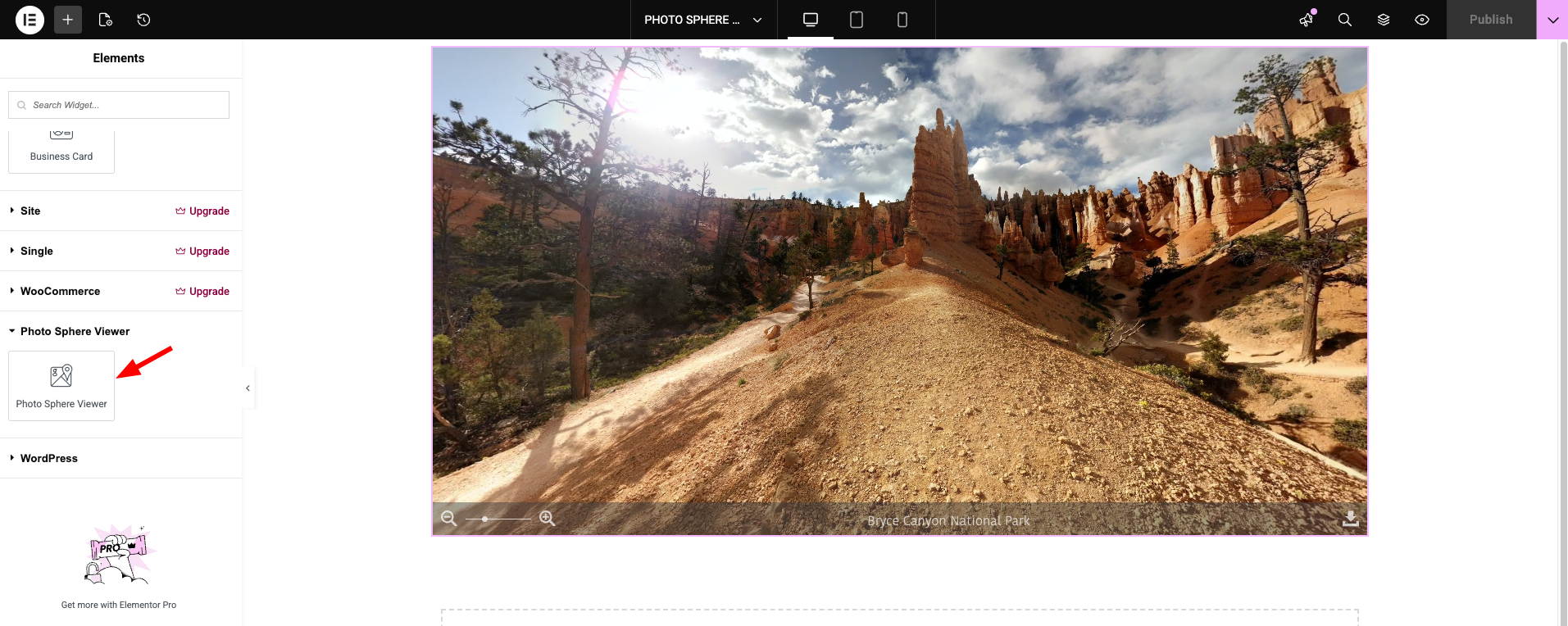
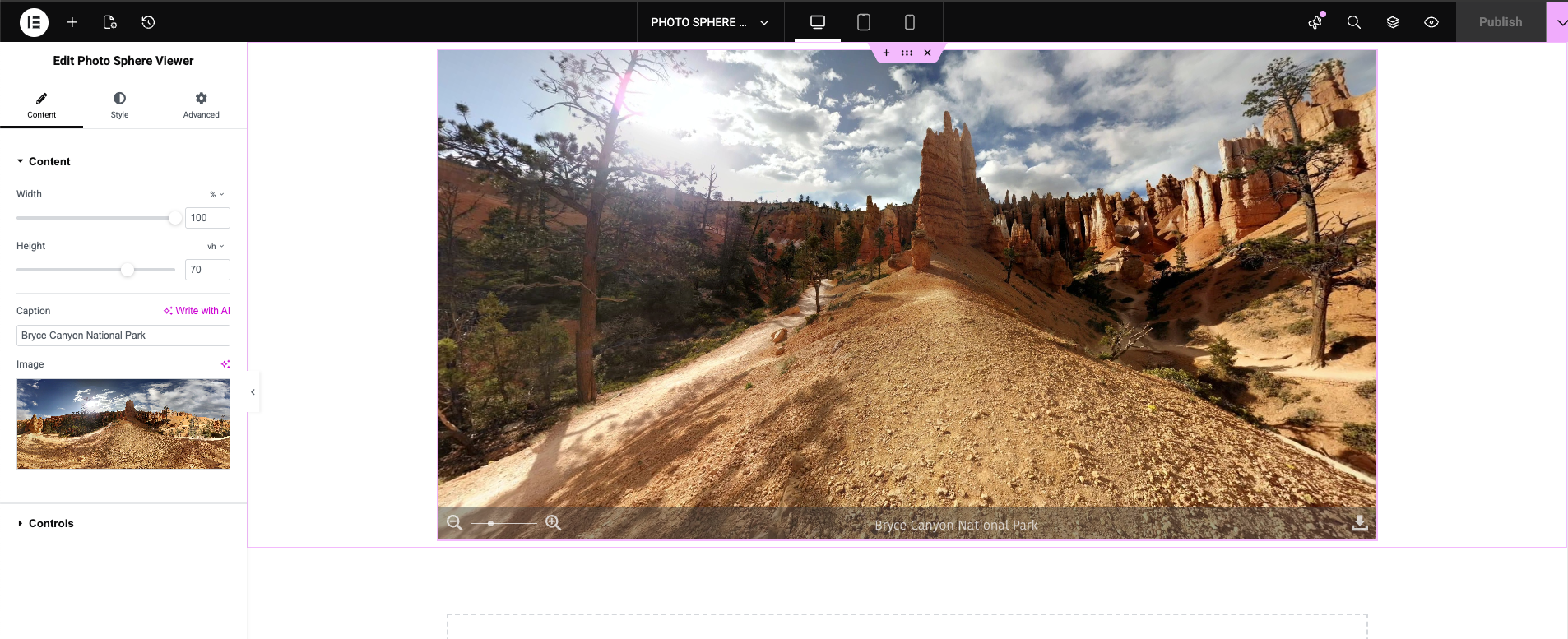
Open the Elementor editor, search the widget panel for Photo Sphere Viewer, PSV Virtual Tour, PSV 360° Video, or AR 3D Viewer, drag one into your layout, then upload your image/video and set the navbar and styling options.
Using the block editor
Add the 360° Panorama block, choose an equirectangular photo, and set the caption, height, toolbar buttons and info hotspots in the sidebar. For tours, 360° video and 3D models, build a shortcode with the Shortcode Builder and drop it into a Shortcode block.
Using Shortcodes
Build one visually with the Shortcode Builder in the admin menu, or write the attributes by hand if you know what you’re doing.
External services
Google Hosted Libraries — <model-viewer>
The AR 3D Viewer loads Google’s model-viewer web component from https://ajax.googleapis.com/ajax/libs/model-viewer/3.4.0/model-viewer.min.js. It is requested by the visitor’s browser only on pages that actually contain an AR 3D Viewer widget or a [psv_ar] shortcode; pages without one make no request. Loading a script from Google’s CDN exposes the visitor’s IP address and user agent to Google, as any externally hosted asset does. No other data is sent, and the plugin sends nothing to this service itself.
Google Hosted Libraries terms: https://developers.google.com/terms
Google privacy policy: https://policies.google.com/privacy
If another plugin has already registered the psv-ar-model-viewer script handle, this plugin defers to it and makes no request of its own.
Freemius
Licensing, updates and the optional usage-data opt-in are handled by Freemius. Nothing is sent unless you opt in during activation. Terms: https://freemius.com/terms/ — Privacy: https://freemius.com/privacy/
Installation
- Upload the
photo-sphere-viewerfolder to/wp-content/plugins/, or install it straight from the WordPress plugin directory. - Activate it under Plugins.
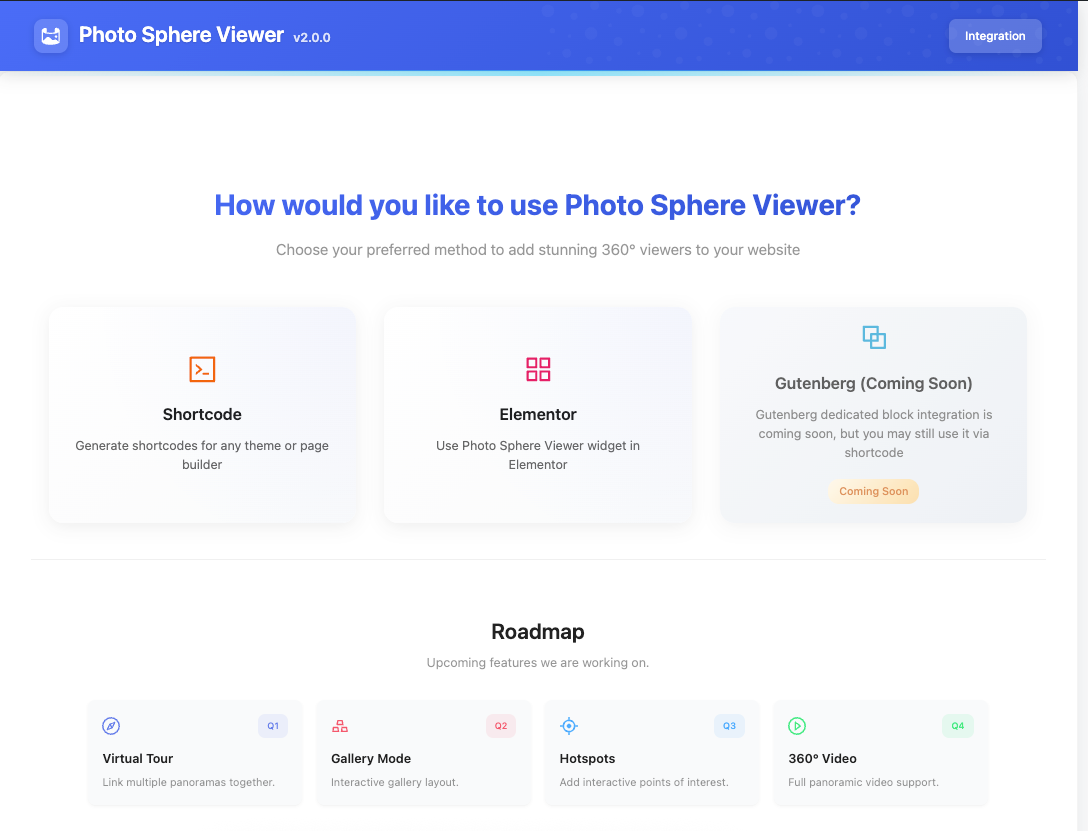
- Add 360° content with the 360° Panorama block, an Elementor widget, or a shortcode built under the Photo Sphere Viewer admin menu.
Screenshots
360° panorama embedded using the Elementor widget
Elementor widget settings panel with full customization options
Virtual tour with 3D navigation arrows between scenes
360° video player with playback controls
Shortcode builder admin interface
Faq
Equirectangular JPEG or PNG for panoramas, MP4 (or most common web video formats) for 360 video, and .glb/.gltf for the AR viewer.
No — shortcodes cover everything the Elementor widgets do. Shortcodes in particular go pretty much anywhere: posts, pages, widget areas, theme builders, even WooCommerce product descriptions.
That’s WordPress doing it, not the plugin. Since 5.3, anything over 2560px on its long edge gets saved as a -scaled.jpg and served instead of your original. The plugin’s ImageResolver can bypass that and load the real upload instead. It’s a Pro feature — switch it on with the “Use Original Image” control in any Elementor widget, or use_original="yes" on a shortcode.
Yes, along with Qoocam, Kandao, and Android Photo Sphere XMP captures. Anything that’s a properly stitched equirectangular image works without conversion.
Yes — drag-to-look, pinch-to-zoom, two-finger gestures all work on touch. Pro adds gyroscope mode so tilting the phone moves the view, which needs HTTPS to work.
As many as you want. Link them with 3D arrow hotspots, give each one its own caption and starting angle, and choose which scene opens first. Works in both the Elementor PSV Virtual Tour widget and the [psv_tour] shortcode.
The PSV 360° Video widget or [psv_video] shortcode handle that — play/pause, seek, volume in the navbar. Autoplay and loop are Pro-only.
Yes, through the AR 3D Viewer widget or [psv_ar] shortcode. It renders .glb/.gltf files via Google’s <model-viewer> and shows an AR button on phones that support it. Pro adds HDR lighting, a skybox, custom camera orbit, and locks for zoom/tap-to-rotate — useful if you’re building a product configurator and don’t want visitors spinning things by accident.
Every panorama and tour scene has a starting yaw (-180° to 180°) and pitch (-90° to 90°), set in the Elementor controls or via the default_yaw/default_pitch shortcode attributes.
Yes, through shortcodes or Elementor templates — a reasonable alternative to paying for a hosted 360-product-viewer service.
It shouldn’t — the frontend is built with Vite and only loads on pages that actually use a viewer. No conflicts we’re aware of with WP Rocket, LiteSpeed Cache, or W3 Total Cache.
Yes, text domain photo-sphere-viewer, translations load from /languages/. Works with WPML and Polylang.
Free gives you all four viewers with no limits: unlimited panoramas, unlimited tour scenes, 360° video, AR 3D models, and the navigation toolbar — zoom, caption, download and fullscreen on every viewer.
Pro adds: auto-rotation on every viewer, clickable info hotspots — points on the panorama that show a label on hover and open a panel with a photo, text and a link, which is what property and venue tours are built on — full-resolution original loading (so a 40MP drone panorama keeps its detail instead of WordPress’s 2560px copy), the scene gallery bar and compass overlay for virtual tours, the panorama gallery, gyroscope viewing on phones, restricted viewing angles, on-screen move buttons and the description panel, 360° video autoplay and loop, HDR environment lighting, skybox, camera orbit and gesture locks for 3D models, and priority email support. The Upgrade screen inside the plugin shows the full comparison.
There’s a 30-day money-back guarantee if it’s not a fit.
Free users can post on the WordPress.org support forum. Pro license holders get direct email support from the WPXERO team.
Reviews
realy good till....
By 
it got the JEW Update on 29the of Nov, Autorotation was free, now they charge you Money for something which was implemented allready since months. the last Update is only there to get some schekels
however before i was a big fan of this plugin
Simple and professional
By 
A useful plugin for displaying 360-degree images
Changelog
2.3.0 [September 11, 2026]
- Added: 360° Panorama block for the block editor — pick a photo, then set the caption, height, toolbar and info hotspots from the sidebar
- Added: Block Editor card on the Integration screen, with its own guide and on/off switch. Each integration screen now lists only its own components
- Added: Info hotspots (Pro) — clickable points on a panorama showing a label on hover and a panel with a photo, text and a link. Available in the block, the Elementor widget, the shortcode builder, and as a
hotspotsattribute on[psv] - Added: A first-run screen with a live, draggable demo panorama, so a new install shows what the plugin does before asking for any setup. It disappears once you save your first shortcode
- Added: Locked Pro controls now name the feature, say what it does for your visitors, and link to the plans with the price shown
- Changed: Fullscreen is free on every viewer, and zoom, caption and download are free in virtual tours and 360° video — these are basic viewer navigation
- Changed: Auto-rotation is a Pro feature on every surface — the Elementor widgets, the block and the shortcodes — rather than being free in some places and paid in others
- Changed: The
[psv]shortcode honours the same Free/Pro boundary as the Elementor widgets. Move buttons, the description panel and the panorama gallery are Pro there too, anduse_original— full-resolution loading — is a Pro feature on both surfaces. Free panoramas load WordPress’s standard image, as they already did in the Elementor widget - Changed: Upgrade links open Freemius checkout inside the WordPress dashboard when that page is available on your site, and the plans page otherwise
- Changed: Promotional messaging is held back for the first week after activation
- Changed: The plugin’s own admin screen no longer hides WordPress’s update and security notices, or licence messages — only unrelated plugins’ notices are tidied away
- Changed: Deleting the plugin now removes its own data — saved shortcodes, options and transients, across every site on a network. Deactivating still leaves everything in place
- Fixed: The Pro upgrade panel did not appear at all in the Elementor editor on sites running Elementor Pro, because it relied on a control type Elementor only registers when Pro is absent
- Fixed:
[psv_video]produced an empty viewer — the shortcode path never attached the 360° video adapter - Fixed: Pro video autoplay and loop had no effect; both were resolved server-side and then discarded before reaching the player
- Fixed: Turning off “MouseWheel” or “Mouse Move” did nothing — disabled options were being stripped out before reaching the viewer
- Fixed: The Free/Pro comparison table listed features incorrectly in both directions; it is now generated from the same tier map the viewers use
- Fixed: A Pro user who switched every premium navbar toggle off had the free defaults silently restored
- Fixed: The welcome screen after activation never actually opened
- Fixed: Enabling a panorama gallery alongside Pro could drop the gallery button from the toolbar
- Security: Added capability checks to the shortcode-manager AJAX endpoints, which previously verified only the nonce
- Improved: The Vite dev-server probe no longer runs on production or staging sites, where it could add up to a second to page load whenever its cache expired
- Documentation: Disclosed the Google-hosted
model-viewerscript used by the AR viewer, and removed references to a Gutenberg block that did not exist yet
2.2.5 [August 23, 2026]
- Fixed: Shortcode Builder’s Virtual Tour live preview could copy a
[psv_tour]shortcode missing its requiredscenesattribute
2.2.4 [July 31, 2026]
- Added: Proper uninstall handling — fires Freemius uninstall event for the free plugin on delete
- Removed: “Coming Soon” Gutenberg card from the admin Integration screen
- Improved: Updated Freemius SDK to 2.13.4
2.2.3 [June 06, 2026]
- Fixed: Shortcode panoramas failing on pages without jQuery
- Improved: Asset loading and Vite dev-server detection
- Improved: Centralized Pro add-on detection
- Improved: Updated Elementor widget icons
- Improved: Code cleanup across widgets and shortcode manager
2.2.2 [May 22, 2026]
- Improved: improve plugin performance and stability
- Fixed: various minor bug fixes and stability improvements
2.2.1 [May 20, 2026]
- Fixed: High-resolution panorama detail loss by loading original images instead of scaled versions
- Improved: stability and performance
2.2.0 [May 05, 2026]
- Added: AR 3D Viewer — Elementor widget and
[psv_ar]shortcode for .glb/.gltf models (model-viewer; optional AR on supported devices) - Improved: Admin dashboard UI — styling, navigation, and Upgrade page comparison table (including AR 3D Viewer Free vs Pro)
- Improved: Tested compatibility through WordPress 7.0.0
2.1.1 [April 13, 2026]
- Fixed: Compatibility with WordPress 7.0 and Elementor 4.0.1
2.1.0 [March 07, 2026]
- Added: Virtual tour support for both widget and shortcode implementations
- Added: 360° video playback support for widget and shortcode
- Added: Gallery view support for widget and shortcode
- Added: Starting position (yaw/pitch) controls for panorama and tour scenes
- Improved: Compatibility with WordPress 6.9 and Elementor 3.35.5
- Improved: Performance optimizations for faster panorama rendering
- Fixed: Image display issue in Elementor 3.35.5 when placing widget inside columns
- Fixed: Multiple Photo Sphere Viewer widgets rendering incorrectly within the same section in editor mode
- Fixed: Duplicate frontend initialization on Elementor pages
- Fixed: Various minor bug fixes and stability improvements
2.0.3 [February 13, 2026]
- Fixed: Assets enqueue issue
2.0.2 [February 09, 2026]
- Improved: Compatibility updates for WordPress 6.9 and Elementor 3.35.3
- Improved: Performance improvements and bug fixes
2.0.1 [December 03, 2025]
- Fixed: Upgrade notice issue
- Added: Pro version pricing link
- Improved: Compatibility with latest WordPress & Elementor versions
2.0.0 [November 29, 2025]
- Added: Shortcode builder
- Improved: Refactored codebase for improved performance
- Added: Pro version
1.3.3 [October 01, 2025]
- Improved: Compatibility updates
- Improved: Documentation improvements
1.3.2 [May 01, 2025]
- Improved: Compatibility updates
1.3.1 [December 21, 2024]
- Improved: System improvements
- Improved: Compatibility updates
1.3.0 [October 09, 2024]
- Improved: Compatibility updates
1.2.0 [October 09, 2023]
- Improved: Compatibility updates
1.1.0 [March 15, 2023]
- Improved: Elementor compatibility update
1.0.1 [May 15, 2022]
- Added: Shortcode feature
1.0.0 [February 06, 2022]
- Initial release