Playard — Sports Facility Booking System for Courts, Fields, Pitches, Venues and More
Playard — Sports Facility Booking System for Courts, Fields, Pitches, Venues and More
Description
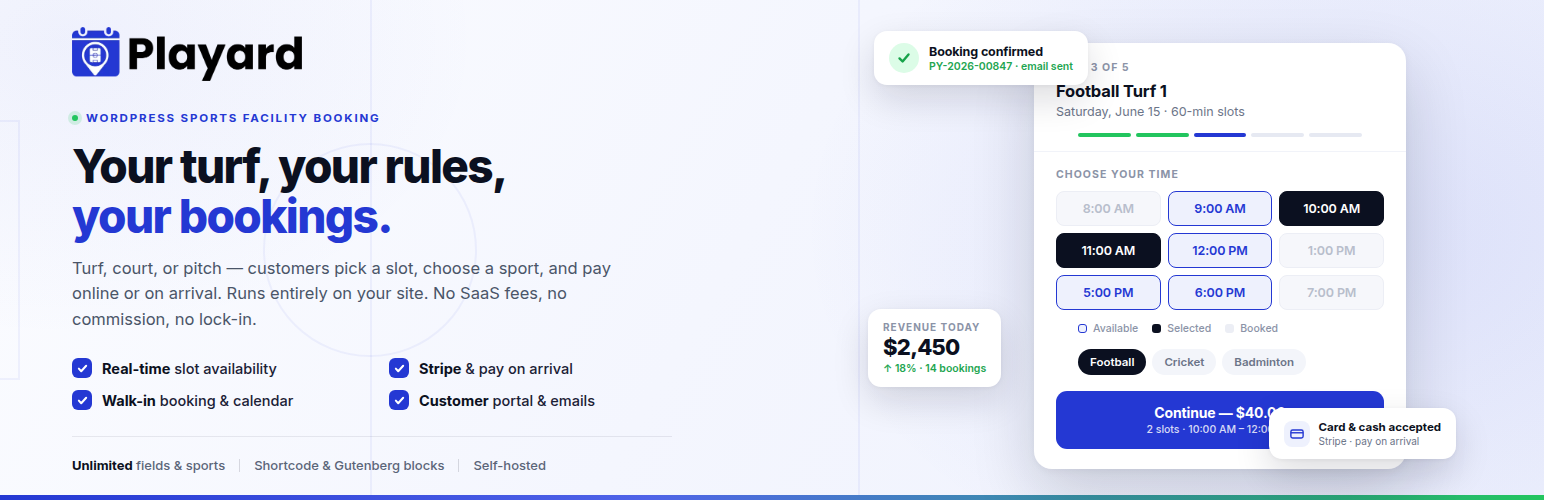
Playard is a complete sports facility booking and reservation system for WordPress. Turn any WordPress site into a self-hosted booking platform for football pitches, badminton courts, cricket grounds, tennis courts, futsal turfs, basketball courts, and any bookable field or venue — with real-time slot availability, online Stripe payments, and instant confirmation.
No SaaS fees. No monthly subscription. No platform lock-in. You own the plugin, the data, and the customer relationship.
Facility owners install it once, add their fields, and customers pick a field, choose a slot and sport, enter their details, pay online or on arrival, and get instant confirmation — all without leaving your website. It’s a modern, mobile-first alternative to spreadsheets, phone bookings, and expensive booking SaaS platforms.
👉 Support & questions
👉 Feature requests & bug reports
👉 Contact the developer
Best for
Playard fits any time-slot based sports venue or facility rental business:
- Football / soccer turf and 5-a-side pitch booking
- Badminton court booking
- Cricket ground and net booking
- Tennis court reservation
- Futsal, basketball, and volleyball court booking
- Padel and squash court booking
- Swimming pool lane booking
- Community sports centres and indoor arenas
- Gym, fitness studio, and training ground hire
- Any hourly, slot-based venue or facility rental
Booking Widget
- 5-step booking flow: Field Date Slot+Sport Customer Details Confirmation
- Real-time slot availability — refreshes every 30 seconds
- 5-minute slot hold during checkout prevents double-booking
- Multi-slot selection — book 1h, 2h, 3h etc. by clicking consecutive slots
- Stripe card payment (embedded, 3DS support)
- Cash / pay on arrival option
- Add to Google Calendar, Apple Calendar, or iCal on confirmation
- Embed anywhere with
[playard]shortcode or Gutenberg block - Any button can open the booking modal with
data-playard-modal-trigger="1"
Customer Portal
- Phone OTP login — silent account creation on first booking
- Email + password login with forgot-password flow
- One-time code (OTP) login via email
- Profile management: name, email, phone, avatar photo
- Booking history with upcoming and past tabs
- Booking detail modal — view full details for any booking
- Download Receipt as PDF or Print directly from the booking detail modal
- Cancel bookings from the portal (configurable cancellation policy)
- “● Live” badge during active slots — cancel button hidden while playing
- Responsive design: desktop sidebar layout, mobile stacked layout
Admin Dashboard
- Today’s stats: bookings, revenue, pending count, new customers
- Bookings list with filters (field, status, payment, sport) and per-page selector
- Calendar view: Day / Week / Month
- Walk-in booking: slide-over panel with slot grid, customer search, payment options
- Booking status: pending confirmed running completed; no-show; cancelled
- Auto-complete: WP-Cron marks past bookings completed every 5 minutes
- No-show marking after slot end time passes
- Reschedule: change date, time, or field
- Customer list with search, avatar, booking count, total spend
- Reports: Revenue, Booking Trends, Sport Breakdown, Occupancy Rate per Field
- Occupancy report: see how much of each field’s available capacity is being used
- Export data: select any combination of Bookings, Customers, Revenue, Trends, Sport, Occupancy and download as individual CSVs or a single ZIP archive
- Email log: view all outgoing notification emails
- Onboarding wizard: 5-step first-run setup (facility field payment)
Fields & Facilities
- Unlimited fields — no artificial limit on free plan
- Unlimited sports per field
- Per-field slot duration, buffer time, min/max advance booking
- Photo gallery per field
- Manual date/time blocking
- Grid or list view toggle in admin
Payments
- Stripe: embedded card form, test + live mode, webhook auto-confirmation
- Stripe walk-in payment link: admin creates booking Stripe Checkout link emailed to customer
- Auto Stripe refund on admin cancel (based on cancellation policy) — free feature
- Cash / Pay on Arrival: instant booking, mark paid later
Email Notifications
- Booking confirmation (customer)
- Payment receipt (customer)
- Day-before reminder (customer)
- Same-day reminder (customer)
- Cancellation notification (customer)
- New booking alert (owner)
- Owner cancellation alert (owner)
- Set password invitation (new customer)
- Welcome email (on registration)
- Walk-in Stripe payment link email
Gutenberg Blocks
- Playard Field List — card or list layout; color pickers; shadow, radius, spacing controls; modal or link button
- Playard Booking Calendar — inline booking widget embed; field filter, compact mode
External Services
This plugin connects to external services in specific, optional situations. No data is sent unless the relevant feature is configured and used.
-
Stripe — Used only when the facility owner enters their own Stripe API keys and a customer chooses to pay by card. Card details are sent directly to Stripe to create a payment intent, confirm payment, create a Checkout session, or issue a refund. The plugin never stores card numbers. Data is sent to Stripe only at the moment of payment or refund.
- Service: Stripe, Inc. — https://stripe.com
- Terms of Service: https://stripe.com/legal
- Privacy Policy: https://stripe.com/privacy
-
OpenStreetMap Nominatim — Used only when the facility owner saves their facility address, to convert that address into map coordinates (geocoding). Only the owner-entered address is sent. This happens at the moment the address is saved.
- Service: OpenStreetMap Foundation — https://nominatim.openstreetmap.org
- Usage Policy: https://operations.osmfoundation.org/policies/nominatim/
- Privacy Policy: https://wiki.osmfoundation.org/wiki/Privacy_Policy
-
Google Maps (embed) — Used only by the optional “Facility Map” block, which embeds a public Google Maps iframe showing the owner-entered facility address. No API key is used and no personal data is sent beyond the public address shown on the map.
- Service: Google LLC — https://maps.google.com
- Terms of Service: https://policies.google.com/terms
- Privacy Policy: https://policies.google.com/privacy
The plugin is fully functional without any external service. Cash / Pay-on-Arrival booking works with no third-party connection.
Installation
- Upload the
playardfolder to/wp-content/plugins/ - Activate via Plugins Installed Plugins
- Complete the onboarding wizard (opens automatically on first activation)
- Add at least one field to enable the booking widget
- Add
[playard]shortcode to any page, or use the Playard Booking Calendar block
Requirements
- WordPress 6.0 or higher
- PHP 8.0 or higher
- MySQL 5.7+ or MariaDB 10.4+
- An SMTP plugin is recommended for reliable email delivery
Stripe Setup
- Go to Playard Settings Payment Settings Stripe Manage
- Select Test or Live mode
- Enter your Publishable Key and Secret Key
- Copy the Webhook URL shown and add it in your Stripe Dashboard (Developers Webhooks)
- Enable these webhook events:
payment_intent.succeeded,payment_intent.payment_failed,charge.refunded
Screenshots

Booking widget — 5-step flow on the frontend

Admin dashboard — today's stats and bookings

Booking calendar — day/week/month view

Walk-in booking slide-over panel

Customer portal — My Bookings

Settings — Payment Settings with Stripe

Customers — full customer list with bookings and lifetime spend

Customer profile — booking history, stats and status breakdown

Fields — manage all courts, pitches and fields

Edit field — name, description, sports, capacity and slot duration

Facility Setup — branding, opening hours, timezone and date format

Team — add staff members with scoped access

Reports — booking trends chart with completed and cancelled breakdown

Payment Settings — gateways, currency and cancellation rules

Booking widget — Step 1: select a field

Booking widget — Step 2: pick a date on the availability calendar

Booking widget — Step 3: pick a time slot

Booking widget — Step 4: enter details and confirm

Customer portal — book a new slot from the account area
Faq
No. The free version supports unlimited fields and unlimited sports per field.
Yes. You can use Cash / Pay on Arrival as the only payment method. Stripe is optional.
Yes. Cancellations can be enabled or disabled from Settings Cancellation. You can also configure a refund policy (full refund, partial, time-based, or none).
Yes. When an admin cancels a Stripe-paid booking, the refund is issued automatically based on the cancellation policy you configured. No manual Stripe action needed. This is a free feature.
Yes. Use the [playard] shortcode, or add the Playard Booking Calendar Gutenberg block to any page or post.
Yes. Click + New Walk-in Booking on the Bookings page. You can search for existing customers or create a new one, select slots from a visual grid, and choose Cash, Already Paid, or Stripe payment link.
Yes. The booking widget uses full CSS isolation and a system font stack — it will not inherit or break your theme styles.
A restricted admin role that can access Bookings, Dashboard, and Customers — but not Settings or Facility. Staff users are redirected directly to the Playard dashboard on login.
Reviews
Changelog
1.0.3
- Notification UI/UX improvement — third-party plugin notices no longer appear on Playard admin screens.
- Added feature request, bug report, and developer contact links.
1.0.2
- Housekeeping: readme and plugin listing refinements.
1.0.1
- Updated plugin title and listing metadata.
- Added plugin icon, banner and screenshots.
- Minor admin UI and onboarding refinements.
1.0.0
- Initial release.
- 5-step booking widget (Field, Date, Slot+Sport, Details, Confirmation)
- Stripe payment with embedded Elements and webhook auto-confirmation
- Cash / Pay on Arrival option
- Auto Stripe refund on admin cancel (free)
- Walk-in booking with Stripe payment link
- Customer portal with phone OTP, email+password, forgot-password
- Customer profile stats, booking detail modal, download receipt PDF, print receipt
- OTP countdown timer with resend
- Admin dashboard, calendar (day/week/month), bookings list
- Walk-in booking slide-over panel (slot grid, customer search)
- Auto-complete cron (past bookings marked completed every 5 min)
- No-show marking
- Customer management with notes
- Revenue, Booking Trends, Sport Breakdown, and Occupancy Rate reports
- Export data: select Bookings, Customers, or any report — single CSV or ZIP archive
- Email log (searchable, filterable)
- Report settings (timezone, default range, week start)
- Settings: Cancellation, Payments (Stripe/Cash), Currency, Auth, Reports
- Facility setup: name, logo, timezone, date/time format
- Staff role (playard_staff)
- Gutenberg blocks: Field List, Booking Calendar
- Full REST API
- Onboarding wizard (5 steps)