PO Abandoned Cart for WooCommerce

PO Abandoned Cart for WooCommerce
Description
PO Abandoned Cart for WooCommerce helps you win back lost sales by automatically emailing customers who add products to their cart but leave before completing checkout. It also follows up on orders stuck in “pending payment,” so you recover revenue from both abandoned carts and unfinished orders all from one simple dashboard inside WooCommerce.
Most stores lose the majority of potential orders to cart abandonment. PO Abandoned Cart for WooCommerce turns those lost carts into a second (and third, and fourth) chance to convert, with zero manual work required once it’s set up.
Why store owners choose this plugin
- Automatic abandoned cart tracking: captures guest and logged-in customer carts as soon as they enter their email at checkout, including full support for variable products (size, color, and other variation attributes are captured and shown correctly everywhere).
- Unlimited recovery email rules: set up as many follow-up emails as you want, each sent after a delay you choose (for example: 1 hour, 24 hours, 72 hours), each with its own subject line.
- Detailed, styled recovery emails: every email shows a full breakdown of the cart: product name (with variation), quantity, price, line subtotal, and cart total, not just a generic reminder.
- One-click cart restore link: customers click the link in their email and their exact cart is restored, ready for checkout.
- Manual and bulk sending: select one or more abandoned carts from the list and send a recovery email on demand, any time.
- Admin recovery notifications: get notified by email, with full order details, the moment an abandoned cart turns into a completed order.
- Pending order follow-ups: a bonus feature that emails customers whose orders are stuck awaiting payment, with a bulk “send now” option for any order in the list.
- Recovered carts log: a searchable, paginated history of which carts converted, their order, and their value, with bulk delete for cleanup.
- Complete email log: every recovery email ever sent is recorded for reference, whether triggered automatically, manually, or in bulk with bulk delete support.
- Native WordPress list tables: every tab (Abandoned Carts, Recovered Carts, Pending Orders, Email Log) uses WordPress’s own list table UI, with search, pagination, and bulk actions, so it feels instantly familiar.
- Email exclusion list: keep specific addresses (like your own testing account) out of all recovery emails.
- Configurable data retention: automatically clean up old abandoned cart records after a set number of days, plus an optional full-data-wipe toggle for when you uninstall the plugin.
- Recovery rate dashboard: see abandoned vs. recovered carts and total revenue recovered at a glance.
- Translation-ready: built following WordPress internationalization standards.
Learn More:
How WooCommerce cart recovery works
- A shopper adds items (including variable products like size/color) to their cart and starts checkout, entering their email.
- If they leave without completing the order, the plugin marks the cart as abandoned.
- Your configured email rules automatically send one or more detailed reminder emails at the times you set, showing exactly what they left behind.
- The shopper clicks the recovery link, their cart is restored exactly as they left it (same variations, same quantities), and they complete checkout.
- You’re notified with full order details, and the sale is logged as recovered.
Perfect for
- WooCommerce store owners who want to reduce cart abandonment, including stores selling variable products (clothing, accessories, anything with size/color options).
- Stores that also want to follow up on unpaid, pending orders — not just abandoned carts.
- Anyone who wants a clear, native WordPress dashboard to track recovery performance over time.
Installation
- Upload the plugin files to
/wp-content/plugins/po-abandoned-cart-for-woocommerce, or install the plugin directly through the WordPress “Plugins > Add New” screen. - Activate the plugin through the ‘Plugins’ screen in WordPress.
- Go to WooCommerce > Cart Recovery to configure your email rules and settings.
Screenshots
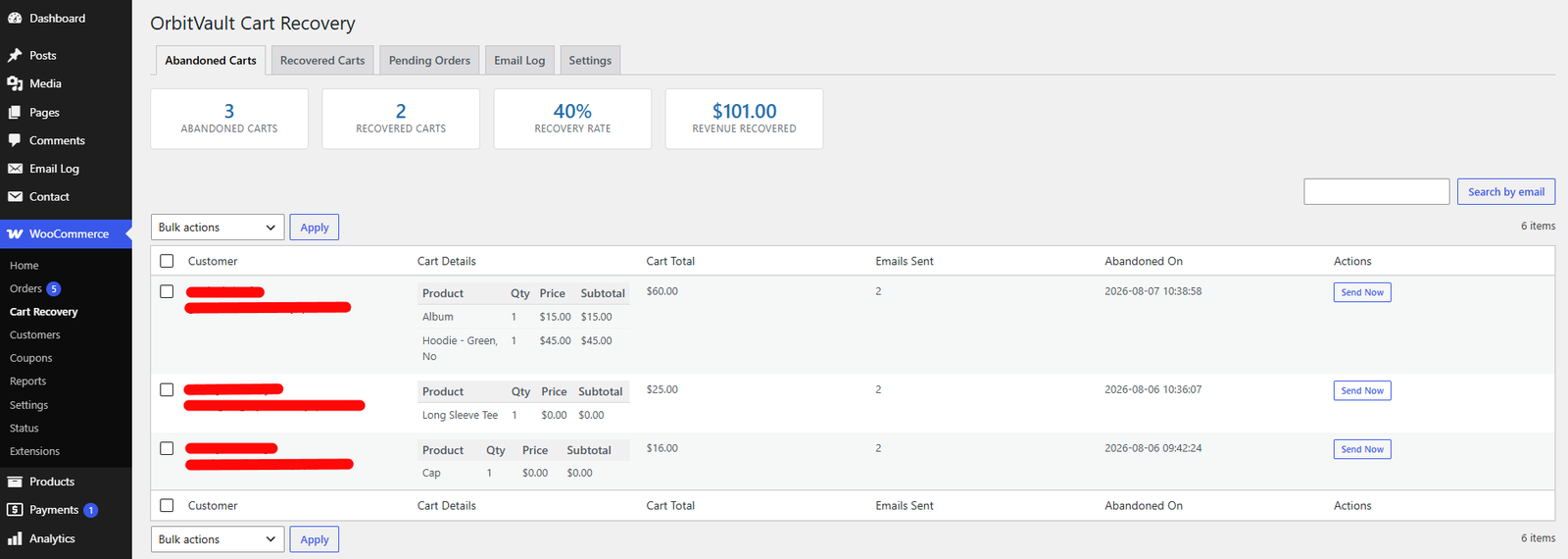
Abandoned Carts tab: recovery rate and revenue stats, plus a searchable, paginated list with full cart details (product, variation, quantity, price, subtotal, cart total) and bulk "Send Recovery Email".
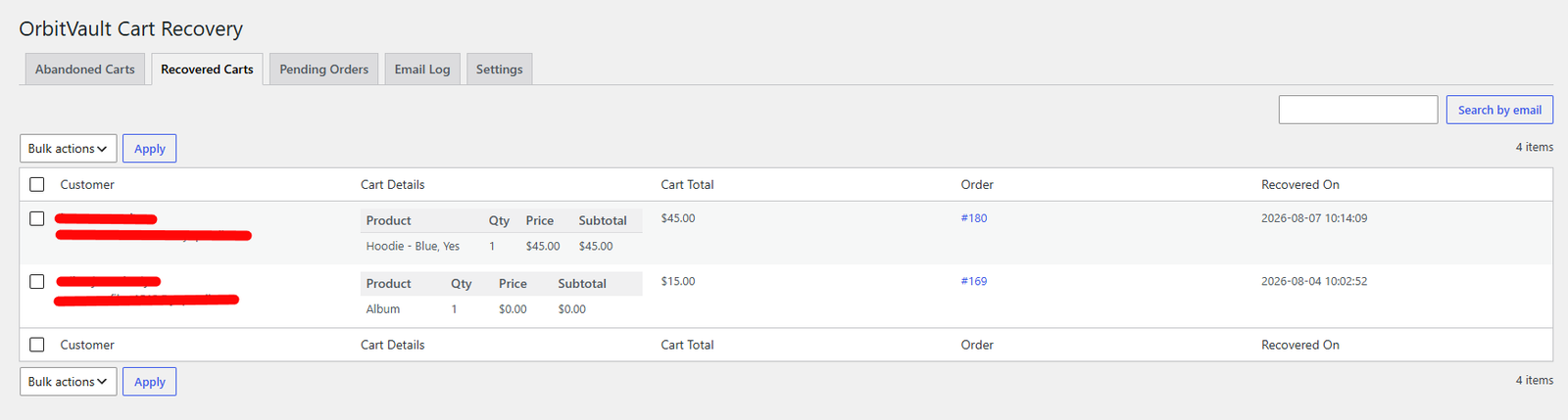
Recovered Carts tab: history of converted carts with order links and bulk delete.
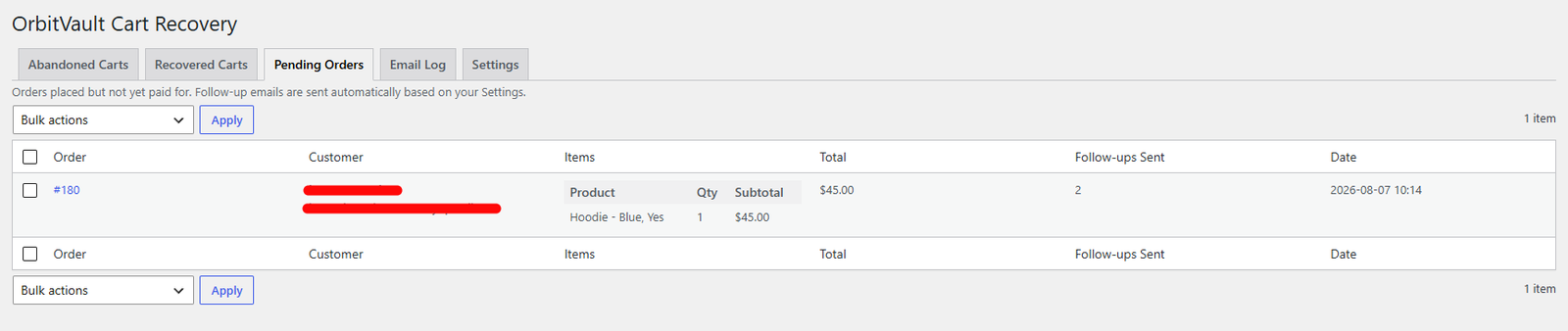
Pending Orders tab: unpaid orders with itemized details and bulk "Send Follow-up Email Now".
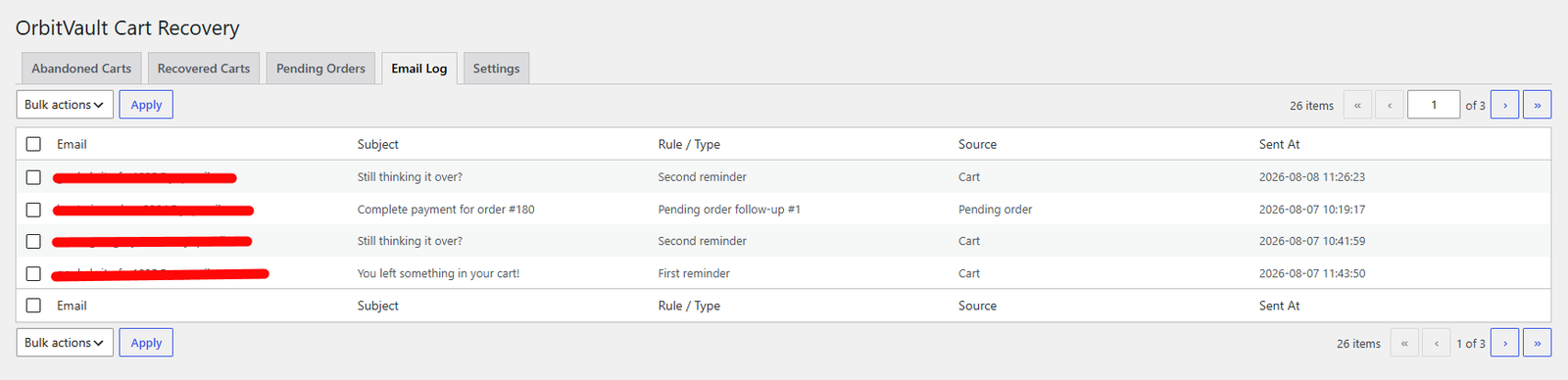
Email Log tab: full send history with bulk delete.
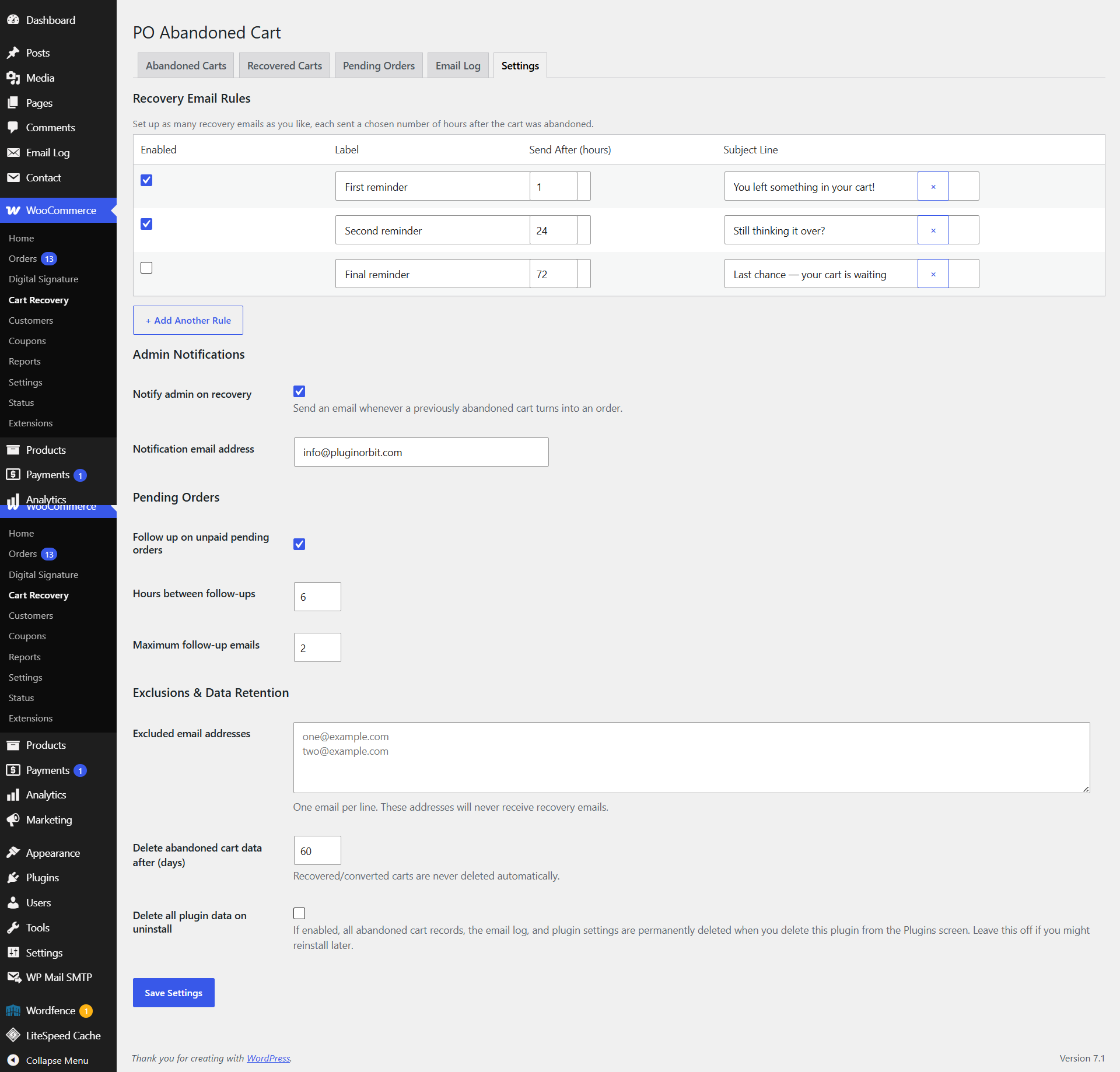
Settings tab: unlimited email rules, admin notifications, pending order settings, exclusions, and data retention.
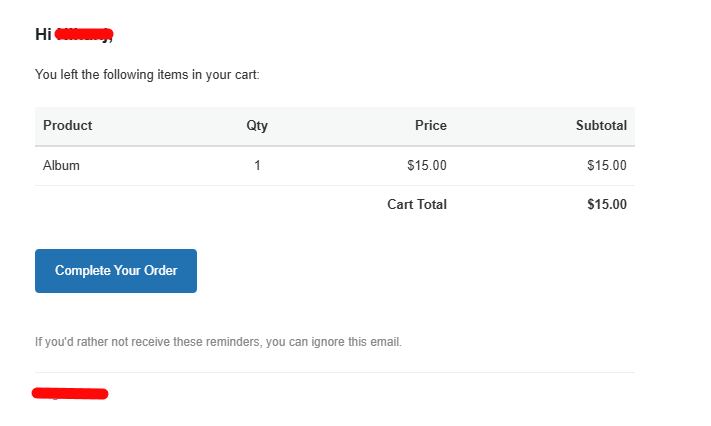
Example recovery email received by the customer, showing the full itemized cart table and restore button.
Faq
Both. As soon as a guest customer enters their email address at checkout, their cart is tracked for recovery.
Yes. The specific variation a customer selected is captured and shown correctly in the admin dashboard and in every recovery email.
Yes. Under Settings, add as many email rules as you like, each with its own delay and subject line.
Yes. From the Abandoned Carts tab you can send a recovery email to a single cart, or select multiple carts and send in bulk.
Yes. The Pending Orders tab automatically follows up with customers whose orders are stuck awaiting payment, and you can also trigger a follow-up manually or in bulk.
Yes, you can enable an admin notification email with full order and product details sent whenever an abandoned cart converts into a completed order.
Yes, add any addresses you want excluded (like your own test account) to the exclusion list in Settings.
By default, nothing is deleted, so you can safely reinstall later. If you want a full cleanup, enable “Delete all plugin data on uninstall” in Settings before deleting the plugin.
WordPress schedules background tasks (like this plugin’s email checks) to run when your site receives a visit. On very low-traffic sites this can occasionally delay a reminder. For guaranteed on-time delivery, see the tip on the Settings page about setting up a real server cron job.
Each recovery email contains a unique, randomly generated link the same general approach WordPress core itself uses for password-reset emails. It safely identifies just that one cart without requiring the customer to be logged in.
Reviews
Changelog
1.0.0
- Initial release: abandoned cart tracking with full variable product support, unlimited email rules, manual & bulk sending, admin recovery notifications, pending order follow-ups with bulk trigger, recovered carts log, email log, native WordPress list table views with pagination and bulk actions throughout, exclusion list, and configurable data retention/uninstall behavior.