Post Count Tracker

Post Count Tracker
Description
This plugin adds a post count to the end of each post’s content. It helps you keep track of the number of post views on your site, which is useful for both admins and readers. Once installed and activated, the post count will automatically display without altering your site’s appearance or functionality. If you want to use shortcode instead of auto insert at the end of content, simply enable shortcode from the settings page and place shortcode in your widget or editor.
Installation
- Upload
post-count-trackerto the/wp-content/plugins/directory. - Activate the plugin through the ‘Plugins’ menu in WordPress.
Screenshots

screenshot-1.png
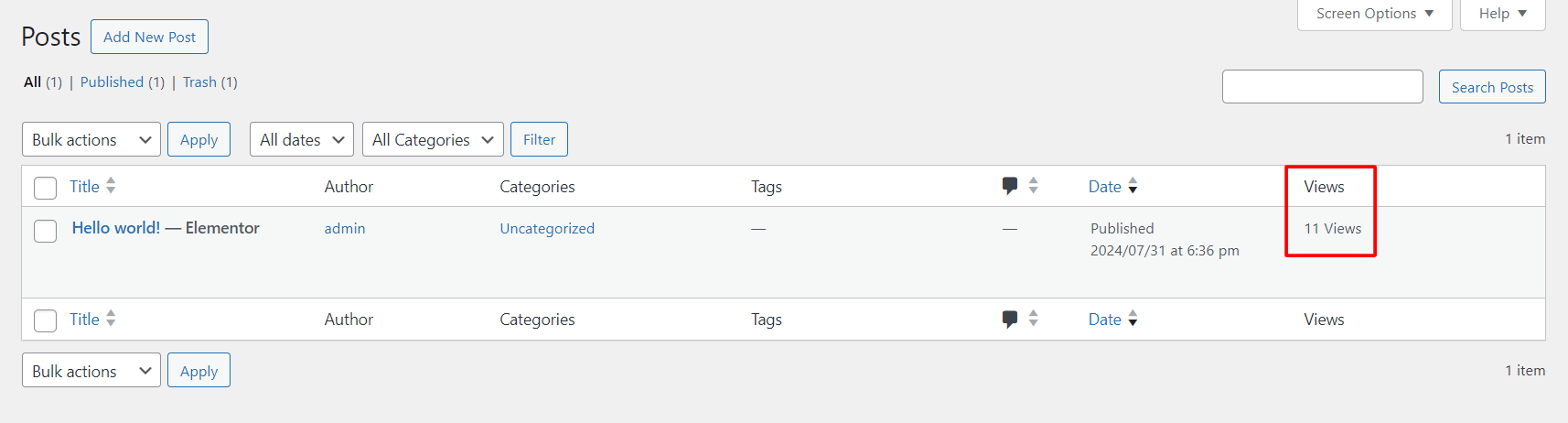
screenshot-2.png

screenshot-3.png
Faq
Yes. You can change the post count text and image for the front-end. Login into WordPress admin -> Post Count Tracker.
Copy [pct_post_count] and place in elementor shortcode widget or wordpress editor or Copy echo do_shortcode(“[pct_post_count]”); and place in your PHP template.
Yes. Enable shortcode and add shortcode in your single post template.
Reviews
Easy to use and Efficient
By 
I find this plugin extremely useful in tracking post activity
Great Plugin for Monitoring Post Activity
By 
Post Count Tracker provides a quick and easy way to track post counts on my WordPress site. Easy to setup and use.
Changelog
1.0.0
Initial release.
1.1.0
Added settings page to control the shortcode, count view text and image.