Post of the Day

Post of the Day
Description
Choose your categories and interval from the settings menu and it will display 1 post from the chosen categories at your set interval, chosen randomly.
Installation
- Upload the entire ‘post-of-the-day’ folder to the ‘/wp-content/plugins/’ directory.
- Activate the plugin through the ‘Plugins’ menu in WordPress.
- You should see “Post of the Day” under your Settings. Edit the settings.
- Include this shortcode within a post or page: [potd]
Alternatively, if you want to include the post somewhere in your theme that is not in a post or page, just include the following in your php page:
<?php echo do_shortcode('[potd]'); ?>
Screenshots
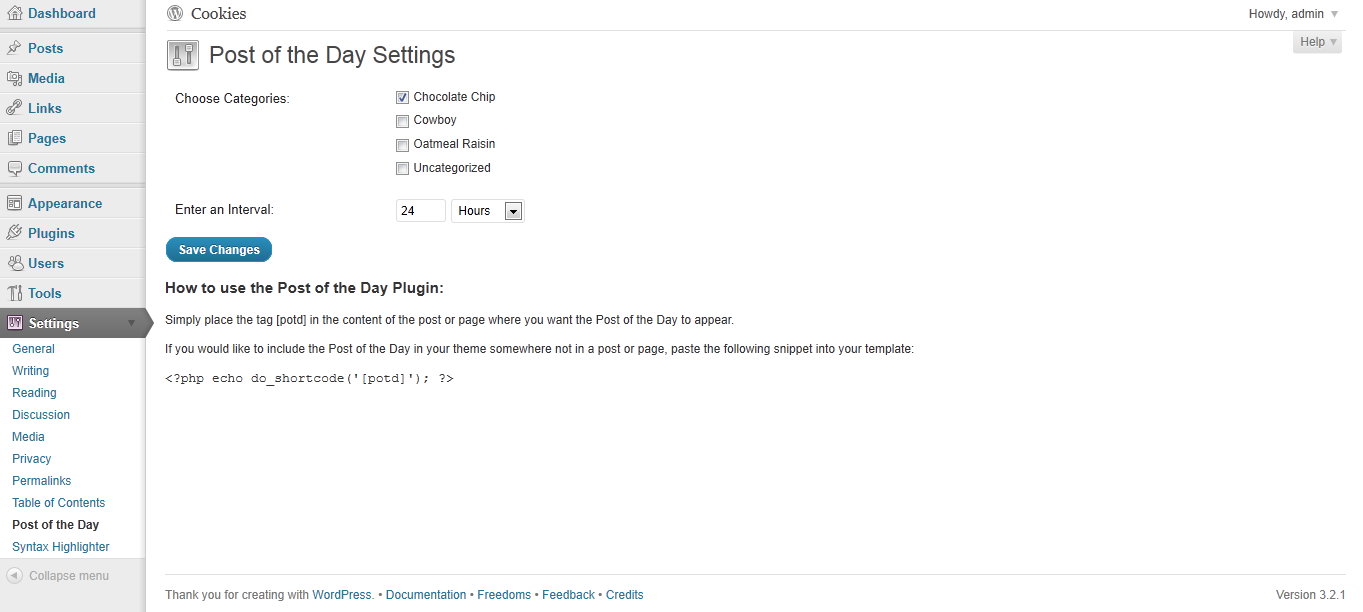
screenshot-1.png: Settings page
Faq
Can I display more than one post at a time?
No, not at this point.
Reviews
Works, but poor documentation and difficould to set up
By 
I works, i guess. It displays a post.
There is little to no documentation, so it is hard to set up, eg are there any options for image other than thumbnail?
Changelog
1.0
First Release