Post Title Color
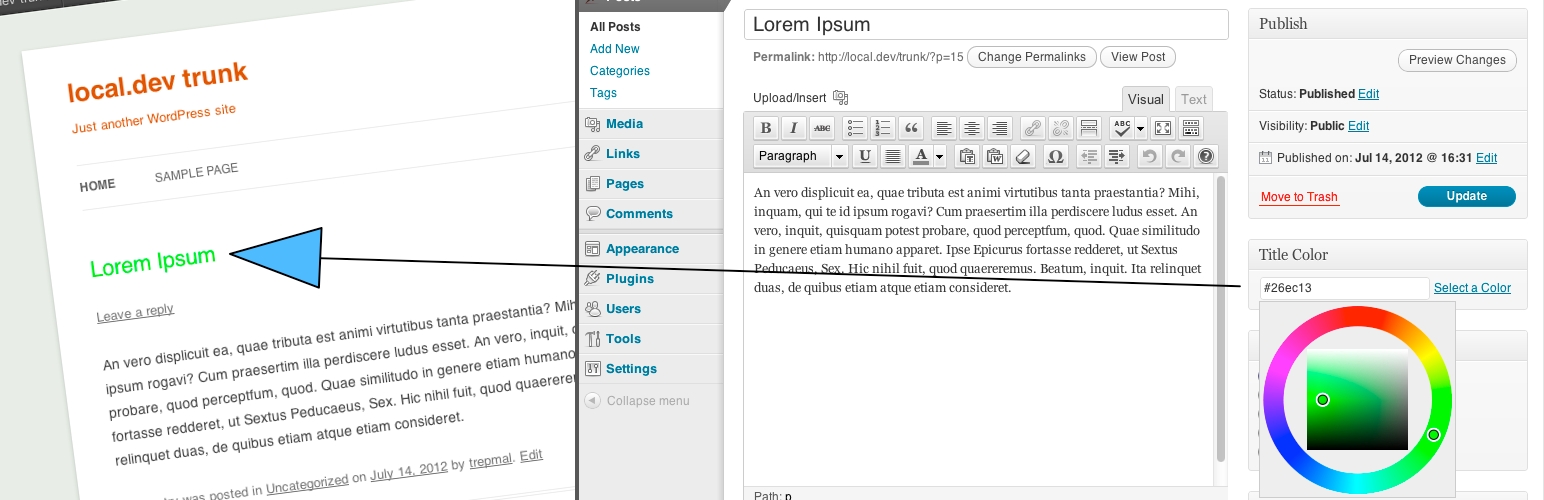
Post Title Color
Description
Puts a colorpicker on the edit posts pages so you can change the color of the title in your blog
I’m on Twitter
This can be enabled for pages by using the post_title_colors_post_types filter.
`
add_filter( ‘post_title_colors_post_types’, ‘ptc_on_pages’ );
function ptc_on_pages( $post_types ) {
$post_types[] = ‘page’;
return $post_types;
}
`
Installation
Installation
- Download the zip file and upload the contents to your plugins directory (defaul
wp-content/plugins) - Activate the plugin through the ‘plugins’ page in WP.
- Edit a post and find the colorpicker in the side (for 2-colomn layouts)
Screenshots


Reviews
Works great!
By 
Works great. Easy to use. Perfect
Changelog
Version 1.4
- Translatable. Serbo-Croation language file added
- Ensure proper script dependency
- General maintenance
Version 1.3
- Oops, Javascript error. Now it works. Sorry guys!
Version 1.2
- Uses new WordPress 3.5 colorpicker.
Version 1.1
- Keep the post title changes in the main post loop. Sidebar/secondary loops should maintain default title colors.
- Code improvements
- Fix plugin homepage link
Version 1.0
- Initial release version.