PostyBot – The Ultimate Content Manager

PostyBot – The Ultimate Content Manager
Description
PostyBot is the ultimate AI-powered content manager for WordPress. Generate high-quality blog posts, articles, tutorials, and more with just a few clicks using state-of-the-art AI technology.
Features
- Multiple AI Providers: Choose from 6 different AI providers including free options (Google Gemini, Hugging Face, Groq, Cerebras, OpenRouter) and premium (OpenAI)
- Smart Content Generation: Generate titles, content, excerpts, categories, tags, and SEO meta descriptions automatically
- Gutenberg Block Format: Content is generated in WordPress Gutenberg block format for seamless editing
- Featured Images: Automatically fetch relevant images from Pexels, Unsplash, or Pixabay
- Customizable Parameters: Control tone, length, format, target audience, and SEO keywords
- Bulk Generation: Generate multiple posts at once
- Generation History: Track all your generated content with detailed parameters
- Modern UI: Beautiful, responsive React-based interface
- Secure: API keys are encrypted and stored securely
Supported AI Providers
Free Providers:
- Google AI Studio (Gemini) – 15 req/min, 1000 req/day
- Hugging Face – 300 req/hour
- Groq – Fast inference with free tier
- Cerebras – High daily limits
- OpenRouter – Access to 50+ models
Paid Providers:
- OpenAI (GPT-3.5, GPT-4)
Use Cases
- Blog content creation
- Tutorial and how-to guides
- Product descriptions
- News articles
- Listicles
- Reviews
- And much more!
External Services
This plugin connects to third-party services to provide its functionality. Below is a detailed explanation of each service used:
AI Content Generation Providers
PostyBot connects to AI providers to generate content. When you generate content, the following data is sent to your chosen AI provider:
* The topic/prompt you entered
* Content parameters (tone, length, format, language, target audience, SEO keywords)
No personal user data is transmitted. The plugin supports the following AI providers:
* Google AI Studio (Gemini): Terms of Service | Privacy Policy
* OpenAI: Terms of Use | Privacy Policy
* Hugging Face: Terms of Service | Privacy Policy
* Groq: Terms of Service | Privacy Policy
* Cerebras: Terms of Service | Privacy Policy
* OpenRouter: Terms of Service | Privacy Policy
Featured Image Providers
PostyBot uses image search APIs to fetch featured images for generated content. When fetching a featured image, the plugin sends only the search query (based on the generated content topic) to the selected image provider:
* Pexels: Terms of Service | Privacy Policy
* Unsplash: Terms of Service | Privacy Policy
* Pixabay: Terms of Service | Privacy Policy
These services are only called when you actively generate content and require a featured image. No background requests or tracking occurs.
Privacy Policy
PostyBot does not collect or transmit any user data. API keys are stored encrypted in your WordPress database. Content generation requests are sent directly to your chosen AI provider according to their privacy policies.
Installation
- Upload the
postybotfolder to the/wp-content/plugins/directory - Activate the plugin through the ‘Plugins’ menu in WordPress
- Go to PostyBot > Settings to configure your AI provider and API keys
- Start generating content from PostyBot > Generate
Screenshots
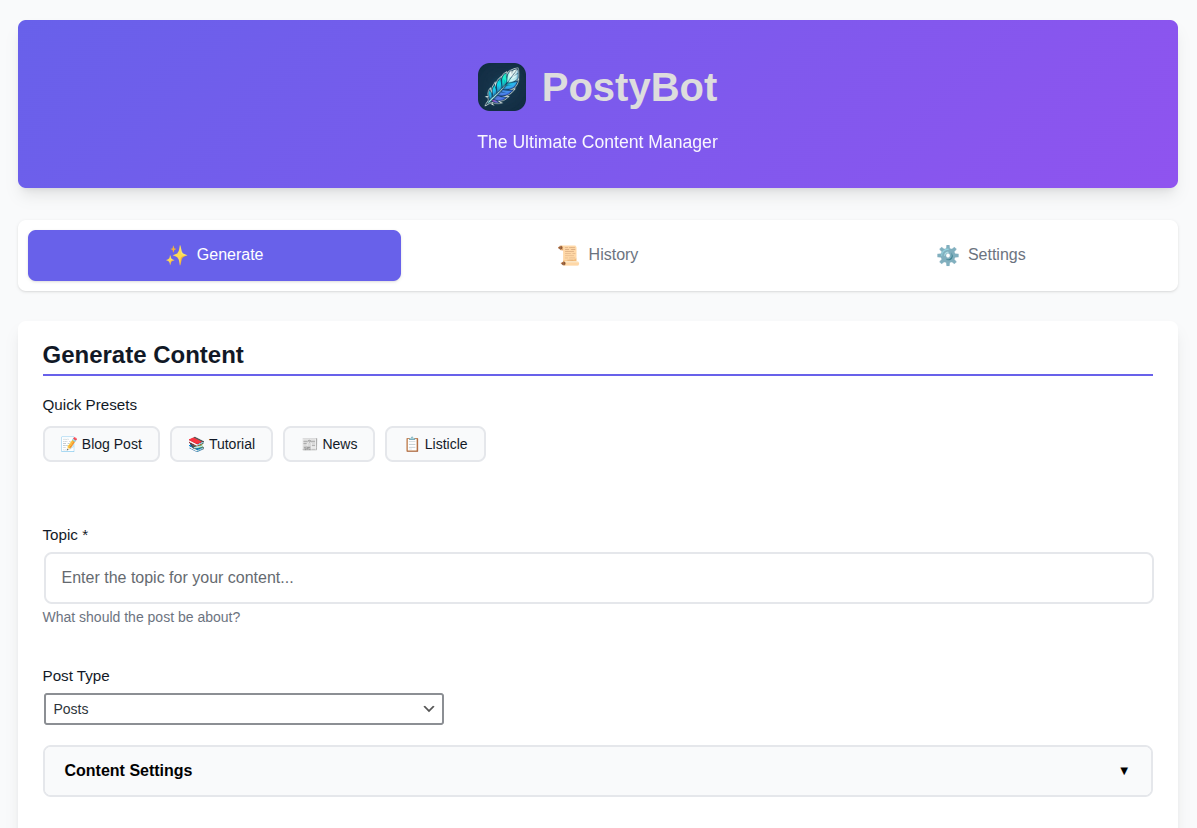
Generate - Quick Presets, Topic, Post Type
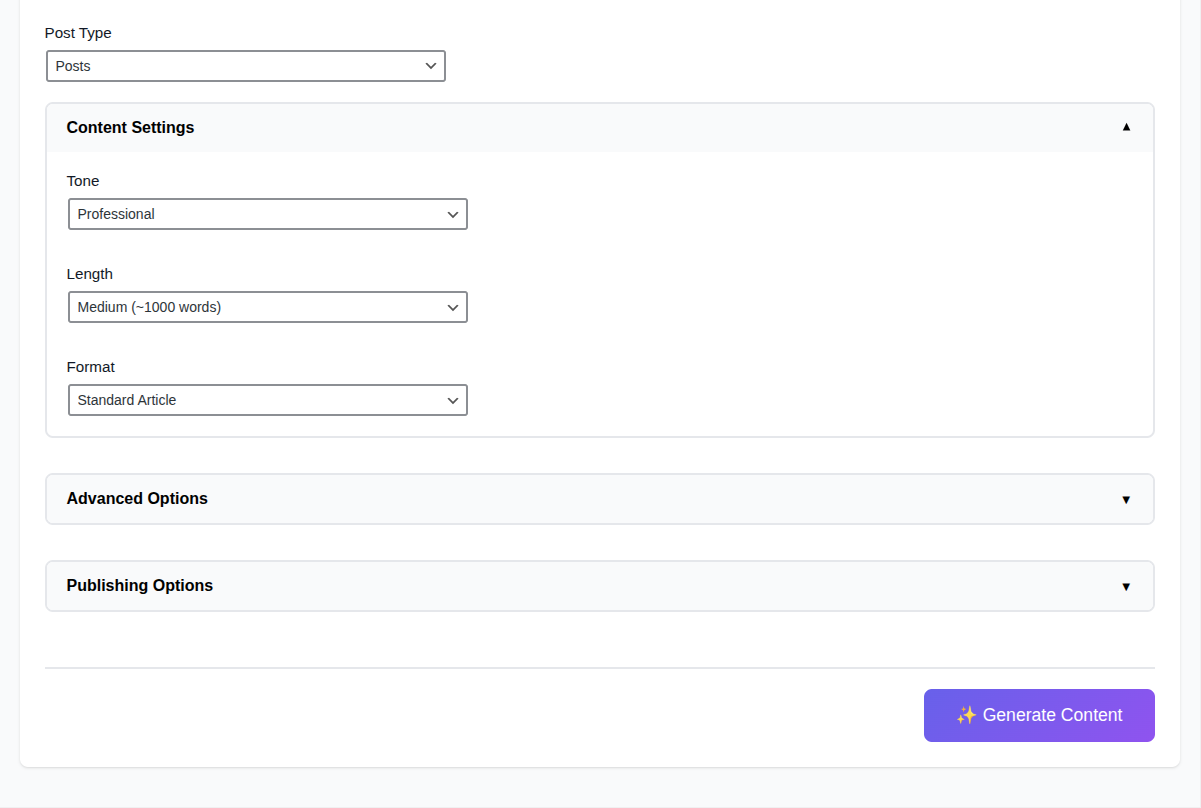
Generate - Content Settings
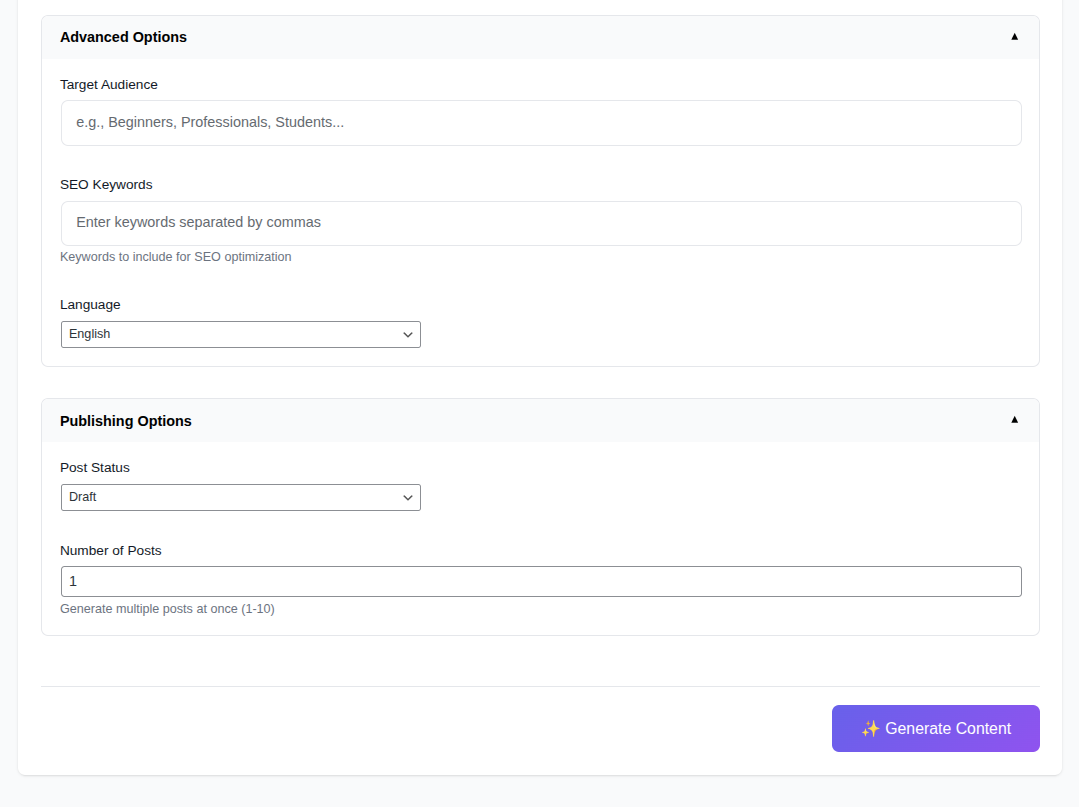
Generate - Advance Options & Publishing Options
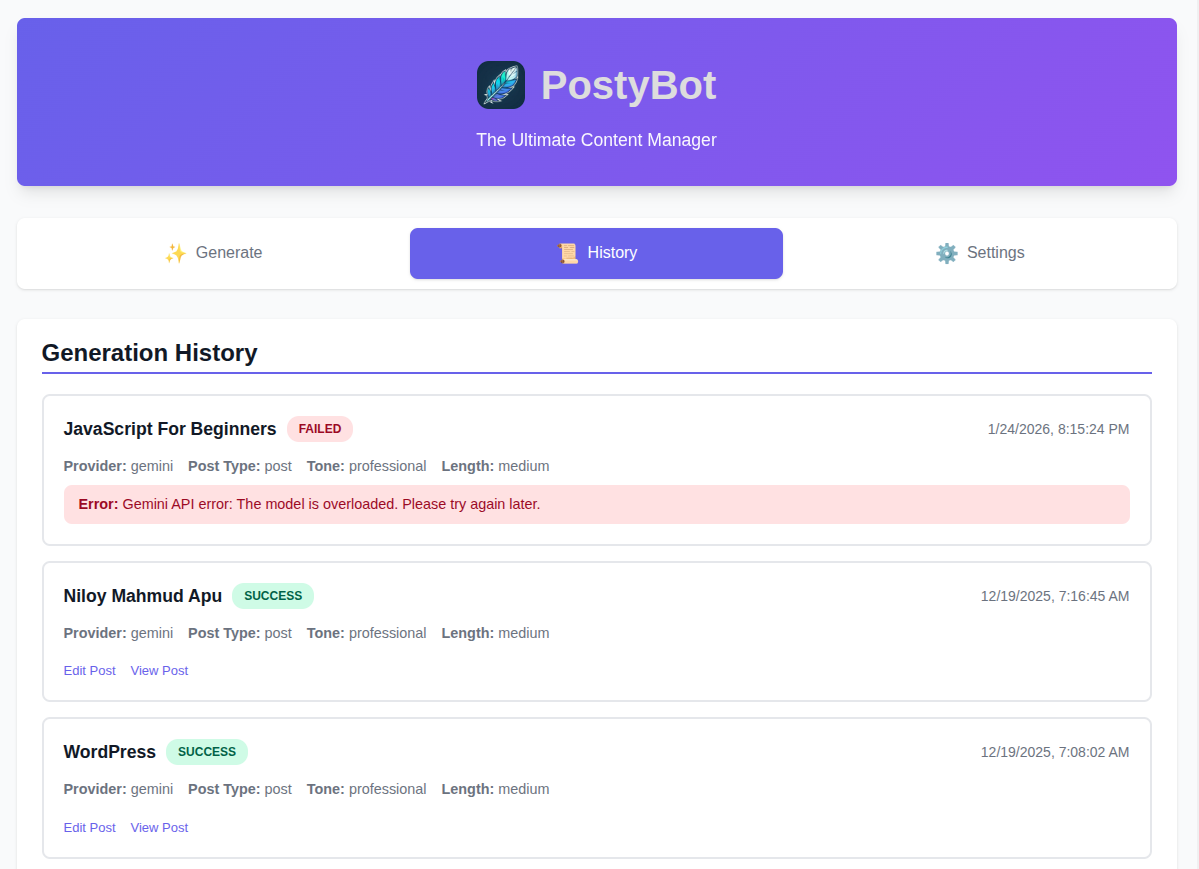
History - All Generated Content
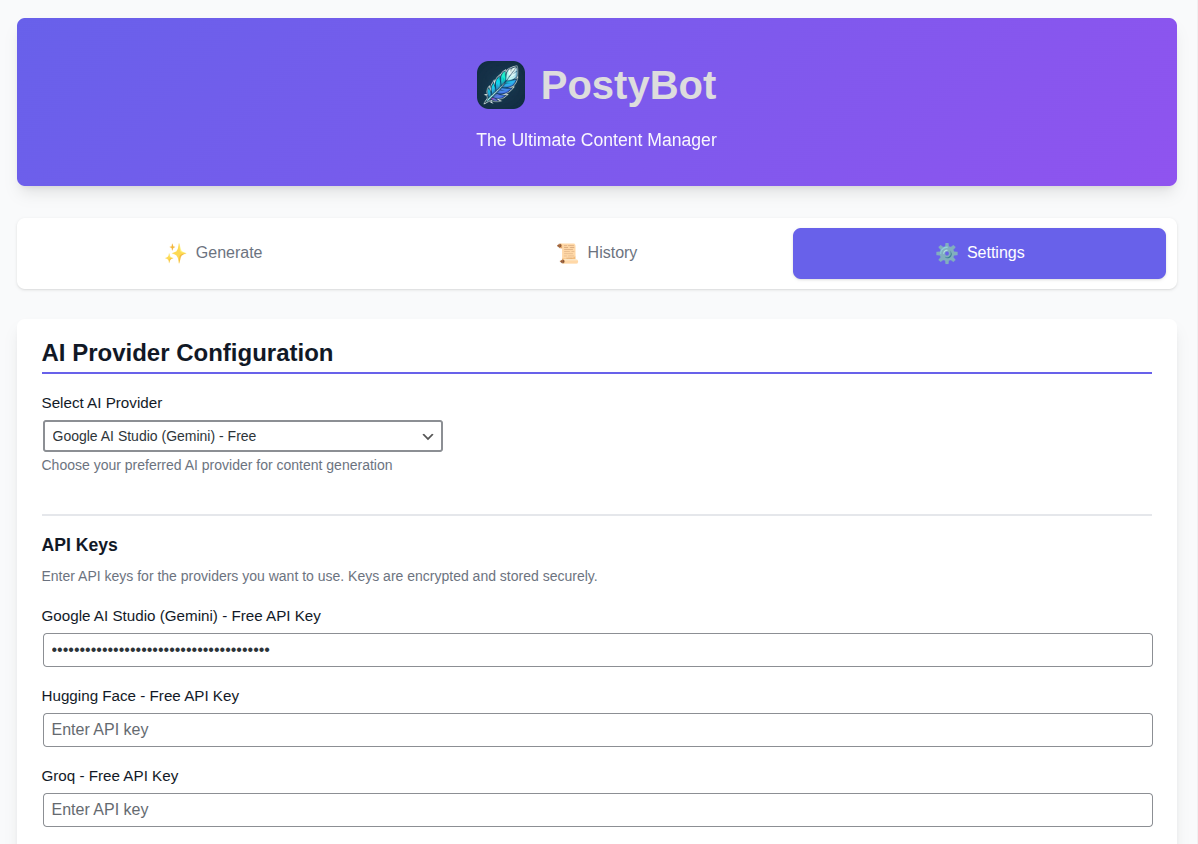
Settings - AI Provider & API Keys
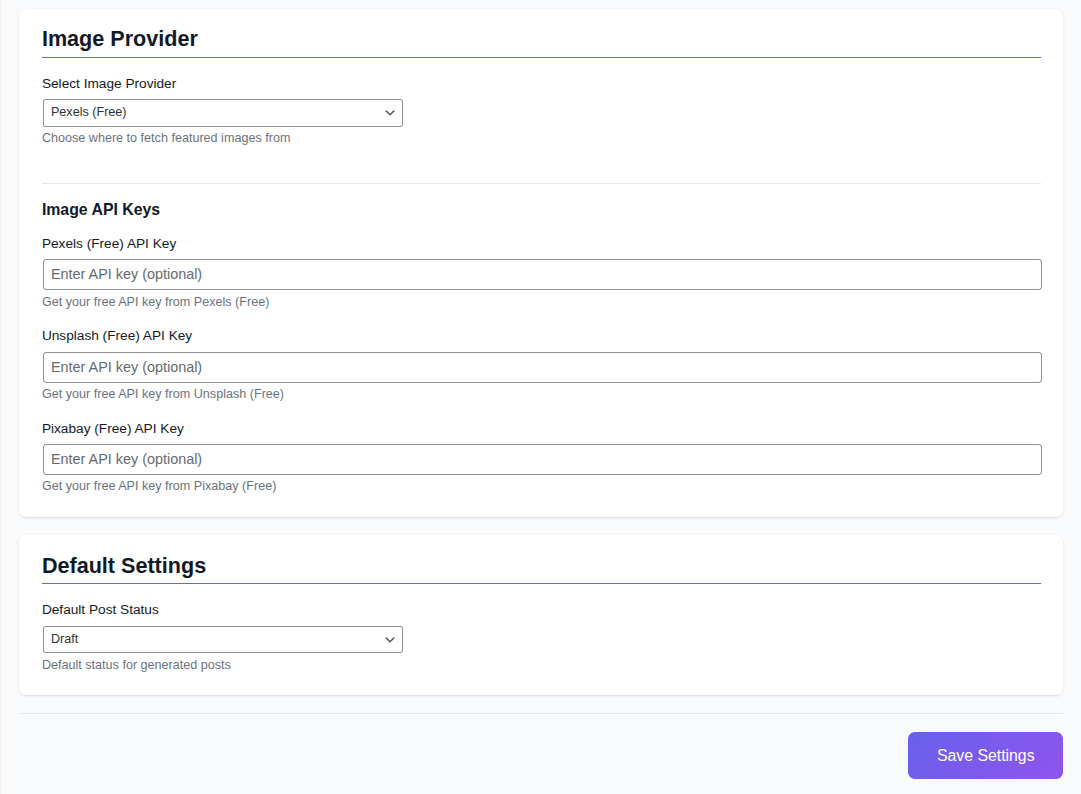
Settings - Image Provider & API Keys, Default Settings
Faq
Yes, you need an API key from at least one AI provider. We recommend starting with Google AI Studio (Gemini) which offers a generous free tier.
Yes, all API keys are encrypted using WordPress salts before being stored in the database.
Yes, PostyBot supports multiple languages including English, Spanish, French, German, Italian, and Portuguese.
PostyBot works with any post type that supports the editor (content). This includes posts, pages, and most custom post types.
Absolutely! All generated content is saved as regular WordPress posts/pages and can be edited in the Gutenberg editor.
Reviews
Changelog
1.0.0
- Initial release
- Support for 6 AI providers
- Content generation with customizable parameters
- Bulk generation support
- Generation history tracking
- Featured image integration
- Modern React-based UI