Power Captcha reCAPTCHA

Power Captcha reCAPTCHA
Description
Protect your WordPress, WooCommerce, and Contact Form 7 forms from spam, brute-force attacks, and fake accounts using Google reCAPTCHA.
Power Captcha reCAPTCHA supports 3 Google reCAPTCHA types integrated into 6 common WordPress forms, including login and comment forms, 7 WooCommerce forms, and Contact Form 7.
3 CAPTCHA Types
- Score-based (v3) CAPTCHA. Seamless detection.
- “I’m not a robot” CAPTCHA checkbox. Verification requests with a challenge.
- Invisible reCAPTCHA. Improved, challenge-based CAPTCHA without a checkbox.
6 WordPress Forms
- Login form
- Register form
- Comment form
- Lost password form
- Reset password form
- Register form
7 WooCommerce Forms
- Login form
- Register form
- Checkout form
- Review form
- Reset password form
- Lost password form
Contact Form 7
As of version 1.0.7, Power Captcha reCAPTCHA integrates with Contact Form 7. You can easily add the Power Captcha reCAPTCHA field to your Contact Form 7 forms.
Activity Report
The Activity Report feature for the plugin provides users with a detailed overview of captcha interactions. It tracks and displays the number of solved, failed, and empty captchas, offering a daily breakdown to monitor performance trends. Stay informed with clear insights into your captcha performance.
Installation
- Upload the
power-captcha-recaptchafolder to the/wp-content/plugins/directory. - Activate the plugin through the ‘Plugins’ menu in WordPress.
- Sign up at Google reCAPTCHA console to get your Site Key and Secret Key (it’s FREE).
- Enter your Site Key and Secret Key in Settings -> Power Captcha menu in WordPress.
- Enable the desired CAPTCHA types.
Screenshots
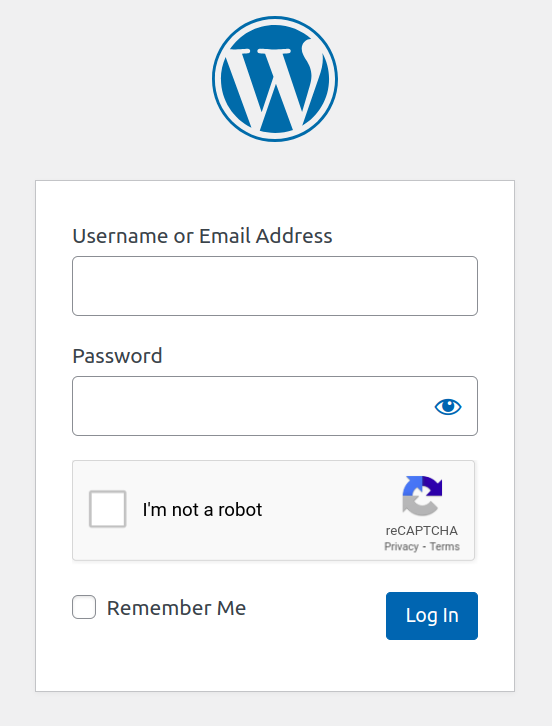
Login form CAPTCHA.

Example for a comment form.

Available CAPTCHAs for WordPress.

Available CAPTCHAs for WooCommerce.
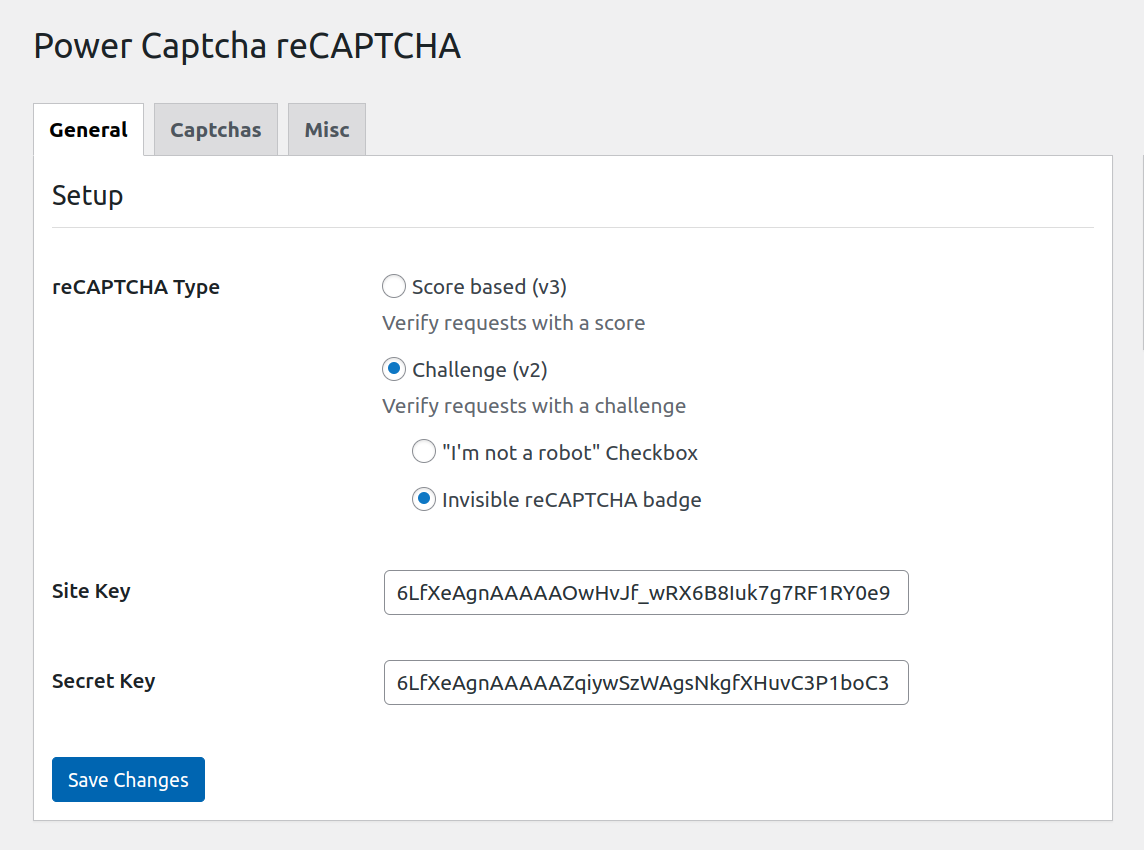
General settings view.
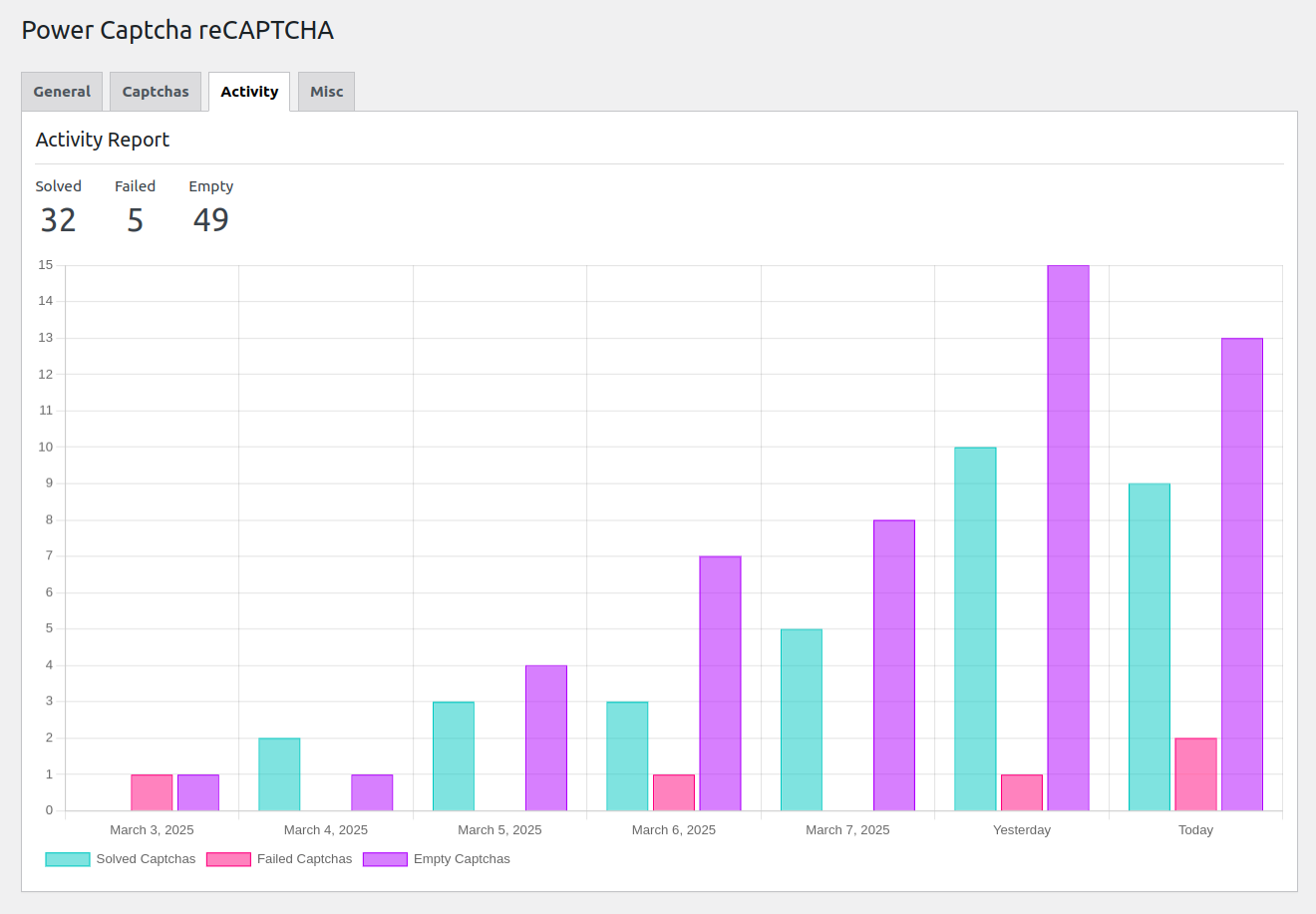
Faq
Power Captcha reCAPTCHA is an anti-spam solution that helps you secure forms and stop bots from submitting them.
After completing the setup, go to the “Captcha” tab on the settings page and select the forms you want to protect. The CAPTCHA will be integrated into the selected forms.
No coding required. The plugin provides one-click integration for all supported WordPress and WooCommerce forms.
Please create a new topic with a feature request in our support forum.
Yes. The functionality of the plugin relies on the integration of a third-party service, specifically Google reCAPTCHA. For a thorough understanding of the service, including its terms of service and privacy policy, please refer to the official documentation provided at Google reCAPTCHA.
Reviews
it works! just one feature missing
By 
IT works and did not break 2fa plugin so happy with it!
One feature missing is setting to change eg. 0.1 to 1.0 settings for level of sensitivity.
Other than that perfect thank you!
Power Captcha: Seamless Security for WordPress and WooCommerce
By 
I recently integrated Power reCAPTCHA into my WordPress and WooCommerce sites, and I am thoroughly impressed with its performance. This plugin offers robust security features by supporting three types of Google reCAPTCHA, seamlessly integrating them into six common WordPress forms and seven WooCommerce forms.
Works great – easy to implement
By 
Simple and useful. No more spam bots.
Thank you!
Changelog
1.0.0
- Plugin released.
1.0.1 (2024-06-11)
- Tested up to 6.5.4
- WooCommerce tested up to 8.9.3
1.0.2 (2024-07-01)
- Tested up to 6.5.5
- Screenshots added.
1.0.3 (2024-07-18)
- Tested up to 6.6
- Typo fixed.
1.0.4 (2024-07-18)
- Added Spanish translations.
1.0.5 (2024-07-28)
- Tested up to 6.6.1
- Improved Spanish translations.
- Improved Readme.
- Fixed minor bugs.
1.0.6 (2024-10-28)
- Tested up to 6.7
1.0.7 (2024-11-08)
- Added Contact Form 7 integration.
1.0.8 (2024-11-11)
- Added reCAPTHA reset on submit for Contact Form 7.
1.0.9 (2024-11-11)
- Enhanced reCAPTHA field behavior for Contact Form 7.
1.0.10 (2024-12-13)
- Added Russian translations.
- WooCommerce tested up to 9.4.3
1.1.0 (2025-03-09)
- Tested up to 6.8.0
- WooCommerce tested up to 9.7.1
- Added captcha activity report feature.
- Fixed minor bugs.
1.2.0 (2026-07-19)
- Tested up to 7.0.2
- WooCommerce tested up to 10.9.4
- Add filter
pwrcap_recaptcha_expected_hostname. - Modernize css and js files.
- Add missing composer files.
- Fix false CAPTCHA error on login page.
- Fix tab switch jitter caused by bottom border.