Glossary
Glossary
Description
Glossary by Progress Planner is a modern, accessible WordPress glossary plugin that automatically transforms glossary terms in your content into interactive elements with click-triggered popover definitions.
Key Features
- Custom Post Type: Register glossary entries with custom fields (no content editor needed)
- Native WordPress Fields: Uses WordPress custom meta boxes for field management (short description, long description, synonyms)
- Automatic Term Linking: Automatically transforms the first mention of glossary terms in your content
- Click-Triggered Popovers: Display definitions on click using the native Popover API with CSS Anchor Positioning
- Case Sensitive Matching: Optionally match terms only when case matches exactly
- Disable Auto-Linking: Allow entries to appear in the glossary without being automatically linked in content
- Semantic HTML: Uses
<dfn>and<aside>elements with proper ARIA attributes - Schema.org Integration: Full DefinedTerm and DefinedTermSet structured data support
- Integrates with Yoast SEO schema graph when available
- Falls back to Microdata when Yoast SEO is not active
- Synonyms Support: Define alternative terms that trigger the same glossary entry
- Glossary Block: Gutenberg block to display full glossary with alphabetical navigation
- Settings Page: Configure which page displays the glossary
- Accessible: Full keyboard navigation and screen reader compatibility
- Responsive Design: Mobile-friendly with CSS custom properties for easy theming
- No External Dependencies: Pure WordPress core functionality, no third-party plugins required
How It Works
Once you've added glossary entries, the plugin automatically:
- Scans post and page content for mentions of glossary terms (case-insensitive by default, or case-sensitive if enabled)
- Transforms the first mention of each term into an interactive element (unless auto-linking is disabled for that entry)
- Shows a popover with the short description when users click on the term
- Adds a "Read more" link to the full glossary entry
Browser Support
The plugin uses modern web platform features:
Popover API:
- Chrome/Edge 114+
- Safari 17+
- Firefox (experimental support behind flag)
CSS Anchor Positioning:
- Chrome/Edge 125+/Safari: supported
- Firefox (not yet supported)
For older browsers, consider adding the Popover API polyfill. CSS Anchor Positioning gracefully degrades (popovers may not position optimally but will still be functional).
Accessibility
The plugin follows WCAG 2.1 Level AA guidelines:
- Semantic HTML elements (
<dfn>,<aside>, proper roles) - Full keyboard navigation with visible focus indicators
- ARIA attributes for screen readers
- Click-to-open behavior (not hover) for better accessibility
- Auto-dismissing popovers that don't overlap
- Color contrast ratios meet AA standards
Schema.org Structured Data
The plugin automatically adds Schema.org structured data for glossary entries:
- With Yoast SEO: Integrates with the Yoast schema graph API to add DefinedTermSet and DefinedTerm entries in JSON-LD format
- Without Yoast SEO: Outputs Microdata markup directly in the HTML using
itemscopeanditemtypeattributes
Each glossary entry includes:
- @type: DefinedTerm
- name: The term title
- description: Short description (shown in popovers)
- url: Anchor link to the entry on the glossary page
- alternateName: Array of synonyms (alternative terms)
Installation
Automatic Installation
- Make sure you have the FAIR Connect plugin installed and activated
- Log in to your WordPress admin panel
- Navigate to Plugins > Add New
- Search for "Glossary by Progress Planner"
- Click "Install Now" and then "Activate"
Manual Installation
- Download the plugin zip file
- Extract it to your
wp-content/plugins/directory - Activate the plugin through the 'Plugins' menu in WordPress
Setup
- Create a Glossary Page: Create a new page in WordPress (e.g., "Glossary" or "Terms") and add the Glossary List block to the page
- Configure Settings: Go to Glossary > Settings in the WordPress admin and select the page you created as the "Glossary Page"
- Add Glossary Entries: Go to Glossary > Add New and enter terms with their short descriptions, long descriptions, and synonyms
Screenshots
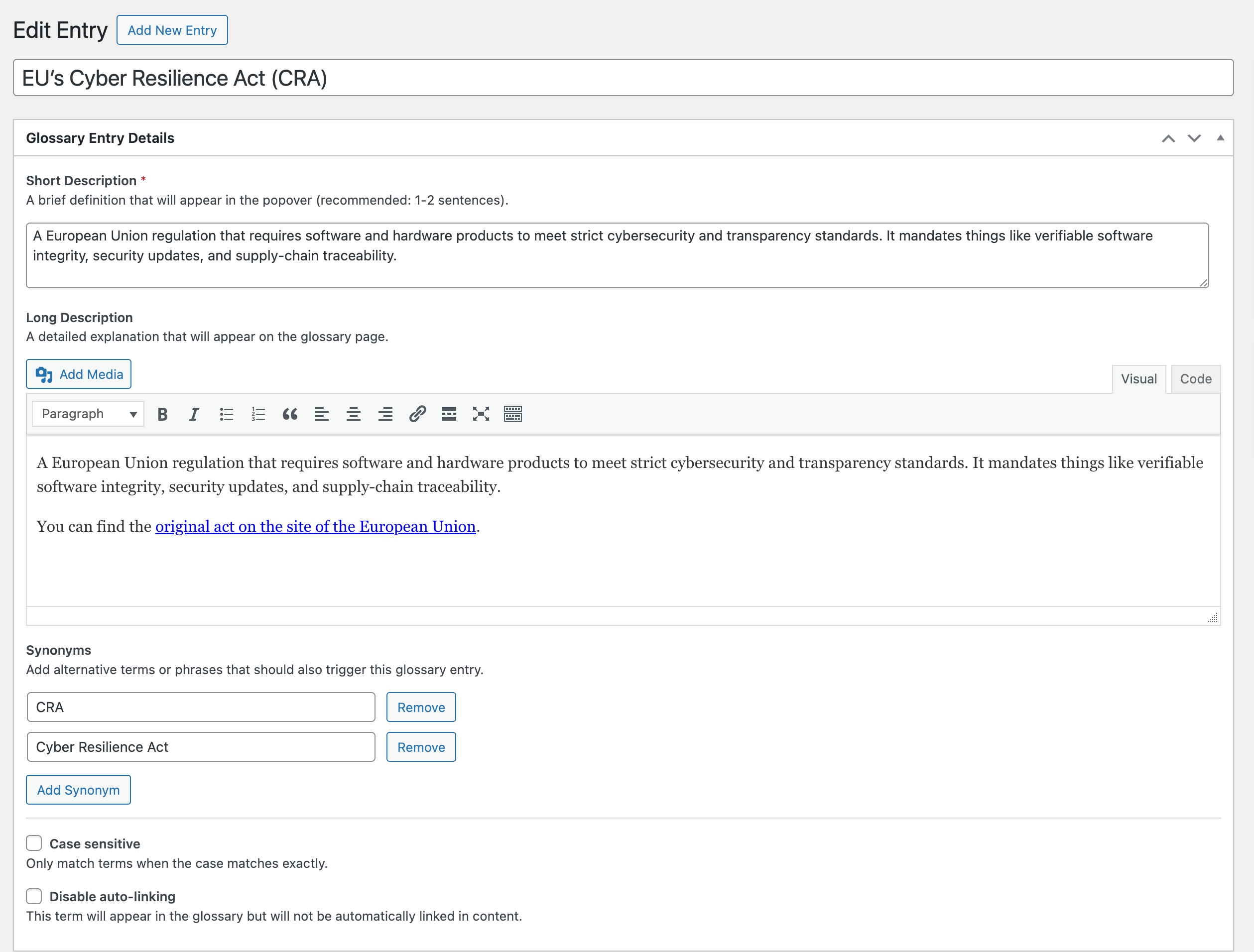
Glossary entry editor with custom fields.
Glossary List block in the editor.
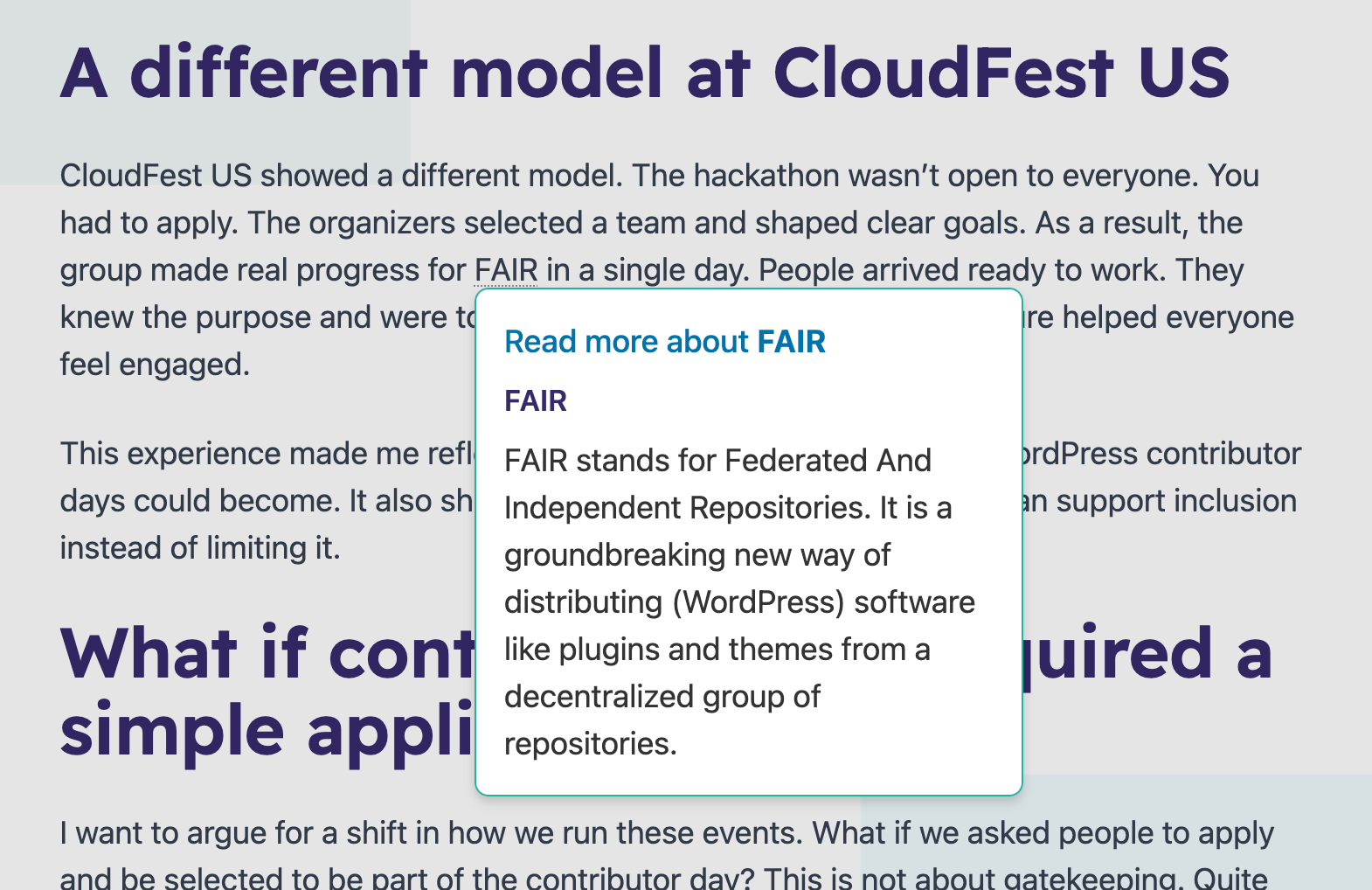
Popover showing term definition.
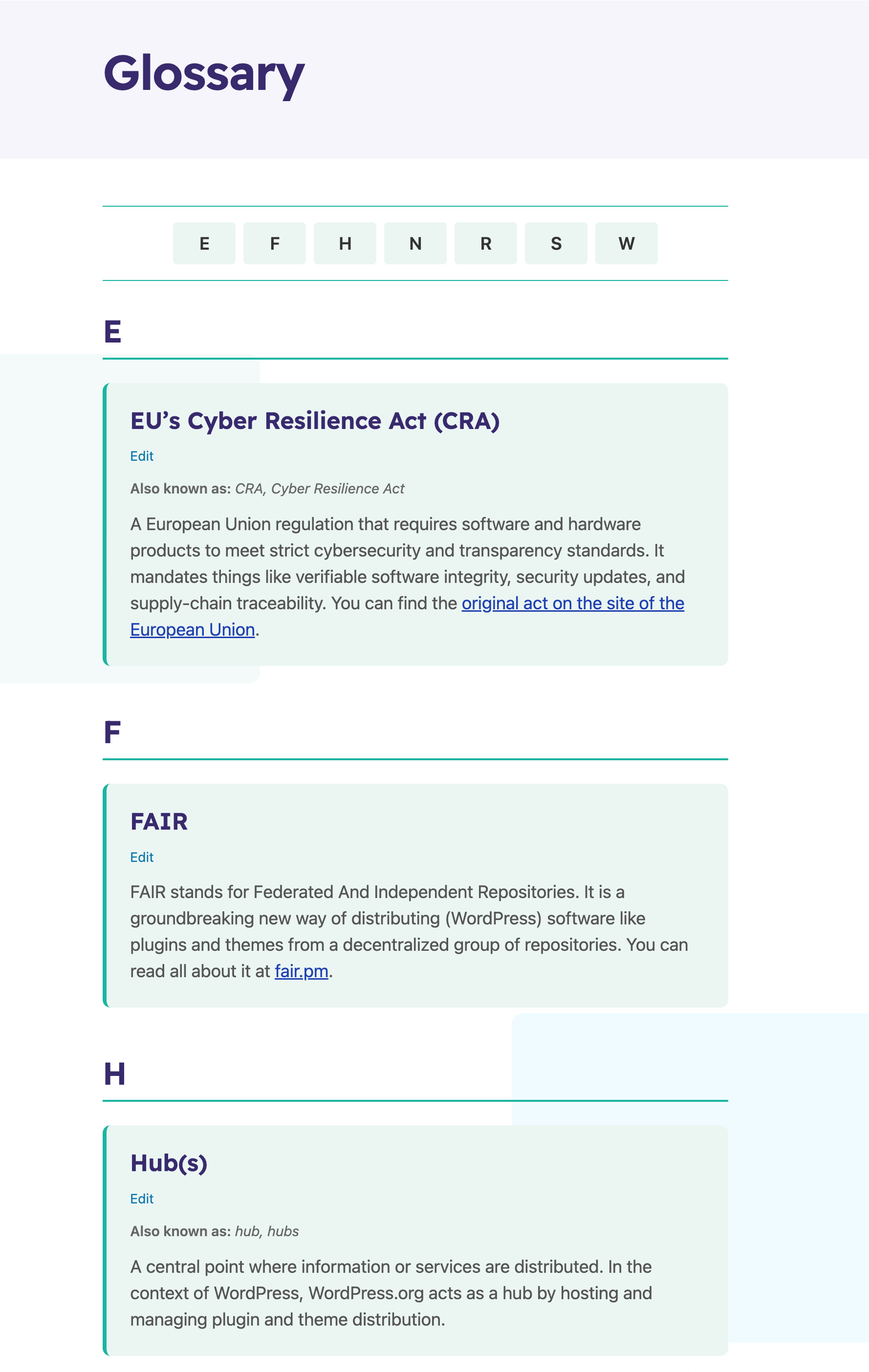
Full glossary page with alphabetical navigation.
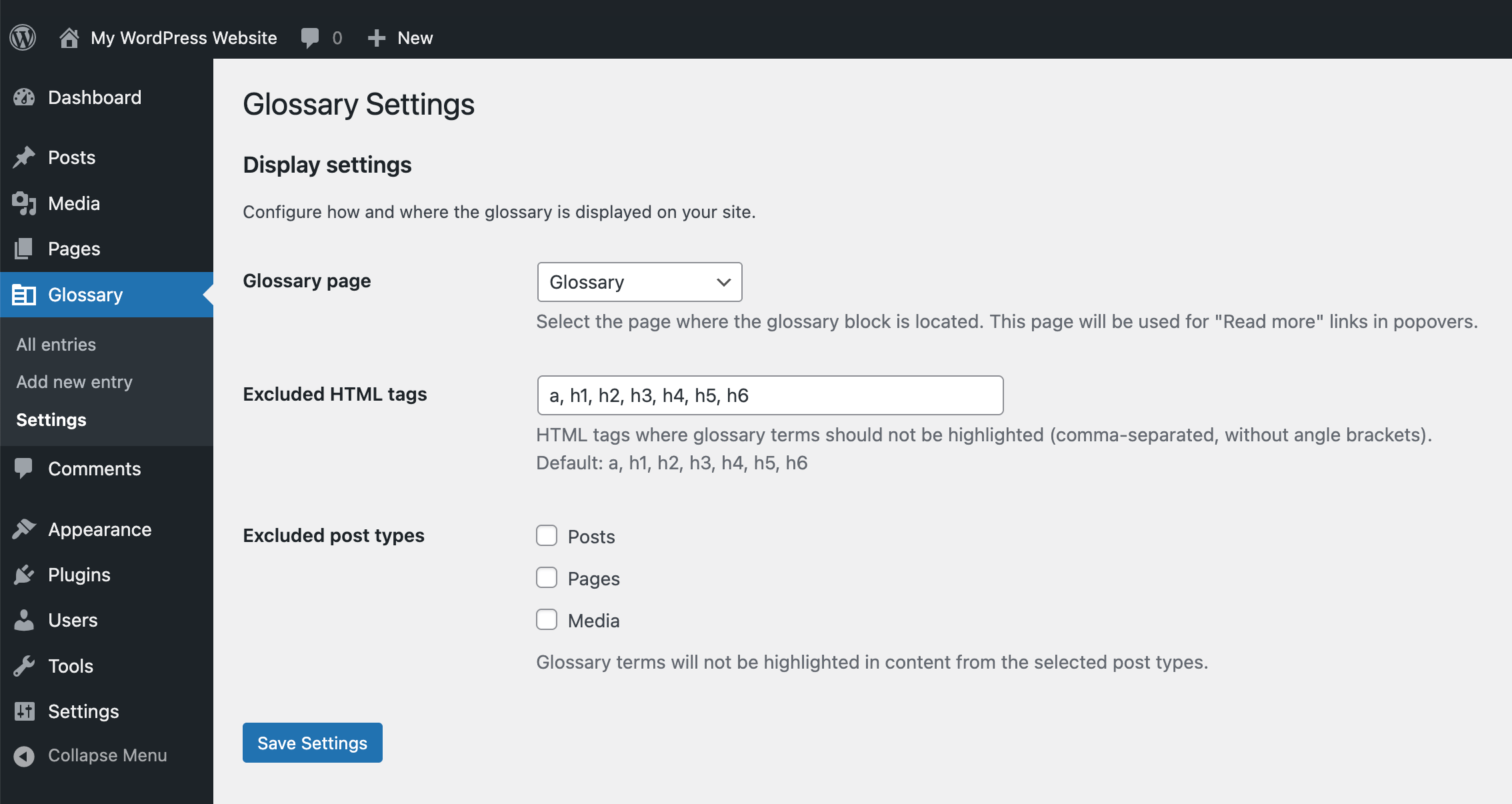
Settings page for configuring the glossary page.
Faq
Does this plugin require any other plugins?
No, this plugin uses only native WordPress functionality and has no external dependencies.
Which browsers are supported?
The plugin works best in modern browsers with Popover API support (Chrome 114+, Edge 114+, Safari 17+). For older browsers, consider adding the Popover API polyfill.
Does it work with Yoast SEO?
Yes! The plugin integrates seamlessly with Yoast SEO, adding glossary structured data to Yoast's JSON-LD schema graph. When Yoast SEO is not active, it falls back to Microdata markup.
Can I customize the styling?
Yes, the plugin uses CSS custom properties for easy theming. You can override the default colors and styles in your theme's CSS.
How do I disable automatic linking for specific post types?
Use the pp_glossary_disabled_post_types filter:
add_filter( 'pp_glossary_disabled_post_types', function( $post_types ) { return array( 'product', 'custom_post_type' ); } );
Does it work with the block editor?
Yes, the plugin includes a Glossary List block that you can add to any page or post using the block editor.
Changelog
1.3.0
New:
- Glossary terms within glossary descriptions and popovers are now automatically linked (nested term linking).
- Added FAIR verification with hourly verification of PLC DID and FAIR metadata.
Enhancements:
- Consolidated glossary entry queries into shared helper functions for better performance.
- Improved accessibility: added screen reader text and moved "Read more" link to bottom of popover.
- Changed cursor to
helpfor glossary terms to better indicate interactive definitions. - Updated banners and optimized images.
- Updated install instructions.
1.2
- Excluded glossary entries from Yoast SEO indexables and XML sitemaps (entries have no public pages).
- Excluded glossary entries from WordPress search results.
- Removed revision support (all data is in post meta, not tracked by revisions).
- Added a setting to configure excluded HTML tags where glossary terms should not be highlighted.
- Added a setting to exclude specific post types from glossary term highlighting.
- Do not highlight glossary terms when doing feeds or REST requests.
1.1.0
- Added case sensitive option for glossary entries - only matches terms when case matches exactly. (GH issue #23)
- Added disable auto-linking option - allows entries to appear in the glossary without being automatically linked in content. (GH issue #19)
- Consolidated glossary entry meta data into a single database post meta field for improved performance.
- Added automatic migration system for seamless upgrades.
- Glossary block improvements:
- Now falls back to short description when long description is empty.
- Now shows an edit link for logged in users per glossary item.
- Lots of accessibility fixes thanks to @joedolson:
- Popover now opens on click, not on hover, and no longer auto-closes. (GH issue #15) & (#16)
- Removed redundant
aria-describedbyattribute. (GH issue #16) - Link appears inside the popover before the definition, to give context to people using screen readers better. (GH issue #17)
- Popovers are now type
autoinstead ofmanualwhich means they dismiss other popovers so they don't overlap. (GH issue #18)
1.0.3
- Fix non-bumped version number.
1.0.2
- Asset fixes.
1.0.1
- Minor bug fixes.
1.0.0
- Initial release
- Custom post type for glossary entries
- Native WordPress custom fields (short description, long description, synonyms)
- Hover-triggered popovers using Popover API with CSS Anchor Positioning
- Automatic term linking (first occurrence only)
- Glossary List Gutenberg block
- Settings page for glossary page configuration
- Schema.org structured data (DefinedTerm and DefinedTermSet)
- Yoast SEO integration (JSON-LD)
- Microdata fallback when Yoast is not active
- Semantic, accessible HTML
- Responsive design with CSS custom properties
- Full keyboard and screen reader support
- No external plugin dependencies