Precise Expressions Product Fit Assistant for WooCommerce
Precise Expressions Product Fit Assistant for WooCommerce
Description
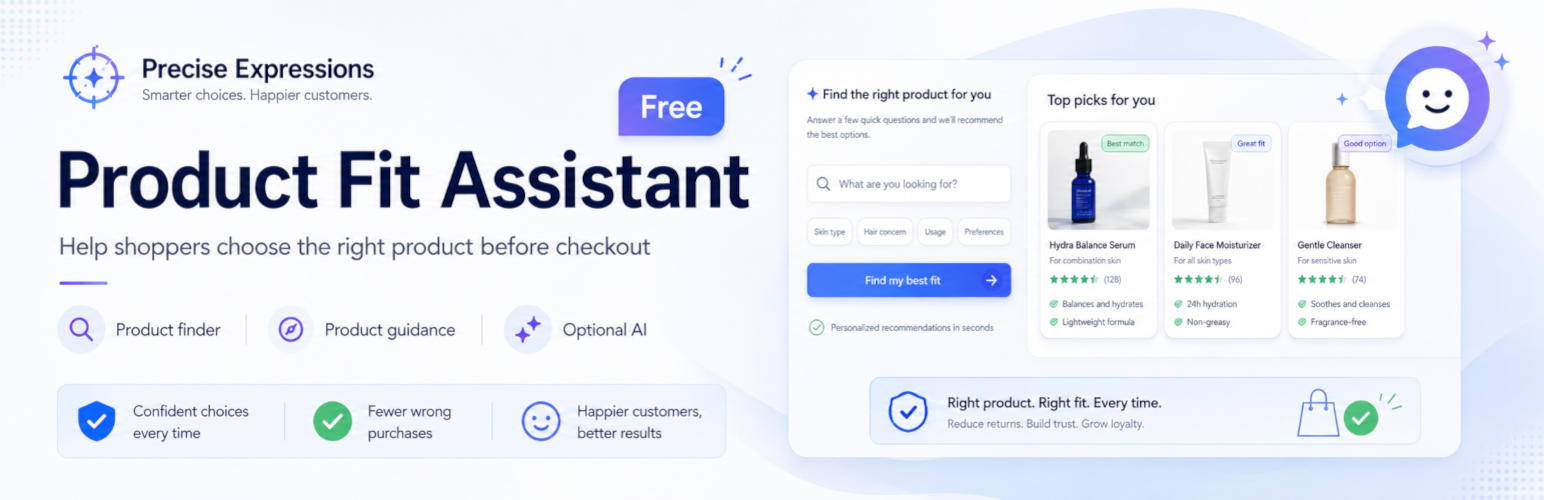
Precise Expressions Product Fit Assistant for WooCommerce adds a compact slide-out assistant to single product pages. It helps shoppers review fit, compatibility, product options, accessories, personalization details, and ordering checks before checkout without crowding the product page.
The assistant is rule-based by default and uses WooCommerce product data, global templates, category guidance, attribute guidance, product attributes, variations, upsells, cross-sells, and optional merchant notes. Prompt buttons are selected from product context, and merchants can add custom help prompts for individual products.
For products configured for suitability assessment, merchants can define deterministic product rules, variation viewing-distance ranges, and authoritative variation display-method facts. Shoppers answer guided questions and the server evaluates the configured data deterministically. For size or option-choice prompts, the assistant can compare purchasable variations and present tied suitable options without changing the shopper’s selected variation.
The plugin also includes Product Finder, a store-wide product discovery assistant available with the [pfwa_product_finder] shortcode. Product Finder searches the local catalog first, recommends real published WooCommerce products, and falls back to local catalog search when AI is unavailable.
The deterministic rule-based guidance, suitability scoring, and cross-variation recommendations work without external services, subscriptions, or AI. Optional AI answers are available for merchants who connect their own OpenAI API account. The plugin is translation-ready, and AI-generated answers or discovery keyword suggestions can be instructed to use the site language, shopper language where possible, English (US), or a custom language.
The assistant and Product Finder provide merchant-configured guidance and product-data reminders. They do not guarantee fit, compatibility, product suitability, availability, or return eligibility.
Features include:
- Compact product-page slide-out guidance helper with context-aware prompt buttons.
- Deterministic suitability assessment using configured product rules and variation facts.
- Variation-specific viewing-distance ranges and authoritative display-method facts.
- Guided multi-turn suitability questions for configured shopper inputs.
- Deterministic cross-variation recommendations for size and option-choice prompts, including tied suitable options.
- Storefront rendering of configured suitability recommendations without automatic variation selection.
- Optional product-specific custom help prompts and personalization capability notes.
- Product Finder shortcode for store-wide product discovery.
- Local candidate product search before optional AI ranking.
- Setup Guide with safe suggested global templates for common store types.
- Category and attribute guidance rules to reduce per-product setup.
- Global guidance templates for common reminders.
- Product-level fit notes, compatibility warnings, required accessories, common questions, and return-prevention notes.
- Primary, secondary, and exclude Product discovery keywords to improve Product Finder matches for natural shopper requests.
- Per-product Generate discovery keywords helper with Conservative, Balanced, and Broad styles, local suggestions, and optional AI suggestions.
- Optional privacy-minimal interaction logging.
- Simple dashboard to find products with weak or missing guidance.
- Optional AI-generated answers using a merchant-provided OpenAI API key.
- Basic language controls for AI-generated answers and Product discovery keyword suggestions.
- Temporary AI answer caching, usage limits, manual cache clearing, cache versioning, and scheduled cleanup.
- Privacy policy suggestion text.
Product Fit Assistant Pro
Product Fit Assistant Pro is an optional paid add-on for stores that need faster setup workflows and deeper Product Finder reporting.
The free plugin includes the product-page assistant, Product Finder shortcode, local catalog matching, product discovery keywords, optional AI answers, category guidance, attribute guidance, and the guidance dashboard.
The Pro add-on extends the free plugin with:
- Bulk guidance and discovery keyword generation.
- Fill-empty and overwrite workflows for product guidance fields.
- Product Finder Insights.
- Missed-query reporting.
- Product improvement opportunity reports.
- Pro license and update support.
The Pro add-on is not required to use the free plugin.
Learn more:
https://software.preciseexpressions.com.au/product/precise-expressions-product-fit-assistant-pro/
Privacy
If interaction logging is enabled, Precise Expressions Product Fit Assistant for WooCommerce may store privacy-minimal assistant interaction logs. These logs may include product ID, selected prompt, optional shopper-entered question, whether guidance was available, and the interaction time.
Category guidance rules and attribute guidance rules are merchant configuration only. They do not store shopper identity or customer personal data.
The plugin does not intentionally store customer names, email addresses, billing addresses, shipping addresses, raw IP addresses, payment details, user agents, or full cart contents.
Guided suitability answers are held in browser session storage for the current tab and sent to the site to calculate deterministic guidance. Server-derived candidate scores, variation facts, and recommendations are not persisted as shopper state.
AI-generated answers are optional. The rule-based fallback can work without AI. If AI features are enabled, product context, shopper-entered questions or guided answers, Product Finder requests, limited candidate product information, one-product keyword-generation context, and configured language instructions may be sent to the selected AI provider. The plugin searches the local WooCommerce catalog first and does not intentionally send the entire catalog.
AI answers and AI Product Finder recommendations may be cached temporarily to reduce repeated API calls and improve response speed. Cached entries do not include API keys and should not intentionally include customer personal data. Store owners can clear the AI answer cache from WooCommerce > Product Fit Assistant > AI Assistant.
Store owners should review shopper-entered questions before enabling logging or AI-generated answers and update their privacy policy as appropriate.
External Services
The rule-based fallback does not require external services.
If AI-generated answers are enabled, the plugin can connect to the OpenAI API from the server side. The plugin uses https://api.openai.com/v1/responses for connection tests, optional product-page AI answers, optional AI-ranked Product Finder recommendations, and optional per-product Product discovery keyword suggestions. Product context, merchant-entered personalization capability notes, shopper-entered questions or guided answers, shopper Product Finder requests, limited candidate product information, and one-product admin keyword-generation context may be sent to OpenAI when AI features are enabled.
OpenAI terms and privacy information are available here:
Terms of Use:
https://openai.com/policies/row-terms-of-use/
Privacy Policy:
https://openai.com/policies/row-privacy-policy/
AI usage is billed separately by OpenAI and is not included with this plugin.
This plugin does not require ChatGPT, Anthropic, bundled AI credits, or a bundled API key.
Installation
- Upload the
precise-expressions-product-fit-assistant-for-woocommercefolder to/wp-content/plugins/. - Activate the plugin from the WordPress Plugins screen.
- Go to WooCommerce > Product Fit Assistant.
- Review the Setup Guide and apply suggested global templates if helpful.
- Add category or attribute guidance rules for reusable fit, option, accessory, ordering, or return guidance.
- Edit products and add optional Product Fit Assistant notes where product-specific guidance is needed.
- For suitability products, choose suitability mode, configure product-level suitability rules, and add variation viewing-distance ranges and display-method facts where applicable.
- Add
[pfwa_product_finder]to a page if you want shoppers to search the catalog with natural-language requests.
WooCommerce must be active for the assistant to initialize.
Screenshots


Faq
No. The rule-based fallback works without AI and uses WooCommerce product data plus optional merchant-entered guidance. Deterministic suitability scoring and cross-variation suitability recommendations also do not require AI.
For a configured suitability product, shoppers answer guided questions and the server evaluates the configured product rules and variation data deterministically. Available purchasable variations can be compared; when more than one option has the same top suitable score, each tied option can be recommended. AI is not required.
No API key is required for the rule-based assistant or local Product Finder fallback. If a store owner enables AI-generated answers for product-page answers or AI-ranked product recommendations, they must provide their own OpenAI API key.
No. A ChatGPT subscription is not the same as OpenAI API billing. AI-generated answers require an OpenAI API account with API billing enabled.
No. The plugin does not include bundled AI credits, bundled API keys, or an API subscription. AI usage is billed separately by the selected AI provider.
Yes. Product Fit Assistant Pro is an optional paid add-on for stores that need advanced workflow and reporting tools. The free version remains fully functional and does not require Pro.
Product Fit Assistant Pro adds bulk guidance and discovery keyword generation, fill-empty and overwrite workflows, Product Finder insights, missed-query reporting, and product improvement opportunity reports. Pro features appear inside the same WooCommerce > Product Fit Assistant admin area when the Pro add-on is installed and licensed.
Product Fit Assistant Pro requires this free plugin to be installed and active.
Learn more:
https://software.preciseexpressions.com.au/product/precise-expressions-product-fit-assistant-pro/
The product-page assistant appears on individual product pages. Product Finder is separate and appears on shop/category pages when enabled, or wherever the [pfwa_product_finder] shortcode is used.
Add [pfwa_product_finder] to a page, homepage, shop page content area, category page content area, or other shortcode-capable location. Product Finder uses modal mode by default. Use [pfwa_product_finder mode="inline"] for the full form.
No. Product Finder searches WooCommerce locally first and sends only a limited set of top candidate products to the AI provider when AI-generated answers are enabled.
No. AI-generated answers are separate from display settings. Turning AI off stops AI provider calls, but the product-page assistant and Product Finder can still appear if their own settings are enabled and local fallback guidance is available.
Yes. Edit the product and use the Product Fit Assistant meta box to inherit the global setting, enable it, or disable it for that product.
No. Global templates, category guidance rules, and attribute guidance rules can provide reusable guidance across many products. Product-level notes are optional overrides for products that need more specific guidance.
Product discovery keywords are optional phrases on the product edit screen. Primary keywords are strong matches, secondary keywords are related but weaker matches, and exclude / not suitable keywords reduce ranking when a shopper is clearly looking for something different. Product editors can enter keywords manually or generate suggested phrases for one product at a time. Local suggestions work without AI; optional AI suggestions require a merchant-provided OpenAI API key.
Yes. AI answers can use the WordPress site language, English (US), a custom language, or match the shopper language where practical. Discovery keywords can use the WordPress site language, English (US), or a custom language. Static plugin labels still require normal WordPress translation files. The plugin does not automatically translate product content.
No. Return-related responses are neutral reminders based on merchant guidance and product data. Shoppers should review the store return policy, and store owners remain responsible for their own return terms and legal obligations.
The plugin is designed to avoid storing customer identity. If interaction logging is enabled, logs may include product ID, selected prompt, optional shopper-entered question, whether guidance was available, and the time of the interaction.
The Guidance dashboard summarizes product-page assistant interactions and includes a Clear interaction logs button so store owners can reset test logs before public testing. Store-wide Product Finder searches are not included in the product interaction summary.
Reviews
Changelog
1.1.2
- Improved Product Finder relevance for explicit size and measurement requirements, rejecting generic-only matches and flagging unverified specifications.
- Prevented Product Finder and product-page AI answers from contradicting configured hard suitability restrictions.
- Corrected Fit Confidence prompts for simple products without selectable variations.
- Added deterministic, AI-quota-free guidance for suitability-related custom questions, including missing viewing distance and indoor/outdoor information.
- Corrected individual Fit Confidence vector ratings so missing hard requirements cannot appear suitable and failed hard requirements are unsuitable.
- Improved Product Finder cache invalidation and variation-aware guidance.
1.1.1
- Hardening: Strengthened input sanitization and form data processing in product and variation save handlers for WordPress Plugin Check (PCP) compliance.
1.1.0
- Feature: Added deterministic suitability scoring for configured product and variation rules.
- Feature: Added guided multi-turn suitability questions with variation viewing-distance ranges and display-method facts.
- Feature: Added deterministic cross-variation recommendations and storefront recommendation rendering for size and option-choice prompts.
- Improvement: Added recommendation-aware questionnaire completion and WooCommerce block variation refresh handling.
- Hardening: Strengthened candidate validation, shopper state handling, and stale-response protection.
- Compatibility: Tested with WordPress 7.1 and WooCommerce 11.1.
1.0.3
- Feature: Added deterministic body measurement boundaries for product variations and dual-vector Fit Confidence Score gauges.
- Feature: Added semantic search query interception with merchant concept dictionary and zero-match relaxation handling.
- Hardening: Enhanced variation save security with mandatory multi-context nonce checks and object-aware edit_post capabilities.
- Improvements: Added unit-aware weight evaluations and dynamic variation synchronization in the assistant widget.
- Compatibility: Tested with WordPress 7.1 and WooCommerce 11.1.
1.0.2
- Compatibility: Declared compatibility with WooCommerce 11.0.1.
1.0.1
- Improved AI fallback transparency by showing a clear visitor notice when AI answer limits are reached and local product guidance is displayed.
- Added a product-page assistant display position after the short description so the assistant remains visible when Add to Cart is hidden or disabled.
- Improved frontend notice styling for AI fallback messages.
1.0.0
- Initial public release.
- Product-page assistant with local fallback and optional AI-generated answers.
- Store-wide Product Finder with modal interface.
- Product discovery keywords and per-product keyword generation helper.
- Product Assistant language and keyword language settings.
- Guidance dashboard and interaction logging tools.