PressPilot Email Template Customizer
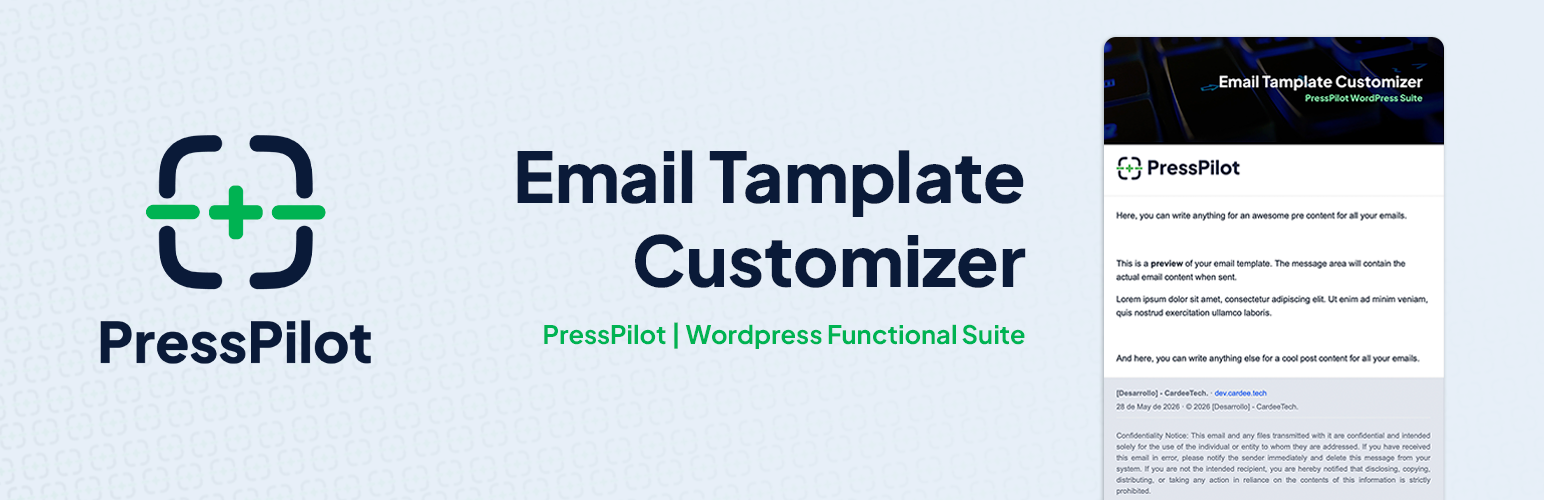
PressPilot Email Template Customizer
Description
PressPilot Email Template Customizer adds a presentation layer to outgoing WordPress emails. It does not replace wp_mail() and does not interfere with SMTP plugins.
Developed and maintained by CardeeTech. (Cardee Technologies, SL.)
Key features:
- Wrap outgoing
wp_mail()messages with a consistent HTML template. - Default Designer mode with visual tokens (logo, header image, colors, typography, width, radius).
- Custom HTML mode with placeholder replacement.
- Live preview in admin for faster iteration.
- Built-in test email tool (single or multiple recipients).
- WebP safety flow for email compatibility with PNG conversion cache.
- Diagnostics panel for runtime checks and recent log visibility.
Template modes:
- Default Designer: uses internal template + design tokens from settings.
- Custom HTML: uses your HTML as-is and replaces supported placeholders.
Supported placeholders:
{{message}}, `{{subject}}`, `{{site_name}}`, `{{site_url}}`, `{{site_host}}`, `{{logo}}`, `{{header_image}}`, `{{date}}`, `{{year}}`, `{{preheader}}`
Legacy compatibility during migration window:
{{ctetc_header_image}}is still accepted for upgraded installations.
Installation
- Upload
presspilot-email-template-customizerto/wp-content/plugins/. - Activate the plugin from Plugins.
- Open PressPilot in the WordPress admin menu.
- Configure wrapper mode, style tokens, and template settings.
- Send a test email before production use.
Screenshots

Panel tab — status dashboard with ACTIVE/INACTIVE badge, system info, and quick setup checklist.

Settings tab — master enable switch, template mode selection (Default Designer or Custom HTML), and sender configuration.

Style tab — color token controls with live preview showing the branded email template in real time.

Reference tab — full placeholder reference table for Custom HTML mode.

Quick Guide tab — step-by-step setup guide for first-time configuration.

Custom HTML editor — HTML template editor with supported placeholders displayed as one-click chips.

Test email form and diagnostics panel — send real test emails and review system status checks.

Content blocks and footer configuration — pre/post content areas and footer visibility controls with live preview.
Faq
No. The plugin only transforms the message HTML before send. Delivery remains wp_mail() + your existing mail transport.
Yes. SMTP plugins continue to handle transport/authentication exactly as before.
The message body is appended as a fail-safe to avoid blank emails.
WebP is detected and converted to PNG when possible for better email client compatibility. Converted files are cached under wp-content/uploads/ppetc-cache/.
Yes. English is the source language, and Spanish is provided for all es* WordPress locales.
Reviews
Changelog
1.1.1
- Change: Every feature is free, with no plans to change that. Removed the notice that said the email log would become paid in a later version.
- Change: The plugin author now appears as Cardee Technologies, SL.
- Fix: Switching between Default Designer and Custom HTML no longer resets your colours, layout, call-to-action button or social links, and your custom HTML template is kept for when you switch back.
- Change: New default text for the test email, which now ends with the site it was sent from and the time.
- Fix: In Custom HTML mode, the disabled drop-downs in Style show plain grey instead of a repeated arrow pattern.
- Fix: Emails sent with a Custom HTML template that is not a complete HTML document (such as the starter templates) are now wrapped in one, so receiving mail servers accept them.
- Tested with WordPress 7.1.
1.1.0
- New: Call-to-action button. Add a branded button to every wrapped email, with your own colours, alignment, and corner radius.
- New: Social links in the email footer, shown as text links so they render even when the recipient’s client blocks remote images.
- New: Import and export settings as JSON, to move a configuration between sites.
- New: Three starter templates for Custom HTML mode, loadable into the editor with one click.
- New: Email log. See every message WordPress sent — recipient, subject, type, and whether the template was applied. Message bodies are never stored.
- New: Developer API. Five documented extension points (
ppetc_email_context,ppetc_settings,ppetc_render_sections,ppetc_section_{name}_html,ppetc_mail_processed) so add-ons can extend the plugin without patching it. - Improvement: The default template is now assembled from ordered sections rather than one fixed block of markup. Rendered output is unchanged.
- Improvement: Outgoing emails are now classified by type (password reset, new user, comment notification, and so on).
- Fix: Settings belonging to an inactive module are no longer discarded when the settings form is saved.
1.0.6
- Fix: WebP conversion now falls back to native PHP GD functions (imagecreatefromwebp/imagepng) when WordPress image editor abstraction fails. Handles servers where GD supports WebP but WordPresss WP_Image_Editor_GD rejects the file.
1.0.5
- Fix: WebP logo conversion now handles optimizer-generated WebP files (Imagify, EWWW, ShortPixel, Avada). When the registered attachment is the original PNG/JPG, its URL is returned directly instead of attempting GD/Imagick conversion.
- Fix: Conversion failure now shows a specific diagnostic message explaining why (CDN/URL mismatch, file not found, or missing GD/Imagick WebP support).
- Fix: Diagnostic hint added to “Convert for email” button to guide resolution without needing server log access.
1.0.4
- Fix: WebP logo conversion now works when the logo URL was entered manually (logo_id not set). Adds fallback via attachment_url_to_postid().
- Fix: Refresh preview button icon now aligns correctly with button text.
1.0.3
- Fix: Corrected Contributors field to match the WordPress.org owner account (cardeetech) and added co-author (neriomolina).
- Fix: Plugin URI updated to plugin-specific page.
1.0.2
- Fix: Email wrapper status badge and KPI icon now correctly show inactive (red/gray) state when wrapper is disabled.
- Fix: Color picker dropdowns no longer clip in the Style tab.
- Fix: Settings save now returns to the same tab instead of always returning to Panel.
- Fix: Preheader text is now visible in the admin preview as a labeled strip.
- Fix: WebP-to-PNG conversion for header images now falls back to attachment ID path resolution.
1.0.1
- Removed the admin bar shortcut.
- Updated the default test email message.
1.0.0
- First public release on WordPress.org.
- Canonical branding and architecture under
ppetc/PPETC_. - Wrapper engine for default and custom template modes.
- Placeholder system, live preview, diagnostics, and test-email workflow.
- WebP conversion cache and uninstall cleanup for canonical and legacy keys.
- Security/compliance hardening for WordPress.org publication.