Printcart Store – Web to Print Product Designer for WooCommerce
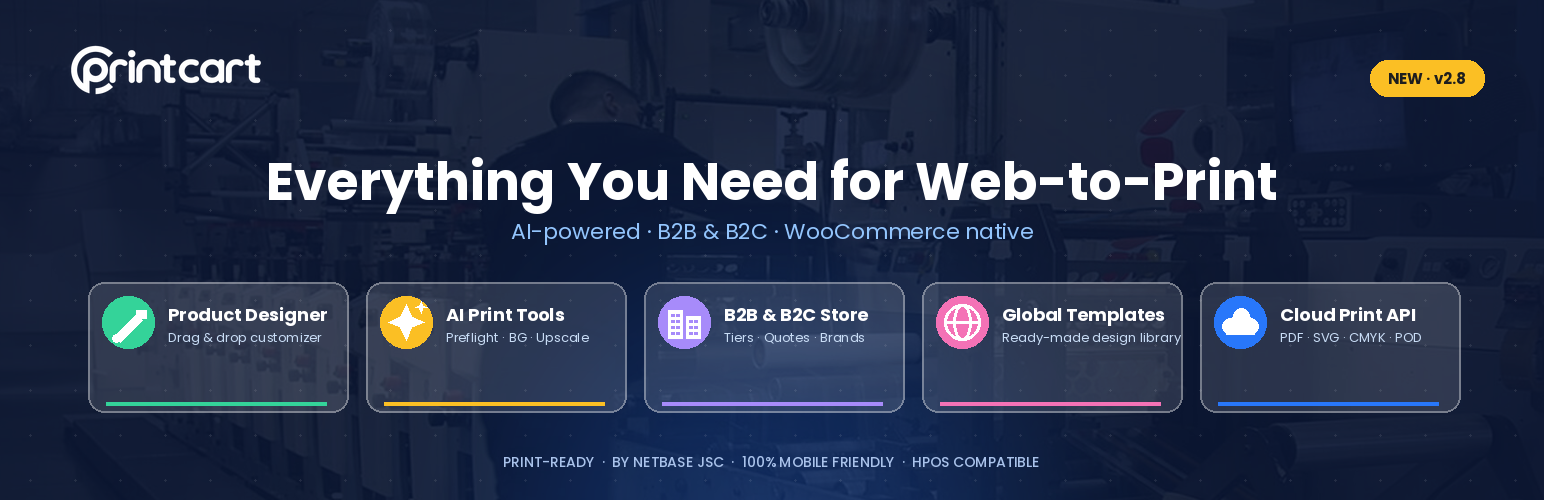
Printcart Store – Web to Print Product Designer for WooCommerce
Description
Printcart Store – Full Web-to-Print Solution for WordPress
Printcart Store is a web-to-print product designer for WooCommerce that lets customers personalize products online and automatically generates high-resolution, print-ready files (PDF, SVG, PNG, JPG CMYK) — with built-in AI print tools, a B2B store module, global template collections, and print-on-demand automation.
Turn your WooCommerce store into a full web-to-print & print-on-demand business.
- Enable customers to design & customize any product
- Generate print-ready files (PDF, SVG, PNG, JPG CMYK)
- AI print tools — Preflight quality check, Background Removal & Image Upscale
- B2B & B2C store — customer tiers, pricing rules, bulk quotes & brand assets
- Global template collections — ready-made designs from Printcart
- Seamless WooCommerce integration — no coding required
- 100% mobile-friendly customizer — works on any device
- Cloud Print API for full Web-to-Print automation
- Enterprise: Printcart Dashboard + API to manage & scale multiple WordPress stores (enterprise only)
See more on the Printcart YouTube channel.
What is Printcart Store? A Web-to-Print Product Designer for WooCommerce
Printcart Store is the ultimate print-on-demand (POD) and Web2Print solution that enables your customers to customize products online, generate high-resolution print files, and streamline order fulfillment.
Perfect for selling:
- T-shirts, hoodies, and apparel
- Mugs, bottles, and drinkware
- Business cards, flyers, and brochures
- Posters, banners, and signage
- Stickers, labels, and decals
- Phone cases, pillows, and home decor
- Customized packaging & more
Power your printshop with a complete Web-to-Print system.
AI Print Tools
Once a Printcart store is connected, an AI toolset runs directly on your order and design files, metered by your Printcart AI tokens:
- AI Preflight — checks the print PDF for resolution, bleed and color before it goes to production
- AI Background Removal — removes the background from an uploaded image
- AI Image Upscale — increases image resolution for large-format print
The tools run from the Order detail and Design File screens. When your token balance runs low, the plugin shows a clear prompt with a link to top up on the Printcart dashboard.
B2B & B2C Store Workflow
An optional module for corporate and wholesale selling — off by default, enabled under PCDesigner → Set Up → Tools.
- Company store management, customer tiers and pricing rules
- Team workspaces and invitations
- Bulk Quotes — a custom quote workflow with a front-end B2B portal
- Brand Templates and Brand Media — manage each store’s approved design templates and brand assets (logos, images) in one place
Global Template Collections
Give customers a head start with ready-made design collections curated by Printcart. Browse the global template library, assign a template to any product, and let buyers customize it in the designer — no need to build every design from scratch.
Enterprise — Scale Multiple WordPress Stores
For agencies and multi-brand operations, the Printcart Dashboard and its API let you manage and scale many WordPress / WooCommerce stores from one place — centralized licensing, cloud storage, and product/order sync and automation across all your sites. Available on the enterprise plan.
Live Demos — See Printcart in Action
Product-specific customization demos:
- T-Shirt Designer
- Mug Designer
- Business Card Designer
- Sticker & Label Customization
- Phone Case Customization
- Canvas Printing
- 3D Product Preview
- Photobook Creation
- Advanced Price Matrix
- Bulk Pricing & Variations
Who Can Use Printcart Store?
Printcart is designed for print businesses, eCommerce store owners, and creative entrepreneurs who want to offer customizable products online — from print-on-demand stores and marketing agencies to full-scale printshops.
Ideal for these businesses (with full demo stores):
- Print Businesses & Print-on-Demand Sellers — Full Printshop Demo
- T-Shirt & Apparel Stores — T-Shirt Printing Demo
- Mug & Drinkware Printing — Mug Printing Demo
- Business Card & Corporate Printing — Business Card Printing Demo
- Sticker & Label Printing — Sticker Printing Demo
- Packaging & Branding Solutions — Custom Packaging Demo
- Marketing Agencies & Promotional Products — Branded Merchandise Demo
- Sign & Banner Printing — Banner Printing Demo
- Canvas & Poster Printing — Canvas Printing Demo
- Photobook & Album Printing — Photobook Demo
- Wedding & Invitation Printing — Wedding Card Demo
- Phone Case Customization — Phone Case Printing Demo
- eGift Cards & Digital Printing — E-Card Printing Demo
- Large Format Printing (Billboards, Posters, Trade Show Displays)
- Graphic Designers & Freelancers — Design Marketplace Demo
- Multi-Vendor Printshop Marketplace — Multi-Vendor Marketplace Demo
Want a printshop for your specific niche? Explore All Demos
Key Features & Benefits
For Store Owners & Printshops
- Seamless WooCommerce integration — works with all themes & product types
- Sell print-on-demand products — no inventory required
- Cloud Print API integration — automate order fulfillment & printing
- Multi-product support — T-shirts, mugs, business cards, etc.
- Dynamic pricing matrix — charge based on product type, color, and size
- Product design previews — offer real-time customer previews
- Custom order upload — allow customers to upload designs
- SVG, PDF & PNG print-ready files — perfect for print production
- Multi-vendor compatible — works with Dokan, WC Vendors, WCFM
For Customers & Buyers
- User-friendly drag & drop designer — no design skills needed
- Customize with text, images & cliparts — 1.5M+ free cliparts & fonts
- QR code generator — let customers add QR codes to products
- Advanced typography — 600+ Google Fonts & curved text options
- Social sharing — customers can share their designs on Facebook, Twitter, etc.
- Instant product previews — see designs before ordering
- Order management dashboard — customers can edit and re-order designs
How It Works — Admin & Buyer Workflow
Step 1: Store setup & product configuration (admin panel)
- Install & activate the Printcart Store plugin (download here)
- Configure your custom design zones for each product
- Set up pricing rules & print-ready file formats (PDF, SVG, PNG, JPG)
- Enable Cloud Print API for order automation
Step 2: Customer experience & customization
- Customers visit your WooCommerce store & select a product
- Use the drag & drop designer to customize text, images & colors
- Preview & finalize the design
- Add to cart & checkout
Step 3: Order processing & fulfillment
- Admin receives a high-resolution print-ready file (PDF, SVG, PNG)
- Orders sync with Printcart Cloud API for automated printing
- Customers receive real-time tracking updates
Full Web2Print Printshop Solution
Expand beyond WooCommerce and launch a complete print-on-demand store with Printcart’s Web2Print Printshop Solution.
Customer Testimonials
★★★★★ Game-Changer for Our T-Shirt Business!
“We’ve tried multiple product customizers, but Printcart is by far the best! The drag-and-drop interface makes it super easy for our customers to design their own T-shirts. Plus, the print-ready files ensure high-quality output every time. Our sales increased by 40% in just three months!”
— Michael R., Owner, Custom Apparel Store★★★★★ The Best Print-on-Demand Plugin for WooCommerce!
“We run a print-on-demand business, and Printcart has completely transformed our workflow. Customers love the real-time previews, and we love how it automatically generates high-resolution print files. It’s an absolute must-have for any POD store!”
— Sarah J., Print-on-Demand Entrepreneur★★★★★ Incredible Support & Easy Integration
“Setting up Printcart was incredibly easy, and the support team was always available whenever we had questions. The plugin works seamlessly with WooCommerce, and we were able to launch our custom business card shop in under a week!”
— David K., Printshop Owner★★★★★ Powerful Features at an Affordable Price!
“Most Web2Print solutions are either too complicated or too expensive. Printcart gives us enterprise-level features at an affordable price. The bulk pricing matrix, 3D product preview, and multi-vendor support have made running our online print business smooth and scalable.”
— Emily S., Printshop Marketplace Owner★★★★★ Best Online Product Designer for WooCommerce!
“We’ve tested multiple WooCommerce product designers, and Printcart is hands down the most intuitive and feature-rich. Our customers can easily customize mugs, posters, and phone cases with live previews, text editing, and clipart libraries. It’s boosted engagement and conversions!”
— Alex T., Owner, Custom Gift Store★★★★★ Turned Our Local Printshop into an E-commerce Powerhouse!
“We were a traditional printshop struggling to go online. Printcart made the transition seamless! Now, customers can customize products directly from our website, and we receive ready-to-print files automatically. We’ve expanded beyond our local market and now ship nationwide!”
— James W., Printing Company CEO★★★★★ Boosted Sales & Customer Retention!
“Before using Printcart, our customers would email us back and forth with design requests. Now, they can create and preview designs instantly on our site! This has reduced abandoned carts and boosted sales by 30% in the first two months!”
— Linda G., Marketing Manager, Promotional Products Company★★★★★ Seamless Multi-Vendor Printshop Marketplace!
“We run a multi-vendor print marketplace, and Printcart’s integration with Dokan and WooCommerce Multi-Vendor has been perfect! Vendors can offer customizable products while we automate fulfillment using the Printcart Cloud API. Couldn’t be happier!”
— Robert C., Founder, Print Marketplace★★★★★ Our Customers Love the Live Design Experience!
“The best thing about Printcart is that it puts the power of design in the hands of our customers. They can create their own stickers, labels, and promotional materials without any back-and-forth. Smoother experience for them = more sales for us!”
— Karen M., Owner, Sticker & Label Store★★★★★ A Must-Have for Any Custom Print Business!
“Printcart has everything you need — clipart libraries, QR code generation, 3D previews, and automated order processing. If you’re in the Web2Print industry, you NEED this plugin!”
— John D., Founder, Custom Packaging Solutions
Need Help? Contact Support
We offer priority support for all Printcart users.
- Submit a ticket: Support Dashboard
- Live chat assistance
- Email support: support@printcart.com
Get Started — Download & Upgrade Now
Transform your WooCommerce store into a high-converting Web-to-Print business.
External services
The designer and WooCommerce data remain on your site until you use a cloud feature. Print-ready PDF generation is cloud-only; it calls Printcart services over HTTPS when a PDF or PDF preview is requested. Other connected features call the Printcart cloud API only when you use them:
- Store connection: your credentials (Sid / Secret / Unauth Token), site URL and the WooCommerce REST keys generated for the connection are sent so Printcart can register the store and sync products/orders. Credentials can live in wp-config.php and are never printed to the page, JavaScript or logs.
- Print-ready PDF rendering (api.cloud2print.net): the public URLs of saved design assets plus product dimensions, fonts and production settings are sent when an administrator, customer or background order workflow requests a PDF.
- PDF preview/image conversion (pdf2image.cloud2print.net, with pdf2img.cloud2print.net as a fallback): the generated PDF URL, requested DPI, image format and ICC profile identifier are sent when a PDF preview or image export is requested.
- AI tools (Background Removal, Image Upscale, Preflight): the selected image or PDF URL — plus print specifications for Preflight — is sent for processing and the result is returned to your uploads folder.
- Token wallet: balance, packages and top-up session; top-ups are completed on the Printcart dashboard.
- Order sync (on by default once a store is connected; turn it off under Printcart Store > Licenses > Order sync): when an order is paid, and on every later status change, the order number, status, totals, currency, payment method title, the customer’s name, email, phone and company, the billing and shipping addresses, the line items (product IDs, SKU, name, quantity, price) and the public URLs of the order’s print PDFs are sent to api.printcart.com so the order appears in the Printcart Dashboard for production. Orders placed in the last 30 days (configurable) are sent once when the store is first connected.
- Activation emails: after you connect a store, the plugin notifies api.printcart.com that the store is connected (and later, if no product has the design tool enabled) so Printcart can email you a secure link to your dashboard and setup steps. Only the event name, the plugin version and simple counts are sent. No customer data is included.
Printcart is a third-party service, independent of WordPress.org. By connecting a store and using these features you agree to Printcart’s terms and privacy policy:
- Terms of Service: https://www.printcart.com/en/terms
- Privacy Policy: https://www.printcart.com/en/privacy
Screenshots

Printcart Design Tool Template

Printcart Design Tool Text

Printcart Design Tool Cliparts

Printcart Design Tool Photos

Printcart Design Tool Elements

Printcart Design Tool Layers

Admin overview - revenue, orders, production and AI at a glance

Manage designer-enabled products and print templates

Print and design orders with production statuses

AI Preflight - check resolution, bleed and color before production

Global template collections

B2B clients and customer tiers

B2B company store - tiers, team and pricing

Product options and design fields builder

Plugin settings
Faq
Yes. A free version is available on WordPress.org. A premium Printcart subscription unlocks cloud processing, the AI print tools, cloud file storage, and full API automation.
Every order produces high-resolution, print-ready files — PDF, SVG, PNG and JPG (CMYK) — ready to send straight to production.
T-shirts and apparel, mugs and drinkware, business cards, flyers, posters, banners, stickers and labels, phone cases, packaging and more.
Yes. Printcart Store is WooCommerce HPOS-compatible, and the product designer is 100% responsive on desktop, tablet and mobile.
Printcart is a Web-to-Print and Print-on-Demand (POD) technology provider, offering customization tools, automation solutions, and API integrations for businesses looking to sell personalized print products online. Whether you’re a printshop owner, eCommerce entrepreneur, marketing agency, or multi-vendor marketplace, Printcart streamlines the entire workflow — from product customization to order fulfillment.
- Our Mission — empower print businesses with scalable, user-friendly Web2Print solutions that enhance customer engagement, reduce manual processes, and increase revenue.
- Our Vision — to be the #1 global Web-to-Print platform, helping businesses transform traditional printing into a fully automated, AI-powered, cloud-driven experience.
- Founded — 2015
- Global Reach — trusted by 10,000+ businesses worldwide
- Industry Focus — Print-on-Demand (POD), custom product printing, promotional merchandise, corporate branding, and multi-vendor print marketplaces
Printcart is a WooCommerce plugin that enables businesses to sell customizable products such as T-shirts, mugs, business cards, stickers, and more. Customers design products directly on your website, and Printcart generates high-resolution print-ready files (SVG, PNG, PDF, JPG CMYK) for seamless fulfillment. Explore the plugin here.
Printcart integrates directly into your WooCommerce store, allowing you to:
- Offer an online designer tool — customers personalize their products in real time.
- Generate print-ready files — orders include SVG, PDF, PNG, and CMYK files for high-quality printing.
- Connect to Printcart Dashboard — manage store licenses, cloud storage for print files, and premium support via ticketing.
- Use Printcart Cloud API — render print-ready PDFs and automate order syncing, file storage, and fulfillment.
Printcart is available for WooCommerce, Wix, and Shopify, but the WordPress version is best for businesses that want:
- Self-hosted control — full ownership of your eCommerce store and data.
- Flexible customization — WooCommerce allows custom development for advanced features.
- One-time license with premium subscriptions — no recurring monthly fees like Wix, but a premium plan is required for cloud processing and API access.
-
Advanced product customization — detailed print-ready file generation and bulk pricing features.
-
Wix Plugin — See Printcart for Wix
- Shopify Plugin — See Printcart for Shopify
Yes. While the basic plugin is available, a premium subscription is required for:
- Connecting to Printcart Dashboard — store license verification and order processing.
- Cloud print file storage — secure storage for large print-ready files.
- Ticket support & updates — direct access to premium customer support.
- Advanced API features — full API automation via Printcart Cloud API.
Printcart is powered by a cloud-based print-commerce system that includes:
- Drag & drop online product designer.
- Cloud processing for print-ready files (PDF, SVG, PNG, CMYK) stored in the cloud.
- Multi-store support — one Printcart Dashboard can manage multiple WooCommerce stores.
- Advanced pricing & order upload features — custom pricing matrix, bulk variations, and order uploads.
No. Printcart for WooCommerce requires connection to Printcart Dashboard for:
- Store license verification & activation.
- Cloud file processing & storage.
- Order tracking & advanced API requests.
- Technical support & plugin updates.
Printcart for WooCommerce includes limited API support but can be extended with Printcart Cloud API, which offers:
- Automated order processing & fulfillment.
- Custom print provider integrations.
- Bulk design uploads & multi-user access.
- Real-time design validation & pre-flight file checks.
Learn About Printcart Cloud API
Yes. Printcart can be integrated with third-party printing providers via API for automated fulfillment:
- Customers design and place an order.
- Print-ready files are generated & stored in the cloud.
- Orders can be synced with fulfillment partners like Printify, Printful, or custom providers.
Printcart provides a complete suite of Web2Print solutions, including full printshop website development. Need a fully managed printshop website? Get a ready-made Web2Print store with built-in custom product designer tools.
- One-time setup fee
- Fully branded eCommerce store
- Custom integrations & workflows
Get a Custom Printshop Website
Want to launch a print marketplace like Zazzle or Redbubble? Printcart supports:
- Multiple vendors selling customizable print products
- Automated order fulfillment
- Commission-based revenue models
Launch a Multi-Vendor Print Marketplace
For businesses requiring custom workflows, Printcart Cloud API enables:
- Direct print provider connections
- Real-time order management
- Data sync with CRM, ERP, and accounting tools
Printcart offers premium customer support via:
- Submit a ticket: Support Dashboard
- Live chat assistance
- Email support: support@printcart.com
Reviews
Best Plugin to exist and best staff and CEO
By 
Printcart is hands down one of the best plugins we’ve ever worked with. The platform is powerful, easy to use, and perfectly built for real Web-to-Print businesses. Everything works smoothly, from the product designer to the final print-ready output, and it has made a huge difference in how we run our store.
Best Web-to-Print plugin for WooCommerce
By 
I integrated Printcart with my WordPress site and it works flawlessly. The designer tool is very responsive and loads fast, which keeps my customers happy. It’s the easiest way to sell customizable products on WooCommerce without any coding headaches. Highly recommended!
Excellent Web-to-Print Plugin
By 
Printcart Web to Print Product Designer for WooCommerce works perfectly for my store. The designer is easy to use, fully integrated with WooCommerce, and delivers clean design files for production. My customers can create their own designs smoothly, and the support team is very responsive.
Highly recommend — definitely a solid 5-star plugin!
Super easy to use and amazing support!
By 
I’ve been using this plugin for a few weeks now and I honestly love it. The product designer works smoothly and my customers find it very easy to customize their products. Setting it up didn’t take long, and everything just works as expected.
Great plugin
By 
All work great. First time that I find full solution that i need. Support fast answer for helping.
Doesn't export files
By 
I tested the plugin. Everything works fine. However, no files are sent to the customer. This makes the plugin unusable for me.
I have a question and they don't answer because it seems like there is a bug
By 
겉 보기에는 괜찮은것 같음. 그러나 실제 써보면
버그가 있는것 같아 질문을 해도 답변 하지도 않음.
It looks fine on the surface. However, when you actually use it, it seems to have bugs, so they don't answer questions.
Good job
By 
So far I think you are the most solid solution, I think you only need a direct integration with printify, printful etc so that the order is stored directly but very good work, keep improving
Very good plugins
By 
Ever since I discovered the Printcart Product Designer, I've completely rediscovered my online store! Now my customers can effortlessly create their own designs, and they absolutely love it. The mobile compatibility ensures smooth access from anywhere. Being able to upload their own images and access high-quality photos is a game-changer for both me and my customers. The fact that all these features come for free is simply incredible. Highly recommended!
working for me!
By 
If you follow instructions it does everything you could want from a POD plug-in. And the customer service is great, the team answering all of my questions and customize it for me
Changelog
2.9.0 (2026, Sep 14)
- Add: Order sync to the Printcart Dashboard. Paid WooCommerce orders, and every later status change (completed, cancelled, refunded), are sent in the background so they appear in the Dashboard for production, and their customers appear there as clients. The sync is on by default once a store is connected and can be turned off under Printcart Store > Licenses > Order sync.
- Add: Past-order sync. Orders from the last 30 days are sent once when a store is connected. The window (0-365 days) is configurable, and a “Save and sync past orders now” button re-runs it.
- Add: A “Printcart” box on the order screen shows the sync state, links to the order in the Dashboard and has a “Sync now” button. The orders list gets a “Sync to Printcart” bulk action.
- Add: Automatic activation emails. After a store is connected, Printcart emails the merchant a secure dashboard link and the setup steps. If no product is published, or none has the design tool enabled, a reminder follows a day later. A “Resend activation email” button is on the Licenses page.
- Tweak: Sync runs through Action Scheduler with retries and backoff. Rejected credentials are flagged for reconnection and are never deleted.
- Fix: Product upload settings (
upload.json) are serialized before they are written, completing the 2.8.9option.jsonfix. When WordPress returned_nbdesigner_uploadas an array, the file was written as imploded values such as “pdf,ps,ai,svg,…”, which made Manage Templates > Edit crash with “Cannot access offset of type string on string”. Files corrupted this way, and double-serialized upload settings, are now read safely, falling back to the product setting. - Fix: The modern design tool canvas is centred again on desktop and tablet. A later block rule in
modern-additional.csswas cancelling the centred flex layout frommodern.css. A zoomed-in canvas is no longer clipped at the top. - Fix: The zoom toolbar (zoom in/out, percentage, Fit / Fill / Print size) is available on phone-width screens again, placed above the bottom tab bar.
- Add: Pan mode in the modern design tool. A new button in the zoom toolbar lets customers drag a zoomed-in canvas with the mouse, a finger or a pen. On touch devices the stage now scrolls. Zooming keeps the view centred instead of jumping to the top-left corner.
- Fix: Frontend Translate now applies to the modern design tool. Labels translated under Frontend Translate replace the matching text in the modern view for the site language. Menu labels (File, Edit, View, Change Product, Process, Fit, Fill and more) have been added to the translatable list. Strings that are not translated there still use the standard .po/.mo translation.
- Fix: Saving a Frontend Translate language that had no saved file yet no longer overwrites the English (en_US) labels. The language code is also validated before it is used in a file path.
2.8.12 (2026, Sep 14)
- Security: The Printcart credential push endpoint (
wc/v3/printcart/pc-auth) no longer accepts unauthenticated requests. It previously let anyone overwrite the store’s Printcart credentials with a single GET request. It now accepts only POST requests signed by Printcart (HMAC-SHA256 with a timestamp window and one-time nonce), validates credential format before saving, and refuses every push when no signing secret is configured.
2.8.11 (2026, Sep 07)
- Fix: Enabling “Site force login” no longer fatals the REST API. The
rest_authentication_errorsfilter was registered with a bare function name while the callback is a class method, so everywp-jsonrequest raised “valid callback … not found” and returned a critical error page. - Fix: In Cloud API mode the per-product “Select clipart category” restriction now applies to the cliparts it is actually chosen from – the store’s own clipart storages. It was being matched against the ids of the Printcart global library, two sets that never intersect, so the setting silently did nothing.
- Add: “Hide default cliparts” – a store-wide setting under Settings > Frontend > Clipart, overridable per product in Clipart settings, that removes the “Default cliparts” tab so customers see only the cliparts you uploaded. Filterable through
nbd_hide_default_cliparts. - Fix: The clipart tab labels shown in Cloud API mode (“Default cliparts”, “Custom cliparts”, “Load more”, “Search clipart”) are translatable; they were hardcoded English and absent from the translation template.
2.8.10 (2026, Sep 03)
- Fix: Designs containing an uploaded photo save again. The SVG upload boundary now accepts image references served by the store itself or by the Printcart file host, while still rejecting every other remote host, protocol-relative reference and non-HTTP scheme.
2.8.9 (2026, Sep 01)
- Fix: Restored normal designer saves for Fabric.js SVG output that contains the standard public SVG 1.1 declaration and local gradient or pattern references, while continuing to reject internal entities, external resources and active SVG content.
- Fix: Preserved array-based product options when writing
option.json, preventing corrupted option data and crashes on affected order and PDF screens.
2.8.8 (2026, Aug 28)
- Security: Blocked unauthenticated arbitrary file uploads across remote image import and all customer, cart, draft and Product Builder design-save routes. Stored extensions are now derived from validated file content and a strict field allowlist, never from caller-controlled URL paths or Content-Type headers.
- Security: Remote image import now uses WordPress safe HTTP requests, rejects private and loopback targets, limits response size, and stores only verified raster image content.
- Security: Credit to Mike Gozdiskowski and WPScan for responsibly reporting the vulnerability and confirming active exploitation.
2.8.7 (2026, Aug 27)
- Fix: Routed admin, storefront, automatic and background PDF generation through Printcart Cloud so WordPress no longer renders artwork or fonts with the local TCPDF engine.
- Improvement: Replaced local paper-size, margin, orientation and PDF-layout controls with a single cloud-render action based on the saved product dimensions and production settings.
- Fix: Cloud-render failures now show an actionable connection error instead of presenting an empty or invalid PDF as successful.
2.8.6 (2026, Aug 21)
- Security: Hardened the public resource AJAX handler used by the designer. Mockup ZIP downloads now resolve inside the expected design folder, reject traversal attempts, and only include generated image files from the preview/mockup-preview directories.
- Security: Added per-resource authorization for user design and typography resource requests, including ownership checks for saved customer designs and stricter request sanitization before database lookups.
- Security: Tightened user-design SQL in the resource endpoint by replacing interpolated identifiers and IDs with prepared queries plus whitelisted resource types.
- Security: Removed unauthenticated access from admin-only AJAX actions for Printcart connection, license refresh, cloud storage checks, live-chat macro management, and printing-option media tools.
- Security: Added nonce and capability checks to Printcart account/store actions and separated JS fallbacks so API subscription actions no longer fall back to the app subscription URL.
- Security: Hardened remote fetch helpers (
nbd_file_get_contents(),nbd_download_remote_file(), image sideloading, and SVG image embedding) so user-provided URLs use safe WordPress HTTP requests, reject internal/private/link-local targets, and no longer fall back to rawfile_get_contents()/ cURL patterns. - Security: Restricted Dokan design-download links to logged-in shop managers or the seller who owns the product on the order item, and verified the requested design/upload keys against order item metadata before serving files.
- Security: Preserved the public Product Builder save flow while blocking the admin task-update branch from unauthenticated requests and validating builder folder keys with the shared item-key sanitizer.
- Fix: Suppressed third-party update/license notices from being injected into PC Designer admin screens, setup flows, and plugin UI surfaces.
- Fix: Corrected License menu CTA routes: store/app subscription links now open the Printcart apps subscription page, API subscription links open the Printcart plans page, and dashboard links use the Printcart dashboard URL.
- Compatibility: Updated the plugin metadata to
Tested up to: 7.1after verifying the WordPress 7.1 release.
2.8.5 (2026, Aug 20)
- Cleanup: Exclude internal agent instructions and local screenshot source folders from the WordPress.org distribution package.
2.8.4 (2026, Aug 08)
- Improvement: Removed the product-page “Ready to design” status badge and the “Configure product / Choose design method / Add to cart” step tracker from the design launcher. In stores that display separate design buttons the tracker could not read the real product-option state and showed a green “ready” status (with “Configure product” marked complete) before required options such as size were chosen. The design launch buttons, the “Choose how to design” panel, and product-option validation are unchanged.
2.8.3 (2026, Aug 05)
- Improvement: Refreshed the WordPress.org screenshots — added the new admin experience (Overview dashboard, Orders, AI Preflight, Global Templates, Manager Products, B2B stores and clients, Printing options and Settings) alongside the product designer.
2.8.2 (2026, Aug 05)
- Improvement: Rewrote the plugin description for clarity, SEO and AI search — the product is now presented as “Printcart Store”, with dedicated sections for the AI print tools, the B2B & B2C store module, global template collections, and enterprise multi-store management through the Printcart Dashboard API.
- Improvement: Cleaner, icon-free formatting, an expanded FAQ, and a condensed External services section.
2.8.1 (2026, Aug 05)
- Feature: The Printcart AI toolset is now fully available in your order workflow — run AI Preflight (a print-readiness check for resolution, bleed and color on the print PDF), AI Background Removal and AI Image Upscale directly from the Order detail and Design File screens. These tools use your connected Printcart store and its AI tokens; when the balance runs low the plugin links you to top up on the Printcart dashboard.
- Improvement: Reformatted the changelog into readable bulleted lists and rewrote the GitHub README so release notes and features are easy to scan.
2.8.0 (2026, Aug 05)
- Feature: B2B Brand Templates and Brand Media — new admin surfaces in the B2B & B2C Store module to manage each company store’s approved design templates and brand media (logos, images) in one place. The former “Assets” page is now “Brand Templates”.
- Feature: Streamlined Product Edit screen for designer products — enable the designer, set categories, tags and images, and manage design fields from a single tabbed panel inside PC Designer without switching to the default WooCommerce editor.
- Feature: One-click Sample Data installer — populate demo orders and B2B store data to explore the new dashboards and onboard faster (safe to remove afterwards).
- Fix: When a merchant connects WordPress by pasting Sid, Secret and Unauth Token, the plugin now syncs the store back to Printcart as a WooCommerce integration so the Printcart dashboard no longer stays on “not connected”.
- Improvement: The manual credential save now creates fresh WooCommerce REST API keys for Printcart product/order sync and sends them to the authenticated Printcart store.
- Improvement: Design-system and UX refinements across the Overview, Help/FAQ, Orders, Design Files and Custom Quotes dashboards, plus the product and field managers, for a more consistent admin.
- Security: The credential-save AJAX action now requires a WordPress nonce and an admin/WooCommerce management capability before saving credentials or syncing the dashboard connection.
2.7.0 (2026, Aug 03)
- Feature: New Overview landing page for PC Designer — an at-a-glance dashboard with key stats and quick links to the design, order and store tools.
- Feature: New Sales & Production dashboards — Orders, Custom Quotes, Design Files and Clients — to manage the full print workflow inside WordPress.
- Feature: New AI services powered by Printcart — Preflight quality check, AI Background Remover and AI Image Upscale. These tools require a connected Printcart store and use Printcart AI tokens; a 402 “not enough tokens” response prompts an in-app top-up.
- Improvement: B2B & B2C Store module relabelled for clarity — “Brands” and “Bulk Quotes”.
- Improvement: Refreshed admin design system across the new dashboards for a more consistent UI.
- Improvement: Hardened the frontend AI endpoints — per-user/IP rate limiting on token-charging actions, a shared “insufficient tokens” response with a Printcart wallet top-up link, and pass-through of the real tokens deducted.
- Security: External AI/wallet calls go to api.printcart.com over TLS only (no verification bypass); store credentials are read from wp-config constants when defined and are never printed to HTML/JS/logs. See the new “External services” section in this readme.
2.6.0 (2026, Jul 24)
- Feature: New optional “B2B & B2C Store” module — corporate store management, customer tiers, pricing rules, team workspaces, invitations, and custom quotes with a front-end B2B portal. Enable it in PCDesigner → Set Up → Tools → “Enable B2B & B2C Store” (off by default; all B2B menus/features stay hidden until enabled).
2.5.4 (2026, Jul 23)
- Fix: Restore the Printcart cloud connection after the Printcart dashboard/API update. The connection check now accepts the new store-details response format (unauth_token / unauth_access_token / api_key) and requests credentials explicitly, so “Cloud features” and order designs work again.
- Fix: Never erase saved API credentials on a temporary network error, timeout, or non-auth backend response — the plugin only clears the account token on a definitive 401/403. Stores that lost their token to an earlier transient error now self-heal on the next connection check.
- Improvement: Reconnecting maps to your existing Printcart store (matched by site URL) instead of creating a duplicate store.
- Improvement: Move all dashboard links to www.printcart.com and retire dashboard.printcart.com. “Connect to Dashboard” now opens the WordPress integration page so you can copy Sid, Secret and Unauth Token.
- Improvement: Redesign the Connect screen to match the Printcart dashboard — new Account/Store cards with credential badges (Public / Server-only / Frontend SDK), a masked Secret with reveal, per-field copy and “Copy all as JSON”. Copy-paste connect is primary; one-click account & store creation is kept as a secondary option.
- Improvement: The Secret and Unauth token are now masked/copyable instead of shown in plain text.
- Improvement: The upgrade prompt no longer auto-interrupts the connect flow — it is a non-blocking banner shown only when relevant.
- Improvement: The HTTPS/SSL requirement is now explained up front with the connect actions disabled, instead of failing after you fill in the form. Local/staging sites on localhost are auto-allowed (and a NBD_PRINTCART_ALLOW_INSECURE constant is available for other dev setups).
- Improvement: The plugin is now fully usable right after install — all admin menus (Products, Cliparts, Fonts, Templates, Tools…) and the product design metabox are available without a Printcart connection; cloud-only features simply stay off until you connect.
- Improvement: Onboarding now lands on “Import Products” with a one-click “Install sample products” step (nothing is installed without your consent); the Printcart connection moved to a final “Connect Printcart (optional)” step.
- Improvement: Activation no longer fails on non-HTTPS sites — you get a notice instead, and cloud features remain off until HTTPS + connect.
- Improvement: A small dismissible prompt in the frontend designer invites store admins to connect Printcart for cloud fonts, cliparts and high-res PDF/CMYK output; the designer keeps working with local assets when not connected.
- Improvement: The Printcart connection now lives on its own “Licenses” menu (moved to the bottom of the PC Designer menu); the onboarding wizard is renamed “Set Up”.
- Improvement: The free plan now allows up to 5 designable products (was 10). When the limit is reached, the product editor and order screens show a clear “Upgrade to Premium” prompt instead of silently blocking.
2.5.3 (2026, Jul 02)
- Security: Additional hardening pass — see commits on the security branch for full per-fix detail. Bundle covers the remaining items surfaced by the Semgrep p/php audit (tainted-filename in admin import/export, launcher, and view files; TLS verification toggled back on for in-process HTTP fetches; sample XSS fixes for the most-exposed echo sites).
- Security: Fix three additional Unauthenticated SSRF / Arbitrary URL Read sinks discovered during the security audit triggered by the WPScan report —
nbd_get_freepik_data,nbd_get_pexels_data, andnbd_import_images. All three previously fed raw$_POST['src']/$_POST['images']intocurl_exec()(ornbd_download_remote_file()which wraps it) with no scheme validation and reflected the response body / saved file URL to unauthenticated callers — the same vulnerability class asnbdesigner_copy_image_from_url. A newnbd_validate_remote_url()helper is now used by every external-fetch entry point to enforce http/https only, reject stream wrappers, and block loopback / private / link-local hosts including 169.254.0.0/16 cloud metadata. The rawcurl_exec()calls have been replaced withwp_safe_remote_get(). - Security: Fix Unauthenticated Arbitrary File Read in
nbd_get_resourceget_mockupcase (includes/class.resource.php) —$_REQUEST['folder']and pipe-delimited$_REQUEST['mockups']were concatenated into filesystem paths and the result was ZIPped + exposed via a public URL, allowing an attacker to bundle and download arbitrary files (e.g.wp-config.php,/etc/passwd). Folder is now validated throughnbd_sanitize_item_key()and each mockup name is restricted tobasename()+ image-extension whitelist. - Security: Fix file enumeration in
nbd_get_resourceget_typocase —$_REQUEST['folder']was appended to a typography store path without traversal protection. Samenbd_sanitize_item_key()validation applied. - Security: Patch four more
nbu_item_keypath-traversal sinks (the upload-folder companion ofnbd_item_key) innbu_upload_file_to_server,nbu_save_upload_files,nbd_update_customer_upload, andupdate_customer_upload— same vulnerability class as CVE-2026-9725 that was missed in the initial sweep. - Security: Fix authenticated SQL Injection in
class.product.templates.php—delete_template(),make_primary_template(),make_duplicate_template(),record_count(), andcount_product_template()interpolated$id/$pid/$_REQUEST['pid']/$_REQUEST['nbdesigner_filter']straight into SQL (or usedesc_sql()which does not protect identifiers). Replaced with$wpdb->prepare()+%dplaceholders and a whitelist for the filter column name. Exploitable by any user with thedelete_nbd_templatecapability or with access to the templates admin screen. Found by Semgrepp/phpruleset during the post-fix audit. - Security: Fix path traversal in
nbd_crop_image— the$_POST['crop_dir']parameter was concatenated into a filesystem path and passed towp_mkdir_p()without stripping.., allowing an authenticated-or-not (nonce-gated) attacker to create directories outside the uploads folder. The value is now restricted to a single[A-Za-z0-9_-]{1,64}leaf folder name viabasename()+ whitelist. - Security: Fix Unauthenticated Arbitrary File Read / SSRF in the
nbdesigner_copy_image_from_urlAJAX handler (reported by D01EXPLOIT OFFICIAL via WPScan / Automattic, CVSS 8.6). Theurlparameter is now validated throughesc_url_raw()+ explicit scheme allow-list (http / https only) +wp_http_validate_url()to reject stream wrappers honoured bycopy()(file://,php://,ftp://,expect://, …) and to block requests to loopback / private / link-local hosts. The@copy($url, ...)fast-path andwp_remote_get()fallback have been replaced withwp_safe_remote_get()so SSRF guards apply to the fetch itself. Link-local 169.254.0.0/16 (cloud instance metadata) and IPv6 fe80::/10, fc00::/7 are explicitly blocked in addition towp_http_validate_url()defaults. - Security: Fix CVE-2026-9725 — Unauthenticated Arbitrary File Deletion via path traversal in the
nbd_item_keyparameter. Thestore_design_data(),nbd_save_customer_design(),nbd_save_draft_design(), and related download/export handlers now validate the design-folder key through a newnbd_sanitize_item_key()helper that strips path-traversal sequences and only allows the[A-Za-z0-9_-]character set used by legitimate keys. - Security: Harden all input sites that build filesystem paths from
$_GET['nbd_item_key']/$_POST['nbd_item_key'](and$_POST['draft_folder']) acrossclass.nbdesigner.php,class-util.php,class-compatibility.php,class.template-tags.php, and theviews/editor / order screens.
2.5.2 (2026, Jun 10)
- Security: Fix CVE-2025-10268 — Unauthenticated Folder Content Disclosure via Path Traversal in
gallery_image_exists.php; restrict accessible paths towp-content/uploads/and whitelist image-only file extensions - Security: Replace all
wp_redirect()calls withwp_safe_redirect()and ensureexitis called after every redirect to prevent open redirect attacks and unwanted code execution - Security: Fix SQL Injection in
get_options()— use$wpdb->prepare()with%dplaceholders forLIMITandOFFSET - Security: Fix SQL Injection in
get_balance()andget_earnings()— use$wpdb->prepare()with per-element%splaceholders forIN()clause instead of raw string interpolation - Security: Add
if ( ! defined( 'ABSPATH' ) ) exit;guard to all PHP files inviews/,includes/, andtemplates/that were missing direct-access protection
2.5.1 (2026, May 24)
Update version
2.5.0 (2026, May 24)
- Update: Compatibility with WordPress 7.0 and WooCommerce 10.7.0
- Update: Declare compatibility with WooCommerce Cart & Checkout Blocks
- Update: Bump minimum PHP requirement to 7.4 in plugin headers
- Update: Remove deprecated
woocommerce_add_order_item_metahook branch (pre-WC 3.0) - Fixbug: Sanitize
$_SERVER['HTTP_HOST']to prevent host header injection in multisite domain mapping
2.4.9 (2026, Apr 24)
- Fixbug: Missing design file when download pdf or jpeg
2.4.8 (2026, Mar 20)
- Add: Global Cliparts admin UI and API
- Add: Assign-template-to-product modal
- Update: Inline mime check callback and remove helper
- Fixbug: Guard font URLs and robust template check
- Fixbug: SiteGround check flagging plugin as nulled/cracked software
2.4.7 (2026, Jan 6)
- Update: translation strings and references
2.4.6 (2026, Jan 1)
- Update: Global templates
2.4.5 (2025, Oct 12)
- Update: Compatible with WooCommerce version 10.3.0
2.4.4 (2025, Oct 17)
- Update: UI access key
2.4.3 (2025, Aug 28)
- Update: Warning notification requiring customers to upgrade tier for usage
2.4.2 (2025, Aug 18)
- Fixbug: Error account is active but still says upgrade
2.4.1 (2025, Jul 17)
- Update: SQL Injection Vulnerability
2.4.0 (2025, Jun 17)
- Update: Arbitrary File Upload
2.3.9 (2025, May 31)
- Fixbug: Update license
2.3.8 (2025, May 14)
- Fixbug: Conflict function
2.3.7 (2025, May 14)
- Fixbug: Conflict function
2.3.6 (2025, Mar 14)
- Fix download design file
Version 2.3.5 (2025, Feb 27)
- Fix import products
Version 2.3.4 (2025, Feb 25)
- Update API URL
Version 2.3.2 (2025, Feb 21)
- Update connection to store
Version 2.3.1 (2024, Nov 25)
- Update Stable tag
Version 2.3.0 (2024, Oct 24)
- Update Setup Wizard
Version 2.2.3 (2024, May 13)
- Update Setup Wizard
Version 2.2.2 (2023, Nov 17)
- Compatible with ‘High Performance Order Storage’ Woocommerce
Version 2.2.1 (2023, Aug 10)
- Compatible with Woocommerce 8.0.1 and WordPress 6.3
Version 2.2.0 (2023, Mar 29)
- Update: Menu cliparts
- Update: Menu images
- Update: Menu fonts
- Update: Menu Templates
Version 2.1.0 (2023, Mar 10)
- Update: Upload design
- Update: Menu order
- Update: Menu dashboard
Version 2.0.0 (2023, Feb 10)
- Update: Products page (Listing all products imported from the Printcart Dashboard)
- Update: Menu ‘PC Web2Print’
- Update: Page settings
- Update: Add Settings to adjust button ‘Start Design’ ( add class, change title, change position)
- Update: Store details in settings page
Version 1.2.0 (2023, Feb 10)
- Update sdk for button design
Version 1.1.1
- Update readme
Version 1.1.0
- New Authentication flow
Version 1.0.0
- Initial release!