Private Google Calendars

Private Google Calendars
Description
If you update to version 20230111, please note that:
- The theming has slightly been changed. Now there is distinction between bundled and custom themes.
- The previously bundled dark and light themes have been renamed. So if you used these themes, you now have to manually update these themes to the new pgc-dark and pgc-light themes.
- The popup theme has been removed. This can now be set in your custom theme.
See for details about this release: https://blog.michielvaneerd.nl/wordpress-plugins/private-google-calendars/version-20230111-details/
This plugin can display multiple private and public Google calendars with a shortcode, Gutenberg block or as a widget.
See the webpage for more information.
Features
- Access to private (and public) calendars by using OAuth2 or an API key.
- Adjustable caching – this can greatly improve the performance.
- It uses the FullCalendar library to show the calendar and can be fully customized within the Gutenberg block, shorcode attributes and the widget settings.
- Calendar filtering.
Installation
- Upload the plugin files to the
/wp-content/plugins/private-google-calendarsdirectory, or install the plugin through the WordPress plugins screen directly. - Activate the plugin through the ‘Plugins’ screen in WordPress
- Use the Settings->Private Google Calendars screen to configure the plugin
- See the Help tab in the settings screen for information about setting up the OAuth2 access and using the shortcode and/or widget.
Screenshots
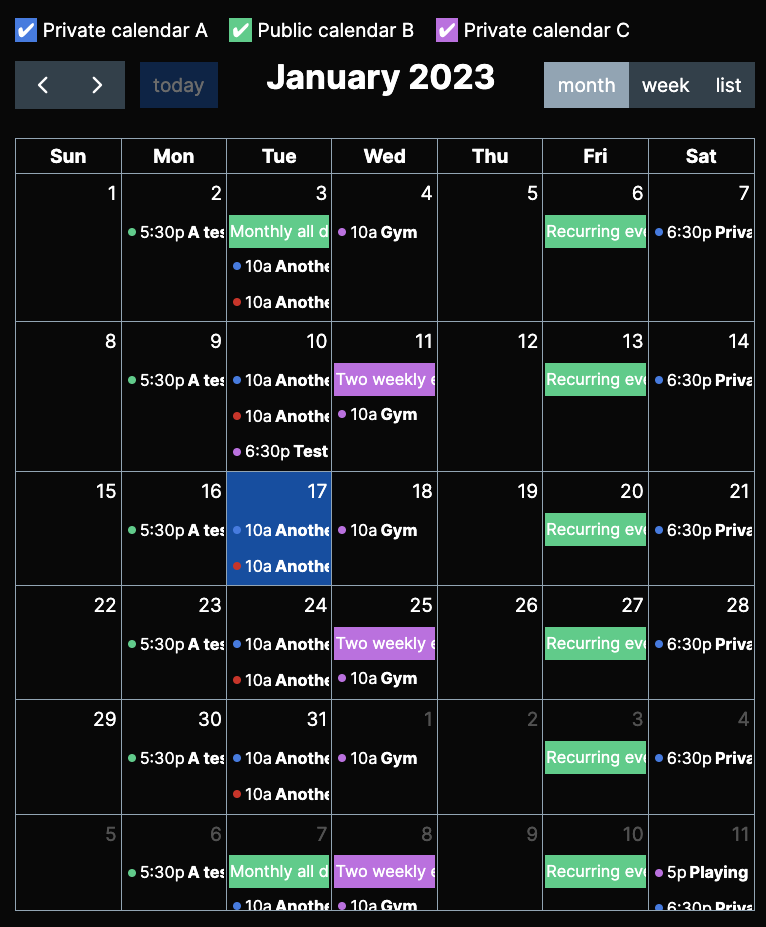
Dark themed calendar.
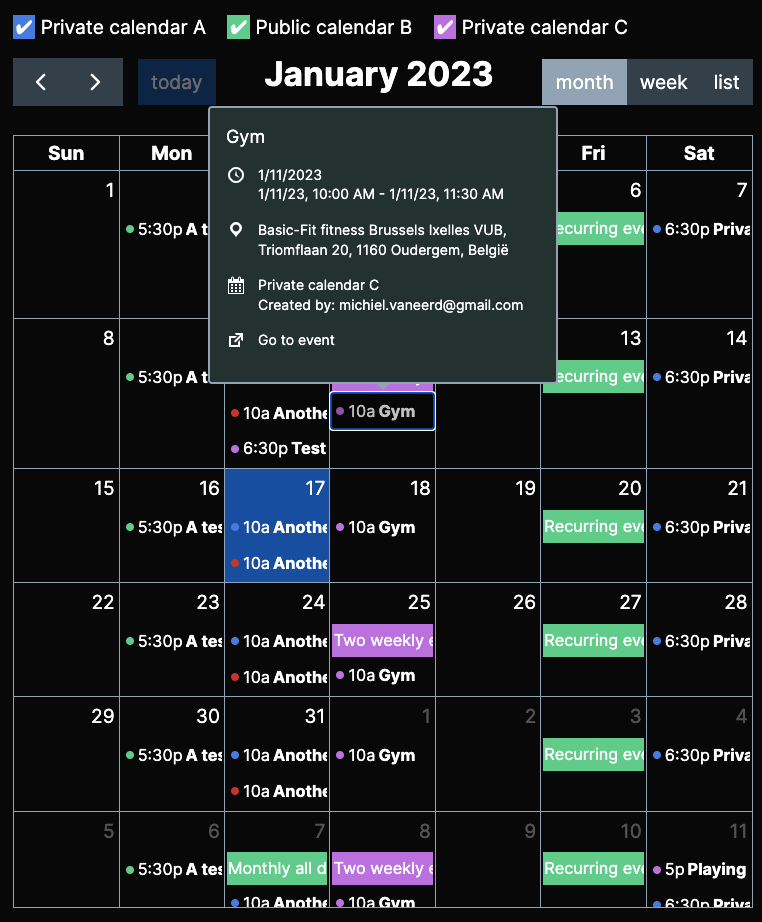
Calendar with event detail popup.
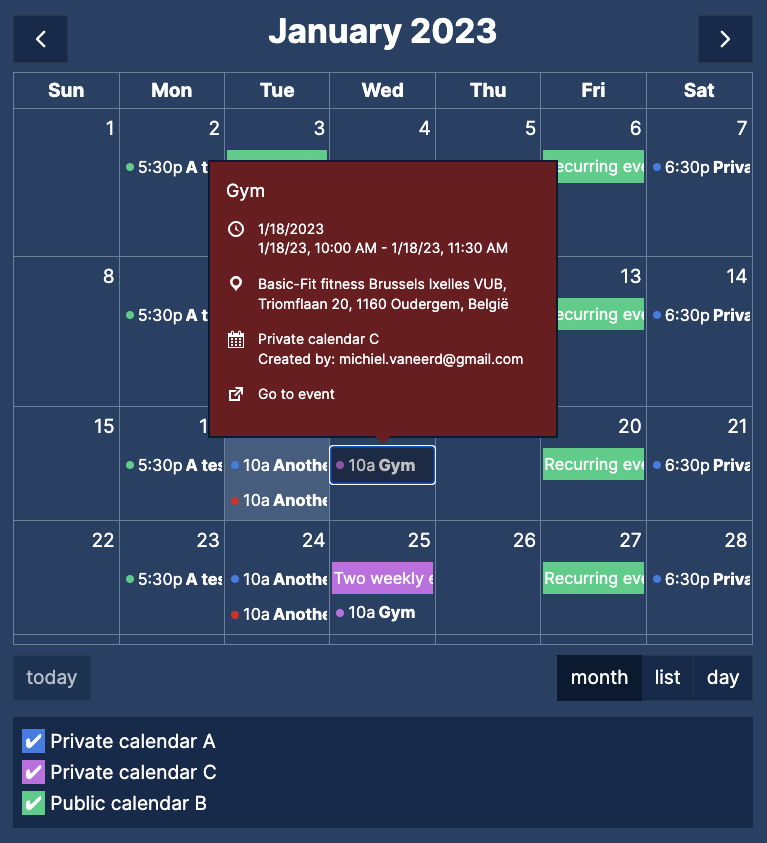
Blue themed calendar.
Faq
This is because your Google Cloud project is still in the “Testing” publishing status. Make sure to set it to “Production”.
The 20200902 update makes it possible to display private and public Google calendars at the same time in the same widget, shortcode or Gutenberg block.
This update makes the plugin also more secure. Though tested thoroughly it can be possible you experience a difference. Here are some possible differences and ways to solve them.
- Public calendar isn’t showing anymore: this can happen when you display a calendar that you also have added to your Google account but didn’t select in the plugin settings page.
The solution is either remove the calendar from your Google account or select it in the settings.
Create a child theme and enqueue a css file with a dependency on pgc for example:
wp_enqueue_style('fullcalendar-override', get_stylesheet_directory_uri() . '/fullcalendar-override.css', ['pgc']);
This usually means you don’t have a valid access or refresh token anymore. This can only be solved by manually revoke access on the Google Permissions page and remove all plugin data.
This means that you didn’t add your current URL [YOURWEBSITE]/wp-admin/options-general.php?page=pgc to the authorized redirect URIs. See the website for more information.
If you use W3 Total Cache and have minify JS enabled, make sure that you do one of the following:
Choose “Combine only” in the “Minify” settings.
OR
Enter the following files in the “Never minify the following JS files” textbox.
Make sure you add the full path to these files from the root of your installation, so if your WordPress website is located in the wordpress directory, this will be (for FullCalendatr 5):
wordpress/wp-content/plugins/private-google-calendars/lib/dist/main.js
And for FullCalendar 4:
wordpress/wp-content/plugins/private-google-calendars/lib/fullcalendar4/core/main.min.js
wordpress/wp-content/plugins/private-google-calendars/lib/fullcalendar4/core/locales-all.min.js
wordpress/wp-content/plugins/private-google-calendars/lib/fullcalendar4/list/main.min.js
wordpress/wp-content/plugins/private-google-calendars/lib/fullcalendar4/timegrid/main.min.js
Reviews
Excellent!
By 
This is an excellent plugin for displaying your Google Calendar. You can skin it easily with your own custom CSS to make it look just as you'd like.
Exactly what I needed!
By 
Usable and Flexible - and Great Support!
By 
Broken and no support given after a week
By 
Top! Thank You. Super Plugin
By 
It works but has some challenges
By 
- It does what it says, and presents one or more Gcal’s in a nice, clean, and fast way
- The initial setup instructions are pretty good, and can usually get you going if you use Oauth for private calendar access
- There are various display options that give nice flexibility
- The caching feature is nice, reducing the API calls to Google
- It only seems to operate correctly in Oauth mode, giving access from the wordpress site and all admins therein to All of the calendars on the connected account. I ended up spending a bunch of time using a secondary account that had the calendars I wanted shared to it (and publicly), to avoid potential breach of my private calendars in the main account. I would far prefer to have a supported option to access only public calendars via the API key, but I tried that several times and it would not work. (Plus, the docs say that’s “unsupported.”
- It conflicts with several other plugins that use Oauth, including the well-written and supported “Use Your Drive” plugin and even Elementor Pro. Specifically, it blocks them from using Oauth to initially connect to external services. So this plugin has to be turned off to connect those, then it can be turned back on. While this is just a “minor inconvenience,” it took hours of wasted time to figure out what was going on. And then a support thread that was opened has been ignored for almost a week about that. Personally, I would rather pay for a plugin and get some real support, than have to wait for ??? amount of time for a fix to a problem like this.
- If you want any control over the display beyond the default, the documentation is somewhat limited, though after the author's response to my initial review I see there is a helpful examples page. This would solve some of the issues I had getting this to do what I need it to.
Great!
By 
Excellent Plugin and Support
By 
Fantastic plugin and support
By 
Needs more shortcode examples or Gutenberg options for average Joe
By 
Changelog
20251128
- Fixed an issue that was discovered in an audit.
20250811
- Updated FullCalendar and some other Node packages.
20241103
- Updated FullCalendar and some other packages.
20240106
- Escape attributes during output.
20240104
- XSS vulnerability caused a bug, which is fixed in this release
20240103
- Fixed XSS Vulnerability
20231125
- Fullcalendar 6.1.9
20230902
- Fullcalendar 6.1.8
20230111
- FullCalendar 6
- Event popups now keyboard accessible (by using ‘focus’ trigger)
- Removed Tippy theme – this can now be set in a custom theme
- Moved custom themes dir to uploads dir so custom themes are preserved when updating this plugin
20220915
- Version constant in previous version (20220910) was not updated. This could cause some files not correctly updated from the cache. This is now fixed.
20220910
- Get more events by setting the PGC_EVENTS_MAX_RESULTS constant in wp-config.php
- Setting a default private event title
20220701
- Fix for depracation warning in PHP 8: required parameter cannot follow optional parameter in PHP 8.
- Update NPM packages.
20220603
- Loop through calendarList if there are more calendars
- You can set the maximum number of calendars in the PGC_CALENDARS_MAX_RESULTS constant (you can set this in the wp-config.php file). Max = 250.
20220318
- Fixed OAuth redirect takeover where we didn’t check for the state parameter which could interfere with other plugins
20220209
- Set default FullCalendar 5 config if using FC version 5
20220206
- Themes and overridable themes per calendar
20220205
- FullCalendar 5 support!
- Using eventColor overrules custom Google event colors
20211205
- Option to show and hide private events.
20211103
- Sorting bug fixed
20211102
- Fixed bug timezone offset
20211101
- Sort calendars in the filter alphabetically.
- Enqueue FullCalendar with a prefixed name to make sure the files are loaded.
20211030
- Renamed enqueue name for FullCalendar to prevent clashes with other themes or plugins that are loading different versions of fullcalendar.
20201204
- Conditionally load defines to prevent logs.
- Always show the “Remove plugin data” option, to prevent a lockin where you have no valid token anymore, but you can’t delete your plugin data.
20200902
- Fixed security bug where you could display unselected private calendars
- Now possible to use private and public calendars at the same time
- Changed logic of displaying all or none of private calendars: before this change no selection means ALL private calendars are displyed. Now you have to select the calendars you want to display.
This change was necessary because it’s now possible to display private and public calendars at the same time. - These changes should not impact your current pages as long as you don’t edit them. If you experience changed behaviour of existing pages, please make sure to clear all caches.
- Added new documentation at: https://michielvaneerd.github.io/privategooglecalendars/
20211205
- Option to hide or show private events.
20200810
- When accessing public calendars use OAUth client ID when API key is empty.
20200809
- Possible to set unchecked calendars for filter.
20200808
- Custom event colors are reflected.
20200717
- Possible to set firstDay / (shortcode = first_day) option to + or –
- Added PGC_EVENTS_DEFAULT_TITLE
20200711
- Fix for links open in separate tab. Now target=_blank is injected into the A tags instead of adding an event listener.
20200710
- Added data-calendarid attribute to each .fc-event so you can manipulate them.
- Links in the event popups now always open in separate tab.
20200623
- Set default of PGC_EVENTS_MAX_RESULTS to 250.
- Make PGC_EVENTS_MAX_RESULTS configurable in wp-config.php.
20200615
- Added ‘moment’ plugin so you can use date formatting strings.
20200515
- Filter top default if true.
20200514
- Place filter on top or bottom of calendar.
20200513
- Loading and error element can be translated.
- Better error message displayed.
- Filter fixed position. Fixes scroll to top wghen clicking filter checkbox.
20200512
- Updated all libraries like tippy, popper, fullCalendar and moment.
20200511
- Added timezone and ISO datetime string to Google call
20200510
- Removed “Z” from start and end (double)
20200509
- Added UTC “Z” to start and end time and make end time next day 23:59:59 so it gets all events.
20200508
- Fixed modal FullCalendar popup
20200502
- Added translation files.
20200501
- Prepare for translation.
20200209
- Small bug fix: check for empty string when expecting array in get_option() call.
20200117
- Use wp_remote_get and wp_remote_post instead of file_get_contents. Thanks to @maikewng for his help in understanding the problem.
20200116
- Bug fixed: when start and end time of event are the same, the event.end is null. Now I use the event.start in that case.
20200115
- Bug when submitting settings where file select input was not correctly checked, now this check is disabled because we can also have public calendars.
- Added a Plugin settings link to the plugin page.
20200114
- You can now specify title and color for public calendars.
- Bug in widget fixed: when no private calendar was selected in settings, all private calendars were displayed in the widget form.
20200113
- Adding referer to public calendar calls to handle restrictions on API key.
20200112
- Now also access to public calendars with an API key instead of more difficult to setup OAuth2
- Small layout changes
20200102
- Gutenberg block implemented (you can use this instead of the shortcode)
20191211
- Hidepassed and hidefuture accept number of days as well
- Loading spinner active after timeout, so it’s not visible immediately
20191210
- Moment timezone plugin – you can now set the timezone for each calendar; by default local times are displayed
20191209
- Show popup also for weeklist
20191205
- Popups can be dragged
20191204
- Bugfix
20191203
- Bugfix
20191202
- Added version query parameters to enqueued styles and scripts for caching purposes
- Make creator, location, attendees and attachments, calendarname available for events
- CSS classes added to popup to make override style possible
20191201
- Bug: cast attributes from shortcode to int or boolean
- Add CSS classes to time, title, description and link of event in popup
- Removed title attribute from event
20191133
- Now also possible to display public calendars like national holidays
20191132
- New option: eventlink
- Changed option: eventpopup
- Tippyjs theme change
- Font size changes
20191131
- You can now hide passed or future events
20191129
- Title and button text change
20191129
- No borders around events
- Remove small font size header and button text
20191128
- Timegrid week working
- Bug fixed: using same cache for multiple calendars with different calendar selections
- CSS overrides for WP
- Mobile responsive toolbar
20191125
- Tippy tooltips (https://atomiks.github.io/tippyjs/)
- WP CSS override for specific fullCalendar
20191124
- Now possible to specify specific calendars in the shortcode, so it’s now possible to show different calendars on different sections of your website.
- FullCalendar update to v4.
20190219
- Possible to override calendar color with fullCalendar eventColor or eventBackgroundColor properties
20181225
- Fullcalendar locales check
20181224
- Make working with PHP 5.4 as in requirements: Arrays are not allowed in class constants.
- Rewrite empty() calls on methods to make it work with PHP 5.4
- You can now sub-select calendars per widget, so you can add multiple calendars
as a widget, where each widget displays a different calendar.
20181222
- Updated fullcalendar to 3.9.0
- Tested with WordPress 5.0.2
- Fixed path for fullcalendar.print.min.css
- Removed moment.js file, because we use the WordPress one
20171009
- First release