Product Fees Toolkit for WooCommerce
Product Fees Toolkit for WooCommerce
Description
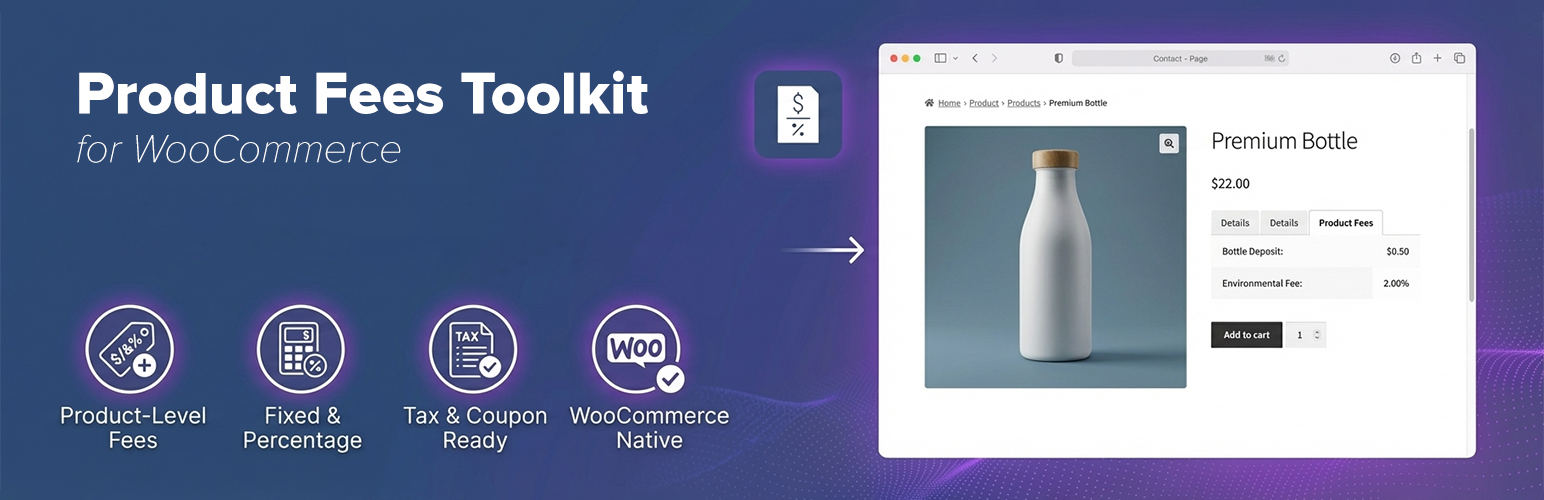
Product Fees Toolkit for WooCommerce lets you add clear, automatic fees directly to products and variations — without hacks, custom code, or confusing cart rules.
Perfect for service fees, deposits, eco fees, bottle returns, gift wrapping, or compliance charges, this plugin integrates seamlessly with WooCommerce’s pricing and tax systems so fees are applied consistently and transparently.
Why use Product Fees Toolkit?
- Add product-specific fees instead of global cart fees
- Charge fixed fees, percentage fees, or both together
- Multiply fees by quantity for per-item charges
- Fully compatible with WooCommerce taxes
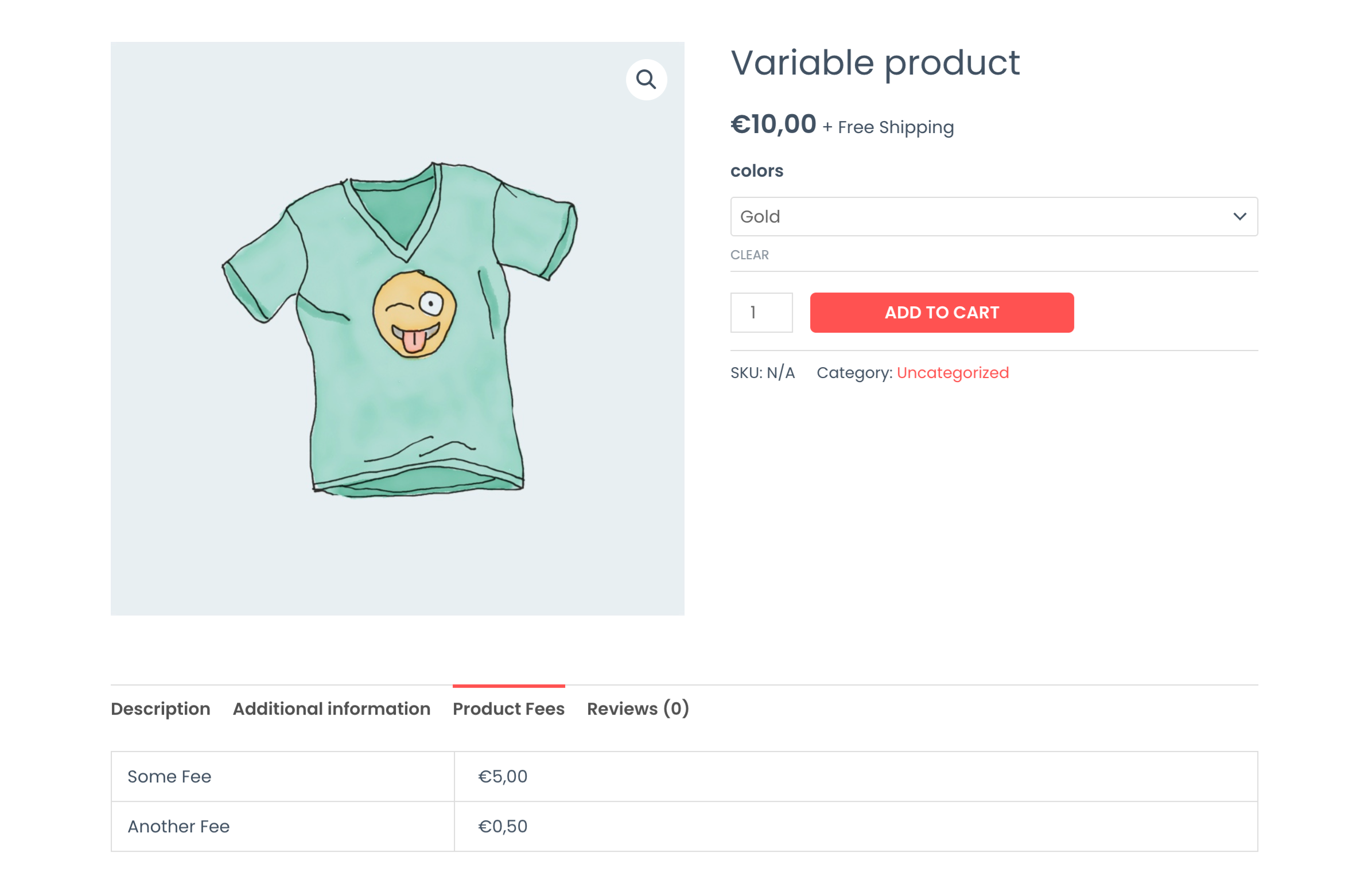
- Optional Product Fees tab on the product page for upfront pricing clarity
- Automatically remove fees with coupons during promotions
- Supports simple and variable products
- Works with WooCommerce product Import / Export
- Lightweight, fast, and built to feel native
No bloated settings. No checkout surprises. Just predictable fees your customers understand.
Common use cases
- Environmental or recycling fees
- Bottle or container deposits
- Gift wrapping or handling fees
- Age-verification or compliance charges
- Per-item service or packaging fees
How it works (2-minute setup)
- Edit any product in WooCommerce
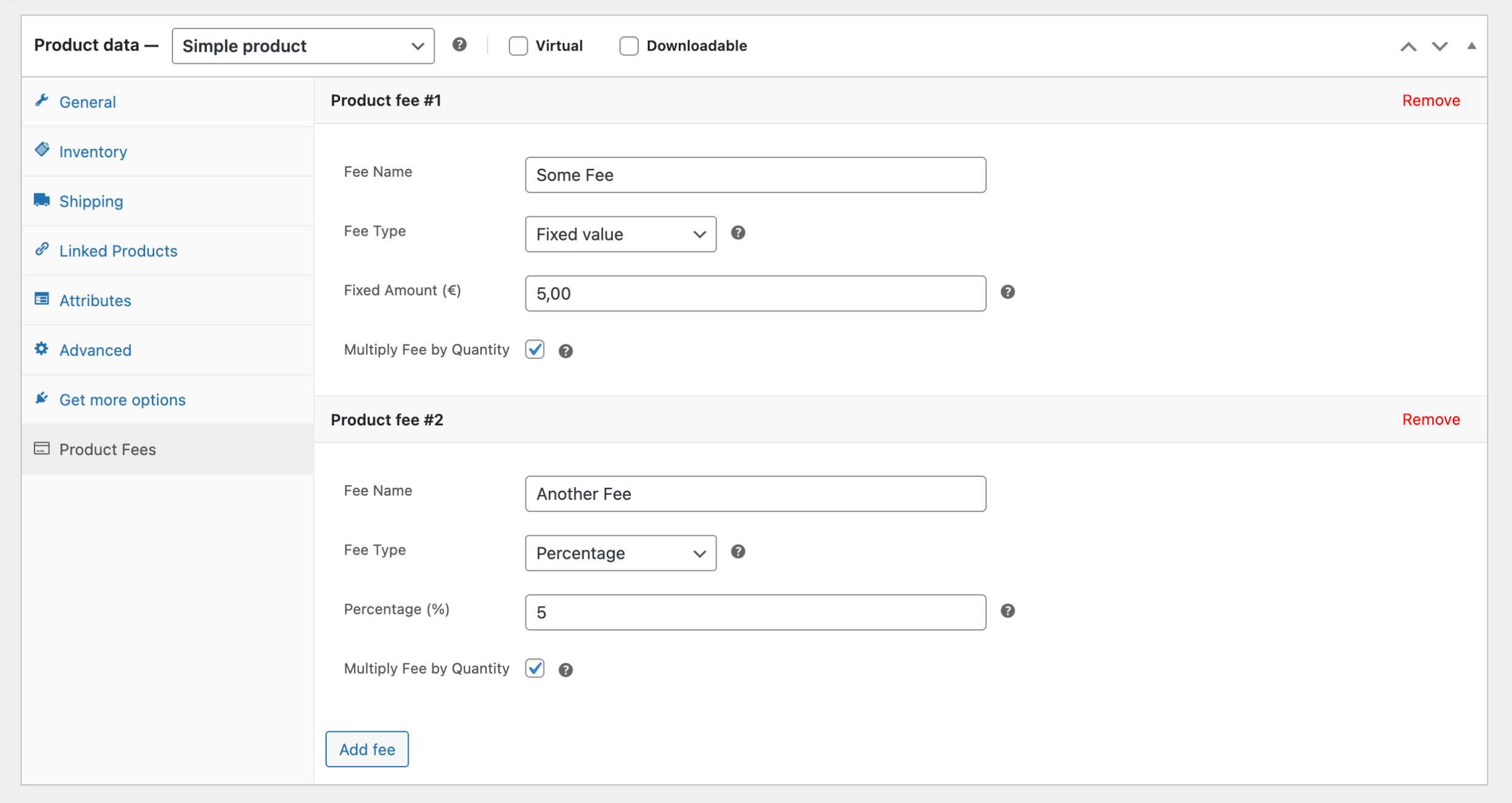
- Open Product Data Product Fees
- Add a fee name and amount (fixed, percent, or both)
- Choose whether it multiplies by quantity and applies tax
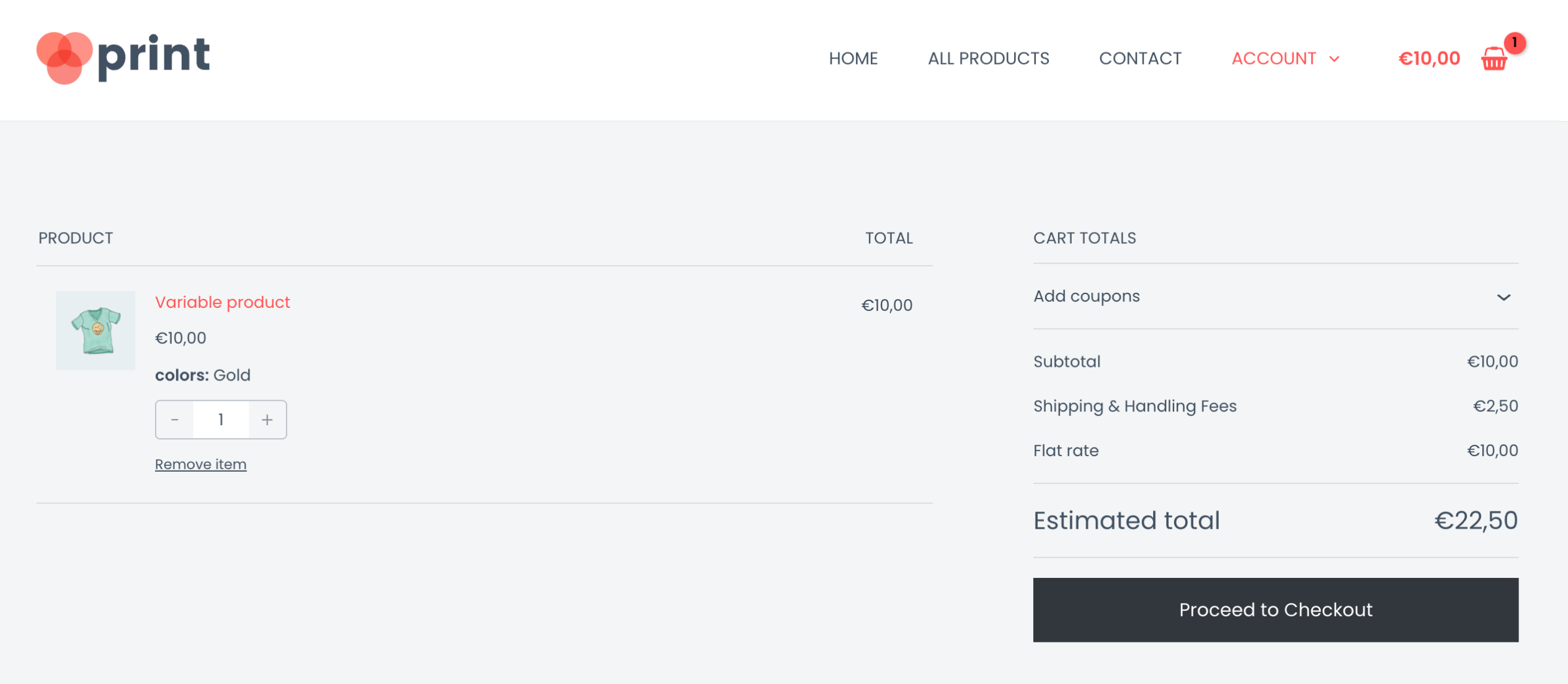
- Save — fees appear automatically at checkout
Where fees can be managed
- Product level: Products Edit product Product Data Product Fees
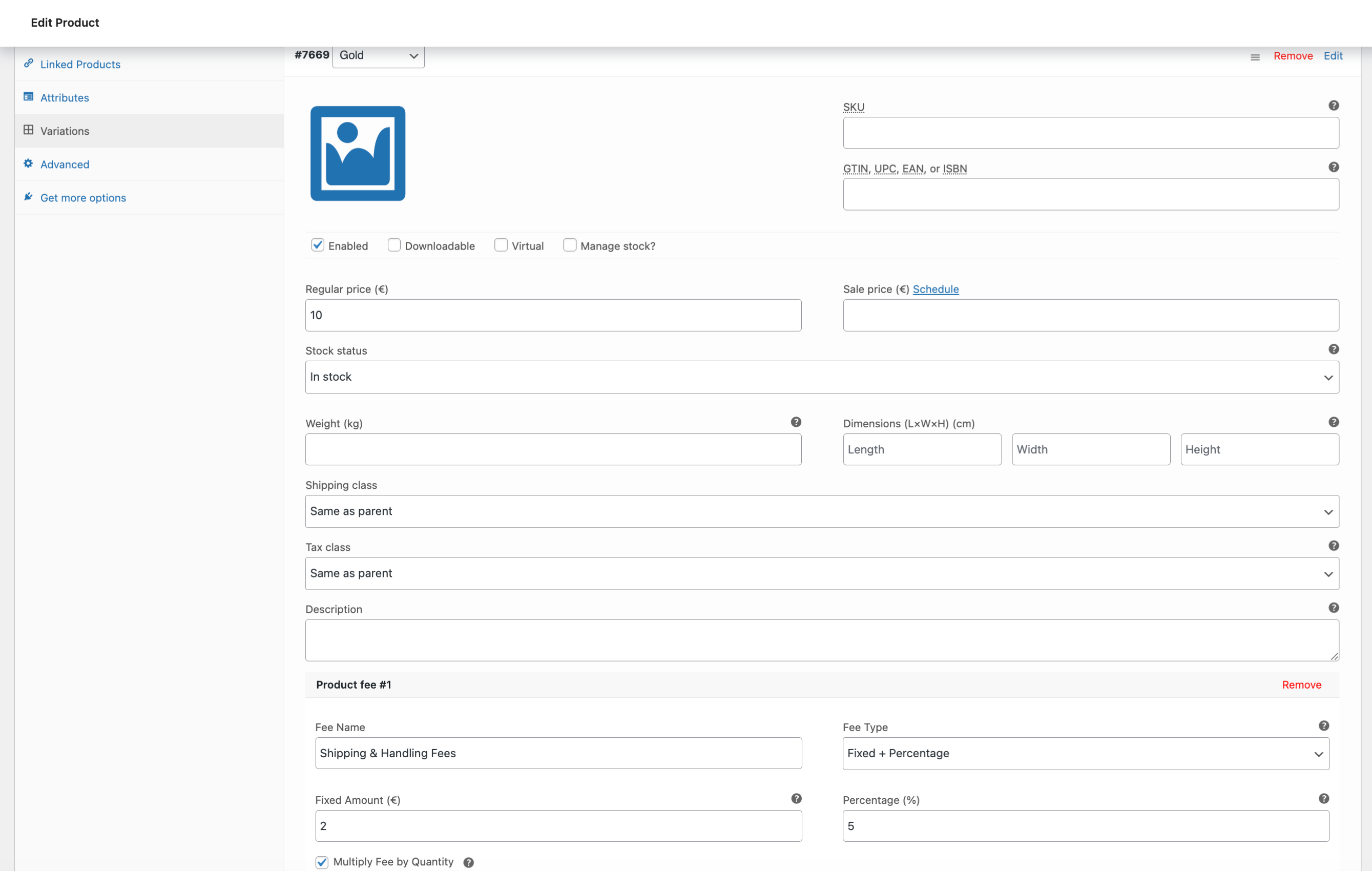
- Variation level: Products Edit variable product Variations Product Fees
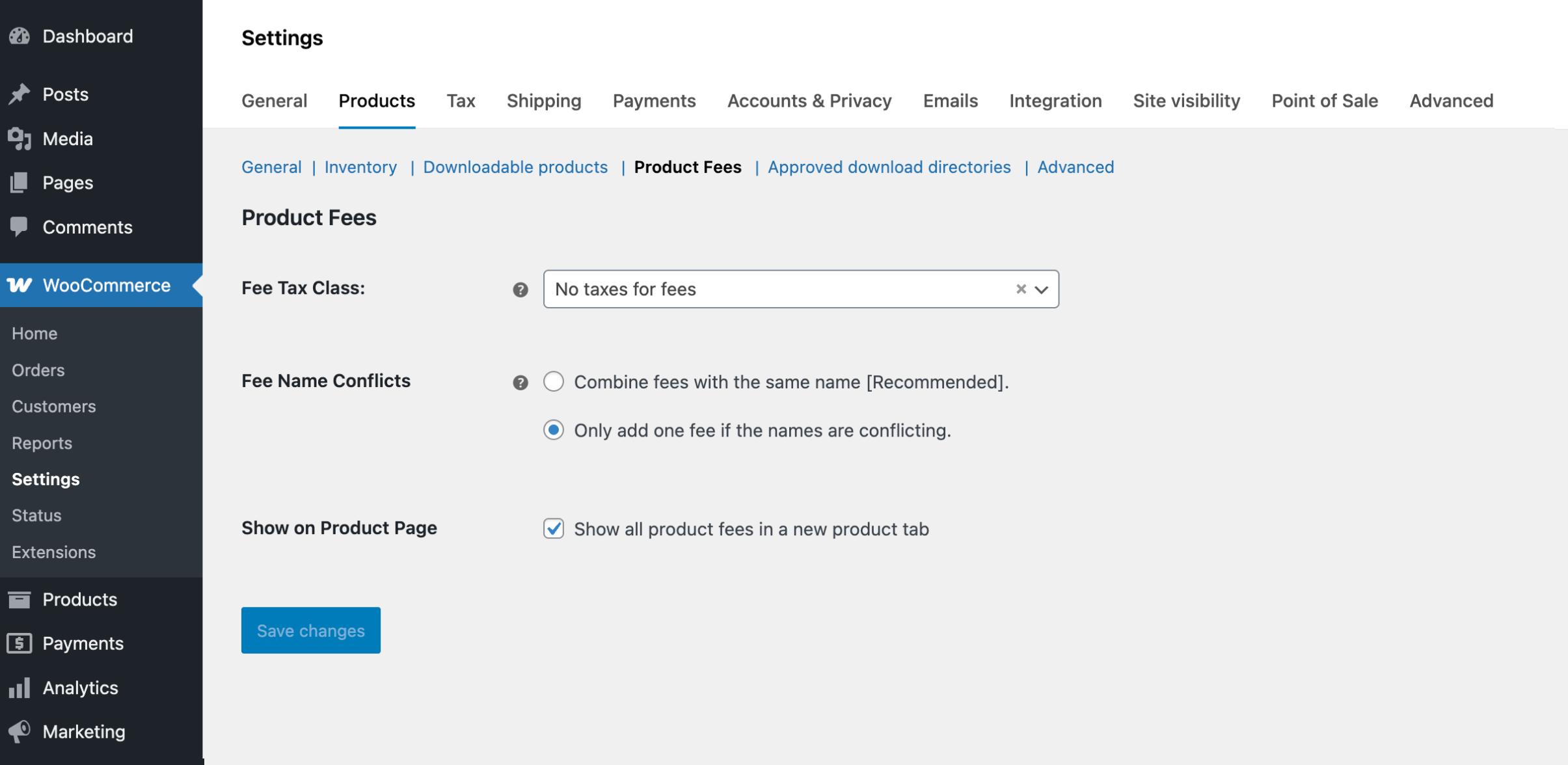
- Global options: WooCommerce Settings Products Product Fees
Global options let you:
* Control tax behavior for fees
* Decide whether fees with the same name combine or stay separate
* Show or hide the Product Fees tab on product pages
Built for store owners (and developers)
- Clean admin UI using WooCommerce standards
- No performance impact on the frontend
- Secure, nonce-protected admin saves
- Translation-ready and localization-friendly
Custom Coding & Extensibility
Can developers modify fees programmatically?
Yes. Filters are available to adjust fee labels, amounts, tax classes, and aggregation behavior before fees are added to the cart.
Can I add fees dynamically based on product context?
Yes. Fee data can be filtered per cart item, including quantity, price, product ID, or variation ID.
Can I extend the admin UI?
Yes. Action hooks allow adding custom controls t
Installation
Minimum Requirements
- WordPress 6.0 or higher
- WooCommerce 9.0 or higher
- PHP 7.4 or higher
Automatic installation
- Go to Plugins Add New
- Search for Product Fees Toolkit for WooCommerce
- Click Install Now, then Activate
Manual installation
- Download the plugin ZIP
- Go to Plugins Add New Upload Plugin
- Upload the ZIP and activate
Screenshots
Faq
Yes. Fees are attached directly to products or variations, not globally to the cart.
Yes. You can charge a percentage, a fixed amount, or both combined.
Yes. Enable Multiply by Quantity to apply the fee per item.
Yes. Enable the Product Fees tab to show fees on the product page.
Yes. Coupons can be configured to automatically remove product fees.
Yes. Fees can be taxable, non-taxable, or inherit the product’s tax class.
The plugin follows WooCommerce standards and works with most themes and extensions.