Product Gallery

Product Gallery
Description
Product Category & Product Gallery Viewer with Short Description View (optional), Product Page
Widget for Sidebar Product View & Category View
Installation
- Upload “product-gallery” to the “/wp-content/plugins/” directory.
- Activate the plugin through the “Plugins” menu in WordPress.
- use [lightbox_product_gallery per_page=”9″ category=”slug” desc=”true”] short code in your product page
- use [category_gallery width=”215″ background=”#fff”] short code in your category view page
Screenshots
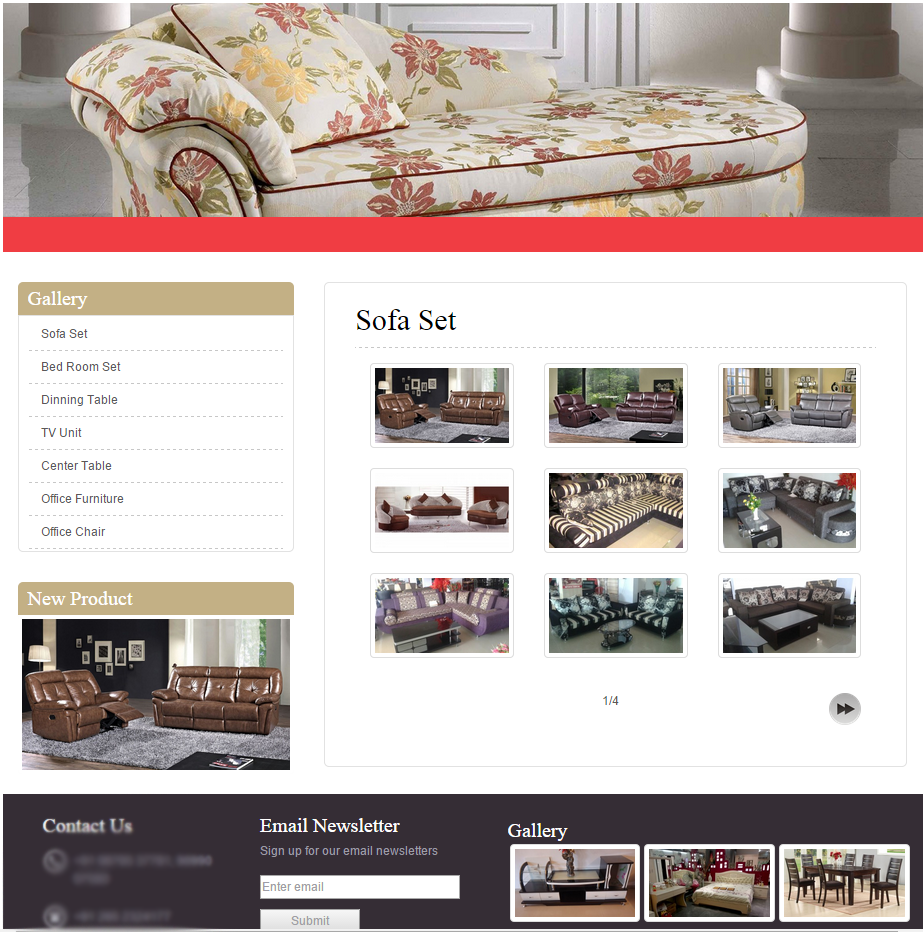
Product Page View.

Lightbox Product View when click on Product Image.
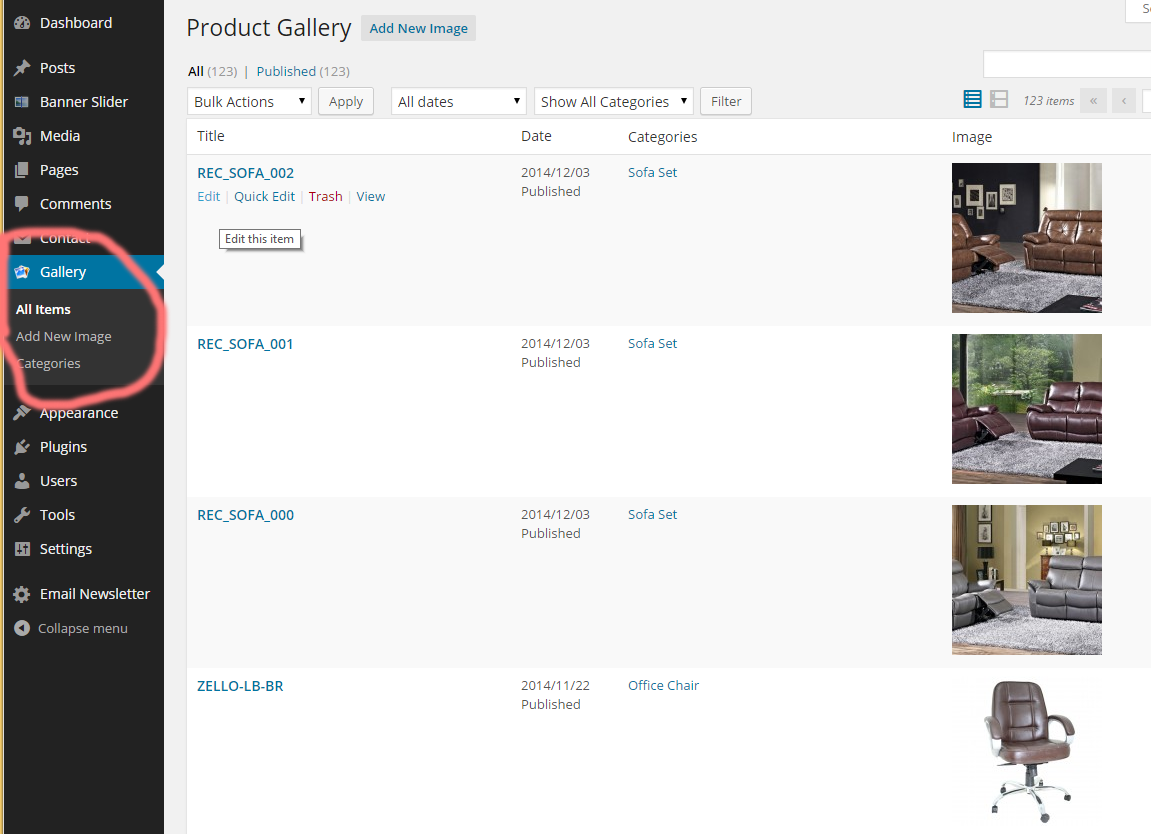
Product Image & Category Add/Edit/Delete through Admin Panel

Widget for Sidebar Product View & Category View
Faq
A question that someone might have
An answer to that question.
Reviews
Changelog
6.2
Add Imagesize in Widget for random category view
Add Imagesize in Widget for random product view
6.0
- Add Product Manager Role for users
4.0
- Addition Responsive ( BOOTSTRAP ) for Product Gallery Page
- Add ONLY NEW Product view option in Widget for Random Product Picture View
Add New Product Check Box Mark in Product Gallery
3.0
- Initial release with Widget RANDOM PRODUCT PICTURE VIEW